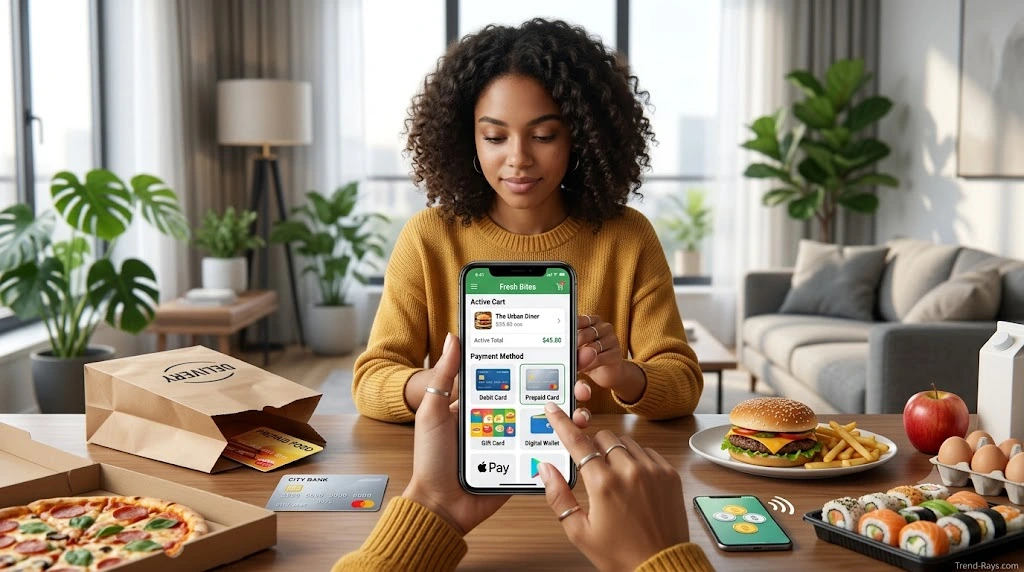
Ordering food online has never been easier, but many people still assume that a credit card is required to use food delivery apps like Uber Eats.
Fortunately, that’s not always the case.
Depending on your location and the payment methods available in your region, Uber Eats may allow you to pay using several alternatives to a traditional credit card, including debit cards, digital wallets, Uber gift cards, Uber Cash, and other supported payment methods.
If you’re a student without a credit card, someone who prefers not to borrow money, or simply looking for another way to pay, understanding your available options can save time and prevent checkout problems.
This guide explains how Uber Eats payments work, which payment methods are commonly supported, when a credit card isn’t necessary, why payments sometimes fail, and how to choose the best payment option for your situation.
Rather than relying on assumptions or outdated information, you’ll learn what to check before placing your next order and how to avoid common payment issues.
Short Answer
Yes, you can often order Uber Eats without using a credit card.
In many regions, Uber Eats accepts alternative payment methods such as:
- Debit cards
- Uber Gift Cards
- Uber Cash
- Digital wallets (where supported)
- PayPal (in selected markets)
- Other locally supported payment methods
However, the payment methods available to you depend on your country, your device, your account, and the restaurants available in your area.
Some options may appear during checkout in one location but not another.
That’s why the payment methods displayed inside your Uber Eats account are always the most accurate source for your specific order.
How Uber Eats Payments Work
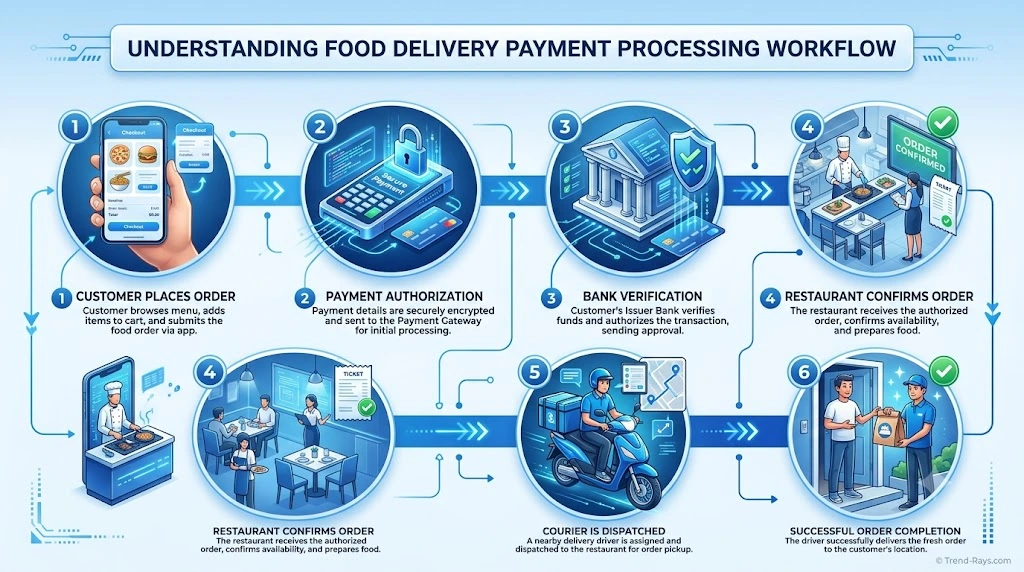
Before looking at individual payment methods, it’s helpful to understand how payments are processed on Uber Eats.
Unlike a traditional restaurant where you usually pay after receiving your meal, Uber Eats generally authorizes your payment before the restaurant begins preparing your order.
This authorization helps confirm that your selected payment method is valid and that the transaction can be completed successfully.
Once your order is accepted and processed, the payment is finalized according to Uber Eats’ payment workflow.
If the authorization cannot be completed—for example, because of insufficient funds, an expired payment method, or another issue—the order may not go through until a valid payment method is provided.
Understanding this process helps explain why payment problems often appear before the restaurant starts preparing your food.
Do You Need a Credit Card to Create an Uber Eats Account?
One of the biggest misconceptions is that you need a credit card just to create an Uber Eats account.
In most cases, you can create an account without immediately adding a credit card.
However, before placing an order, you’ll generally need to add a supported payment method that is accepted in your region.
Depending on your location, this could include a debit card, digital wallet, Uber Cash balance, gift card, or another eligible payment option.
The important point is that having an Uber Eats account doesn’t automatically mean you must own or use a credit card.
Many users successfully place orders using alternative payment methods every day.
What Payment Methods Does Uber Eats Accept?
Uber Eats supports multiple payment options, but the exact list varies by country and region.
Some payment methods may also depend on local banking systems, device compatibility, and regulatory requirements.
Below are the payment methods that are commonly available on Uber Eats in supported markets.
| Payment Method | Commonly Supported | Credit Card Required? |
|---|---|---|
| Debit Card | Yes (many regions) | No |
| Credit Card | Yes | Yes |
| Uber Gift Card | Supported where available | No |
| Uber Cash | Supported where available | No |
| Digital Wallets | Varies by device and region | Usually No (if linked to a debit card or eligible payment source) |
| PayPal | Selected markets | No (depending on your PayPal funding source) |
| Local Payment Methods | Varies by country | Depends on the payment method |
Because Uber Eats regularly updates supported payment methods, the options shown in your account during checkout are the most reliable reference for your location.
Why This Matters
Understanding how Uber Eats handles payments helps you avoid common misconceptions before placing an order.
Many people search specifically for “Can I use Uber Eats without a credit card?“, but the more useful question is:
“Which payment methods does Uber Eats currently support in my location?”
Once you know that answer, choosing the right payment option becomes much easier.
Can You Use a Debit Card on Uber Eats?
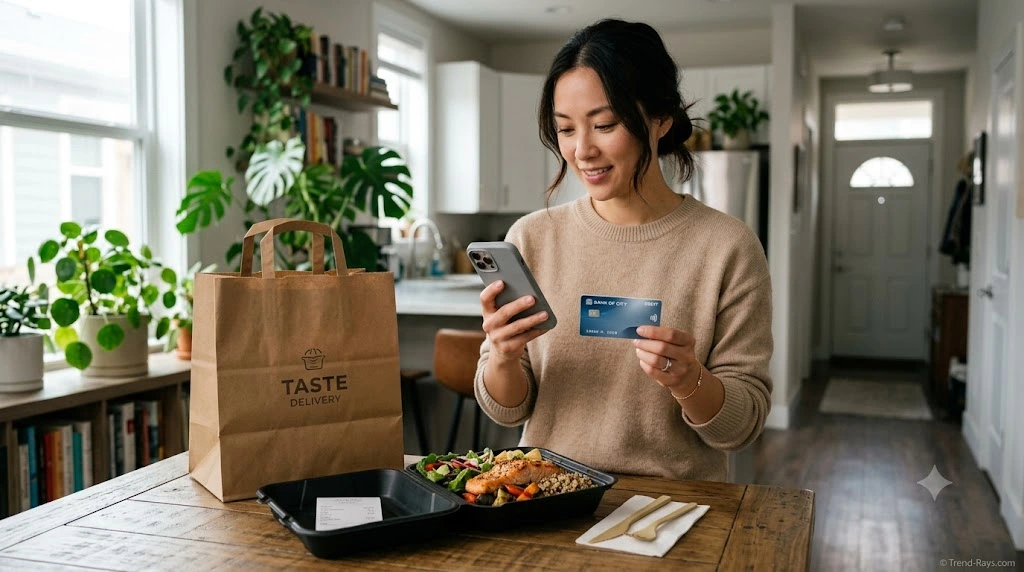
For many people, a debit card is the easiest alternative to a credit card when ordering through Uber Eats.
If your debit card is issued by a supported payment network and online transactions are enabled, you can generally add it to your Uber Eats account and use it for eligible orders.
Unlike a credit card, a debit card pays directly from the available balance in your linked bank account. This makes it a popular option for people who want to avoid borrowing money while still enjoying the convenience of online food delivery.
For everyday purchases, many users prefer debit cards because they help keep spending within their available budget rather than accumulating credit card balances.
How to Add a Debit Card to Uber Eats
Adding a debit card usually takes only a few minutes.
The exact steps may vary slightly depending on your device and app version, but the general process is similar.
- Open the Uber Eats app or sign in to your Uber account.
- Navigate to Account or Wallet.
- Select Add Payment Method.
- Choose Debit Card.
- Enter your card details accurately.
- Save the payment method.
- If required, complete any bank verification process.
Once your card has been successfully added, you can select it during checkout whenever it’s eligible for your order.
Why Your Debit Card Might Be Declined
Although debit cards are widely accepted, they aren’t guaranteed to work in every situation.
Some of the most common reasons include:
Insufficient Available Balance
Even if your account appears to have enough money, temporary authorization holds or pending transactions can reduce your available balance.
Always check the available balance rather than just the account balance before placing an order.
Incorrect Card Information
Simple typing mistakes can prevent a card from being verified.
Double-check:
- Card number
- Expiration date
- Security code (CVV)
- Billing address, if requested
Online Transactions Are Disabled
Some banks allow customers to disable online purchases for security reasons.
If online payments are turned off, Uber Eats won’t be able to process the transaction until the setting is changed through your banking app or by contacting your bank.
Bank Security Checks
Banks sometimes block online transactions that appear unusual.
This may happen if:
- You’re ordering from a new location.
- The purchase is larger than normal.
- Your bank detects suspicious activity.
- You’re traveling internationally.
In many cases, confirming the transaction with your bank resolves the issue.
Unsupported Cards
Not every debit card works for every online merchant.
Acceptance depends on factors such as:
- Card issuer
- Payment network
- Country
- Local banking regulations
If one debit card isn’t accepted, another eligible payment method may work.
Temporary Authorization Holds
One situation that surprises many first-time users is seeing a temporary charge appear on their bank account before the final payment is completed.
This is often called an authorization hold.
An authorization hold is not necessarily the final amount charged. Instead, it’s a temporary verification used during payment processing to confirm that funds are available.
Depending on your bank, these temporary holds may disappear automatically once the transaction is finalized.
If you notice a temporary authorization, it’s generally best to wait for the transaction to complete before assuming you’ve been charged twice.
Benefits of Using a Debit Card on Uber Eats
Many customers choose debit cards because they provide a good balance between convenience and financial control.
Some advantages include:
- No credit card required.
- Widely accepted in many regions.
- Easy to manage spending.
- Fast checkout.
- Compatible with many digital wallets.
- Suitable for everyday food orders.
For users who regularly order meals online, a debit card is often one of the most practical payment options available.
Potential Limitations
While debit cards work well for many customers, there are a few limitations worth keeping in mind.
Depending on your bank or region:
- Some banks may block certain online transactions.
- International cards may not always be supported.
- Temporary authorization holds can affect your available balance.
- Insufficient funds will usually prevent the order from being processed.
Being aware of these possibilities can help you troubleshoot problems more quickly if a payment doesn’t go through.
Tips for a Smooth Debit Card Payment
Before placing your next Uber Eats order, consider these simple best practices:
- Keep enough available funds in your account.
- Make sure your card hasn’t expired.
- Enable online transactions if your bank requires it.
- Update saved card information whenever you receive a replacement card.
- Review your order total before confirming payment.
- Monitor your bank notifications in case additional verification is needed.
These small steps can reduce the chances of payment issues and make checkout much smoother.
Quick Summary
For most users, a debit card is one of the best ways to use Uber Eats without relying on a credit card.
It’s widely accepted in many regions, easy to set up, and allows you to pay directly from your available bank balance. While occasional issues such as authorization holds or bank security checks can occur, they are usually resolved quickly once the underlying cause is addressed.
Can You Use Uber Gift Cards and Uber Cash on Uber Eats?
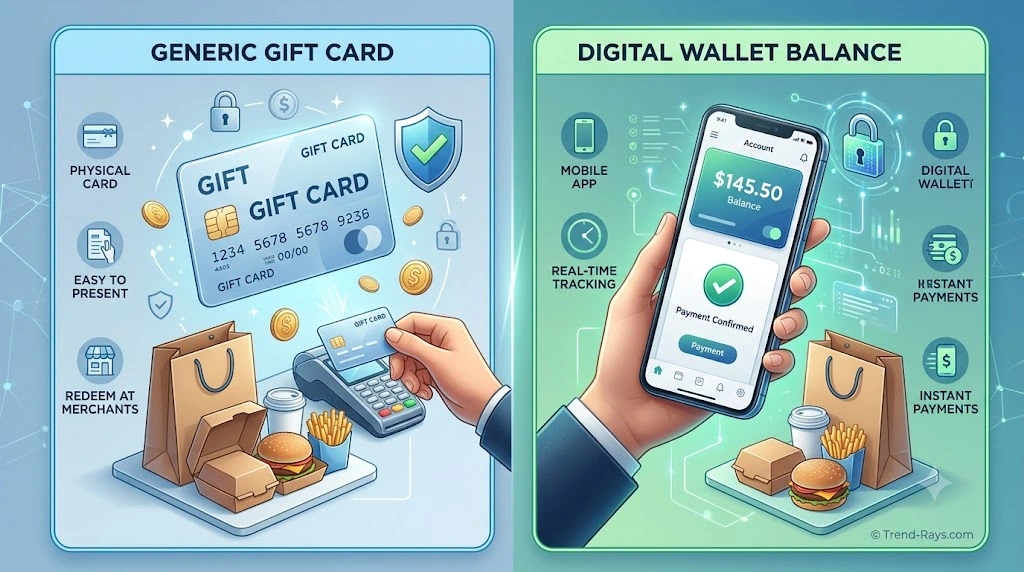
Yes. In supported regions, Uber Gift Cards and Uber Cash can both be used to pay for eligible Uber Eats orders, but they are not the same thing.
Many users assume these terms are interchangeable, but they serve different purposes within the Uber ecosystem.
Understanding how each one works can help you choose the most convenient payment method and avoid confusion during checkout.
What Is an Uber Gift Card?
An Uber Gift Card is a prepaid card that adds value to your Uber account.
Instead of functioning like a traditional debit or credit card, a gift card is redeemed by entering its code into your Uber account. Once redeemed, the value is added to your available Uber balance according to Uber’s supported redemption process.
Gift cards are often purchased:
- As gifts for friends or family.
- By people who prefer prepaid spending.
- By users who don’t want to use a credit card.
- During promotional offers or holiday sales.
Because the balance is prepaid, many users appreciate the additional budgeting control it provides.
How to Redeem an Uber Gift Card
Although the exact interface may change over time, the general process is straightforward.
- Open the Uber or Uber Eats app.
- Navigate to Account or Wallet.
- Select the option to redeem a gift card.
- Enter the redemption code.
- Confirm the redemption.
Once the balance has been successfully added, it becomes available for eligible purchases within your Uber account.
Benefits of Uber Gift Cards
Uber Gift Cards offer several advantages for regular Uber Eats users.
No Credit Card Required
Because the balance is prepaid, many users can order food without using a traditional credit card.
Easy Budget Management
Loading a fixed amount onto your account makes it easier to control food spending over time.
Great for Gifts
Gift cards are a practical option for birthdays, holidays, graduations, or employee rewards because the recipient can choose when to use the balance.
Convenient for Students
Students or younger users who may not have access to a credit card often find gift cards to be a simple way to pay for occasional food deliveries.
What Is Uber Cash?
Uber Cash is a stored-value balance within your Uber account that can be used for eligible Uber services, including Uber Eats where supported.
Unlike a gift card, Uber Cash isn’t necessarily purchased as a physical or digital card.
Depending on your region and account, Uber Cash may come from:
- Redeemed gift cards.
- Promotional credits.
- Customer support adjustments.
- Rewards or special offers.
- Manually added balance in supported markets.
Your available Uber Cash balance appears inside your account and can typically be applied automatically to eligible purchases.
Benefits of Uber Cash
Many users enjoy Uber Cash because it simplifies the checkout process.
Some of the main benefits include:
- Faster payments.
- No need to enter card details for every order.
- Easy balance tracking within the app.
- Useful for promotional credits.
- Can reduce checkout time.
Uber Gift Card vs. Uber Cash
Although they work together, they serve different purposes.
| Feature | Uber Gift Card | Uber Cash |
|---|---|---|
| Purchased as a prepaid card | Yes | No |
| Added to your Uber account | Yes | Yes |
| Used for eligible Uber Eats orders | Yes | Yes |
| Can include promotional credits | No | Yes |
| Stored as an account balance | After redemption | Yes |
A simple way to think about it is this:
- Uber Gift Card is one way of adding value to your account.
- Uber Cash is the balance that can be available for eligible purchases after redemption or through other supported sources.
Can Uber Gift Cards Replace a Credit Card?
For many users, they can.
If your available Uber balance is sufficient to cover your order and the gift card has been redeemed successfully, you may not need to use a credit card for that purchase.
However, availability, supported payment combinations, and checkout requirements can vary by country and account settings.
Review the payment options shown during checkout for your specific order.
Things to Keep in Mind
Before relying on Uber Gift Cards or Uber Cash, remember a few practical considerations.
- Availability varies by country.
- Promotional balances may have expiration dates or usage conditions.
- Your balance must usually be sufficient to cover eligible charges unless another supported payment method is available for the remaining amount.
- Some promotions may apply only to specific services or regions.
Checking your available balance before placing an order can help prevent unexpected payment issues.
Which Option Is Better?
The answer depends on how you use Uber Eats.
Uber Gift Cards are ideal if you:
- Prefer prepaid spending.
- Want to avoid using a credit card.
- Are buying a gift for someone else.
- Like setting a monthly food budget.
Uber Cash is ideal if you:
- Frequently use Uber or Uber Eats.
- Receive promotional credits.
- Want faster checkout.
- Prefer managing a single account balance.
For many regular users, combining both options provides a flexible and convenient way to pay without relying on a traditional credit card.
Quick Summary
Uber Gift Cards and Uber Cash provide practical alternatives for many Uber Eats users who don’t want to pay with a credit card.
While a gift card adds prepaid value to your account, Uber Cash represents the stored balance available for eligible purchases. Understanding the difference between the two makes it easier to choose the payment option that best fits your needs.
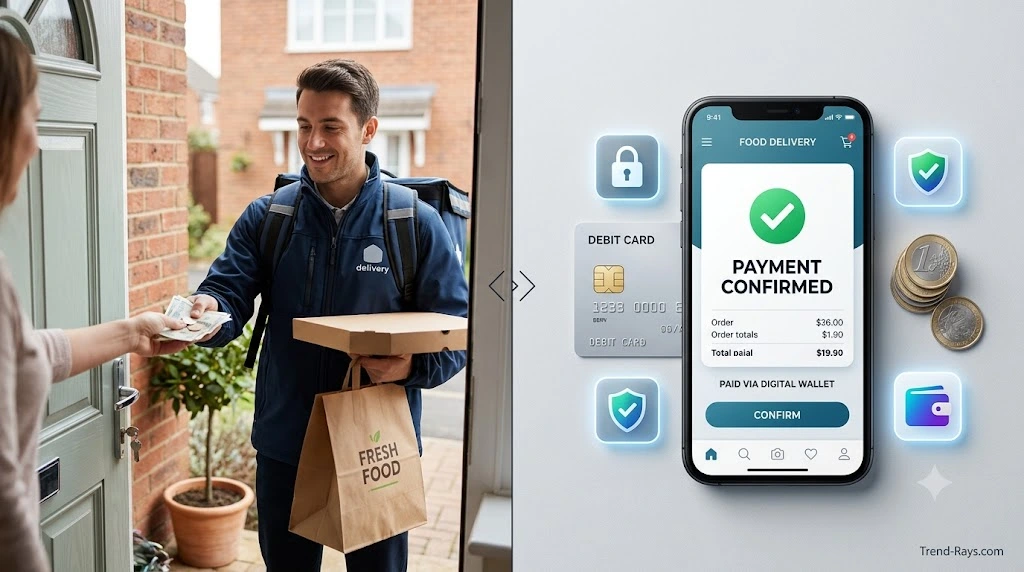
Does Uber Eats Accept Cash?
The answer is:
Sometimes—but not everywhere.
Whether you can pay with cash on Uber Eats depends on several factors, including:
- Your country
- Your city
- Local regulations
- Your Uber Eats account
- The restaurant
- Payment options currently available in your region
In some markets, cash payments have been available for eligible orders. In many others, Uber Eats primarily relies on digital payment methods.
For that reason, you should never assume cash is available simply because it was accepted in another city or country.
The payment methods displayed during checkout are the most reliable indication of what’s currently supported for your order.
Why Doesn’t Uber Eats Offer Cash Everywhere?
Many users wonder why one city allows cash payments while another doesn’t.
The decision depends on operational, financial, and local business factors rather than a single global policy.
Digital payments offer several advantages for delivery platforms, including:
- Faster checkout
- Reduced cash handling
- Simpler payment reconciliation
- Lower risk of incorrect change
- Streamlined refunds where applicable
- Improved order processing
At the same time, Uber Eats adapts its payment options to local market preferences and infrastructure, which is why available payment methods may differ from one region to another.
How to Check Whether Cash Is Available
Rather than searching online for a general answer, it’s best to verify the payment options directly within your Uber Eats account.
A simple approach is:
- Add your desired items to the cart.
- Proceed to checkout.
- Open the payment method section.
- Review the payment options displayed for your order.
If cash is available in your area for that order, it will typically appear as one of the selectable payment methods.
If it doesn’t appear, you’ll need to choose one of the other supported payment options shown.
Why Cash May Not Appear as an Option
Even if you’ve heard that Uber Eats accepts cash, there are situations where the option may not be available.
Possible reasons include:
Your Region Doesn’t Support Cash
Some countries and cities only support digital payments.
Restaurant-Specific Policies
Individual restaurants may limit the payment methods they accept for delivery orders.
Temporary Operational Changes
Payment options can occasionally change because of operational requirements or service updates.
Account Eligibility
Certain payment features may vary depending on account history, location, or other eligibility factors.
Advantages of Paying with Cash
Where available, cash remains a preferred payment method for some customers.
Common reasons include:
No Bank Card Required
Cash allows eligible users to place orders without relying on a debit or credit card.
Greater Budget Control
Some people prefer paying with physical money because it makes daily spending easier to track.
Useful for People Without Banking Access
Cash can provide an alternative for users who don’t regularly use digital banking services.
Potential Limitations of Cash Payments
Although convenient for some users, cash payments may also have drawbacks.
Depending on the location and restaurant, you may encounter:
- Limited availability.
- Exact payment requirements.
- Longer payment process during delivery.
- Fewer participating restaurants.
- Different payment policies compared with digital orders.
These limitations are one reason why many delivery platforms continue expanding digital payment options.
What If Cash Isn’t Available?
If you don’t see cash as a payment option, you may still be able to complete your order using another supported method.
Depending on your location, alternatives could include:
- Debit cards
- Uber Gift Cards
- Uber Cash
- Digital wallets
- PayPal (where available)
- Other locally supported payment methods
The available choices will always depend on the payment methods supported for your account and region.
Cash vs. Digital Payments
Both payment methods have advantages, and the better choice depends on your personal preferences.
| Feature | Cash | Digital Payment |
|---|---|---|
| Credit card required | No | Not always |
| Instant checkout | No | Yes |
| Requires internet payment processing | No | Yes |
| Available everywhere | No | No |
| Easy spending records | Limited | Yes |
| Contactless experience | No | Often |
Neither option is universally better. The right choice depends on what’s available in your location and how you prefer to manage your purchases.
Quick Summary
Uber Eats may support cash payments in some markets, but availability is not universal.
Instead of relying on general information found online, always check the payment options shown during checkout for your specific order. If cash isn’t available, Uber Eats may still offer several alternative payment methods that don’t require a traditional credit card.
Understanding how cash availability works helps avoid surprises and makes it easier to choose the payment method that best fits your needs.
Can You Use PayPal, Apple Pay, Google Pay, and Other Digital Wallets on Uber Eats?
Yes, Uber Eats supports certain digital payment methods in many markets, but the options available depend on your country, device, operating system, and account.
Digital wallets have become one of the most convenient ways to pay for food delivery because they simplify checkout and reduce the need to manually enter payment details every time you place an order.
However, not every digital wallet is available everywhere, and some features vary by region.
For that reason, it’s always best to review the payment methods displayed within your Uber Eats account rather than relying on information from another country or an outdated guide.
What Is a Digital Wallet?
A digital wallet is a secure payment service that stores your payment information electronically, allowing you to complete purchases without repeatedly entering your card details.
Instead of typing your payment information for every order, the wallet securely authorizes the transaction using the payment methods you’ve already added.
Depending on the service and your setup, a digital wallet may be linked to:
- A debit card
- A credit card
- An eligible bank account
- A prepaid payment method
- Other supported funding sources
This means using a digital wallet doesn’t automatically mean you’re paying with a credit card.
For many users, a wallet is simply another way to use their debit card more conveniently.
Can You Use PayPal on Uber Eats?
In some regions, PayPal is available as a payment option for Uber Eats.
If it’s supported in your country, you may be able to connect your PayPal account and use it to complete eligible purchases.
One advantage of PayPal is flexibility.
Depending on how your PayPal account is configured, payments may be funded through:
- A linked bank account
- A debit card
- An available PayPal balance
- Other eligible funding sources
As with all payment methods, availability varies by market, so check the payment options displayed in your account.
Can You Use Apple Pay?
If you’re using a compatible Apple device and Apple Pay is supported in your region, you may see it as an available payment option.
Apple Pay offers several benefits, including:
- Fast checkout
- Built-in security features
- Biometric authentication using Face ID or Touch ID (on supported devices)
- Reduced need to manually enter payment information
Many users appreciate Apple Pay because it allows them to complete purchases with just a few taps while keeping sensitive payment information protected.
Can You Use Google Pay?
For Android users, Google Pay may be available where supported.
Like other digital wallets, Google Pay is designed to make online payments faster and more convenient.
Depending on your setup, Google Pay can work with eligible payment methods that you’ve already added to your account.
This allows you to complete purchases without manually entering your payment details for every order.
Other Digital Payment Methods
Depending on your country, Uber Eats may also support additional local payment services.
These vary by region and can change over time.
Examples may include:
- Local mobile wallet services
- Region-specific payment platforms
- Bank-supported online payment systems
- Other digital payment solutions
Because Uber Eats continuously updates its supported payment options, the choices displayed during checkout are the most accurate reflection of what’s currently available.
Why Many People Prefer Digital Wallets
Digital wallets have become increasingly popular because they combine convenience with security.
Some of the biggest advantages include:
Faster Checkout
You don’t have to enter your payment information every time you order.
Better Security
Many digital wallets use encryption and tokenization to help protect your payment information during transactions.
Convenient Authentication
Supported devices may allow you to approve payments using biometric verification or your device passcode.
Easy Payment Management
Updating your payment information in one place can simplify future purchases across supported apps and services.
Potential Limitations
Although digital wallets are convenient, there are situations where they may not be available.
Some common limitations include:
- Regional restrictions
- Device compatibility requirements
- Unsupported payment methods
- Temporary service interruptions
- Wallet configuration issues
If your preferred wallet doesn’t appear during checkout, it may not currently be supported for your account or location.
Digital Wallet vs. Debit Card
Many users wonder whether it’s better to pay directly with a debit card or through a digital wallet.
The answer depends on your preferences.
| Feature | Debit Card | Digital Wallet |
|---|---|---|
| Requires entering card details initially | Yes | Usually once during wallet setup |
| Faster checkout | Good | Excellent |
| Biometric authentication | No | Often available |
| Works without a credit card | Yes | Yes, if linked to an eligible debit card or other supported funding source |
| Security features | Good | Enhanced through wallet technology and device authentication |
For many people, using a digital wallet linked to a debit card provides the convenience of quick checkout without requiring a traditional credit card.
Which Option Should You Choose?
If you already use Apple Pay, Google Pay, PayPal, or another supported digital wallet, it can be one of the easiest ways to pay for Uber Eats.
If you prefer a more direct approach, using your debit card may be equally effective.
The best choice depends on:
- The payment methods available in your region
- Your preferred level of convenience
- Your existing banking setup
- The devices you use regularly
Fortunately, Uber Eats supports multiple payment options in many markets, giving users flexibility when placing an order.
Quick Summary
Digital wallets provide a fast, secure, and convenient way to pay for Uber Eats in supported regions.
Whether you use PayPal, Apple Pay, Google Pay, or another supported wallet, the availability of each option depends on your location and account. If your wallet is linked to an eligible debit card or another supported funding source, you can often complete your order without using a traditional credit card.
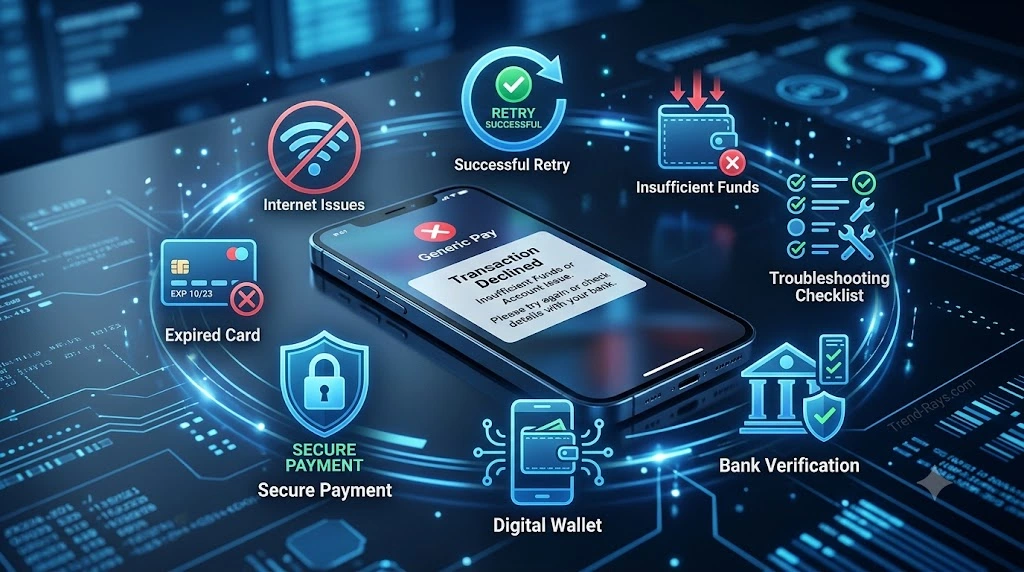
Why Your Uber Eats Payment Was Declined (And How to Fix It)
Few things are more frustrating than spending time choosing your meal, customizing your order, and reaching checkout—only to see a message saying your payment couldn’t be processed.
Fortunately, a declined payment doesn’t always mean there’s something seriously wrong with your account or payment method.
In many cases, the issue is temporary and can be resolved in just a few minutes.
Understanding the most common causes can help you identify the problem quickly and complete your order without unnecessary delays.
Insufficient Available Funds
One of the most common reasons for a declined payment is simply not having enough available money to cover the total cost of the order.
Remember that the total includes more than just the food.
It may also include:
- Delivery fees
- Service fees
- Taxes
- Tips
- Other applicable charges
If your available balance is lower than the final order total, the payment may be declined.
How to Fix It
- Check your available balance.
- Reduce the order total if necessary.
- Choose another supported payment method.
Expired Card Information
If the debit or credit card saved in your Uber Eats account has expired, payments won’t go through until it’s updated.
Many people receive replacement cards with new expiration dates or security codes but forget to update the information inside the app.
How to Fix It
- Remove the outdated card.
- Add your current card details.
- Try placing the order again.
Incorrect Payment Details
Simple typing mistakes can prevent successful payment authorization.
Common errors include:
- Incorrect card number.
- Wrong expiration date.
- Incorrect CVV.
- Billing address mismatches where applicable.
How to Fix It
Review every field carefully before trying again.
Bank Security Checks
Banks constantly monitor transactions for unusual activity.
If an order appears unusual—for example, because of its location, amount, or timing—the bank may temporarily block the transaction as a security precaution.
This doesn’t necessarily mean your account has been compromised.
How to Fix It
- Check your banking app for security alerts.
- Approve the transaction if requested.
- Contact your bank if the payment continues to fail.
Temporary Authorization Problems
Before processing an order, Uber Eats may verify that your selected payment method can cover the purchase.
If this authorization can’t be completed successfully, the order may not proceed.
Temporary authorization issues can occur for several reasons, including communication delays between financial institutions.
How to Fix It
Wait a few minutes before attempting another payment.
Repeatedly submitting the same transaction usually doesn’t solve the problem and may create additional temporary authorizations.
Unsupported Payment Method
Not every payment method works in every country or region.
Certain debit cards, prepaid cards, digital wallets, or locally issued payment products may not currently be supported.
How to Fix It
Try another payment method that appears within your available payment options.
Internet Connection Problems
Sometimes the issue isn’t with the payment itself.
An unstable internet connection can interrupt communication between the app, payment processor, and your financial institution.
How to Fix It
- Switch between Wi-Fi and mobile data.
- Restart the app.
- Ensure your internet connection is stable before trying again.
Outdated Uber Eats App
Using an older version of the app can occasionally lead to unexpected issues, including payment errors.
Updates often include bug fixes, compatibility improvements, and security enhancements.
How to Fix It
Check your device’s app store to see whether a newer version of Uber Eats is available.
Temporary Technical Issues
Like any online platform, Uber Eats may occasionally experience temporary technical problems.
These situations are usually resolved quickly without any action from users.
How to Fix It
If everything else appears correct, waiting a short time before trying again is often the best approach.
Account Verification Issues
In some situations, additional verification may be required before certain payment methods can be used successfully.
This varies by region and account.
How to Fix It
Review any notifications displayed in your Uber Eats account and complete any requested verification steps.
Payment Declined? Try This Quick Checklist
Before attempting another payment, go through this simple checklist:
- ✅ Confirm you have enough available funds.
- ✅ Check that your saved card information is correct.
- ✅ Make sure your card hasn’t expired.
- ✅ Verify your internet connection.
- ✅ Update the Uber Eats app if necessary.
- ✅ Review any security notifications from your bank.
- ✅ Try another supported payment method if available.
- ✅ Wait a few minutes before retrying if you suspect a temporary issue.
These quick checks solve many payment problems without requiring additional support.
When Should You Contact Support?
If you’ve verified your payment information, confirmed your available balance, and tried another supported payment method but the issue continues, it may be time to contact the appropriate support team.
Depending on the situation, that could include:
- Your bank or payment provider, if the transaction appears to be blocked or declined on their end.
- Uber Eats support, if the app displays a persistent error or your account seems to have a payment-related issue.
Before reaching out, it’s helpful to note any error message shown in the app and the time the payment failed. Those details can make troubleshooting faster.
Quick Summary
Most Uber Eats payment declines are caused by routine issues such as insufficient available funds, outdated card information, temporary bank security checks, or connectivity problems.
In many cases, the solution is straightforward: verify your payment details, ensure your payment method is valid, and try again after addressing the underlying issue.
Understanding these common causes can save time, reduce frustration, and help you get your order completed more quickly.
Why Your Uber Eats Payment Was Declined (And How to Fix It)
Few things are more frustrating than spending time choosing your meal, customizing your order, and reaching checkout—only to see a message saying your payment couldn’t be processed.
Fortunately, a declined payment doesn’t always mean there’s something seriously wrong with your account or payment method.
In many cases, the issue is temporary and can be resolved in just a few minutes.
Understanding the most common causes can help you identify the problem quickly and complete your order without unnecessary delays.
Insufficient Available Funds
One of the most common reasons for a declined payment is simply not having enough available money to cover the total cost of the order.
Remember that the total includes more than just the food.
It may also include:
- Delivery fees
- Service fees
- Taxes
- Tips
- Other applicable charges
If your available balance is lower than the final order total, the payment may be declined.
How to Fix It
- Check your available balance.
- Reduce the order total if necessary.
- Choose another supported payment method.
Expired Card Information
If the debit or credit card saved in your Uber Eats account has expired, payments won’t go through until it’s updated.
Many people receive replacement cards with new expiration dates or security codes but forget to update the information inside the app.
How to Fix It
- Remove the outdated card.
- Add your current card details.
- Try placing the order again.
Incorrect Payment Details
Simple typing mistakes can prevent successful payment authorization.
Common errors include:
- Incorrect card number.
- Wrong expiration date.
- Incorrect CVV.
- Billing address mismatches where applicable.
How to Fix It
Review every field carefully before trying again.
Bank Security Checks
Banks constantly monitor transactions for unusual activity.
If an order appears unusual—for example, because of its location, amount, or timing—the bank may temporarily block the transaction as a security precaution.
This doesn’t necessarily mean your account has been compromised.
How to Fix It
- Check your banking app for security alerts.
- Approve the transaction if requested.
- Contact your bank if the payment continues to fail.
Temporary Authorization Problems
Before processing an order, Uber Eats may verify that your selected payment method can cover the purchase.
If this authorization can’t be completed successfully, the order may not proceed.
Temporary authorization issues can occur for several reasons, including communication delays between financial institutions.
How to Fix It
Wait a few minutes before attempting another payment.
Repeatedly submitting the same transaction usually doesn’t solve the problem and may create additional temporary authorizations.
Unsupported Payment Method
Not every payment method works in every country or region.
Certain debit cards, prepaid cards, digital wallets, or locally issued payment products may not currently be supported.
How to Fix It
Try another payment method that appears within your available payment options.
Internet Connection Problems
Sometimes the issue isn’t with the payment itself.
An unstable internet connection can interrupt communication between the app, payment processor, and your financial institution.
How to Fix It
- Switch between Wi-Fi and mobile data.
- Restart the app.
- Ensure your internet connection is stable before trying again.
Outdated Uber Eats App
Using an older version of the app can occasionally lead to unexpected issues, including payment errors.
Updates often include bug fixes, compatibility improvements, and security enhancements.
How to Fix It
Check your device’s app store to see whether a newer version of Uber Eats is available.
Temporary Technical Issues
Like any online platform, Uber Eats may occasionally experience temporary technical problems.
These situations are usually resolved quickly without any action from users.
How to Fix It
If everything else appears correct, waiting a short time before trying again is often the best approach.
Account Verification Issues
In some situations, additional verification may be required before certain payment methods can be used successfully.
This varies by region and account.
How to Fix It
Review any notifications displayed in your Uber Eats account and complete any requested verification steps.
Payment Declined? Try This Quick Checklist
Before attempting another payment, go through this simple checklist:
- ✅ Confirm you have enough available funds.
- ✅ Check that your saved card information is correct.
- ✅ Make sure your card hasn’t expired.
- ✅ Verify your internet connection.
- ✅ Update the Uber Eats app if necessary.
- ✅ Review any security notifications from your bank.
- ✅ Try another supported payment method if available.
- ✅ Wait a few minutes before retrying if you suspect a temporary issue.
These quick checks solve many payment problems without requiring additional support.
When Should You Contact Support?
If you’ve verified your payment information, confirmed your available balance, and tried another supported payment method but the issue continues, it may be time to contact the appropriate support team.
Depending on the situation, that could include:
- Your bank or payment provider, if the transaction appears to be blocked or declined on their end.
- Uber Eats support, if the app displays a persistent error or your account seems to have a payment-related issue.
Before reaching out, it’s helpful to note any error message shown in the app and the time the payment failed. Those details can make troubleshooting faster.
Quick Summary
Most Uber Eats payment declines are caused by routine issues such as insufficient available funds, outdated card information, temporary bank security checks, or connectivity problems.
In many cases, the solution is straightforward: verify your payment details, ensure your payment method is valid, and try again after addressing the underlying issue.
Understanding these common causes can save time, reduce frustration, and help you get your order completed more quickly.
Final Thoughts: Can You Really Use Uber Eats Without a Credit Card?
For many people, the answer is yes.
A traditional credit card isn’t always necessary to order food through Uber Eats. Depending on where you live and which payment methods are supported for your account, you may be able to complete your order using alternatives such as a debit card, Uber Gift Card, Uber Cash, PayPal, or a supported digital wallet.
The most important thing to remember is that payment options are not identical for every user. Availability can vary based on your country, city, account settings, device, and the restaurant you’re ordering from.
Rather than relying on outdated online advice or assuming every payment method is available everywhere, it’s always best to check the payment options displayed in your Uber Eats account before placing your order.
If your preferred payment method isn’t available, another supported option may still allow you to complete your purchase without using a credit card.
Key Takeaways
Before placing your next Uber Eats order, remember these points:
- You don’t always need a credit card to use Uber Eats.
- Debit cards are one of the most widely accepted alternatives in many regions.
- Uber Gift Cards and Uber Cash can provide additional flexibility for eligible purchases.
- Digital wallets such as Apple Pay, Google Pay, or PayPal may be available depending on your device and location.
- Payment availability varies by region, so always review the options shown during checkout.
- Most payment problems can be resolved by checking your payment details, available balance, or bank notifications before trying again.
Understanding how Uber Eats processes payments can help you avoid unnecessary frustration and choose the payment method that best fits your needs.
Looking for More Ways to Order Food Without a Credit Card?
If you’re interested in payment options beyond Uber Eats, you may also find our comprehensive guide helpful:
How to Order Food Without a Credit Card: 12 Legitimate Payment Methods
That guide explores alternative payment methods that work across multiple food delivery services, along with practical tips for choosing the right option, avoiding common payment mistakes, and ordering safely online.
Whether you’re using Uber Eats, another delivery platform, or ordering directly from a restaurant, understanding your payment choices can help make the checkout process faster, simpler, and more reliable.
Frequently Asked Questions
Can I use Uber Eats with only a debit card?
Yes. In many regions, Uber Eats accepts eligible debit cards as a payment method. If your debit card supports online transactions and is accepted in your location, you can often place orders without using a credit card.
Does Uber Eats require a credit card to sign up?
No. You can usually create an Uber account without immediately adding a credit card. However, you’ll generally need a supported payment method before completing your first order.
Can I remove my credit card after adding a debit card?
If your account has another eligible payment method available, you can typically manage or remove saved payment methods through your Wallet or Payment settings. Some account configurations may require at least one valid payment method to remain on file.
In many markets, eligible Visa and Mastercard debit cards are accepted. Acceptance depends on your card issuer, country, and the payment options supported in your region.
Can I pay with a Visa or Mastercard debit card?
Can I use a prepaid card on Uber Eats?
Some prepaid cards work on Uber Eats if they support online purchases and have sufficient funds. However, acceptance varies depending on the card issuer and your location.
Does Uber Eats accept PayPal?
PayPal is available in selected countries and regions. If it’s supported for your account, it will appear as one of the available payment methods during setup or checkout.
Can I use Apple Pay on Uber Eats?
If you’re using a compatible Apple device and Apple Pay is supported in your region, you may be able to use it for eligible Uber Eats orders.
Can I use Google Pay on Uber Eats?
Android users in supported regions may see Google Pay as an available payment option. Availability depends on your device, account, and local payment support.
Can I pay cash for Uber Eats?
Cash payments may be available in some markets, but they are not universally supported. The easiest way to check is by reviewing the payment methods shown during checkout.
Does Uber Eats accept gift cards?
Yes. Uber Gift Cards can be redeemed to your account in supported regions and used toward eligible Uber Eats purchases.
What’s the difference between Uber Gift Cards and Uber Cash?
Uber Gift Cards are redeemed to add value to your account, while Uber Cash is the balance available for eligible purchases after gift card redemption, promotions, or other supported sources.
Why is my debit card being declined?
Common reasons include insufficient available funds, expired card details, incorrect information, temporary bank security checks, or unsupported payment methods.
A temporary authorization helps verify that your payment method is valid before the order is processed. It isn’t necessarily the final charge and often disappears after the transaction is completed.
Can I change my payment method before placing an order?
Yes. In most cases, you can select a different eligible payment method during checkout before confirming your purchase.
Can I change my payment method after placing an order?
Once an order has been confirmed, changing the payment method may not always be possible. Available options depend on the order status and Uber Eats’ current policies.
Can someone else pay for my Uber Eats order?
If another person provides an eligible payment method or sends you an Uber Gift Card where supported, they may be able to help cover the cost of your order.
Can I use Uber Eats while traveling?
Yes, but supported payment methods may vary by country. Before ordering abroad, check the payment options available in the region you’re visiting.
Is it safe to save my payment information on Uber Eats?
Uber uses security measures to help protect payment information. However, you should also use a strong password, enable additional account security features where available, and keep your device updated.
How do I update an expired payment card?
Go to your account’s payment or wallet section, remove the outdated card if necessary, and add your new card information before placing another order.
What should I do if every payment method fails?
Start by checking your internet connection, verifying your payment details, reviewing your available balance, and looking for any security notifications from your bank. If the issue continues, contact your bank or Uber Eats support for further assistance.
Does Uber Eats charge my card before the food is delivered?
Uber Eats generally verifies your payment method before the restaurant prepares your order. The exact timing of authorization and final payment may vary depending on your payment provider.
Can I split one Uber Eats order across two payment methods?
Payment options vary by market and account. If split payments are supported for your order, the available options will typically appear during checkout.
Which payment method is best if I don’t have a credit card?
For most users, a debit card is the simplest option. Others may prefer Uber Gift Cards, Uber Cash, PayPal, or a supported digital wallet depending on what’s available in their region.
Will my payment methods be the same in every country?
No. Uber Eats adjusts available payment methods based on local regulations, payment providers, and regional partnerships. The options you see while traveling may differ from those available at home.
Where can I check which payment methods are available for my account?
The most reliable source is the Uber Eats app or website. Open your Wallet or proceed to checkout to view the payment methods currently supported for your account and location.