For faceless YouTube channel operators, no notification is more devastating than the YouTube Partner Program (YPP) demonetization email citing “Reused Content.”
Historically, faceless channels relied on a predictable, low-friction pipeline: write a script, apply an automated voiceover, and stitch the timeline together using free stock clips from repositories like Pexels or Pixabay. However, as YouTube’s deduplication algorithms have grown more sophisticated, this exact workflow has become the primary trigger for channel death.
In response to the flood of low-effort generative video, YouTube’s 2026 Partner Program policies aggressively target “Inauthentic Content” and “Reused Content 2.0.” The algorithm no longer just scans for identical video hashes; it evaluates “replaceability.” If your video relies on identical templates, unoriginal AI slop, or third-party clips that anyone else can download, your monetization is instantly at risk.
Surface-level advice often suggests simply “writing better scripts,” but surviving the YPP review process requires a technical understanding of systems architecture. To truly scale a channel, capture high-CPC ad revenue, and safeguard your monetization, you need to move beyond consumer SaaS interfaces and build a headless, programmatic AI tech stack.
Here is the exact end-to-end Python pipeline you need to deploy to build an autonomous, monetization-proof video factory.
The Branding Crisis: Why Reused Content Kills Your “Face Value”
Beyond the immediate threat of demonetization, relying on standard stock footage fundamentally damages the long-term growth of your channel. Even a faceless channel needs to build “face value”—a recognizable brand identity that viewers trust. If you rely on scraped stock footage or generic templates, you will eventually trigger algorithmic flags. To understand the exact mechanics of these policy strikes, read our complete breakdown on beating the YouTube reused content trap.
- Total Interchangeability: If your channel is simply automated text over generic drone shots of mountains, you have no creative footprint. If a viewer cannot distinguish your video from fifty other channels, you have no brand loyalty.
- Zero Defensibility: In the creator economy, your uniqueness is your moat. If your content is easily replicable using templates and scraped clips, larger channels can instantly copy your format and steal your audience.
- Algorithmic Suppression: YouTube’s goal is retention. If viewers recognize the same Pexels clip they saw on three other channels, they will click off. This drop in retention signals to the algorithm that your content is low-value.
By generating 100% unique AI B-roll—where every pixel array is mathematically unique—you feed the algorithm entirely original visual data. Even if your script covers a common topic, the visual execution is yours and yours alone.
The ROI: Why the Headless SaaS Stack Wins
Most tutorials on “YouTube automation” are merely affiliate pitches for consumer SaaS tools. But manually clicking through web interfaces is a massive bottleneck. By cutting out the consumer UI layers and communicating directly with APIs, your operational costs plummet.
Automating the video creation is only half the battle; to actually drive impressions, your scripts must be structured around proven video SEO strategies and keyword clustering.
Let’s look at the financial reality of why top creators use a modular API tech stack instead of traditional outsourcing.
| Production Component | Traditional Freelance Cost (Per Video) | The API Tech Stack Cost (Compute/Tokens) |
| Data & SEO Research | $0 (Manual, high time cost) | $30/mo (NexLev or OutlierKit) |
| Scriptwriting | $50 – $150 (Upwork/Fiverr) | ~$0.05 per script (OpenAI / Anthropic API) |
| Voiceover | $50 – $100 | ~$0.30 per minute (ElevenLabs API) |
| Video Editing & B-Roll | $100 – $300 | ~$1.00 per video (Runway / Luma API) |
| Total Estimated Cost | $230+ per single video | Under $2.00 per video |
You are trading a massive freelance bill for a few API calls, scaling your channel’s profitability infinitely.
Automating the video creation is only half the battle; to actually drive impressions, your scripts must be structured around proven video SEO strategies and keyword clustering. However, from a production standpoint, you are trading a massive freelance bill for a few API calls, scaling your channel’s profitability infinitely.
Under the Hood: The Core Technologies Explained
To understand why this pipeline is so powerful, you need to understand the three foundational technologies driving it. Think of this stack like a digital movie studio: you have the Director, the Voice Actor, and the Film Editor.
1. Python (The Orchestrator / The Director)
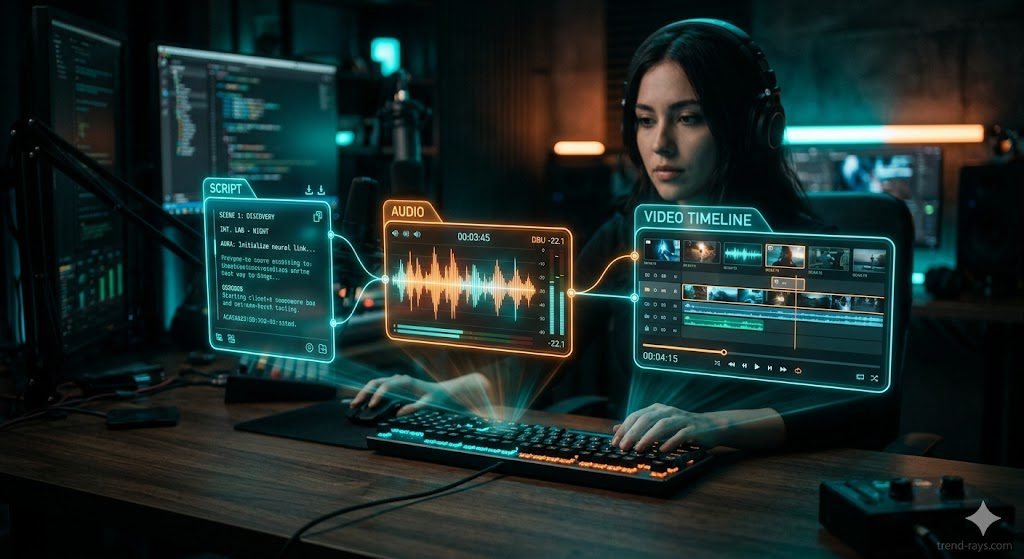
Python is a highly versatile programming language that excels at backend automation. In this tech stack, Python is the “glue.” It doesn’t generate the video or the voice itself. Instead, it acts as the master controller. The Python script wakes up, reads the instructions, sends the script to the AI for voice generation, downloads the audio, triggers the video generator, and tells the editing software exactly how to put it all together.
2. ElevenLabs API (The Voice Engine / The Actor)
ElevenLabs is the 2026 industry standard for AI voice cloning and generative audio. An API (Application Programming Interface) allows two software programs to talk to each other without a human clicking buttons on a website. Instead of logging into the ElevenLabs dashboard, your Python code sends a secure payload to the ElevenLabs API using the eleven_multilingual_v2 or eleven_flash_v2_5 models. The API processes the text and sends the highly emotional, human-sounding raw audio file directly back to your local directory.
3. FFmpeg (The Media Assembly Engine / The Editor)
FFmpeg is a legendary, open-source command-line software suite used for handling audio and video files. It has no buttons, no timeline, and no graphical interface. While tools like Premiere Pro are designed for humans, FFmpeg is designed for code. Your Python script sends mathematical commands to FFmpeg (e.g., “Take scene 1, cut it exactly at 4.87 seconds, and crossfade into scene 2”), stitching the raw files into a final, polished MP4 instantly in the background.
Building the Headless Pipeline Architecture
A programmatic video pipeline operates in four sequential, decoupled stages.
Step 1: Structured JSON Script Generation (The LLM Layer)
The most common developer mistake is asking an LLM for a raw text script. You cannot programmatically edit a wall of text. You must force the LLM (like Claude 3.5 Sonnet or GPT-4o) to utilize “Structured Outputs” to return a strict, scene-segmented JSON payload.
You need two components per scene: the narration string and the visual prompt for your B-roll.
The System Prompt Strategy:
Plaintext
You are a technical YouTube scriptwriter. Output ONLY valid JSON in the following structure. Do not include markdown formatting.
{
  "scenes": [
    {
      "id": 1,
      "narration": "The exact voiceover text.",
      "visual_prompt": "Cinematic visual description for AI B-roll generation."
    }
  ]
}
This JSON array becomes the backbone of your Python pipeline. You will iterate through it to synchronously generate your audio and video assets.
Step 2: The ElevenLabs API & FFprobe Audio Measurement
Once you parse the JSON script, iterate through the scenes array and send the narration text to the ElevenLabs TTS API.
However, an immediate programmatic hurdle arises: Video clips must match the exact length of the generated audio. You cannot guess the duration. Once the .wav file is saved locally, you must use FFprobe to extract the exact duration down to the millisecond.
We use ElevenLabs in this pipeline because it handles emotional inflection flawlessly. If you are exploring other options for your workflow, check out our comparison of the top AI voice cloning SaaS platforms.
The Python Implementation:
Python
import requests
import json
import subprocess

def generate_audio_and_get_duration(text, voice_id, output_path, api_key):
    # 1. Call ElevenLabs API
    url = f"https://api.elevenlabs.io/v1/text-to-speech/{voice_id}"
    headers = {"xi-api-key": api_key, "Content-Type": "application/json"}
    payload = {
        "text": text,
        "model_id": "eleven_multilingual_v2",
        "voice_settings": {"stability": 0.5, "similarity_boost": 0.75}
    }

    response = requests.post(url, json=payload, headers=headers)
    with open(output_path, 'wb') as f:
        f.write(response.content)

    # 2. Extract exact duration using FFprobe
    cmd = [
        'ffprobe', '-v', 'error', '-show_entries',
        'format=duration', '-of', 'default=noprint_wrappers=1:nokey=1', output_path
    ]
    duration = float(subprocess.check_output(cmd).decode('utf-8').strip())

    return duration
Step 3: API-Driven B-Roll Synthesis
Now that you possess the exact duration required for Scene 1 (e.g., 4.87 seconds), you can generate the visual asset.
By passing the visual_prompt and the newly calculated duration to a video generation API (such as Runway Gen-3 API), you guarantee the visual perfectly aligns with the voiceover. Because this pipeline relies on unique generative video rather than scraped stock footage, you easily bypass the reused content trap.
If you are not ready to deploy a headless architecture and prefer consumer web interfaces, you can still maintain high visual quality by utilizing the best free AI B-roll generators to build your asset library.
Step 4: Programmatic Assembly via FFmpeg
With a local directory populated with your audio and visual files, the final step is rendering. Use Python’s subprocess module to trigger FFmpeg.
To avoid the rigid, “mass-produced” aesthetic that algorithmic spam filters look for, you must use FFmpeg filters to add subtle crossfades and continuous audio transitions between your scenes.
Crucial Step for YouTube Shorts:
If you are automating a Shorts channel, you must explicitly format the output for a 9:16 vertical ratio. In your FFmpeg arguments, add -vf "scale=1080:1920" to ensure the final output is vertical. Additionally, when your Python script pushes the video via the YouTube Data API, the title or description payload must include the #Shorts tag. Without both the vertical aspect ratio and the hashtag, YouTube may process it as a standard video, killing its organic reach.
The Assembly Command Structure:
Bash
# Example FFmpeg command to cleanly crossfade two scenes
ffmpeg -i scene_1.mp4 -i scene_2.mp4 -i combined_audio.wav \
-filter_complex "[0:v][1:v]xfade=transition=fade:duration=0.5:offset=4.37[v]" \
-map "[v]" -map 2:a final_render.mp4
Step 5: VPS Deployment & Cron Scheduling
A script sitting on your local hard drive is only semi-automated. To achieve total channel autonomy, push your Python environment to a Virtual Private Server (VPS) like DigitalOcean or AWS EC2, or deploy it as a free serverless function using GitHub Actions.
By storing your API keys as GitHub Secrets and setting up a .yaml workflow file, you can trigger your Python script to run on a daily cron schedule at zero hosting cost.
The YouTube Data API Authentication Trap: When setting up your OAuth 2.0 Client ID in the Google Cloud Console for the YouTube Data API, you must push the “OAuth Consent Screen” to Production. A common developer mistake is leaving it in “Testing” mode. If left in testing, your refresh token will expire after exactly 7 days, silently breaking your cron job and halting all automated uploads.
Understanding Quota Limits:
The YouTube Data API v3 provides a default quota of 10,000 units per day. Uploading a single video costs 1,600 units. This means a fully automated headless channel is hard-capped at 6 video uploads per day on the free tier. Batch intelligently.
Bash
0 9 * * 1,3,5 /usr/bin/python3 /path/to/your/project/main.py
A major point of friction for creators adopting this stack is the fear of violating YouTube’s disclosure rules. However, the policy is highly specific.
You are required to check the “Altered content” label only when the synthetic media depicts:
- A realistic person saying or doing something they did not actually do.
- An altered sequence of a real, physical event.
- Hyper-realistic scenery explicitly intended to deceive viewers into believing it is actual news footage.
The Strategy: If you are generating generic, illustrative AI B-roll—like a cinematic sweep of a futuristic smart city or a stylized tech workspace—you generally do not need to flag this as synthetic content. It functions identically to traditional B-roll, completely protecting your channel’s standing.
People Also Ask
Does YouTube monetize AI voiceovers in 2026?
Yes, YouTube monetizes channels using AI voiceovers, provided the underlying script is highly original, well-researched, and adds educational or entertainment value. The platform penalizes “automated text-to-speech without narrative,” not the AI voice technology itself.
What is the difference between Fair Use and Reused Content?
Fair Use is a legal copyright defense allowing you to use copyrighted material under specific circumstances. Reused Content is a YouTube Partner Program algorithmic rule about originality. You can perfectly follow Fair Use laws and still be demonetized for Reused Content if your video lacks a unique, transformative narrative.
Can I use Pexels or Pixabay for YouTube Shorts?
While technically allowed, it is highly discouraged for monetization. Because Shorts require incredibly high retention, using the same free clips that thousands of other creators use leads to viewers swiping away instantly, heavily increasing your risk of triggering the Reused Content algorithmic flag.
How do I connect ChatGPT to an AI video generator?
The most reliable headless method is prompt structuring. Use the OpenAI API to force ChatGPT to generate your script as a JSON file containing specific image-generation prompts. Your code then parses this JSON and passes the visual strings directly into a video generation API like Runway.