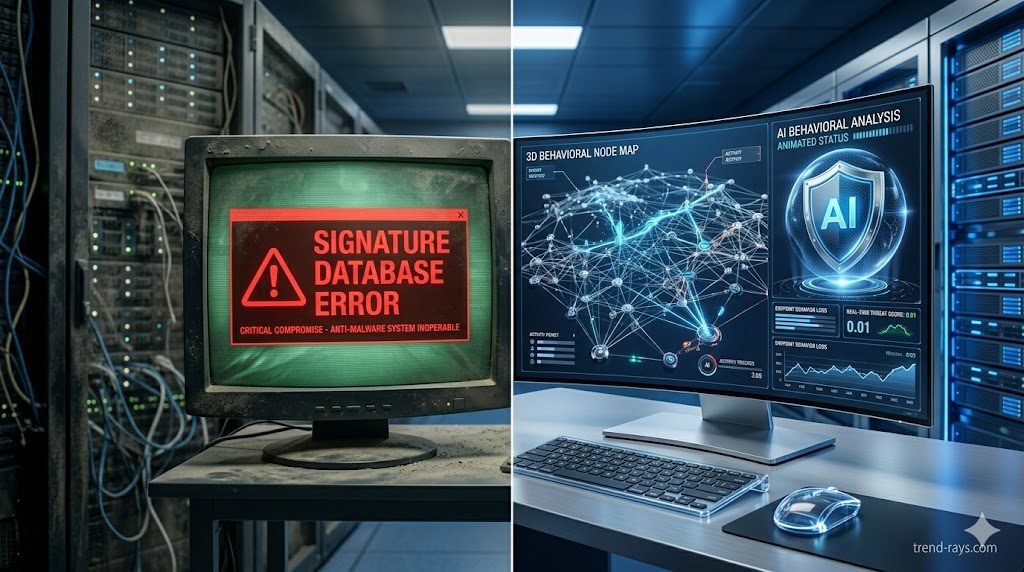
For over two decades, the foundation of corporate cybersecurity was simple: install a commercial antivirus program on every employee laptop, run a weekly scan, and trust the software to catch the bad guys. In 2026, relying on that strategy is the equivalent of locking your front door while leaving the windows wide open.
The proliferation of generative AI has fundamentally altered the cyber threat landscape. Threat actors are no longer writing static, predictable viruses; they are deploying AI-mutated payloads that change their underlying code every few seconds, rendering legacy defenses completely blind. To survive this new era of hyper-speed cyberattacks, enterprise security has shifted from passive scanning to active hunting.
If your organization is still relying on legacy antivirus, your network is actively exposed. In this guide, we break down the critical technical differences between traditional Antivirus and modern Endpoint Detection and Response (EDR), untangle the complex acronyms, and explain exactly why upgrading your security stack is no longer an IT luxury—it is a baseline requirement for business survival.
The Fatal Flaw of Traditional Antivirus: Static Signatures
To understand why traditional antivirus is failing, you must understand how it was built to function. Legacy AV operates almost entirely on signature-based detection.
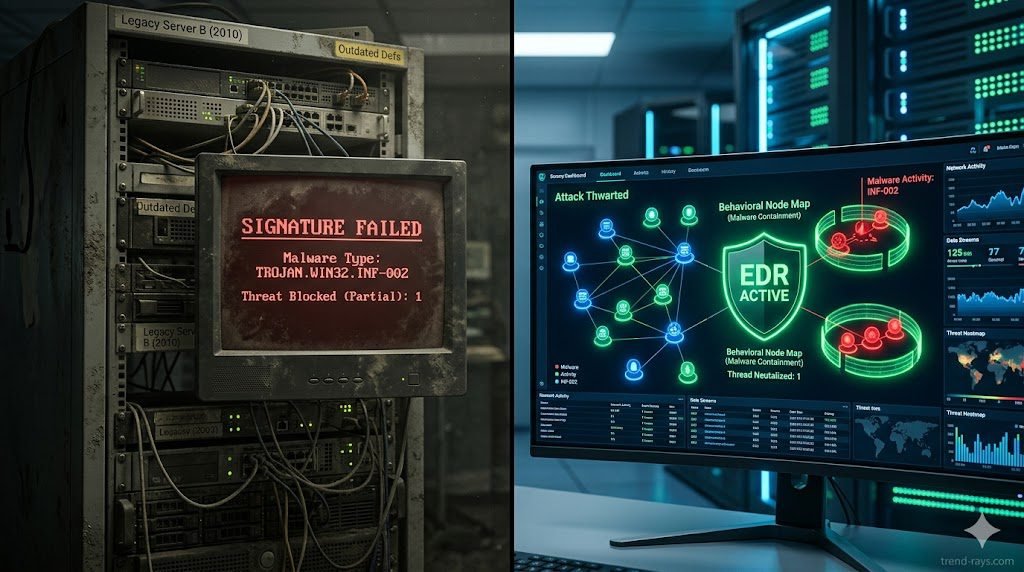
Think of legacy AV like a bouncer at a nightclub holding a blacklist of known criminals. When a new file is downloaded to a computer’s hard drive, the AV scans the file’s code to see if its digital “signature” (hash) matches any known malware in its database. If there is a match, the file is quarantined. If there is no match, the file is allowed to execute.
This model is fatally flawed against modern adversaries. Today’s attackers use AI tools to create polymorphic malware—malicious code that automatically rewrites and scrambles its own signature upon every single deployment. Because the mutated file has a brand-new, never-before-seen hash, the legacy AV’s “blacklist” has no record of it. The bouncer lets the malware walk right through the front door. This failure to provide zero-day threat prevention is why static AV is obsolete.
How EDR Works: Behavioral Analysis & Telemetry
Endpoint Detection and Response (EDR) Abandons the “blacklist” concept entirely. Instead of asking, “Does this file look bad?” EDR asks, “Is this file behaving badly?”
Signature-based vs behavioral analysis is the defining difference between the two technologies. EDR acts like a network of highly intelligent security cameras continuously recording everything happening on the endpoint (the laptop, server, or mobile device).
Through continuous endpoint telemetry and threat hunting, the EDR agent monitors every process, registry modification, and network connection in real-time. If an employee downloads a seemingly innocent PDF file, and that PDF suddenly attempts to open PowerShell and execute a script to scrape the Windows credential vault, the EDR’s machine-learning algorithms instantly flag the behavior as hostile. It doesn’t matter that the PDF had a clean signature; its behavior was malicious, so the EDR autonomously kills the process and isolates the machine from the network in milliseconds.
The Threat Landscape: Why Legacy AV Fails Today
If your IT department is defending against 2026 threats with 2015 technology, they are completely exposed to the following attack vectors:
While EDR provides the necessary behavioral visibility, understanding the specific entry points—such as the ‘flat-pack’ installers favored by shadow IT—is crucial. For a deep dive into these specific threats, see our guide on How to Detect Repackaged Malware on Corporate Endpoints.
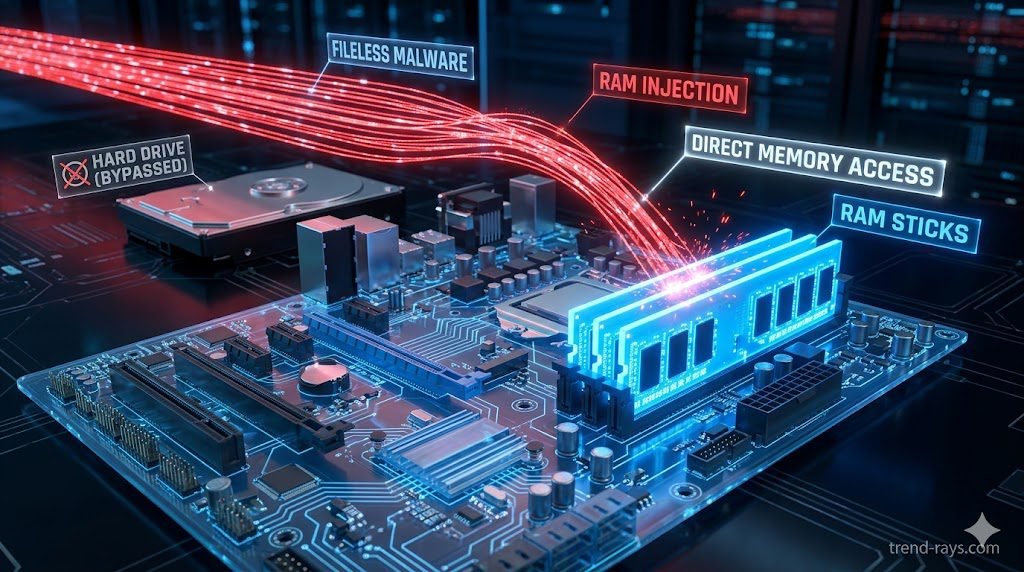
- Fileless Malware Detection: Modern attackers know AV scans the hard drive, so they bypass the hard drive entirely. Fileless malware executes directly in the computer’s volatile memory (RAM). Because there is no executable file (
.exe) written to the disk, traditional AV has nothing to scan. EDR continuously monitors RAM and active memory streams to catch these invisible attacks. - Living off the Land (LotL): Why write custom malware when Windows has built-in tools? Attackers increasingly hijack legitimate administrative tools (like WMI or PowerShell) to execute their attacks. A legacy AV will never block PowerShell because it is a trusted Microsoft application. EDR, however, will recognize that PowerShell is being used abnormally by a non-admin user and sever the connection.
- AI-Mutated Payloads: As discussed, when attackers use LLMs to generate highly obfuscated, flat-pack payloads at scale, signature databases simply cannot update fast enough to catch them.
EDR vs. NGAV vs. XDR: Untangling the Acronyms & Use Cases
The cybersecurity software market is notorious for confusing marketing jargon. Vendors frequently blur the lines between these three technologies to upsell their platforms. When evaluating vendors, it is critical to understand exactly what you are buying, how your SOC team will use it, and which tier is appropriate for your business size.
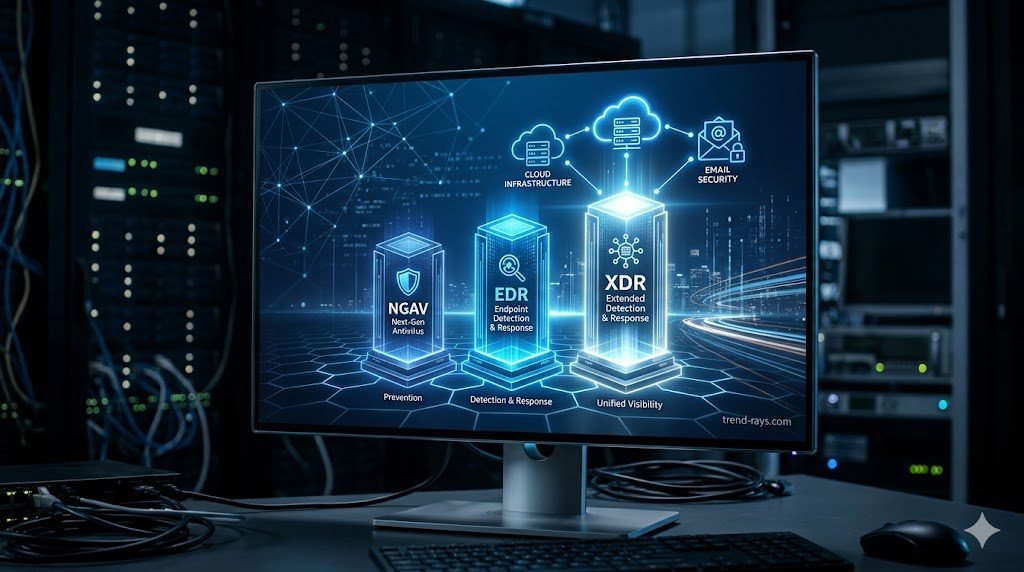
1. Next-Generation Antivirus (NGAV)
NGAV is the direct successor to legacy antivirus. It moves beyond static signatures and uses basic, cloud-based machine learning (ML) to evaluate a file’s attributes and predict if it is malicious before it executes.
- How to Use It: NGAV is highly automated. IT admins deploy the lightweight agent via a central cloud console and set machine-learning sensitivity thresholds. It requires very little daily management.
- Best Used For: Small-to-Medium Businesses (SMBs) with limited IT budgets, or organizations that lack a dedicated security team and simply need to check the “modern antivirus” box for basic compliance.
- The Limitation: It focuses entirely on prevention. If a sophisticated, fileless attack manages to bypass the NGAV’s prediction model, the software offers zero forensic visibility into what the malware did after it executed.
2. Endpoint Detection and Response (EDR)
EDR is the current enterprise standard. It includes the prevention capabilities of NGAV but adds continuous recording, behavioral telemetry, and active threat hunting.
- How to Use It: Security analysts sit inside the EDR dashboard daily. When an alert triggers, the EDR provides a visual “storyline” or process tree showing exactly how the malware entered, which registry keys it touched, and what data it tried to access. Analysts use the platform to remotely isolate the infected laptop, kill the malicious processes, and roll the OS back to safety.
- Best Used For: Mid-market to large enterprises that have a dedicated IT security team or an outsourced Managed Security Service Provider (MSSP). It is the mandatory baseline for defending against ransomware and repackaged flat-pack malware.
- The Limitation: EDR suffers from “tunnel vision.” It only sees what happens on the specific laptop or server it is installed on. It cannot see if that attack started from a compromised AWS server or a phishing email.
3. Extended Detection and Response (XDR)
XDR is the evolution of EDR. It breaks down the data silos between your different security tools. XDR ingests telemetry not just from the laptop, but from your cloud environments (AWS/Azure), your email servers (Microsoft 365), your identity providers (Okta), and your network firewalls.
- How to Use It: XDR platforms utilize massive data lakes. If an employee clicks a phishing email on their phone, logs into Salesforce, and then downloads a repackaged malware file on their laptop, XDR automatically stitches all three of those events across three different platforms into a single, cohesive incident alert for the SOC team.
- Best Used For: Global enterprises, Fortune 500s, and organizations implementing strict “Zero Trust” architectures across highly complex, multi-cloud environments.
Feature Comparison Matrix (NGAV vs. EDR vs. XDR)
To simplify your procurement strategy, use this technical breakdown to determine which tier your organization requires:
| Feature Capability | NGAV (Next-Gen AV) | EDR (Endpoint Detection) | XDR (Extended Detection) |
| Primary Focus | Prevention (Pre-execution) | Detection & Response (Post-execution) | Cross-Domain Threat Correlation |
| Detection Method | Machine Learning & AI signatures | Continuous Behavioral Telemetry | Multi-vector telemetry stitching |
| Visibility Scope | Single Endpoint (Blind to context) | Single Endpoint (Deep context) | Entire Corporate Network & Cloud |
| Automated Rollback | ❌ No | ✅ Yes (Isolate & Remediate) | ✅ Yes (Cross-platform orchestration) |
| Threat Hunting Tools | ❌ No | ✅ Yes (Endpoint only) | ✅ Yes (Network, Email, Cloud, Endpoint) |
| Ideal Business Size | Small Business (< 50 Employees) | Mid-to-Large Enterprise | Global Enterprise / Mature SOC |
The CFO’s Guide: The True ROI of Upgrading to EDR
A common roadblock in cybersecurity procurement is sticker shock. An enterprise EDR license can easily cost 5x to 10x more per user than a legacy antivirus subscription. However, the ROI of EDR is not just measured in stopped attacks; it is measured in operational efficiency and financial liability.
- EDR ROI and Cyber Insurance Compliance: In 2026, obtaining a comprehensive corporate cyber liability insurance policy is nearly impossible without modern endpoint protection. Insurance underwriters now actively mandate the deployment of EDR. Without it, your premiums will skyrocket, or coverage for ransomware payouts will be denied entirely. The EDR upgrade effectively pays for itself by keeping the company insurable.
- Reduced Analyst Fatigue & Faster Remediation: When a legacy AV fails and a machine is infected, an IT technician must physically retrieve the laptop, wipe the hard drive, and re-image it—costing hours of labor and employee downtime. Premium EDR solutions offer automated remediation, killing the threat and rolling the OS back to its pre-infected state autonomously, saving thousands of dollars in IT overhead.
Top 3 EDR Platforms to Consider in 2026
If you are ready to retire your legacy antivirus, these three platforms dominate the enterprise market:
- CrowdStrike Falcon (Best Overall Telemetry): Built natively in the cloud, CrowdStrike’s single, lightweight agent is the industry benchmark for detecting fileless attacks and lateral movement. Its AI-driven “Threat Graph” correlates trillions of events per day globally.
- SentinelOne Singularity (Best for Autonomous Response): SentinelOne shines in environments with spotty internet connectivity. Its behavioral AI models run locally on the endpoint, allowing it to detect and execute 1-click automated rollbacks against ransomware without needing to ping a cloud server.
- Microsoft Defender for Endpoint (Best for Native Ecosystems): Do not confuse this with the free consumer Windows Defender. The enterprise XDR version offers unparalleled, frictionless integration for organizations already deeply embedded in the Microsoft 365 and Azure Active Directory ecosystem.
Conclusion & Next Steps
You cannot fight AI-driven cyber warfare with a blacklist from the 2010s. Upgrading from traditional antivirus to Endpoint Detection and Response is the single most effective architectural change a business can make to secure its data. By shifting to behavioral analysis, your security team can finally gain the visibility required to stop zero-day threats before they execute.
EDR is the engine of your security stack, but understanding the specific tactics attackers use to bypass your employees is equally critical. To learn exactly what your new EDR platform will be hunting for, read our complete technical guide on How to Detect Repackaged “Flat-Pack” Malware on Corporate Endpoints.
![One of the most dangerous blind spots in modern enterprise security does not come from sophisticated nation-state hackers—it comes from your own employees trying to bypass IT restrictions. Whether it is a remote worker downloading a cracked version of Adobe Premiere, or an employee installing a pirated "repack" of a video game (like a FitGirl or Dodi repack) onto their corporate laptop, the threat vector is the same. Threat actors are now heavily relying on repackaged "flat-pack" malware—inexpensive, off-the-shelf malicious components bundled inside seemingly legitimate software installers. These "piggyback" attacks are designed to silently execute InfoStealers, ransomware, or Remote Access Trojans (RATs) while the user is distracted by the installation of the main program. Because the malware is heavily compressed and obfuscated, traditional signature-based Antivirus (AV) completely fails to detect it. In this guide, we break down exactly how modern Security Operations Center (SOC) teams use Endpoint Detection and Response (EDR) platforms to hunt, isolate, and neutralize repackaged malware before it can compromise the corporate network. The Corporate Threat of "Repacks" (Why Antivirus Fails) To understand how to defeat flat-pack malware, you must understand why legacy security tools fail to see it. Traditional Antivirus relies on Static Properties Analysis. It scans a file's code on the hard drive and checks if its digital "signature" matches a known database of bad files. Malware authors easily bypass this by "packing" or compressing the malicious payload inside a custom wrapper. Because the wrapper's code is mathematically unique, the AV scans it, finds no matching signature, and allows the file to execute. Furthermore, attackers are utilizing "vibe-hacking" and social engineering to distribute these files. They buy sponsored search engine ads for "Microsoft Teams Installer" or "Free PDF Editor," which redirect employees to cloned websites serving the repackaged malware. The legitimate application actually installs and functions perfectly, but a secondary, invisible child process unpacks the malicious payload directly into the computer's volatile memory (RAM), bypassing the hard drive entirely. (Image Prompt 1 - Featured Hero) Prompt: A highly photorealistic, 16:9 cinematic image of a modern Security Operations Center (SOC). In the foreground, a dark-mode glowing computer monitor displays a complex cybersecurity threat-hunting dashboard. A red warning alert reads "Obfuscated Payload Detected." In the background, out-of-focus IT analysts monitor large digital wall screens. Cool blue and aggressive red cyber lighting. A clear, semi-transparent watermark reading "trend-rays.com" sits neatly in the bottom right corner. Step 1: Hunting for Indicators of Compromise (IoCs) If your organization does not yet have an enterprise EDR solution deployed, your IT administrators must actively hunt for the behavioral footprints—known as Indicators of Compromise (IoCs)—left behind by repackaged software. When analyzing an endpoint suspected of a shadow IT infection, look for these specific anomalies: Suspicious Child Processes: Legitimate software installers rarely need to invoke command-line tools. If a setup file (e.g., setup_v2.exe) suddenly spawns cmd.exe, PowerShell.exe, or WMI Provider Host in the background, it is a massive red flag that a flat-pack script is attempting to alter registry keys or disable local Windows Defender settings. Abnormal Memory Allocation: Packed malware must eventually unpack itself in memory to execute. Look for processes that allocate highly unusual amounts of memory relative to their size on the disk. Unrecognized Outbound Beacons: InfoStealers bundled in repacks will immediately attempt to exfiltrate browser passwords and session cookies. Monitor your network firewall logs for endpoints making sudden, persistent outbound connections to unknown IP addresses or unregistered domains (often using Telegram bots or Discord webhooks as Command and Control servers). Step 2: Deploying EDR to Catch "Unpacking" in Memory While manual threat hunting is possible, it does not scale. To protect a fleet of 5,000 corporate laptops, you need Endpoint Detection and Response (EDR). Unlike legacy AV, EDR focuses on Behavioral Analysis and continuous telemetry. It does not care what a file looks like; it cares what the file does. When an employee runs a repackaged installer, the EDR agent monitors the execution in real-time. The moment the hidden malware attempts to unpack itself and inject code into a legitimate process (like explorer.exe), the EDR’s machine learning algorithms flag the behavior as hostile. Top 3 Enterprise EDR Solutions for Repack Detection If you are upgrading your endpoint security stack in 2026, these three platforms provide the most robust defense against obfuscated, flat-pack payloads: CrowdStrike Falcon (Best for Memory Scanning): CrowdStrike’s lightweight agent is peerless at detecting fileless malware and in-memory unpacking. Its AI models instantly recognize the behavioral signatures of InfoStealers attempting to scrape credential vaults, killing the process in milliseconds before data exfiltration can occur. SentinelOne Singularity (Best for Automated Rollback): SentinelOne operates entirely autonomously on the endpoint, meaning it does not need a cloud connection to stop a threat. If a repackaged ransomware payload manages to execute, SentinelOne's "Storyline" technology can track every single file the malware altered and execute a 1-click automated rollback, restoring the PC to its pre-infected state instantly. Microsoft Defender XDR (Best for Windows-Native Environments): For organizations heavily invested in the Microsoft 365 ecosystem, Defender XDR provides incredible native telemetry. It correlates data not just from the endpoint, but from Office 365 emails and Azure Active Directory, allowing SOC analysts to see if the repackaged malware was initially delivered via a phishing link. (Image Prompt 2 - Threat Isolation) Prompt: A photorealistic 16:9 close-up of a cybersecurity professional's dual-monitor workstation. The screen displays an Enterprise EDR dashboard (like SentinelOne or CrowdStrike) showing a visual node-graph of a malware attack. One specific malicious file node is highlighted in bright red and marked "Isolated / Quarantined." Clean, bright corporate IT office lighting. A clear, semi-transparent watermark reading "trend-rays.com" sits neatly in the bottom right corner. The CISO Playbook: Blocking Shadow IT at the Perimeter Detecting malware is good; preventing the execution entirely is better. Chief Information Security Officers (CISOs) must implement strict "Zero Trust" policies to prevent employees from running unverified repacks in the first place. Enforce Application Allowlisting: Use tools like Windows AppLocker to create a strict Allowlist. Block the execution of any .exe, .msi, or script that does not reside in a protected directory (like Program Files) or isn't signed by a trusted corporate publisher. Revoke Local Admin Rights: 90% of repackaged malware requires administrative privileges to install its rootkits or disable security telemetry. By implementing a Privilege Access Management (PAM) solution, employees cannot install unauthorized software without an IT helpdesk ticket. Deploy DNS Filtering: Block access to known software piracy forums, torrent trackers, and "free software" directories at the network level using tools like Cisco Umbrella or Cloudflare Gateway. The True Cost of a Repack Breach (ROI & Business Impact) When an executive pushes back on the budget required for premium EDR software, it is vital to contextualize the financial devastation of a single successful flat-pack malware breach. An employee downloading a cracked PDF editor to "save the company $15 a month" can easily result in the deployment of an InfoStealer. That malware scrapes the employee's browser cookies, capturing their active session token for the company's AWS environment or Salesforce CRM. The attacker bypasses Multi-Factor Authentication (MFA) entirely using the stolen token, accesses your customer database, and deploys network-wide ransomware. The resulting downtime, ransom demands, regulatory fines (GDPR, HIPAA, or CCPA), and class-action lawsuits frequently exceed millions of dollars. Investing in an EDR platform that costs $50 per endpoint annually is the cheapest insurance policy a modern enterprise can buy. Frequently Asked Questions (Endpoint Malware Defense) What is flat-pack malware? Flat-pack malware refers to malicious payloads that are heavily compressed, obfuscated, and bundled together with legitimate software components using off-the-shelf hacker tools. This "repackaging" technique allows attackers to rapidly generate new malware variants that bypass traditional, signature-based antivirus scanners. Why is downloading FitGirl or Dodi repacks a corporate security risk? While often used by gamers to pirate software, "repacks" are a massive vector for shadow IT. Because these installers are inherently modified to bypass digital rights management (DRM), employees who download them onto corporate hardware often accidentally execute hidden InfoStealers or Remote Access Trojans (RATs) embedded by third-party distributors. What is the difference between EDR and Antivirus? Traditional Antivirus uses static signatures to block known bad files on the hard drive. Endpoint Detection and Response (EDR) uses behavioral analysis, AI telemetry, and memory scanning to monitor what a program is actively doing. EDR can detect and kill unknown, "zero-day" malware that legacy AV cannot see. How do InfoStealers bypass MFA? When an InfoStealer (often hidden in repackaged software) infects an endpoint, it targets the web browser's local storage to steal active session cookies. Attackers can import these stolen cookies into their own browsers, allowing them to log into corporate systems (like Microsoft 365 or Slack) without needing a password or triggering an MFA prompt. Conclusion & Next Steps The perimeter of your corporate network is no longer defined by your office firewall; it is defined by the security of your employees' endpoints. Relying on legacy antivirus to stop modern, repackaged malware is a guaranteed path to a data breach. By deploying behavioral-based EDR solutions and strictly policing shadow IT, you can isolate threats in memory before they execute their payloads. Securing your endpoints against rogue software is critical, but it is only half the battle. Threat actors are also using advanced AI to bypass human verification. Ensure your organization is prepared for the next wave of social engineering by reading our definitive guide on [Best Enterprise AI Voice Cloning SaaS for Corporate Training] to learn how to deploy deepfake guardrails and secure corporate communications.](https://trend-rays.com/wp-content/uploads/2026/03/unnamed-54-1.jpg "How to Detect Repackaged \"Flat-Pack\" Malware on Endpoints (2026) 6")