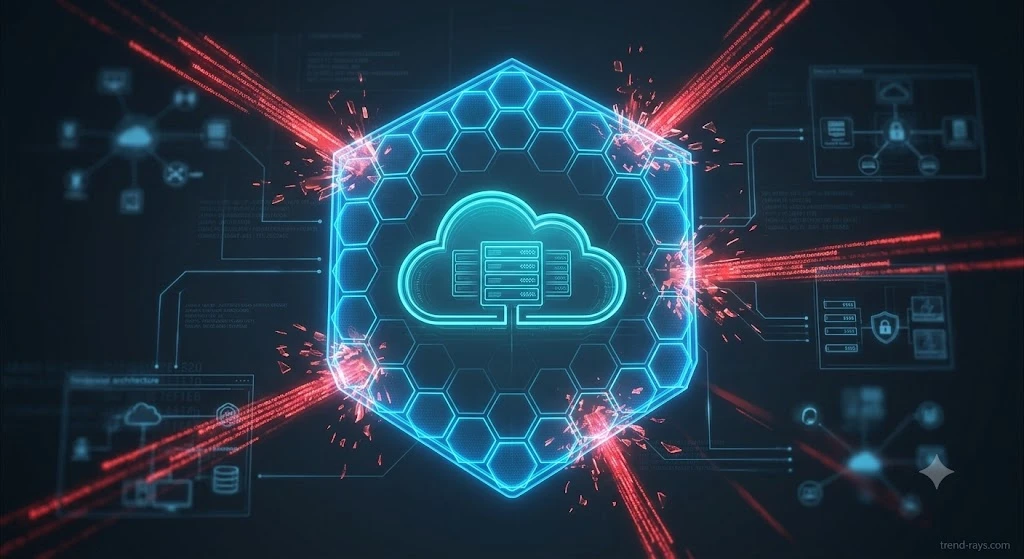
⚡ Quick Verdict: Securing AI Under the Essential Eight
Securing Generative AI under the ACSC Essential Eight requires strict enforcement of Control 1 (Application Control) and Control 5 (Restrict Administrative Privileges).
Because employees are increasingly bypassing perimeter security using unauthorized AI tools (“Shadow AI”), IT directors must use Cloud Access Security Brokers (CASBs) and DNS sinkholing to block unapproved LLM endpoints. Furthermore, custom AI agents (like Copilot or Chatbase webhooks) must now be classified as Non-Human Identities (NHIs) and restricted using Conditional Access policies in Microsoft Entra ID or Okta.
Note: While the ASD announced the transition to the new “Essentials Series” in June 2026, Maturity Level 2 (ML2) remains the mandatory baseline for Australian organizations over the next 24 months.
Do not abandon your current E8 audits. The ASD has explicitly stated that the transition period to the new Essentials for Enterprise IT chapter will take up to 24 months. During this window, achieving Maturity Level 2 (ML2) across the original controls—while mapping them to the new June 2026 ISM GenAI requirements—remains the mandatory benchmark for securing government contracts, DISP memberships, and passing cyber insurance audits.
The June 2026 Update: From “Essential Eight” to the “Essentials Series”
For years, the Essential Eight (E8) has served as the de facto cybersecurity baseline for Australian businesses and government contractors. However, the rapid proliferation of Generative AI, microservices, and Bring-Your-Own-Device (BYOD) policies rendered the 8-year-old framework obsolete against modern threats.
On June 24, 2026, the Australian Signals Directorate (ASD) announced a massive overhaul, initiating a transition from the prescriptive Essential Eight to a broader, threat-informed framework called the “Essentials Series”.
What this means for IT Directors:
Do not abandon your current E8 audits. The ASD has explicitly stated that the transition period will take up to 24 months. During this window, achieving Maturity Level 2 (ML2) across the original eight controls remains the mandatory benchmark for securing government contracts and passing cyber insurance audits.
However, your compliance strategy must now account for AI. If your current Application Control policy blocks unauthorized .exe files but allows employees to paste proprietary code into a public web browser running Claude or ChatGPT, you will fail your next audit.
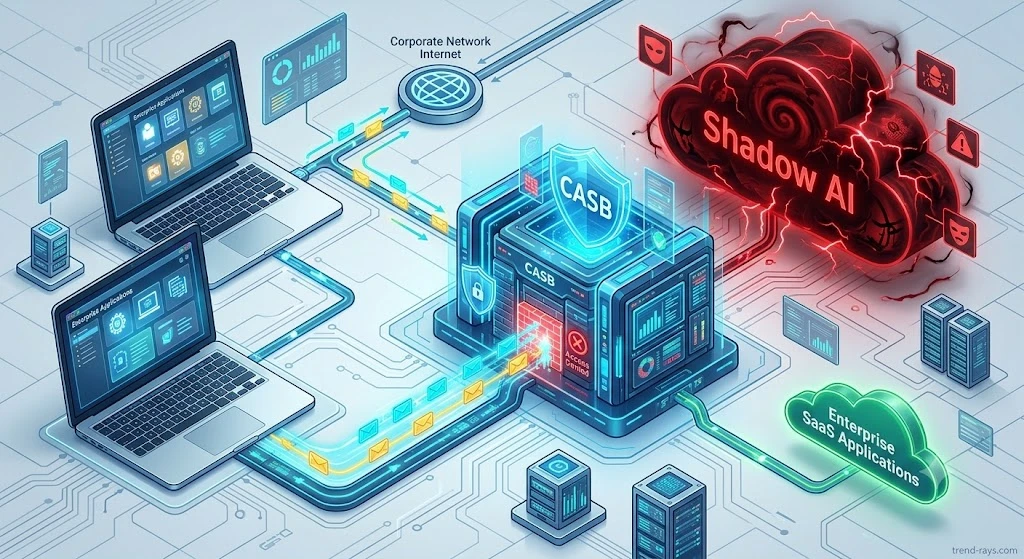
Control 1 (Application Control): Destroying “Shadow AI”
“Shadow AI” occurs when employees secretly feed sensitive company data, source code, or legal contracts into unapproved, consumer-grade AI tools. Because these public LLMs use user inputs as training data, Shadow AI represents a catastrophic data exfiltration risk.
To achieve ML2 Application Control in an AI-driven environment, traditional endpoint antivirus is not enough. You must block the AI at the identity and DNS layers.
1.Deploy a Cloud Access Security Broker (CASB):
Integrate a CASB (like Microsoft Defender for Cloud Apps) to monitor your network traffic. CASBs can automatically identify and tag over 400+ consumer Generative AI applications currently operating in the wild.
2.Implement DNS Sinkholing:Blocks browser-based AI access.
Once the unapproved AI tools are identified, configure your network edge (via Cisco Umbrella or Zscaler) to sinkhole the DNS requests. If an employee tries to visit an unapproved LLM, the network drops the connection before the page loads.
3.Whitelist Approved Vendor AI:
Explicitly approve secure, enterprise-grade AI applications. For example, if you use a closed-loop system like Chatbase or Tidio for customer support, whitelist their specific API endpoints to ensure your business operations continue uninterrupted.
Interact with the flowchart below to understand the logical routing required to block unauthorized AI identities at the network edge:
The Cultural Fix: Give Them a Secure Alternative
Shadow AI is rarely an act of employee rebellion; it is a sign that your staff is eager to innovate and be productive. If you block consumer LLMs via DNS sinkholing but fail to provide a secure alternative, employees will simply find workarounds (like using AI on their personal phones off-network).
True Application Control means balancing restriction with enablement. You must replace the blocked Shadow AI with a managed solution—like a secure Microsoft 365 Copilot license or a privately hosted Chatbase/CustomGPT workspace—where company data is protected by enterprise DPAs and zero-retention policies.
Shadow AI Blocking Infrastructure
⚡ Shadow AI Identity & Network Blocking Logic
Adjust the parameters to see how Cloud Identity and CASB infrastructure routes or blocks AI requests.
The June 2026 ISM AI Controls: Securing “OFFICIAL: Sensitive” Data
While the Essential Eight is transitioning into the Essentials for Enterprise IT, the underlying Information Security Manual (ISM) was just updated in June 2026 to introduce the first-ever explicit technical controls for Artificial Intelligence. If you need to build this, see our technical guide: How to Build a Chatbase Human Handoff Webhook for High-Risk Queries.
If your AI chatbot or internal agent handles data classified as “OFFICIAL: Sensitive,” you will fail your IRAP (Information Security Registered Assessors Program) assessment unless you comply with these new mandates:
- ISM-2112 (Disable External Fetching): If your custom AI processes sensitive internal data, its ability to autonomously query the open internet must be completely disabled. This prevents the AI from accidentally leaking private data into public search indexes.
- ISM-2113 (Human-in-the-Loop): AI applications must be configured to flag organizationally defined “risky actions” for human approval before they execute. (For example, an AI cannot automatically issue a $5,000 refund; it must ping a human manager first).
- ISM-2114 (Baseline Deviation): You must actively monitor your AI’s behavior. If the bot suddenly starts hallucinating or giving unauthorized advice, your monitoring tools must instantly kill its access token.
The Fix: You cannot achieve ISM-2113 compliance with a basic ChatGPT wrapper. You must use a platform capable of pausing workflows and routing to live agents.
(If you need to build this, see our technical guide: How to Build a Chatbase Human Handoff Webhook for High-Risk Queries.)
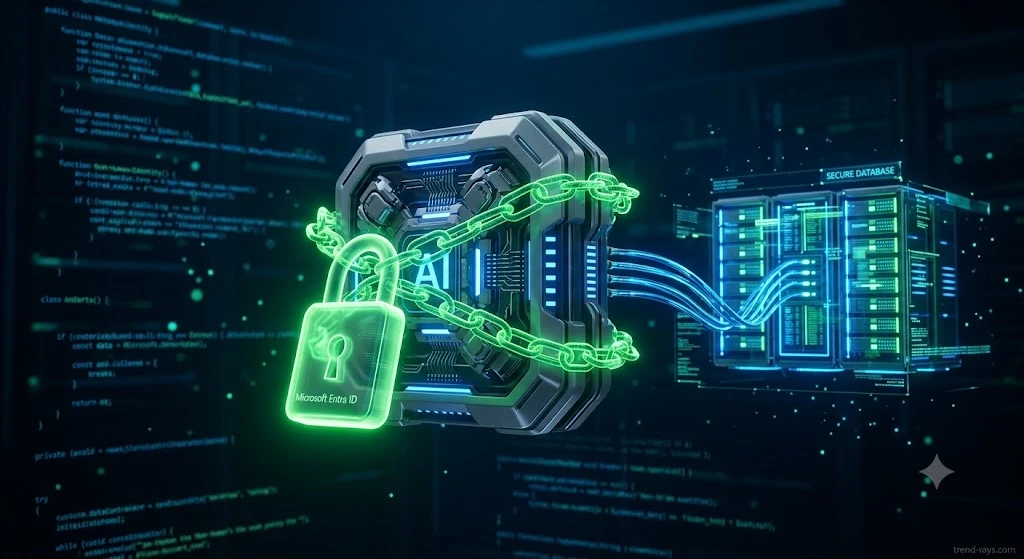
Control 5 (Restrict Admin Privileges): The “Non-Human Identity” Threat
The highest-risk vulnerability in 2026 is no longer a phishing email—it is a compromised API key belonging to an AI agent.
When you connect an AI agent (like Microsoft 365 Copilot or a custom Zapier webhook) to your CRM, that AI is granted access to read emails, modify files, and trigger workflows. In cybersecurity terms, this AI is a Non-Human Identity (NHI). If an attacker injects a malicious prompt into your AI agent, they can hijack its permissions to exfiltrate your entire database.
To comply with Control 5 for AI, you must:
- Treat AI as High-Risk Administrators: Never grant an AI agent “global read/write” access. Apply the Principle of Least Privilege (PoLP). If your AI is built to check order statuses, restrict its API access strictly to the shipping database.
- Enforce Conditional Access for Agents: Utilizing mid-2026 features within Microsoft Entra ID and Okta Workflows, you can now apply Conditional Access policies directly to machine identities. Configure your identity provider to instantly revoke the AI’s access token if it attempts to pull data from outside its designated geo-location or outside standard business hours.
Control 4 (User Application Hardening): The Browser Extension Danger
Many employees try to bypass DNS blocks by installing AI-powered Chrome extensions (like grammar checkers, PDF summarizers, or email drafters). These extensions require permissions to “Read and change all your data on all websites.”
If an employee opens a highly classified legal document in their browser while a rogue AI extension is active, the extension instantly scrapes the text and sends it to a foreign server.
The Mitigation Strategy:
Under Control 4 (User Application Hardening), you must implement managed browser policies via Microsoft Intune or Google Workspace.
- Block the installation of all unverified third-party web extensions.
- Disable the execution of Java and web advertisements on high-risk machines.
- Enforce a strict “Allowlist” only for pre-vetted, SOC2-compliant productivity extensions.
Control 8 (Daily Backups): Protecting Your AI’s “Memory”
The final Essential Eight strategy requires Daily Backups of critical data. In an AI context, your chatbot’s intelligence relies entirely on its Vector Database (the parsed data chunks that feed its RAG architecture).
If a malicious actor successfully executes a “Prompt Injection” attack and poisons your AI’s underlying knowledge base, the bot may start generating hallucinations, misinformation, or offensive content to your customers.
Under ML2, you must ensure that your AI vendor (or internal server) conducts isolated, immutable daily backups of your clean Vector Data. This ensures that if the active AI database is corrupted, you can instantly roll back to a clean snapshot within your required Recovery Time Objective (RTO).
Conclusion: Bridging the Gap to 2028
The ASD’s transition to the Essentials Series over the next 24 months acknowledges a hard truth: perimeter security is dead. In an era of AI agents and cloud microservices, your identity provider (Entra ID, Okta) is your new firewall.
By applying strict Application Control to block Shadow AI, treating your custom AI agents as high-risk Non-Human Identities, and locking down web browsers, you will not only satisfy your current Essential Eight ML2 requirements but successfully future-proof your organization for the upcoming Essentials Series framework.
Ensure your infrastructure complies with the latest OAIC regulations by reading our guide: Are Your AI Chatbots Breaking Australian Privacy Laws?
Frequently Asked Questions
Does Microsoft 365 Copilot automatically meet the Essential Eight requirements?
No. While Microsoft 365 Copilot operates within your secure tenant, simply buying a license does not make you compliant. To meet Maturity Level 2, IT administrators must manually configure sensitivity labels (Purview) and restrict the Copilot bot’s administrative privileges (Control 5) so it cannot access unauthorized SharePoint files.
What is the deadline to transition from the Essential Eight to the new Essentials Series?
The Australian Signals Directorate (ASD) announced the transition to the new Essentials for Enterprise IT framework in June 2026. However, organizations have a 24-month grace period. Until June 2028, Maturity Level 2 (ML2) of the original Essential Eight remains the mandatory compliance baseline for government contracts.
Can we use a public AI like ChatGPT if we have a BYOD (Bring Your Own Device) policy?
Under Control 1 (Application Control), allowing employees to use public LLMs on unmanaged personal devices to process company data is a severe compliance violation. You must route all BYOD traffic through a CASB or VPN that blocks consumer AI endpoints, forcing staff to use approved, enterprise-secured AI tools.
![One of the most dangerous blind spots in modern enterprise security does not come from sophisticated nation-state hackers—it comes from your own employees trying to bypass IT restrictions. Whether it is a remote worker downloading a cracked version of Adobe Premiere, or an employee installing a pirated "repack" of a video game (like a FitGirl or Dodi repack) onto their corporate laptop, the threat vector is the same. Threat actors are now heavily relying on repackaged "flat-pack" malware—inexpensive, off-the-shelf malicious components bundled inside seemingly legitimate software installers. These "piggyback" attacks are designed to silently execute InfoStealers, ransomware, or Remote Access Trojans (RATs) while the user is distracted by the installation of the main program. Because the malware is heavily compressed and obfuscated, traditional signature-based Antivirus (AV) completely fails to detect it. In this guide, we break down exactly how modern Security Operations Center (SOC) teams use Endpoint Detection and Response (EDR) platforms to hunt, isolate, and neutralize repackaged malware before it can compromise the corporate network. The Corporate Threat of "Repacks" (Why Antivirus Fails) To understand how to defeat flat-pack malware, you must understand why legacy security tools fail to see it. Traditional Antivirus relies on Static Properties Analysis. It scans a file's code on the hard drive and checks if its digital "signature" matches a known database of bad files. Malware authors easily bypass this by "packing" or compressing the malicious payload inside a custom wrapper. Because the wrapper's code is mathematically unique, the AV scans it, finds no matching signature, and allows the file to execute. Furthermore, attackers are utilizing "vibe-hacking" and social engineering to distribute these files. They buy sponsored search engine ads for "Microsoft Teams Installer" or "Free PDF Editor," which redirect employees to cloned websites serving the repackaged malware. The legitimate application actually installs and functions perfectly, but a secondary, invisible child process unpacks the malicious payload directly into the computer's volatile memory (RAM), bypassing the hard drive entirely. (Image Prompt 1 - Featured Hero) Prompt: A highly photorealistic, 16:9 cinematic image of a modern Security Operations Center (SOC). In the foreground, a dark-mode glowing computer monitor displays a complex cybersecurity threat-hunting dashboard. A red warning alert reads "Obfuscated Payload Detected." In the background, out-of-focus IT analysts monitor large digital wall screens. Cool blue and aggressive red cyber lighting. A clear, semi-transparent watermark reading "trend-rays.com" sits neatly in the bottom right corner. Step 1: Hunting for Indicators of Compromise (IoCs) If your organization does not yet have an enterprise EDR solution deployed, your IT administrators must actively hunt for the behavioral footprints—known as Indicators of Compromise (IoCs)—left behind by repackaged software. When analyzing an endpoint suspected of a shadow IT infection, look for these specific anomalies: Suspicious Child Processes: Legitimate software installers rarely need to invoke command-line tools. If a setup file (e.g., setup_v2.exe) suddenly spawns cmd.exe, PowerShell.exe, or WMI Provider Host in the background, it is a massive red flag that a flat-pack script is attempting to alter registry keys or disable local Windows Defender settings. Abnormal Memory Allocation: Packed malware must eventually unpack itself in memory to execute. Look for processes that allocate highly unusual amounts of memory relative to their size on the disk. Unrecognized Outbound Beacons: InfoStealers bundled in repacks will immediately attempt to exfiltrate browser passwords and session cookies. Monitor your network firewall logs for endpoints making sudden, persistent outbound connections to unknown IP addresses or unregistered domains (often using Telegram bots or Discord webhooks as Command and Control servers). Step 2: Deploying EDR to Catch "Unpacking" in Memory While manual threat hunting is possible, it does not scale. To protect a fleet of 5,000 corporate laptops, you need Endpoint Detection and Response (EDR). Unlike legacy AV, EDR focuses on Behavioral Analysis and continuous telemetry. It does not care what a file looks like; it cares what the file does. When an employee runs a repackaged installer, the EDR agent monitors the execution in real-time. The moment the hidden malware attempts to unpack itself and inject code into a legitimate process (like explorer.exe), the EDR’s machine learning algorithms flag the behavior as hostile. Top 3 Enterprise EDR Solutions for Repack Detection If you are upgrading your endpoint security stack in 2026, these three platforms provide the most robust defense against obfuscated, flat-pack payloads: CrowdStrike Falcon (Best for Memory Scanning): CrowdStrike’s lightweight agent is peerless at detecting fileless malware and in-memory unpacking. Its AI models instantly recognize the behavioral signatures of InfoStealers attempting to scrape credential vaults, killing the process in milliseconds before data exfiltration can occur. SentinelOne Singularity (Best for Automated Rollback): SentinelOne operates entirely autonomously on the endpoint, meaning it does not need a cloud connection to stop a threat. If a repackaged ransomware payload manages to execute, SentinelOne's "Storyline" technology can track every single file the malware altered and execute a 1-click automated rollback, restoring the PC to its pre-infected state instantly. Microsoft Defender XDR (Best for Windows-Native Environments): For organizations heavily invested in the Microsoft 365 ecosystem, Defender XDR provides incredible native telemetry. It correlates data not just from the endpoint, but from Office 365 emails and Azure Active Directory, allowing SOC analysts to see if the repackaged malware was initially delivered via a phishing link. (Image Prompt 2 - Threat Isolation) Prompt: A photorealistic 16:9 close-up of a cybersecurity professional's dual-monitor workstation. The screen displays an Enterprise EDR dashboard (like SentinelOne or CrowdStrike) showing a visual node-graph of a malware attack. One specific malicious file node is highlighted in bright red and marked "Isolated / Quarantined." Clean, bright corporate IT office lighting. A clear, semi-transparent watermark reading "trend-rays.com" sits neatly in the bottom right corner. The CISO Playbook: Blocking Shadow IT at the Perimeter Detecting malware is good; preventing the execution entirely is better. Chief Information Security Officers (CISOs) must implement strict "Zero Trust" policies to prevent employees from running unverified repacks in the first place. Enforce Application Allowlisting: Use tools like Windows AppLocker to create a strict Allowlist. Block the execution of any .exe, .msi, or script that does not reside in a protected directory (like Program Files) or isn't signed by a trusted corporate publisher. Revoke Local Admin Rights: 90% of repackaged malware requires administrative privileges to install its rootkits or disable security telemetry. By implementing a Privilege Access Management (PAM) solution, employees cannot install unauthorized software without an IT helpdesk ticket. Deploy DNS Filtering: Block access to known software piracy forums, torrent trackers, and "free software" directories at the network level using tools like Cisco Umbrella or Cloudflare Gateway. The True Cost of a Repack Breach (ROI & Business Impact) When an executive pushes back on the budget required for premium EDR software, it is vital to contextualize the financial devastation of a single successful flat-pack malware breach. An employee downloading a cracked PDF editor to "save the company $15 a month" can easily result in the deployment of an InfoStealer. That malware scrapes the employee's browser cookies, capturing their active session token for the company's AWS environment or Salesforce CRM. The attacker bypasses Multi-Factor Authentication (MFA) entirely using the stolen token, accesses your customer database, and deploys network-wide ransomware. The resulting downtime, ransom demands, regulatory fines (GDPR, HIPAA, or CCPA), and class-action lawsuits frequently exceed millions of dollars. Investing in an EDR platform that costs $50 per endpoint annually is the cheapest insurance policy a modern enterprise can buy. Frequently Asked Questions (Endpoint Malware Defense) What is flat-pack malware? Flat-pack malware refers to malicious payloads that are heavily compressed, obfuscated, and bundled together with legitimate software components using off-the-shelf hacker tools. This "repackaging" technique allows attackers to rapidly generate new malware variants that bypass traditional, signature-based antivirus scanners. Why is downloading FitGirl or Dodi repacks a corporate security risk? While often used by gamers to pirate software, "repacks" are a massive vector for shadow IT. Because these installers are inherently modified to bypass digital rights management (DRM), employees who download them onto corporate hardware often accidentally execute hidden InfoStealers or Remote Access Trojans (RATs) embedded by third-party distributors. What is the difference between EDR and Antivirus? Traditional Antivirus uses static signatures to block known bad files on the hard drive. Endpoint Detection and Response (EDR) uses behavioral analysis, AI telemetry, and memory scanning to monitor what a program is actively doing. EDR can detect and kill unknown, "zero-day" malware that legacy AV cannot see. How do InfoStealers bypass MFA? When an InfoStealer (often hidden in repackaged software) infects an endpoint, it targets the web browser's local storage to steal active session cookies. Attackers can import these stolen cookies into their own browsers, allowing them to log into corporate systems (like Microsoft 365 or Slack) without needing a password or triggering an MFA prompt. Conclusion & Next Steps The perimeter of your corporate network is no longer defined by your office firewall; it is defined by the security of your employees' endpoints. Relying on legacy antivirus to stop modern, repackaged malware is a guaranteed path to a data breach. By deploying behavioral-based EDR solutions and strictly policing shadow IT, you can isolate threats in memory before they execute their payloads. Securing your endpoints against rogue software is critical, but it is only half the battle. Threat actors are also using advanced AI to bypass human verification. Ensure your organization is prepared for the next wave of social engineering by reading our definitive guide on [Best Enterprise AI Voice Cloning SaaS for Corporate Training] to learn how to deploy deepfake guardrails and secure corporate communications.](https://trend-rays.com/wp-content/uploads/2026/03/unnamed-54-1.jpg "How to Detect Repackaged \"Flat-Pack\" Malware on Endpoints (2026) 4")