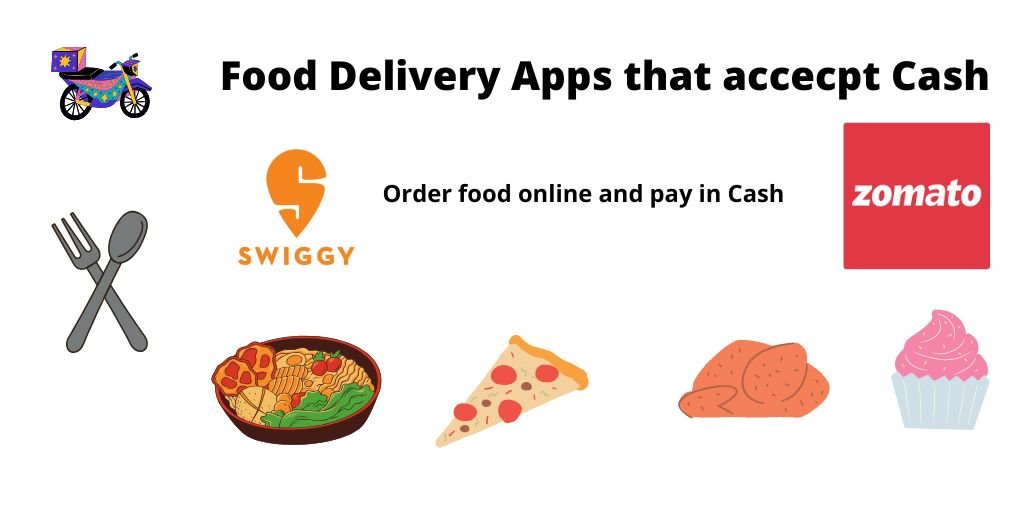
If you prefer Cash on Delivery (COD) due to privacy concerns, lack of a bank account, or simply because you have physical currency on hand, finding a delivery service can be a challenge. While the industry is moving toward digital-only payments, several major players still allow you to pay at your doorstep.
In this guide, we deep-dive into the top food and grocery delivery apps that accept cash in 2025 and—more importantly—how to find the specific restaurants that allow it.
Quick Guides: Cash Delivery by Region & Trends (2025)
While this list covers the global apps, the rules for “Cash on Delivery” (COD) change drastically depending on your city and the latest regulations. We have created specific guides to help you navigate these changes:
🇮🇳 For Users in India
Struggling with Zomato or Swiggy? In 2025, many apps have hidden the cash option or added “Handling Fees.”
- Read the Guide: How to Order Food with Cash in India (2025 Update)
- What’s inside: How to bypass the greyed-out COD button, avoid hidden fees, and find local services near you.
🇬🇧 For Users in the UK (London)
London is moving toward a 100% digital economy, and apps like Deliveroo have stopped accepting cash entirely.
- Read the Guide: London Food Delivery: Which Apps Accept Cash?
- What’s inside: Why Just Eat is your best bet, how to order from local takeaways, and the “Direct Call” strategy for Londoners.
📉 Industry Trends
Wondering why the “Cash” button keeps disappearing?
- Read the Analysis: Is Cash on Delivery Dying? The Future of Food Payments
- What’s inside: We analyze the “RTO” trap, why apps prefer UPI, and the rise of the “Pay on Delivery” QR code model.
Quick Summary: Which Apps Accept Cash in 2025?
| App Name | Accepts Cash? | Best For | Regional Availability |
| Grubhub | Yes | Local Restaurants | USA (Nationwide) |
| DoorDash | Yes (Selectively) | Pizza & Large Chains | USA, Canada, Australia |
| Delivery.com | Yes | Laundry & Food | USA |
| Uber Eats | Yes (International) | Global Variety | Latin America, India, Europe |
| Seamless | Yes | City Dining | USA (Major Cities) |
| EatStreet | Yes | College Towns | USA (Midwest) |
How to Order Food with Cash (Step-by-Step)
Most apps hide the cash option unless the specific restaurant supports it. Follow these steps to find them:
- Filter by Restaurant: Look for “Pizza” or “Local Delis,” as these are the most likely to have their own drivers who handle cash.
- Check Payment Methods: At the checkout screen, click on “Payment Options.”
- Select ‘Cash’: If the restaurant supports it, “Cash” or “Pay at Door” will appear alongside Credit Card/PayPal.
1. Grubhub (The Most Reliable for Cash)
Grubhub is the leader in cash-on-delivery options. Because Grubhub allows many restaurants to use their own delivery staff (instead of Grubhub’s drivers), cash transactions are much more common.
- Key Feature: Grubhub+ offers $0 delivery fees, but you can still choose cash for the subtotal if the restaurant permits it.
- Tester’s Tip: Use the “Search” bar to type “Cash” to find local spots that explicitly list it as a payment method.
2. DoorDash (The “Pizza” Exception)
DoorDash technically has a “Cash on Delivery” program for its drivers, but it is rarely used for standard orders.
- How it works: Cash is primarily accepted for “Merchant Placed Orders.” If you order directly through a restaurant’s website (like Papa John’s or Pizza Hut) and they outsource the delivery to DoorDash, you can often pay cash.
- Pros: Access to the largest network of drivers in the US.
- Cons: Very few “Direct-to-App” orders allow cash to ensure driver safety.
3. Uber Eats (Best for International Travel)
While Uber Eats has limited cash options in the US, it is the king of cash in international markets.
- Regional Dominance: In markets like India, Brazil, London, and Mexico, cash is a primary payment method within the app.
- Safety Feature: Drivers are notified in advance that it is a cash trip so they can carry sufficient change.
4. Delivery.com (The All-in-One Solution)
Delivery.com is unique because it handles more than just food; it covers laundry, liquor, and groceries.
- Cash Availability: Many local dry cleaners and liquor stores on the platform prefer cash to avoid credit card processing fees.
- Pro Tip: This app is excellent for “Group Ordering,” where you can split a large bill and pay the driver in cash at the office or home.
5. Seamless (Best for Major Metro Areas)
Owned by Grubhub, Seamless shares the same backend technology. It is highly effective in cities like New York, Chicago, and San Francisco.
- Why it ranks: It offers a “Contact-free” toggle, but if you select Cash, you must meet the driver.
- Note: If you have a Grubhub account, your login and payment preferences will carry over to Seamless.
6. EatStreet (The Midwest Favorite)
EatStreet dominates in smaller “college towns” across the US.
- Market Niche: They specialize in local “mom-and-pop” shops that have been accepting cash for decades.
- Pricing: Often features lower service fees than DoorDash or Uber Eats.
Why Do Some Apps Not Accept Cash?
If you are using Instacart or Postmates, you may notice cash is never an option. Here is why:
- Driver Safety: Carrying large amounts of physical money makes drivers a target for theft.
- No-Show Protection: If a customer orders $100 of food and doesn’t answer the door, the company loses money. Digital payments ensure the restaurant is paid regardless.
- Middleman Logistics: Apps like Instacart require the “Shopper” to pay for groceries at the store using a company credit card. There is no way for the “cash” you give the driver to get back to the grocery store.
Frequently Asked Questions (FAQ)
Q: Can I tip my delivery driver in cash? A: Yes! Even if you pay for your food with a credit card on any app (including Uber Eats and DoorDash), every driver prefers a cash tip. It ensures they receive 100% of the tip instantly.
Q: Does DoorDash accept Cash App? A: Yes. While they may not always accept physical paper money, you can link your Cash App Card (Visa) to DoorDash, Uber Eats, and Instacart.
Q: What happens if I don’t have exact change? A: Most delivery drivers carry less than $20 in change. It is always recommended to have the exact amount or tell the driver to “keep the change” as a tip.
Final Verdict: Which App Should You Download?
If you are in the US and need a reliable cash option, Grubhub is your best bet. If you are ordering pizza specifically, use the restaurant’s official app and select “Cash on Delivery” to have a DoorDash or local driver bring it to you.