If you have ever downloaded a make money gaming app, you likely know the frustrating cycle. You play for three hours, rack up $20 in your digital wallet, and excitedly click “Withdraw to PayPal.”
Suddenly, a pop-up appears: “Please deposit $5.00 to verify your account and unlock your winnings.”
In 2026, the app stores are heavily populated with casino, bingo, and solitaire apps that lure you in with the promise of free money, only to trap you behind a paywall. If you are looking for genuine free-to-play games that carry absolutely zero financial risk, you must avoid the “Bonus Cash” traps.
We have tested dozens of platforms to find the true, legitimate apps. These applications do not require a credit card, they do not charge hidden “transfer fees,” and they pay out real cash rewards directly to your account.
Here are the 7 best free PayPal games that pay real money without a deposit.
(Note: If you are willing to risk your own money in skill-based tournaments for higher payouts, read our comprehensive Ultimate Guide to the 10 Best Legit Game Apps That Pay Instantly to PayPal. But if you want 100% risk-free earning, stick to the list below).
At a Glance: The Free-to-Play App Comparison Table
Use this quick-reference guide to find the perfect risk-free earning app based on your device and payout preference.
| App Name | Developer | App Size | Best Feature | Biggest Disadvantage | Payout Min. |
| Freecash | Almedia GmbH | ~25 MB | Highest overall earning potential | Strict 30-day time limits on offers | $5.00 |
| Mistplay | Mistplay Inc. | ~55 MB | Best passive tracking (earn by screen time) | High diminishing returns over time | $5.00 |
| Scrambly | Scrambly.io | Web/Mobile | Instant $0.50 Welcome Bonus | Strict KYC ID verification required | $1.00 |
| JustPlay | JustPlay GmbH | ~40 MB | No minimum cashout (Daily Payouts) | Ad-heavy; unpredictable exchange rate | None |
| Swagbucks | Prodege, LLC | ~75 MB | Massive variety (Shopping + Games) | Survey disqualifications are common | $5.00 |
| Eureka | Social Loop | ~45 MB | Fast flat-rate pay for mini-games | Smaller gaming library than competitors | $5.00 |
| Cash Giraffe | JustDice | ~35 MB | Ultra-low minimum payout threshold | Android only; not available on iOS | $0.20 |
1. Freecash: Top Platform for Risk-Free Earning
Developer: Almedia GmbH | App Size: ~25 MB | Compatibility: Android, Web Browser
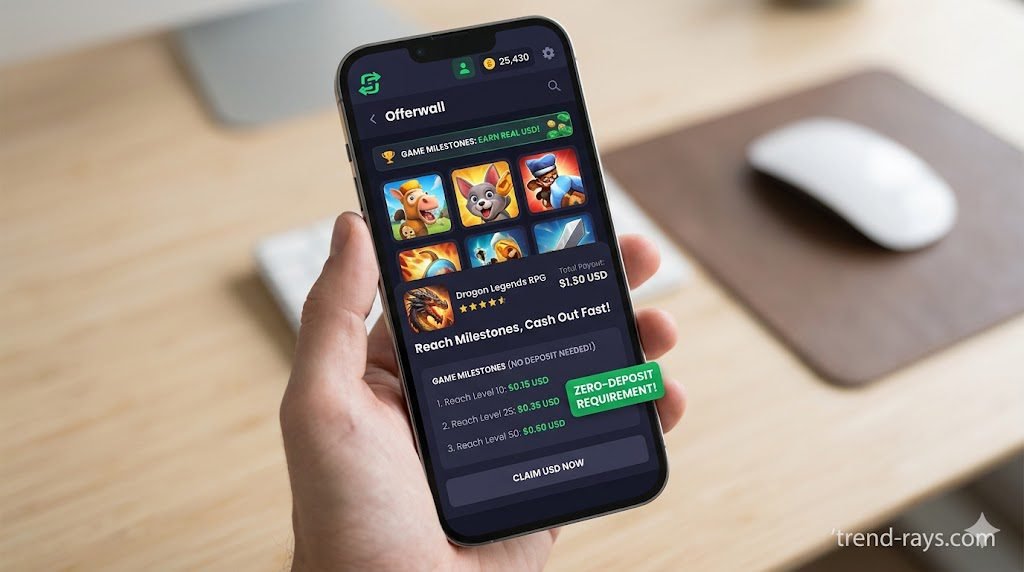
Freecash is currently the undisputed king of no-deposit gaming. Instead of hosting its own proprietary games, Freecash acts as an aggregator. They partner with major gaming studios who pay Freecash to acquire new players. Freecash then passes a large percentage of that marketing budget directly to you.
How to Use Freecash (Step-by-Step):
- Download the app or create an account on the web browser.
- Navigate to the “Earn” tab and filter by “Games.”
- Select an offer (e.g., Coin Master or Monopoly GO). Read the specific milestone requirements closely (e.g., “Reach Board 11 within 7 days”).
- Click the link to download the game directly from the official App Store/Play Store to ensure your gameplay is tracked.
- Play the game, hit the milestone, and return to Freecash to see your USD balance updated.
The No-Deposit Proof: You never connect a credit card or bank account to Freecash. The games you are downloading are completely free.
Payout Strategy: You can withdraw to PayPal once you hit just $5.00. Payouts arrive in less than 30 minutes, making this one of the most reliable payout strategies available.
2. Mistplay: Best Free-to-Play Games for Passive Income
Developer: Mistplay Inc. | App Size: ~55 MB | Compatibility: Android, iOS (Limited regions)
If you hate the pressure of trying to reach Level 50 before a strict 7-day timer runs out, Mistplay is the ultimate stress-free alternative. It operates as a mobile gaming loyalty program rather than a high-stakes task board.
How to Use Mistplay (Step-by-Step):
- Download Mistplay and grant it “Usage Tracking” permissions in your phone settings (this is required so it can track how long you play).
- Browse their curated library of games and download one that appeals to you.
- Launch the game through the Mistplay dashboard.
- Play normally. The longer the game is open and active on your screen, the more “Units” (loyalty points) you earn.
The No-Deposit Proof: Mistplay does not host cash tournaments and has no entry fees. It rewards you purely for your screen time.
Payout Strategy: Exchange your Units for PayPal cash or Amazon gift cards starting at $5.00.
3. Scrambly: Instant Welcome Bonus and No Deposit Required
Developer: Scrambly.io | App Size: Web-Based (Mobile optimized) | Compatibility: iOS, Android, Desktop
Scrambly is a rapidly growing discovery platform that is highly transparent about its payout mechanics. It is one of the only platforms that realistically allows you to withdraw money on your very first day of playing.
How to Use Scrambly (Step-by-Step):
- Sign up on Scrambly.io (you will instantly receive a welcome bonus of $0.50).
- Browse the “Games” section and choose an offer.
- Complete the required in-game actions (like finishing a tutorial or reaching level 5) to earn coins (1,000 coins = $1.00).
- Complete the required KYC (Know Your Customer) ID verification to unlock your first withdrawal.
The No-Deposit Proof: No deposit is ever required to play their game offers, and the welcome bonus requires no financial commitment.
Payout Strategy: Scrambly has an ultra-low $1.00 minimum cashout threshold. Because of your sign-up bonus, you only need to earn $0.50 in-game to trigger your first instant PayPal withdrawal.
4. JustPlay: Daily Payout Strategies for Casual Gamers
Developer: JustPlay GmbH | App Size: ~40 MB | Compatibility: Android Only
JustPlay flips the traditional rewards model on its head by enforcing mandatory daily cashouts. This ensures you never have money trapped behind an impossible minimum balance requirement.
How to Use JustPlay (Step-by-Step):
- Install the app and open the internal game library (mostly casual puzzle, solitaire, and word games).
- Play the games to fill up your “Daily Goal” coin meter.
- Watch the required video ads that appear between levels (this is how the app generates the money it pays you).
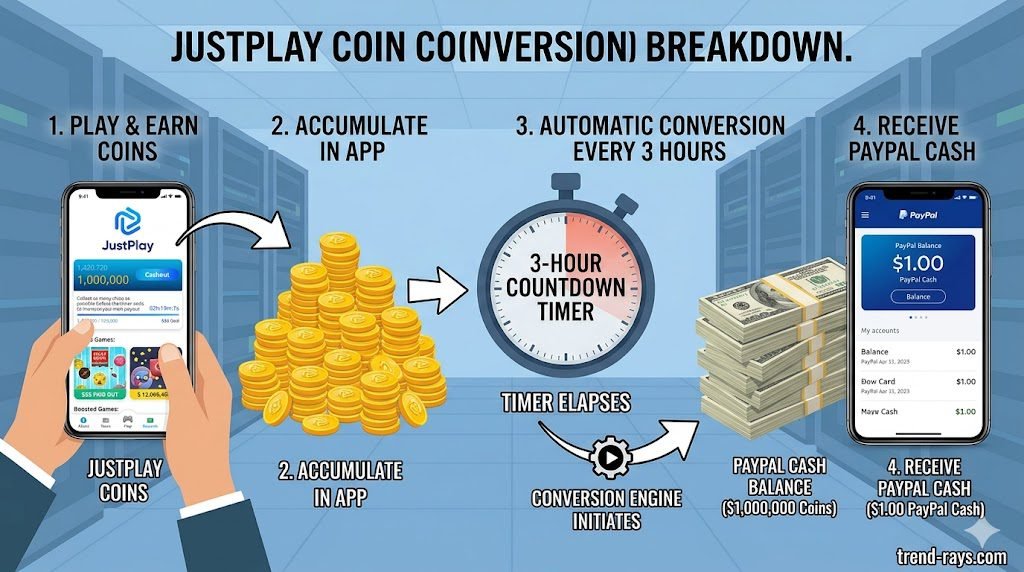
- Wait for the 3-hour countdown timer to hit zero.
The No-Deposit Proof: There are no in-app purchases required to progress in JustPlay’s casual games.
Payout Strategy: Every 3 hours, JustPlay automatically converts your coins into a real-world cash value. There is no minimum threshold. If you earned $0.85 in three hours, you can instantly transfer that exact amount to PayPal.
5. Swagbucks: Earn Real Cash via VIP Programs and Game Offers
Developer: Prodege, LLC | App Size: ~75 MB | Compatibility: iOS, Android, Desktop
Swagbucks is one of the most financially stable rewards companies in the world, having paid out hundreds of millions since 2008. While famous for surveys, its “Discover” section is a goldmine for free gaming offers.
How to Use Swagbucks (Step-by-Step):
- Create an account and navigate to the “Discover” tab, then click “Games.”
- Crucial Step: Read the fine print of the offer. Avoid any game that requires you to “make an in-app purchase to earn SB.” Look strictly for level-based milestones.
- Download the game, complete the free milestones, and watch your SB balance grow (100 SB = $1.00).
The No-Deposit Proof: Swagbucks clearly labels its offers. By filtering for 100% free-to-play milestones, you engage in entirely risk-free earning.
Payout Strategy: You can redeem your SB points for PayPal cash (starting at $5.00) or select gift cards (starting at just $1.00).
6. Eureka: Risk-Free Earning Through Mini-Games
Developer: Social Loop | App Size: ~45 MB | Compatibility: iOS, Android
Eureka is primarily known as a fast-paying survey app, but it features a highly lucrative mobile gaming tab that requires absolutely no financial investment.
How to Use Eureka (Step-by-Step):
- Sign up for Eureka (claiming your $1.00 sign-up bonus).
- Navigate to the “Play” section at the bottom of the app.
- Accept a time-based gaming task (e.g., “Play Woodoku for 15 minutes to earn $1.50”).
- Leave the game open and interact with it for the required time limit.
The No-Deposit Proof: You are being paid a flat rate purely for your time and market research data, not for risking your own money in competitive matches.
Payout Strategy: Eureka has a strict $5.00 minimum cashout. Once requested, the PayPal transfer is processed via a highly automated, instant system.
7. Cash Giraffe: No Deposit Required for Android Users
Developer: JustDice | App Size: ~35 MB | Compatibility: Android Only
Available exclusively on Android, Cash Giraffe uses a tracking model similar to Mistplay but features a significantly lower barrier to entry for your first cashout.
How to Use Cash Giraffe (Step-by-Step):
- Download the app and grant “Usage Access” so it can track your screen time.
- Select a sponsored game from their wall and download it.
- Open the game via the Cash Giraffe app. You will earn “gems” for every minute you keep the game active.
- Rotate through different games when the earn-rate for your current game starts to drop.
The No-Deposit Proof: The app relies heavily on advertising revenue and user-acquisition bounties, not user deposits. You earn your share simply by interacting with the free games.
Payout Strategy: It boasts an incredibly low $0.20 cashout minimum, which you can easily reach in your first 20 minutes of risk-free gameplay.
The Hidden Risks of Free Gaming Apps: What Developers Don’t Tell You
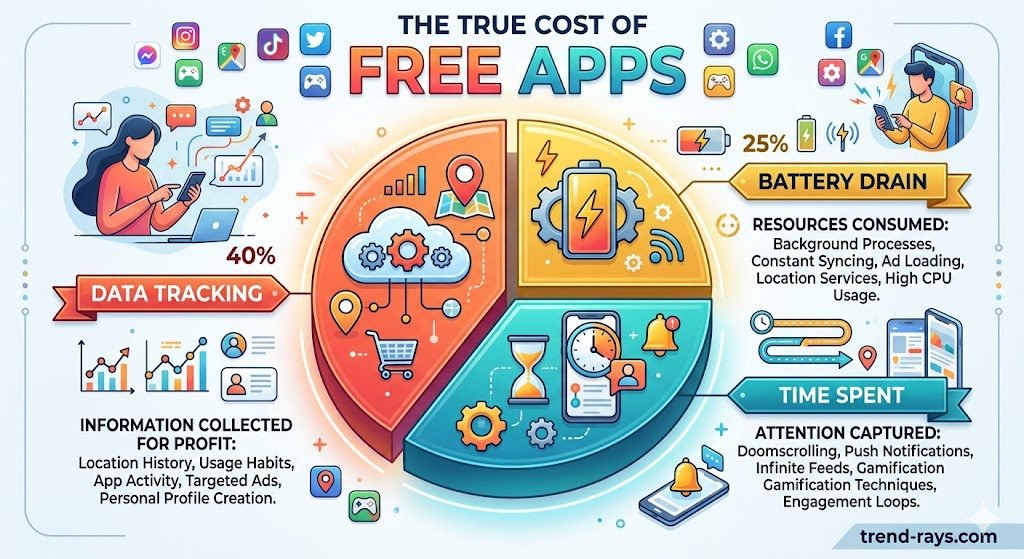
While the apps listed above are legitimate and do pay out, it is crucial to understand that there is no such thing as “free money.” If you are not paying with a cash deposit, you are paying with your data, your time, or your device hardware.
Before committing hours to a “Get-Paid-To” (GPT) platform, you must be aware of the hidden risks involved in the mobile rewards industry:
- Data Privacy and Intense Tracking: To verify that you are actually playing a sponsored game, apps like Mistplay or Cash Giraffe require you to grant them “Usage Access” in your phone’s system settings. This permission allows the app developer to see exactly which apps you open, how long you use them, and what times of day you are active on your device.
- Device Degradation and Battery Drain: Running brightly colored, ad-heavy games for 4 to 6 hours a day causes severe battery degradation. Making an extra $15 a month on a gaming app is not a profitable side hustle if it forces you to replace your phone’s $100 battery a year earlier than expected.
- The “Shadowban” and TOS Violations: You grind for three weeks, reach a $50 milestone, and hit withdraw. Suddenly, your account is suspended for a “Terms of Service (TOS) violation.” If you accidentally leave a VPN on in the background, use a public Wi-Fi network that has been flagged for spam, or switch from Wi-Fi to cellular data too rapidly, their sensitive anti-fraud algorithms might flag you as a bot and permanently seize your earnings.
- The Pipeline to Unregulated Gambling: While you might start by downloading a 100% free-to-play app, these platforms are flooded with advertisements for “skill-based cash tournaments” (like Bingo Cash). These ads are highly predatory and transition users from risk-free earning into a grey area of unregulated mobile gambling.
- The Opportunity Cost of Your Time: If you spend 20 hours a week grinding through game levels to earn a $10 PayPal payout, you are effectively working for $0.50 an hour. That same time could be spent learning a high-income digital skill.
2026 Trends: Gaming Apps vs. Freelancing for Side Income
As we move deeper into 2026, the landscape of digital side income has split into two distinct paths: Active Freelancing versus Low-Skill Passive Earning. It is important to understand where these gaming apps fit into your overall financial goals.
The “Active Income” Route (Upwork & Fiverr)
If your goal is to replace your 9-to-5 job or build a $2,000+ per month side income, you need to turn to freelancing platforms like Upwork or Fiverr. On these platforms, you are trading specialized skills (like video editing, copywriting, or coding) for high hourly rates.
- The Reality: Freelancing requires pitching clients, dealing with revisions, managing deadlines, and actively working for every dollar you earn. It is highly lucrative but stressful.
The “Low-Skill Side Income” Route (GPT Gaming Apps)
Free PayPal games fall into the low-skill, passive side of the 2026 gig economy.
- The Reality: You will never get rich playing mobile games. These apps are designed to pay out modest amounts ($10 to $50 a month). However, their massive surge in popularity in 2026 is due to the lack of stress. You don’t need a portfolio, you don’t need to interview with clients, and you can earn money while lying on the couch watching Netflix.
The smartest strategy? Combine both. Use active freelancing to build your main side business, and use apps like Mistplay or JustPlay to generate passive “coffee money” during your downtime.
Red Flags: How to Spot a Fake No-Deposit Game
Scammers are smart. They know you are searching for games that pay real money without a deposit, so they will put those exact words in their App Store descriptions. Always look out for these three red flags:
- The “Transfer Fee”: If you try to cash out your $20 and the app says you must pay a $1.99 “transfer fee” or “processing tax” via credit card, delete the app immediately. Legitimate platforms deduct fees directly from your winnings; they never ask you to pay out of pocket.
- Early Access Blockers: Scammers frequently launch games in “Early Access” mode. This is a deliberate tactic that prevents users from leaving public 1-star reviews warning others about the paywalls.
- The Advance-Fee Scam: Never trust an app that requires you to link a credit card or bank account “just for age verification.” Legitimate apps like Freecash or Scrambly only need your PayPal email address to send you money.
If you stick to the 7 verified, risk-free apps on this list, you can safely earn a steady stream of extra pocket money without ever risking a dime of your own.
Frequently Asked Questions (People Also Ask)
Can you actually win real money rewards on free-to-play games?
Yes. Legitimate free-to-play games (like Freecash or Mistplay) do not require you to win tournaments or pay entry fees. Instead, they share their advertising and market research revenue with you. You earn real money rewards simply for testing the apps, reaching level milestones, or keeping the games active on your screen.
Which game app pays the most without a deposit?
Currently, Freecash offers the highest payout potential for users who do not want to make a deposit. Because they aggregate offers from dozens of gaming studios, they frequently feature high-paying milestones (sometimes over $50) for completing difficult levels in strategy and puzzle games.
Are there any zero-entry-fee skill-based games?
Most skill-based games (like Bingo Cash or Solitaire Smash) require a cash deposit to enter real-money tournaments. While they offer “free practice rounds,” you cannot withdraw the winnings from those free rounds. If you want a zero-entry-fee experience where you actually keep the cash, you must stick to “Get-Paid-To” (GPT) apps rather than competitive tournament apps.
How do I withdraw cash instantly without linking a bank account?
The safest way to withdraw cash is by using platforms that offer direct PayPal transfers, such as Scrambly, JustPlay, or Eureka. You only need to provide your PayPal email address. You should never link your actual bank routing number or credit card to a mobile gaming app.
Are “Sign-Up Bonuses” real cash or just bonus cash?
It depends on the platform. On scam apps or heavy tournament apps, a welcome bonus is usually “Bonus Cash,” which cannot be withdrawn and can only be used to pay entry fees. However, on legitimate GPT platforms like Scrambly or Eureka, the sign-up bonus is real cash that counts directly toward your minimum PayPal cashout threshold.