
For over two decades, the foundation of corporate cybersecurity was simple: install a commercial antivirus program on every employee laptop, run a weekly scan, and trust the software to catch the bad guys. In 2026, relying on that strategy is the equivalent of locking your front door while leaving the windows wide open.
The proliferation of generative AI has fundamentally altered the cyber threat landscape. Threat actors are no longer writing static, predictable viruses; they are deploying AI-mutated payloads that change their underlying code every few seconds, rendering legacy defenses completely blind. To survive this new era of hyper-speed cyberattacks, enterprise security has shifted from passive scanning to active hunting.
If your organization is still relying on legacy antivirus, your network is actively exposed. In this guide, we break down the critical technical differences between traditional Antivirus and modern Endpoint Detection and Response (EDR), untangle the complex acronyms, and explain exactly why upgrading your security stack is no longer an IT luxury—it is a baseline requirement for business survival.
The Fatal Flaw of Traditional Antivirus: Static Signatures
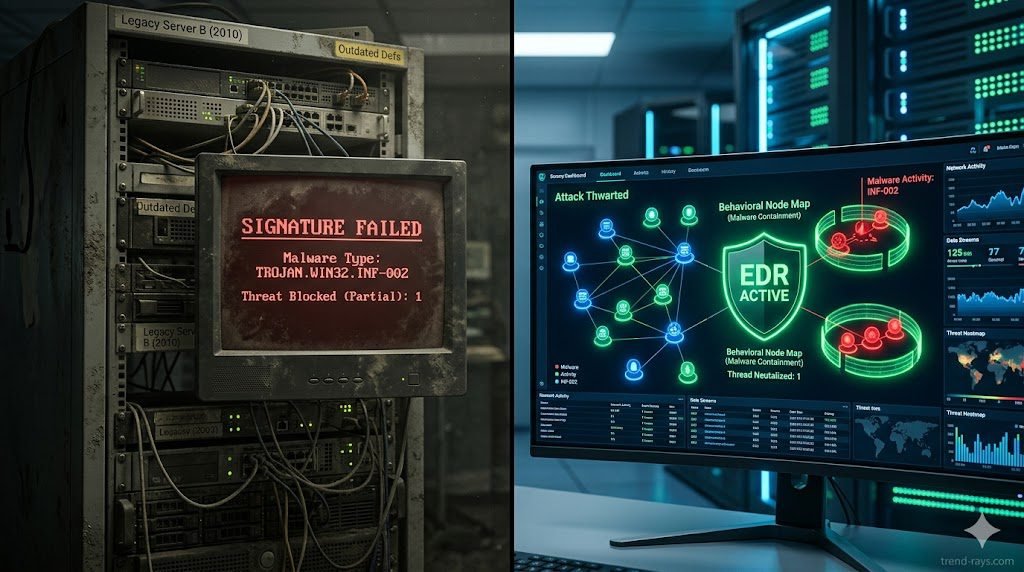
To understand why traditional antivirus is failing, you must understand how it was built to function. Legacy AV operates almost entirely on signature-based detection.
Think of legacy AV like a bouncer at a nightclub holding a blacklist of known criminals. When a new file is downloaded to a computer’s hard drive, the AV scans the file’s code to see if its digital “signature” (hash) matches any known malware in its database. If there is a match, the file is quarantined. If there is no match, the file is allowed to execute.
This model is fatally flawed against modern adversaries. Today’s attackers use AI tools to create polymorphic malware—malicious code that automatically rewrites and scrambles its own signature upon every single deployment. Because the mutated file has a brand-new, never-before-seen hash, the legacy AV’s “blacklist” has no record of it. The bouncer lets the malware walk right through the front door. This failure to provide zero-day threat prevention is why static AV is obsolete.
How EDR Works: Behavioral Analysis & Telemetry
Endpoint Detection and Response (EDR) Abandons the “blacklist” concept entirely. Instead of asking, “Does this file look bad?” EDR asks, “Is this file behaving badly?”
Signature-based vs behavioral analysis is the defining difference between the two technologies. EDR acts like a network of highly intelligent security cameras continuously recording everything happening on the endpoint (the laptop, server, or mobile device).
Through continuous endpoint telemetry and threat hunting, the EDR agent monitors every process, registry modification, and network connection in real-time. If an employee downloads a seemingly innocent PDF file, and that PDF suddenly attempts to open PowerShell and execute a script to scrape the Windows credential vault, the EDR’s machine-learning algorithms instantly flag the behavior as hostile. It doesn’t matter that the PDF had a clean signature; its behavior was malicious, so the EDR autonomously kills the process and isolates the machine from the network in milliseconds.
The Threat Landscape: Why Legacy AV Fails Today
If your IT department is defending against 2026 threats with 2015 technology, they are completely exposed to the following attack vectors:
While EDR provides the necessary behavioral visibility, understanding the specific entry points—such as the ‘flat-pack’ installers favored by shadow IT—is crucial. For a deep dive into these specific threats, see our guide on How to Detect Repackaged Malware on Corporate Endpoints.
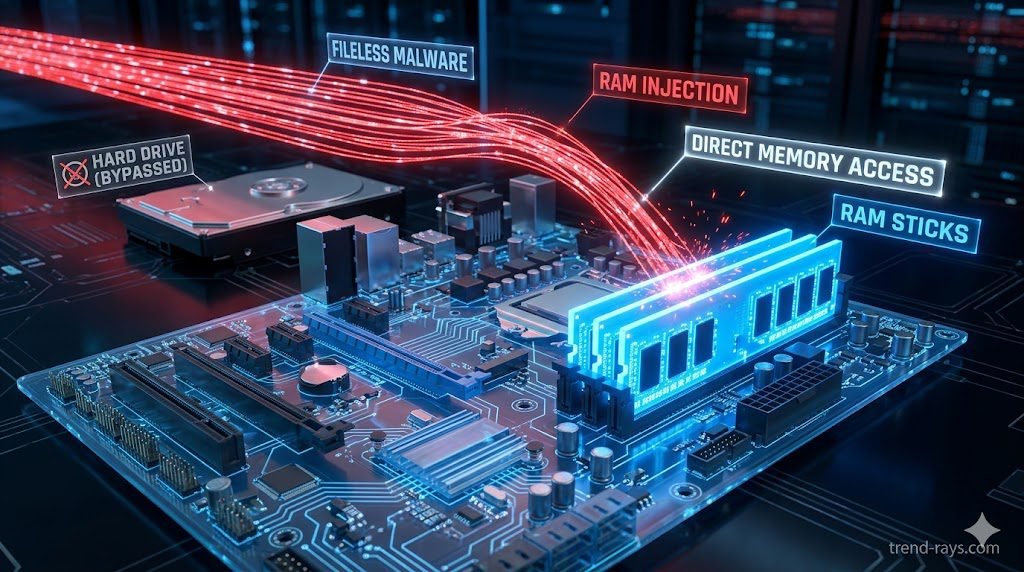
- Fileless Malware Detection: Modern attackers know AV scans the hard drive, so they bypass the hard drive entirely. Fileless malware executes directly in the computer’s volatile memory (RAM). Because there is no executable file (
.exe) written to the disk, traditional AV has nothing to scan. EDR continuously monitors RAM and active memory streams to catch these invisible attacks. - Living off the Land (LotL): Why write custom malware when Windows has built-in tools? Attackers increasingly hijack legitimate administrative tools (like WMI or PowerShell) to execute their attacks. A legacy AV will never block PowerShell because it is a trusted Microsoft application. EDR, however, will recognize that PowerShell is being used abnormally by a non-admin user and sever the connection.
- AI-Mutated Payloads: As discussed, when attackers use LLMs to generate highly obfuscated, flat-pack payloads at scale, signature databases simply cannot update fast enough to catch them.
EDR vs. NGAV vs. XDR: Untangling the Acronyms & Use Cases
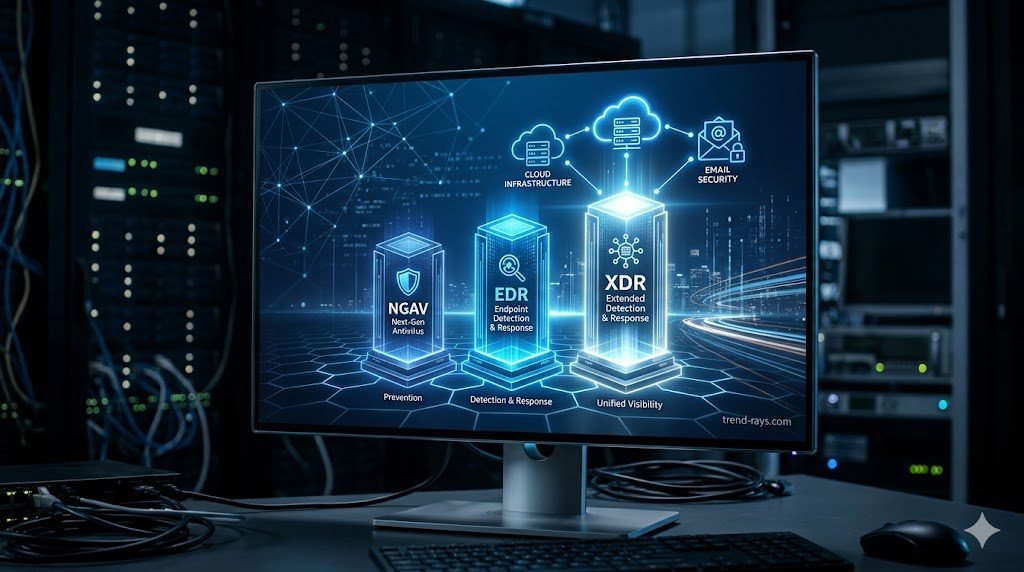
The cybersecurity software market is notorious for confusing marketing jargon. Vendors frequently blur the lines between these three technologies to upsell their platforms. When evaluating vendors, it is critical to understand exactly what you are buying, how your SOC team will use it, and which tier is appropriate for your business size.
1. Next-Generation Antivirus (NGAV)
NGAV is the direct successor to legacy antivirus. It moves beyond static signatures and uses basic, cloud-based machine learning (ML) to evaluate a file’s attributes and predict if it is malicious before it executes.
- How to Use It: NGAV is highly automated. IT admins deploy the lightweight agent via a central cloud console and set machine-learning sensitivity thresholds. It requires very little daily management.
- Best Used For: Small-to-Medium Businesses (SMBs) with limited IT budgets, or organizations that lack a dedicated security team and simply need to check the “modern antivirus” box for basic compliance.
- The Limitation: It focuses entirely on prevention. If a sophisticated, fileless attack manages to bypass the NGAV’s prediction model, the software offers zero forensic visibility into what the malware did after it executed.
2. Endpoint Detection and Response (EDR)
EDR is the current enterprise standard. It includes the prevention capabilities of NGAV but adds continuous recording, behavioral telemetry, and active threat hunting.
- How to Use It: Security analysts sit inside the EDR dashboard daily. When an alert triggers, the EDR provides a visual “storyline” or process tree showing exactly how the malware entered, which registry keys it touched, and what data it tried to access. Analysts use the platform to remotely isolate the infected laptop, kill the malicious processes, and roll the OS back to safety.
- Best Used For: Mid-market to large enterprises that have a dedicated IT security team or an outsourced Managed Security Service Provider (MSSP). It is the mandatory baseline for defending against ransomware and repackaged flat-pack malware.
- The Limitation: EDR suffers from “tunnel vision.” It only sees what happens on the specific laptop or server it is installed on. It cannot see if that attack started from a compromised AWS server or a phishing email.
3. Extended Detection and Response (XDR)
XDR is the evolution of EDR. It breaks down the data silos between your different security tools. XDR ingests telemetry not just from the laptop, but from your cloud environments (AWS/Azure), your email servers (Microsoft 365), your identity providers (Okta), and your network firewalls.
- How to Use It: XDR platforms utilize massive data lakes. If an employee clicks a phishing email on their phone, logs into Salesforce, and then downloads a repackaged malware file on their laptop, XDR automatically stitches all three of those events across three different platforms into a single, cohesive incident alert for the SOC team.
- Best Used For: Global enterprises, Fortune 500s, and organizations implementing strict “Zero Trust” architectures across highly complex, multi-cloud environments.
Feature Comparison Matrix (NGAV vs. EDR vs. XDR)
To simplify your procurement strategy, use this technical breakdown to determine which tier your organization requires:
| Feature Capability | NGAV (Next-Gen AV) | EDR (Endpoint Detection) | XDR (Extended Detection) |
| Primary Focus | Prevention (Pre-execution) | Detection & Response (Post-execution) | Cross-Domain Threat Correlation |
| Detection Method | Machine Learning & AI signatures | Continuous Behavioral Telemetry | Multi-vector telemetry stitching |
| Visibility Scope | Single Endpoint (Blind to context) | Single Endpoint (Deep context) | Entire Corporate Network & Cloud |
| Automated Rollback | ❌ No | ✅ Yes (Isolate & Remediate) | ✅ Yes (Cross-platform orchestration) |
| Threat Hunting Tools | ❌ No | ✅ Yes (Endpoint only) | ✅ Yes (Network, Email, Cloud, Endpoint) |
| Ideal Business Size | Small Business (< 50 Employees) | Mid-to-Large Enterprise | Global Enterprise / Mature SOC |
The CFO’s Guide: The True ROI of Upgrading to EDR
A common roadblock in cybersecurity procurement is sticker shock. An enterprise EDR license can easily cost 5x to 10x more per user than a legacy antivirus subscription. However, the ROI of EDR is not just measured in stopped attacks; it is measured in operational efficiency and financial liability.
- EDR ROI and Cyber Insurance Compliance: In 2026, obtaining a comprehensive corporate cyber liability insurance policy is nearly impossible without modern endpoint protection. Insurance underwriters now actively mandate the deployment of EDR. Without it, your premiums will skyrocket, or coverage for ransomware payouts will be denied entirely. The EDR upgrade effectively pays for itself by keeping the company insurable.
- Reduced Analyst Fatigue & Faster Remediation: When a legacy AV fails and a machine is infected, an IT technician must physically retrieve the laptop, wipe the hard drive, and re-image it—costing hours of labor and employee downtime. Premium EDR solutions offer automated remediation, killing the threat and rolling the OS back to its pre-infected state autonomously, saving thousands of dollars in IT overhead.
Top 3 EDR Platforms to Consider in 2026
If you are ready to retire your legacy antivirus, these three platforms dominate the enterprise market:
- CrowdStrike Falcon (Best Overall Telemetry): Built natively in the cloud, CrowdStrike’s single, lightweight agent is the industry benchmark for detecting fileless attacks and lateral movement. Its AI-driven “Threat Graph” correlates trillions of events per day globally.
- SentinelOne Singularity (Best for Autonomous Response): SentinelOne shines in environments with spotty internet connectivity. Its behavioral AI models run locally on the endpoint, allowing it to detect and execute 1-click automated rollbacks against ransomware without needing to ping a cloud server.
- Microsoft Defender for Endpoint (Best for Native Ecosystems): Do not confuse this with the free consumer Windows Defender. The enterprise XDR version offers unparalleled, frictionless integration for organizations already deeply embedded in the Microsoft 365 and Azure Active Directory ecosystem.
Conclusion & Next Steps
You cannot fight AI-driven cyber warfare with a blacklist from the 2010s. Upgrading from traditional antivirus to Endpoint Detection and Response is the single most effective architectural change a business can make to secure its data. By shifting to behavioral analysis, your security team can finally gain the visibility required to stop zero-day threats before they execute.
EDR is the engine of your security stack, but understanding the specific tactics attackers use to bypass your employees is equally critical. To learn exactly what your new EDR platform will be hunting for, read our complete technical guide on How to Detect Repackaged “Flat-Pack” Malware on Corporate Endpoints.