Every gamer eventually wants to mess with their squad using a voice changer. Whether it’s sounding like a demon in Phasmophobia or an anime character in Discord, two names always pop up: Voicemod and Clownfish. But which one is actually better? We tested both side-by-side to help you decide.
1. Interface & Ease of Use
- Voicemod: It looks like a modern app. The interface is sleek, colorful, and easy to navigate. You have big buttons for sound effects and a clear menu for selecting voices. It feels like premium software.
- Clownfish: It feels like a blast from the past (Windows 98 style). It lives in your system tray (bottom right of your screen) and is purely menu-based. It’s not “pretty,” but it’s functional.
- Winner: Voicemod (for looks) / Clownfish (for simplicity).
2. Free Features vs. Paid
- Voicemod: Technically free, but very restricted. You get a set of free voices that rotate daily. If you fall in love with a specific voice, it might be gone tomorrow unless you pay for the “Pro” version.
- Clownfish: Completely free. All voices (Alien, Robot, Clone) are available 100% of the time. No paywalls, no subscriptions.
- Winner: Clownfish (Best Free Value).
3. System Performance (Lag Test)
- Voicemod: It’s a heavier application. On older laptops, running Voicemod alongside a heavy game like Cyberpunk 2077 might cause minor frame drops.
- Clownfish: It is incredibly lightweight. It uses almost zero CPU power, making it perfect for potato PCs.
- Winner: Clownfish.
Performance, Latency, and Troubleshooting
When running a voice changer while gaming or streaming, performance is just as important as the vocal effects.
- CPU Usage: Clownfish is incredibly lightweight. It integrates directly at the system level, meaning it uses barely any CPU power, making it a great alternative to heavier software if you have an older PC. Voicemod is more feature-rich but requires more system resources to run its soundboards and custom voice routing.
- Latency: Both programs offer excellent low-latency performance, but Voicemod’s virtual audio cable setup can sometimes introduce a slight micro-delay if your PC is under a heavy gaming load.
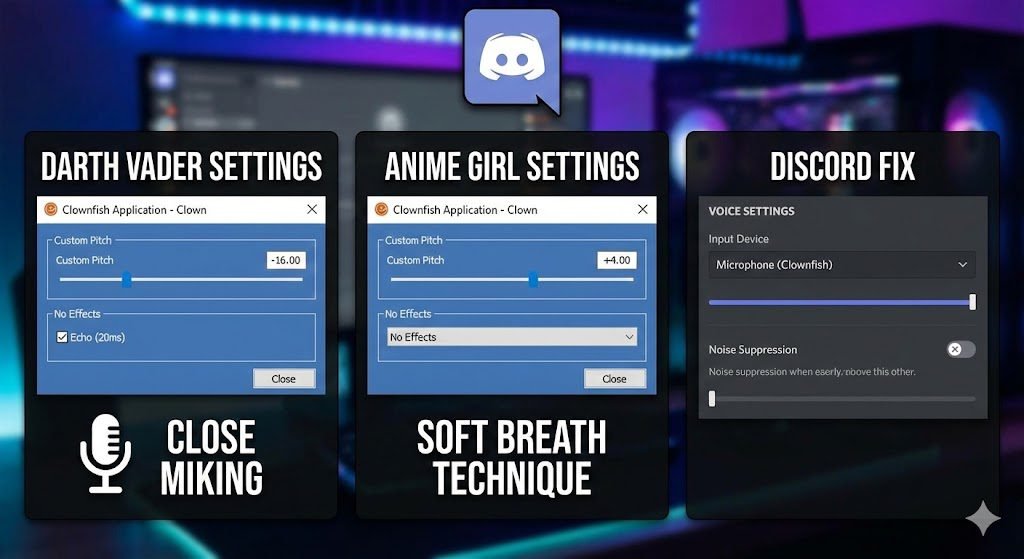
- Troubleshooting “Discord Voice Filter Not Showing”: A common bug with both apps is Discord failing to recognize the virtual microphone. To fix this, always ensure you open Clownfish or Voicemod before opening Discord. Then, go to Discord’s “Voice & Video” settings and manually set your Input Device to the specific Virtual Audio Cable created by the software, rather than your physical microphone.
Verdict: Which One Should You Install?
- Choose Voicemod if: You want the highest quality audio, a built-in Soundboard for memes, and don’t mind paying a small fee for the best features.
- Choose Clownfish if: You want a completely free tool that won’t slow down your computer.
Need more options? If neither of these fits your needs, check out our full list of the best real-time voice changers to find the perfect one for your setup.