Instagram Notes are no longer just “status updates.” They have become the Billboard of the Direct Message (DM) Inbox.
Sitting right at the top of the chat list, Notes are the first thing people see when they open their messages. They are less demanding than a Story, more visible than a Post, and perfect for “Soft Launching” relationships or triggering conversations.
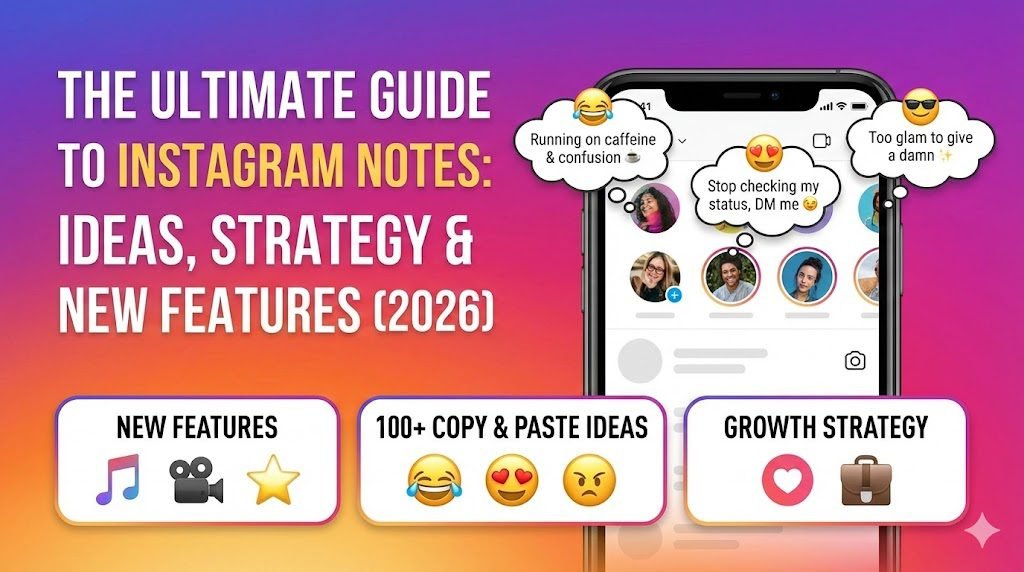
In this deep-dive guide, we cover everything: the psychology of why they work, the latest features (Music, Video, Gold Notes), 100+ copy-paste ideas, and the strict Community Guidelines you must follow to avoid a shadowban.
🧠 The Psychology: Why Notes Get More Replies than Stories
Have you noticed that a 60-character Note often gets more replies than a high-effort Reel? This is due to “Low-Friction Interaction.”
- The “Inbox Mindset”: Users are already in the DM section. They are mentally ready to chat, not just scroll.
- The Mystery Factor: Short text creates a “Curiosity Gap.” If you write “I can’t believe he said that,” people have to ask “Who?”
- FOMO (Fear Of Missing Out): Notes disappear in 24 hours, creating urgency.
🛠️ New Features & How to Use Them (2026 Update)
Instagram has aggressively updated Notes. Are you using these features?
1. Music Notes 🎵
- What it is: You can attach a 30-second song clip to your Note.
- Why use it: People stop scrolling to listen. It increases the “Dwell Time” on your profile bubble.
- How: Tap “Leave a Note” > Tap the Music Note Icon > Select a song.
2. Video Notes (Looping) 📹
- What it is: A 2-second looping video of your face that replaces your profile picture in the Note bubble.
- Best for: Showing genuine reactions (e.g., Eye roll, Laughing).
- How: Tap the Camera Icon inside the Note creation screen.
3. “Gold” & Colorful Notes (New!) 🎨
- What it is: Instagram is rolling out features to change the Note bubble color (Gold, Blue, etc.) or add specific keywords like “Happy Birthday” that trigger animations.
- Tip: If you see a Gold Note, it usually means it’s a special event or a verified creator feature.
📜 100+ Best Instagram Notes Ideas (Copy & Paste)
😂 Funny & Relatable (For Engagement)
- My bed is a magical place where I remember what I forgot.
- I need a 6-month holiday, twice a year.
- Running on caffeine and confusion. ☕
- Who sends “k” in 2026? Jail.
- Reality called, I hung up.
- Professional overthinker. 🧠
- Currently holding it all together with one bobby pin.
- Waiting for my Hogwarts letter. 🦉
- I’m not lazy, I’m on energy saving mode.
- Error 404: Motivation not found.
😍 Flirty & “Soft Launching” (For Crushes)
- Stop checking my status, DM me already. 😉
- Guess who I’m thinking about?
- Simping for [Celebrity Name]… or maybe you.
- Lowkey miss you. (You know who you are).
- 10/10 would recommend dating me.
- My horoscope said I’d meet someone cute today.
- Someone invite me to a date, I’m free.
- Reply to this if you think I’m cute.
- I need attention. (Yes, yours).
- Music Pairing: Die With A Smile – Lady Gaga & Bruno Mars
😈 Savage & Attitude (For Haters)
- I’m not mean, I’m brutally honest.
- Don’t study me, you won’t graduate. 🎓
- My circle is small because quality > quantity.
- Not everyone likes me, but not everyone matters.
- Too glam to give a damn. ✨
- Throwing shade? I’m the sun, darling. ☀️
- Your opinion wasn’t in the recipe. 🧾
- I’m the main character.
- Ex-cuse me?
- Music Pairing: Not Like Us – Kendrick Lamar
💼 Business & Sales (For Creators)
- New Reel is UP! 🚨 (Don’t flop).
- Flash Sale ends in 3 hours! ⏳
- DM “VIP” for a discount code.
- Taking 3 new clients this week.
- Link in Bio updated! 🔗
- Q&A in Stories right now! 👇
⚠️ Important: Community Guidelines & Banned Content
Instagram Notes are text-based, meaning they are easily scanned by AI moderation bots. Posting the wrong thing can get you Shadowbanned (your Notes won’t appear to friends).
❌ What Gets You Banned?
- Hate Speech: Never use slurs, even as a joke.
- Bullying/Harassment: Calling out specific people (e.g., “@user is a loser”) is a violation.
- Spamming: Do not post and delete Notes 50 times an hour. The algorithm will flag you as a bot.
- Nudity Keywords: Even implied sexual text can trigger the “NSFW” filter.
🛡️ How to Report Abusive Notes
If you see a Note that bullies you:
- Long Press on the Note.
- Tap Report.
- Select “It’s spam” or “Bullying or harassment”. This is anonymous; the user won’t know you reported them.
❓ Frequently Asked Questions (FAQ)
Q: Why can’t I see Instagram Notes? A: This is usually because:
- You are in a region where the feature is restricted (Europe had delays).
- Your app is outdated (Update via Play Store/App Store).
- You have “Muted” the user. Unmute them by going to their Profile > Following > Mute > Notes.
Q: Do people know if I view their Note? A: No. Unlike Stories, there is no “View List” for Notes. You can read them anonymously.
Q: Can I hide my Notes from specific people? A: Yes! When creating a Note, select “Close Friends” instead of “Followers you follow back.” This is perfect for posting personal updates you don’t want your boss to see.
🔗 Master Your Instagram Strategy
- Want to link your WhatsApp in your Bio? Use our WhatsApp Link Generator Tool.
- Need to see what your ex posted on Stories? Learn how to View Instagram Stories Anonymously.
- Want better photos? Check out our guide on How to Repost Reels Properly.