A ransomware attack is one of the most stressful events a business owner can face. Suddenly, your accounting software is locked, customer databases are encrypted, and a digital ransom note demands payment. While it is tempting to panic, how you respond in the first 24 hours determines whether your business survives.
Small and medium-sized enterprises (SMEs) in Poland are increasingly becoming prime targets for cybercriminals. Paying the ransom rarely guarantees full data recovery and often marks your business as a lucrative target for future attacks. This comprehensive guide will walk you through the immediate steps to mitigate damage, the economic reality of an attack, and how to implement robust, RODO-compliant backup solutions.
First Steps After an Attack: Triage (Pierwsze kroki po ataku)
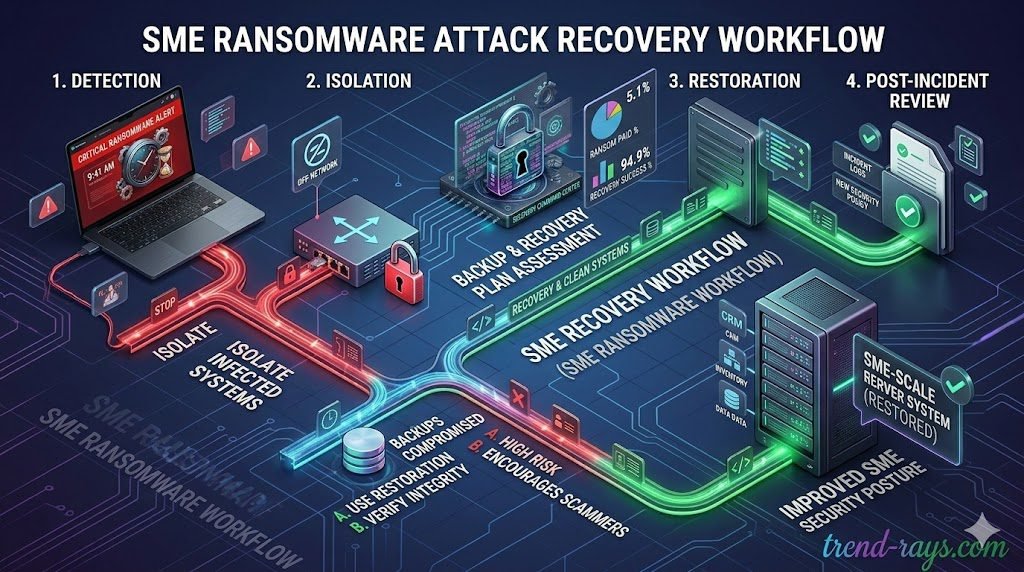
If you suspect an active ransomware infection, every minute counts. Take these steps immediately to contain the damage:
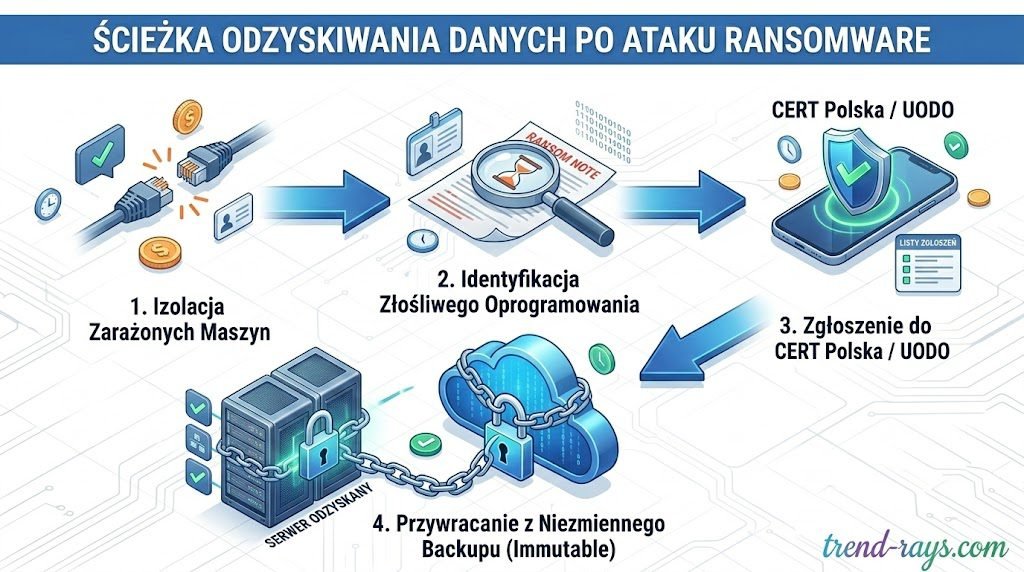
- Isolate Infected Machines: Disconnect the affected computers from the Wi-Fi and unplug Ethernet cables. Do not turn the machines off entirely, as the RAM might still hold vital decryption keys that cybersecurity experts can use.
- Identify the Ransomware Strain: Use free resources like the No More Ransom project to identify the specific type of malware based on the ransom note or file extensions.
- Report the Incident: In Poland, it is crucial to report the breach to CERT Polska. If personal data was compromised, you must also notify the Personal Data Protection Office (UODO) within 72 hours to maintain compliance with GDPR (RODO).
How Does Ransomware Infiltrate Your Network? (Jak ransomware dostaje się do sieci?)
Before you can build a stronger defense, you must understand how the breach occurred. Cybercriminals rarely rely on complex hacking; they exploit basic human errors and network vulnerabilities:
- Phishing Emails (Ataki Phishingowe): The primary vector. An employee receives an email mimicking a legitimate invoice from a local courier (InPost, DPD) or a government tax portal. Clicking the malicious link silently deploys the ransomware.
- Exposed Remote Desktop Protocol (RDP): With remote work, many businesses leave RDP ports exposed. Hackers use automated scanners to find these ports and brute-force weak passwords to gain administrative access.
- Unpatched Software (Brak Aktualizacji): Cybercriminals actively scan for known vulnerabilities in outdated software, VPN gateways, and firewalls.
The Economic Reality: The True Cost of Ransomware (Ekonomiczne skutki ataku)
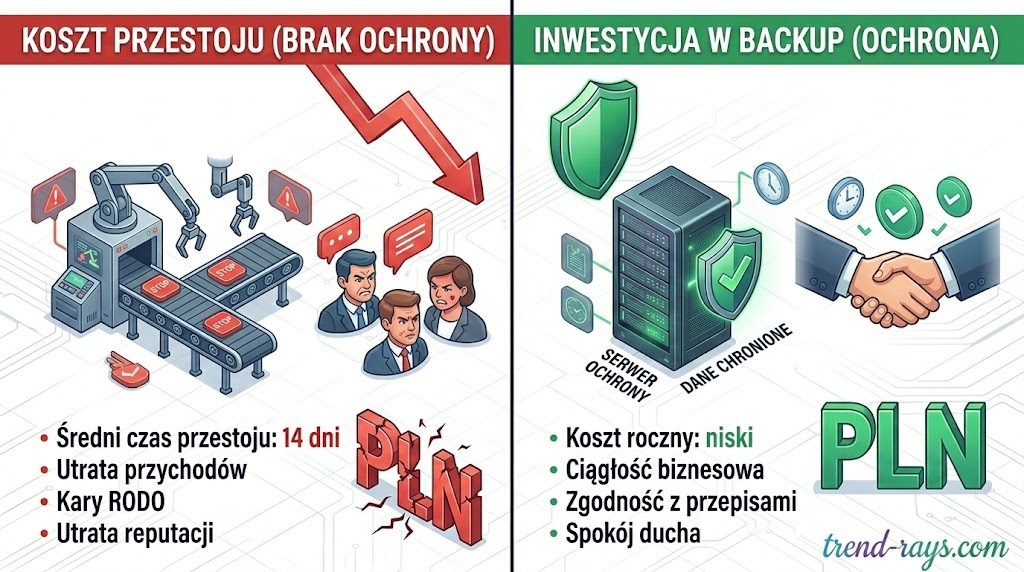
When business owners think about ransomware, they often focus on the ransom itself. However, the true financial devastation comes from downtime. Industry data shows that the average downtime following a successful ransomware attack on an SME is roughly 14 days.
| Financial Risk Factor | Impact on Polish SMEs | Cost Mitigation Strategy |
| Lost Revenue / Downtime | Thousands of PLN per hour in halted logistics, sales, and client services. | Rapid Recovery software (RTO under 15 minutes). |
| Regulatory Fines (RODO) | Up to 20 million EUR or 4% of global turnover for failing to protect client data. | Utilizing compliant, immutable cloud backups. |
| Reputational Damage | Loss of client trust and future contracts due to data negligence. | Proactive security posture and transparent communication. |
Spending on an automated, immutable cloud backup system is not an IT expense—it is cheap business insurance.
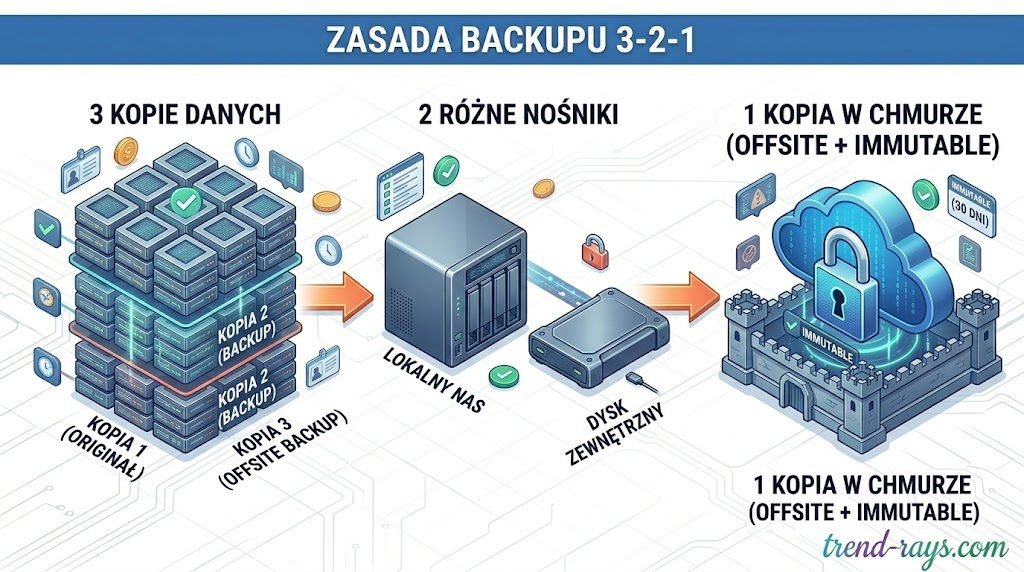
Proactive Prevention & The 3-2-1 Backup Rule
To ensure your business continuity, you must implement the 3-2-1 rule:
- Keep 3 copies of your data.
- Store them on 2 different types of media.
- Keep 1 copy offsite or in the cloud.
Crucially, modern setups require Immutable Storage (pamięć niezmienna). This means the backup is cryptographically locked for a set period. Even if hackers gain full administrative access to your network, they cannot delete or encrypt an immutable backup.
Essential Precautions for Business Owners & Management (Kluczowe środki ostrożności dla zarządu)
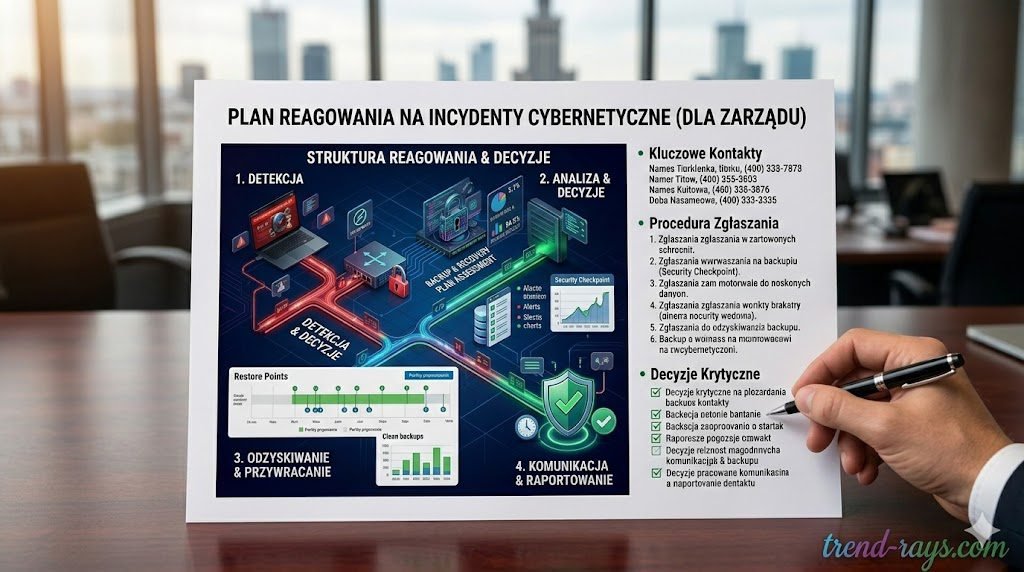
While IT administrators handle the technical deployment of firewalls and backups, business owners and directors must establish the operational framework to prevent attacks. Cybersecurity is no longer just an IT issue; it is a core business risk. Here are the strategic precautions every owner must implement:
For clinics and healthcare SMEs, mitigating risk means ensuring that third-party software—from your backup servers to secure, HIPAA-compliant AI solutions—meets strict regulatory standards before an incident occurs.
1. Draft an Incident Response Plan (Plan Reagowania na Incydenty)
Do not wait for a red ransom screen to figure out who is in charge. Create a clear, step-by-step document that outlines exactly what happens during a breach.
- Who has the authority to disconnect the main servers?
- Which external IT forensic team do you call?
- Who handles the mandatory UODO (GDPR) reporting? Crucial Tip: Keep a physical, printed copy of this plan. If your network is locked, digital PDFs on your shared drive will be inaccessible.
2. Invest in Cyber Liability Insurance (Ubezpieczenie Cyber Risk)
Traditional business insurance policies rarely cover digital extortion or the associated downtime. Cyber insurance is becoming mandatory for risk-averse SMEs. A robust policy will not only help cover the cost of lost revenue during downtime but will also provide emergency funds for legal counsel, forensic IT experts, and potential GDPR regulatory fines.
3. Enforce the Principle of Least Privilege (PoLP) (Zasada najmniejszego uprzywilejowania)
From an administrative standpoint, no employee should have access to files, databases, or systems they do not actively need to perform their daily job. Furthermore, standard employees should never have “Administrator” rights on their local computers. If a standard user clicks a phishing link, the ransomware is restricted by their limited permissions. If they have admin rights, the ransomware can bypass local defenses and spread to the entire network.
4. Audit Your Supply Chain & Third-Party Vendors (Audyt dostawców zewnętrznych)
Your internal security is only as strong as your weakest vendor. If you use an external Polish accounting firm, a third-party marketing agency, or a freelance web developer, they have access to your data. If their weak network gets breached, your customer data is compromised. Business owners must demand basic cybersecurity guarantees (like MFA enforcement and immutable backups) in the service level agreements (SLAs) with all external partners.
Your internal security is only as strong as your weakest vendor. Whether you work with external accounting firms, marketing agencies, or freelance creators utilizing AI text-to-speech software and royalty-free AI music generators for your brand’s campaigns, they all have access to your digital ecosystem. If their network gets breached, your data is compromised.
5. Establish a “Zero Trust” Verification Culture (Kultura Zero Trust)
The majority of successful ransomware deployments start with social engineering, such as a targeted email pretending to be the CEO asking the finance department to urgently process a fake invoice or download an “updated financial spreadsheet.” Implement a strict, non-negotiable company policy: Any urgent request involving financial transfers, password resets, or unusual file downloads must be verified via a phone call or face-to-face conversation.
The majority of successful ransomware deployments start with social engineering. Cybercriminals are moving beyond basic phishing emails to highly sophisticated tactics, including deepfakes and audio scams that modern cybersecurity SaaS is fighting back against, meaning a Zero Trust verification culture is absolutely mandatory.
Top 3 RODO-Compliant Cloud Backup Solutions for SMEs
Selecting the right software is critical. Here is exactly how the top platforms work, how much they cost, and how they impact your bottom line. Selecting the right software is critical for both recovery speed and legal compliance. Just as marketing teams invest heavily in the best AI SEO writing SaaS tools to rank on Google, IT and management must allocate budget to high-performance backup solutions tailored for the Polish market.
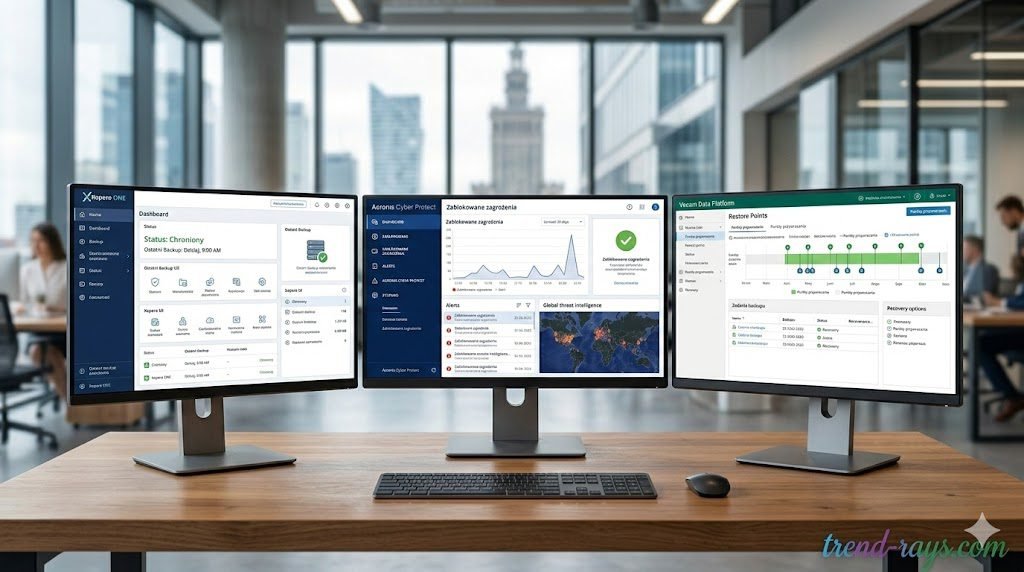
1. Xopero ONE (Best for Native Polish Support)
Xopero is a Polish solution offering highly secure, immutable cloud storage that natively complies with rigorous European data standards (NIS2, GDPR).
- Pricing: Customized SaaS model allowing Polish SMEs to pay in local currency without exchange rate risks. Highly competitive against US-based enterprise solutions.
- How to Use It:
- Create an account on the Xopero ONE cloud portal.
- Download the lightweight Xopero Agent to the computers/servers.
- Select a predefined “Protection Plan” (Plan Zabezpieczeń).
- Choose your storage destination and set the automated schedule.
- Business Impact: Total peace of mind regarding UODO audits. The interface is intuitive enough that you do not need a dedicated, expensive IT specialist to manage daily backups.
2. Acronis Cyber Protect (Best for All-in-One Security)
Acronis merges cloud backup with active, AI-driven anti-malware. It actually spots ransomware trying to encrypt files and stops the process instantly.
- Pricing: Around $85 USD/year for Workstations (PCs/Macs) and $595 USD/year for Servers.
- How to Use It:
- Log into the Acronis Cloud Console and install the single agent on your endpoints.
- Create a “Protection Plan” that activates both the backup and the real-time antivirus defense.
- If a user clicks a phishing link, Acronis halts the malicious script and auto-reverts modified files from its secure cache.
- Business Impact: Cost consolidation. Acronis allows you to cancel separate antivirus and backup subscriptions, managing everything from a single dashboard.
3. Veeam Data Platform Essentials (Best for Growing Infrastructure)
Veeam is the heavyweight champion of enterprise backup, with the “Essentials” package priced specifically for small businesses (under 50 workloads).
- Pricing: A 5-instance license pack (covering a mix of servers or workstations) costs roughly $475 USD per year.
- How to Use It:
- Deploy the Veeam Backup & Replication server software within your network.
- Connect your physical or virtual infrastructure.
- Configure a backup repository supporting “Object Lock” for immutability.
- Utilize Veeam’s “Instant VM Recovery” to boot a server directly from the backup if a crash occurs.
- Business Impact: Unmatched Recovery Time Objective (RTO). Veeam minimizes operational downtime from days to literal minutes.
Frequently Asked Questions (FAQ)
Czy da się złamać klucz ransomware za darmo? (Can I decrypt files for free?)
While decryptors for older strains are public, modern variants (like LockBit or Akira) use military-grade encryption that cannot be brute-forced. Restoring from a clean backup is the only reliable method.
Lokalny serwer NAS czy chmura? (Local NAS vs. Cloud Backup: Which is better?)
A NAS is great for fast local file retrieval, but it is dangerous on its own. Ransomware will scan the local network and encrypt the NAS too. You must pair it with an isolated, immutable Cloud Backup.
Ile trwa przywracanie danych? (How long does recovery take?)
Downloading terabytes of data from basic cloud storage can take 24-48 hours. Professional backup solutions offer “Instant Recovery” features, reducing critical downtime to less than 15 minutes.