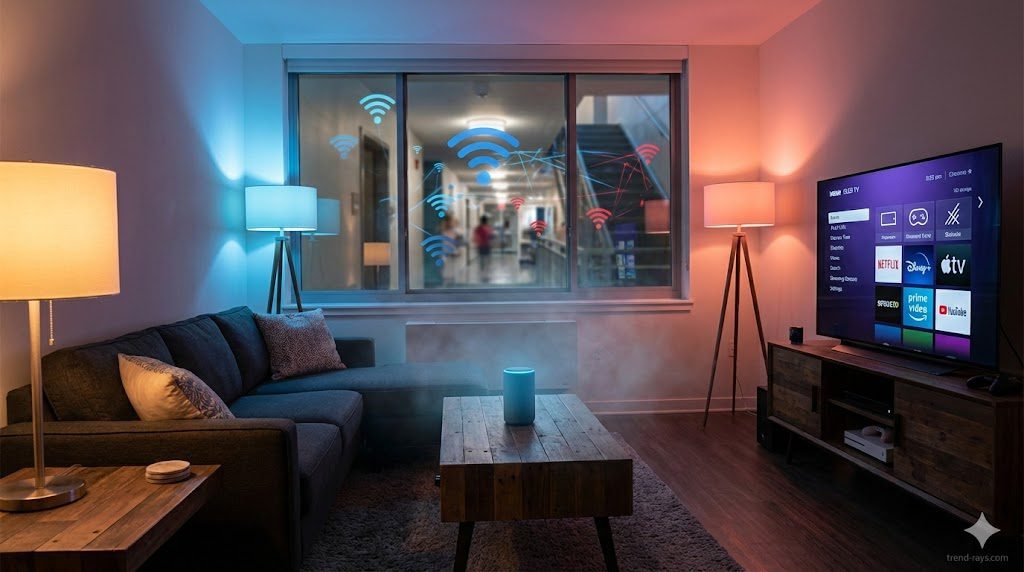
Moving into an apartment with building-wide, pre-installed Wi-Fi is incredibly convenient, but plugging in your smart speakers and cameras brings a massive privacy concern.
Generally, it is not safe to connect smart home devices directly to a shared apartment complex Wi-Fi network. Because the network is shared, neighbors may be able to see, cast to, or even control your unencrypted smart devices. To safely use smart home devices in an apartment, you should use a travel router to create a private, hidden subnet within the building’s main network.
This guide breaks down the specific cybersecurity risks of managed apartment Wi-Fi, the exact hardware you need to secure your setup, and which devices you should never connect to a public network.
The Hidden Risks of Managed Apartment Wi-Fi (And How to Fix Them)
Shared living apartments introduce security challenges that single-home networks rarely face. When you connect directly to the building’s Wi-Fi, you are effectively putting your devices in the same digital room as hundreds of strangers. Here is how to tackle these risks based on your technical comfort level.
1. Device Visibility (The “Accidental Cast” Problem)
Protocols like Apple AirPlay, Google Cast, and Spotify Connect are designed to find other devices on the same local network. If you are on the same subnet as your neighbors, they might accidentally cast their music to your smart speaker, or worse, stream a video to your smart TV.
- The Non-Technical Solution: Dive into your smart device’s settings app. For Google Home devices, turn off “Let others control your cast media.” For Apple TVs, go to Settings > AirPlay and set access to “Anyone on the Same Network” but require a Password or PIN code to connect.
- The Technical Solution: Use a dedicated travel router to create a private subnet (detailed in the next section). This creates a firewall that blocks mDNS and UPnP discovery packets from the building’s main network, making your devices completely invisible to your neighbors.
2. Lack of Router Control
Renters usually cannot access the building router’s admin panel. This means you cannot change DNS settings, update the firmware, enable vital firewalls, or turn on MAC filtering to restrict who can communicate with your hardware.
- The Non-Technical Solution: If you cannot control the network, control the device. Only purchase smart devices from reputable brands (like Philips Hue, Apple, or Google) that push automatic, encrypted firmware updates directly to the device, bypassing the need for router-level security.
- The Technical Solution: Set up a Raspberry Pi running Home Assistant within your apartment. By pairing it with Zigbee or Z-Wave dongles, your smart devices communicate locally via radio frequencies to your Pi, completely bypassing the apartment’s Wi-Fi network for their daily operations.
3. The “IoT” Vulnerability
Internet of Things (IoT) devices like cheap smart plugs often have incredibly weak built-in security and rely heavily on a router’s firewall.
- The Non-Technical Solution: Ditch Wi-Fi entirely for these smaller gadgets. Opt for Bluetooth-only smart plugs or bulbs that connect directly to your phone without ever touching the internet.
- The Technical Solution: If you set up a travel router, log into its advanced admin panel (often running OpenWrt) and configure a VPN Client directly on the router. This forces all IoT traffic from your apartment through an encrypted tunnel, blinding the building’s IT manager and network snoops to your data.
The Cybersecurity Angle: How Hackers Exploit Apartment IoT Devices
While accidental casting from a neighbor is annoying, the true danger of a shared apartment network lies in active cyber threats. When your devices share a local network with dozens of other people, the building’s router is no longer acting as a protective wall between you and the internet—the threat is already inside the house.
Here are the three primary cybersecurity attacks that target smart home devices on public or shared Wi-Fi:
1. Man-in-the-Middle (MitM) Attacks and Packet Sniffing
On a shared unencrypted network, anyone running basic, free packet-sniffing software (like Wireshark) can intercept the data traveling between your smart device and the building’s router. If your smart plug or off-brand security camera uses an unencrypted HTTP connection instead of HTTPS, a malicious actor can capture your login credentials, Wi-Fi passwords, or even the unencrypted video feed in real-time.
2. Lateral Movement (The “Trojan Bulb” Scenario)
Hackers rarely care about controlling your smart bulb. Instead, they use cheap, easily hackable IoT devices as a bridge. Because smart bulbs often have zero built-in security, a bad actor on the apartment Wi-Fi can compromise the bulb, and then use that access to pivot laterally across the network to attack your personal laptop, smartphone, or NAS drive that is connected to the same subnet.
3. Botnet Recruitment
Many smart home devices still ship with default, hardcoded administrator passwords (like admin/admin). If these devices are exposed on a public-style apartment network, automated scripts can easily scan, find, and hijack them. Your smart TV or connected fridge could be silently recruited into a global botnet (like the infamous Mirai botnet) used to launch massive Distributed Denial of Service (DDoS) attacks against other websites, slowing down your internet speed in the process.
Baseline Cybersecurity Hygiene for Renters
Even if you set up a travel router, you must practice basic IoT hygiene to keep your network secure:
- Change Default Credentials: The moment you unbox a new smart device, change the default username and password in the companion app.
- Disable UPnP (Universal Plug and Play): If you do have access to your travel router’s admin panel, turn off UPnP. While it makes connecting devices easier, it allows devices to punch holes through your firewall without your permission.
- Audit Your Connected Devices: Once a month, check your router’s companion app or your Apple Home/Google Home app to ensure you recognize every single device listed. If you see an unknown “Generic ESP8266 Device,” kick it off immediately.
The Ultimate Solution: The “Travel Router” Method (Creating a Subnet)
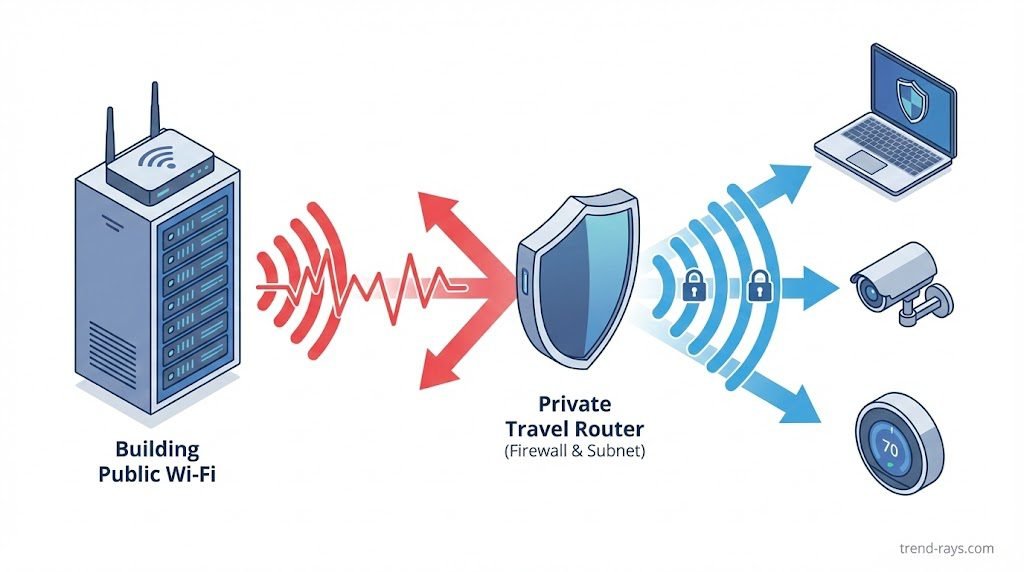
The most effective way to secure your smart home in an apartment is to build a “network within a network.” You achieve this using a travel router.
What is a Travel Router?
A travel router (from brands like GL.iNet or TP-Link) is a miniaturized router originally designed for hotel rooms. It connects to the apartment’s main Wi-Fi (either wirelessly or via an Ethernet wall port) and broadcasts a brand-new, completely private Wi-Fi network exclusively for your devices.
How to Set It Up (Step-by-Step)
- Plug the travel router into the wall and turn it on inside your apartment.
- Connect it to the apartment’s main Wi-Fi. If your apartment uses a “captive portal” (a web page where you enter a unit number or password to access the internet), travel routers are designed to easily bypass or authenticate through these screens.
- Create your private SSID. Log into your travel router’s app, create a new Network Name (SSID) that doesn’t identify you or your apartment number, and set a strong WPA3 password.
- Connect your smart devices. Connect all your smart TVs, speakers, and bulbs to this new private network.
The Benefits: Your devices are now hidden behind the travel router’s built-in firewall. As an added bonus, if you ever move to a new apartment, you don’t have to reconfigure 20 different smart bulbs. You just plug the travel router into the new building’s internet, and your entire smart home comes back online instantly.
Alternative Solutions (If You Can’t Buy Extra Hardware)
If you aren’t ready to set up a dedicated subnet, you can still mitigate some risks using these alternative methods.
- Using a VPN on Compatible Devices: While you can’t install a Virtual Private Network (VPN) on a smart bulb or a thermostat, you can install one on an Apple TV, Amazon Fire Stick, or personal computer. A VPN encrypts your traffic, hiding your streaming and browsing habits from the building’s IT manager and other tenants.
- Utilizing Mobile Hotspots: If the apartment Wi-Fi is completely unencrypted and you urgently need to run a high-security device (like an indoor camera to watch a pet), rely on a dedicated mobile hotspot or a spare 5G cellular connection instead.
- Choosing Matter/Thread Over Wi-Fi: When buying new smart home gear, look for devices that use the Thread protocol. Unlike Wi-Fi devices that connect directly to the internet, Thread devices communicate locally with a central hub (like a HomePod or Echo) creating a localized mesh network that doesn’t expose individual bulbs or plugs to the broader apartment Wi-Fi.
Device Triage: What is Safe vs. What is Dangerous?
Not all smart devices carry the same level of risk. If you absolutely must use the shared Wi-Fi without a travel router, follow this triage list and apply these specific security patches.
High Risk: Indoor Cameras, Smart Locks, and NAS Drives
Exposing these to a shared network compromises your physical safety and sensitive personal data. A single vulnerability could give a neighbor access to your live camera feed or your private files.
- How to Secure It:Do not put these on a shared Wi-Fi network. Period.
- For cameras: Switch to local-storage cameras (like those that record directly to a MicroSD card) or use a dedicated 5G cellular hotspot.
- For smart locks: Buy locks that strictly use Bluetooth or Apple HomeKey (NFC), which require you to be physically present to unlock them, rather than Wi-Fi-enabled models.
Medium Risk: Smart Speakers and Smart TVs
The primary risk here is annoyance and minor privacy leaks—neighbors casting unwanted media to your screens, or someone looking at your Spotify listening history.
- How to Secure It: Disable “Network Standby” on your Smart TV so it drops off the network when turned off. For smart speakers, mute the physical microphone switch when you aren’t actively using them to prevent voice assistants from accidentally triggering and sending audio clips over an unsecured network.
Low Risk: Smart Bulbs and Basic Smart Plugs
While they can theoretically be hacked to gain deeper network access, if they are the only things on the network, the worst a neighbor can usually do is turn your living room lights on and off.
- How to Secure It: When buying new lighting, look for the Matter or Thread logo. Thread devices form their own low-power mesh network and don’t require standard Wi-Fi to function, keeping your lighting habits off the public radar.
Frequently Asked Questions (FAQs)
Can my landlord see my internet history on apartment Wi-Fi?
Yes, whoever controls the network administration panel can potentially see your internet traffic, including the websites you visit and the devices you connect. Using HTTPS-secured websites helps protect the specific pages you view, but a VPN is the only way to completely mask your browsing history from the network owner.
Why won’t my smart bulb connect to my apartment Wi-Fi?
Many apartment complexes use a “captive portal” (a splash screen requiring a login or agreement to terms) to grant internet access. Smart bulbs and basic IoT devices do not have web browsers, so they cannot click “I Agree” or enter a password on these portals, causing the connection to fail. A travel router bypasses this issue entirely.
What is AP Isolation and does it affect my smart home?
AP (Access Point) Isolation is a security setting often enabled on public or shared networks that prevents connected devices from talking to one another. While this protects your laptop from your neighbor’s laptop, it also prevents your smartphone from communicating with your smart speaker or casting to your smart TV.
Conclusion
Taking digital security into your own hands is a mandatory part of modern apartment renting. Relying on a property management company to secure your digital footprint leaves your privacy vulnerable to any neighbor with a basic understanding of network scanning.
By investing in a simple travel router and creating your own encrypted subnet, you can enjoy all the conveniences of a fully connected smart home without broadcasting your life to the rest of the building.
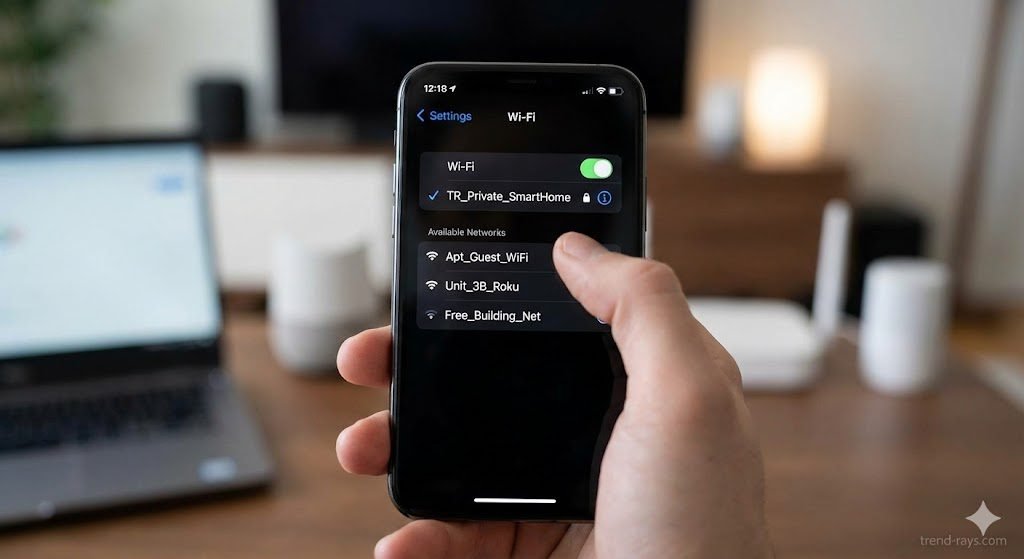
Your Action Plan for Today: Open your smartphone’s Wi-Fi or Bluetooth casting menu right now. If you can see a neighbor’s Roku, Apple TV, or Sonos speaker listed as an available device, it means they can see yours too. Secure your network today!
![One of the most dangerous blind spots in modern enterprise security does not come from sophisticated nation-state hackers—it comes from your own employees trying to bypass IT restrictions. Whether it is a remote worker downloading a cracked version of Adobe Premiere, or an employee installing a pirated "repack" of a video game (like a FitGirl or Dodi repack) onto their corporate laptop, the threat vector is the same. Threat actors are now heavily relying on repackaged "flat-pack" malware—inexpensive, off-the-shelf malicious components bundled inside seemingly legitimate software installers. These "piggyback" attacks are designed to silently execute InfoStealers, ransomware, or Remote Access Trojans (RATs) while the user is distracted by the installation of the main program. Because the malware is heavily compressed and obfuscated, traditional signature-based Antivirus (AV) completely fails to detect it. In this guide, we break down exactly how modern Security Operations Center (SOC) teams use Endpoint Detection and Response (EDR) platforms to hunt, isolate, and neutralize repackaged malware before it can compromise the corporate network. The Corporate Threat of "Repacks" (Why Antivirus Fails) To understand how to defeat flat-pack malware, you must understand why legacy security tools fail to see it. Traditional Antivirus relies on Static Properties Analysis. It scans a file's code on the hard drive and checks if its digital "signature" matches a known database of bad files. Malware authors easily bypass this by "packing" or compressing the malicious payload inside a custom wrapper. Because the wrapper's code is mathematically unique, the AV scans it, finds no matching signature, and allows the file to execute. Furthermore, attackers are utilizing "vibe-hacking" and social engineering to distribute these files. They buy sponsored search engine ads for "Microsoft Teams Installer" or "Free PDF Editor," which redirect employees to cloned websites serving the repackaged malware. The legitimate application actually installs and functions perfectly, but a secondary, invisible child process unpacks the malicious payload directly into the computer's volatile memory (RAM), bypassing the hard drive entirely. (Image Prompt 1 - Featured Hero) Prompt: A highly photorealistic, 16:9 cinematic image of a modern Security Operations Center (SOC). In the foreground, a dark-mode glowing computer monitor displays a complex cybersecurity threat-hunting dashboard. A red warning alert reads "Obfuscated Payload Detected." In the background, out-of-focus IT analysts monitor large digital wall screens. Cool blue and aggressive red cyber lighting. A clear, semi-transparent watermark reading "trend-rays.com" sits neatly in the bottom right corner. Step 1: Hunting for Indicators of Compromise (IoCs) If your organization does not yet have an enterprise EDR solution deployed, your IT administrators must actively hunt for the behavioral footprints—known as Indicators of Compromise (IoCs)—left behind by repackaged software. When analyzing an endpoint suspected of a shadow IT infection, look for these specific anomalies: Suspicious Child Processes: Legitimate software installers rarely need to invoke command-line tools. If a setup file (e.g., setup_v2.exe) suddenly spawns cmd.exe, PowerShell.exe, or WMI Provider Host in the background, it is a massive red flag that a flat-pack script is attempting to alter registry keys or disable local Windows Defender settings. Abnormal Memory Allocation: Packed malware must eventually unpack itself in memory to execute. Look for processes that allocate highly unusual amounts of memory relative to their size on the disk. Unrecognized Outbound Beacons: InfoStealers bundled in repacks will immediately attempt to exfiltrate browser passwords and session cookies. Monitor your network firewall logs for endpoints making sudden, persistent outbound connections to unknown IP addresses or unregistered domains (often using Telegram bots or Discord webhooks as Command and Control servers). Step 2: Deploying EDR to Catch "Unpacking" in Memory While manual threat hunting is possible, it does not scale. To protect a fleet of 5,000 corporate laptops, you need Endpoint Detection and Response (EDR). Unlike legacy AV, EDR focuses on Behavioral Analysis and continuous telemetry. It does not care what a file looks like; it cares what the file does. When an employee runs a repackaged installer, the EDR agent monitors the execution in real-time. The moment the hidden malware attempts to unpack itself and inject code into a legitimate process (like explorer.exe), the EDR’s machine learning algorithms flag the behavior as hostile. Top 3 Enterprise EDR Solutions for Repack Detection If you are upgrading your endpoint security stack in 2026, these three platforms provide the most robust defense against obfuscated, flat-pack payloads: CrowdStrike Falcon (Best for Memory Scanning): CrowdStrike’s lightweight agent is peerless at detecting fileless malware and in-memory unpacking. Its AI models instantly recognize the behavioral signatures of InfoStealers attempting to scrape credential vaults, killing the process in milliseconds before data exfiltration can occur. SentinelOne Singularity (Best for Automated Rollback): SentinelOne operates entirely autonomously on the endpoint, meaning it does not need a cloud connection to stop a threat. If a repackaged ransomware payload manages to execute, SentinelOne's "Storyline" technology can track every single file the malware altered and execute a 1-click automated rollback, restoring the PC to its pre-infected state instantly. Microsoft Defender XDR (Best for Windows-Native Environments): For organizations heavily invested in the Microsoft 365 ecosystem, Defender XDR provides incredible native telemetry. It correlates data not just from the endpoint, but from Office 365 emails and Azure Active Directory, allowing SOC analysts to see if the repackaged malware was initially delivered via a phishing link. (Image Prompt 2 - Threat Isolation) Prompt: A photorealistic 16:9 close-up of a cybersecurity professional's dual-monitor workstation. The screen displays an Enterprise EDR dashboard (like SentinelOne or CrowdStrike) showing a visual node-graph of a malware attack. One specific malicious file node is highlighted in bright red and marked "Isolated / Quarantined." Clean, bright corporate IT office lighting. A clear, semi-transparent watermark reading "trend-rays.com" sits neatly in the bottom right corner. The CISO Playbook: Blocking Shadow IT at the Perimeter Detecting malware is good; preventing the execution entirely is better. Chief Information Security Officers (CISOs) must implement strict "Zero Trust" policies to prevent employees from running unverified repacks in the first place. Enforce Application Allowlisting: Use tools like Windows AppLocker to create a strict Allowlist. Block the execution of any .exe, .msi, or script that does not reside in a protected directory (like Program Files) or isn't signed by a trusted corporate publisher. Revoke Local Admin Rights: 90% of repackaged malware requires administrative privileges to install its rootkits or disable security telemetry. By implementing a Privilege Access Management (PAM) solution, employees cannot install unauthorized software without an IT helpdesk ticket. Deploy DNS Filtering: Block access to known software piracy forums, torrent trackers, and "free software" directories at the network level using tools like Cisco Umbrella or Cloudflare Gateway. The True Cost of a Repack Breach (ROI & Business Impact) When an executive pushes back on the budget required for premium EDR software, it is vital to contextualize the financial devastation of a single successful flat-pack malware breach. An employee downloading a cracked PDF editor to "save the company $15 a month" can easily result in the deployment of an InfoStealer. That malware scrapes the employee's browser cookies, capturing their active session token for the company's AWS environment or Salesforce CRM. The attacker bypasses Multi-Factor Authentication (MFA) entirely using the stolen token, accesses your customer database, and deploys network-wide ransomware. The resulting downtime, ransom demands, regulatory fines (GDPR, HIPAA, or CCPA), and class-action lawsuits frequently exceed millions of dollars. Investing in an EDR platform that costs $50 per endpoint annually is the cheapest insurance policy a modern enterprise can buy. Frequently Asked Questions (Endpoint Malware Defense) What is flat-pack malware? Flat-pack malware refers to malicious payloads that are heavily compressed, obfuscated, and bundled together with legitimate software components using off-the-shelf hacker tools. This "repackaging" technique allows attackers to rapidly generate new malware variants that bypass traditional, signature-based antivirus scanners. Why is downloading FitGirl or Dodi repacks a corporate security risk? While often used by gamers to pirate software, "repacks" are a massive vector for shadow IT. Because these installers are inherently modified to bypass digital rights management (DRM), employees who download them onto corporate hardware often accidentally execute hidden InfoStealers or Remote Access Trojans (RATs) embedded by third-party distributors. What is the difference between EDR and Antivirus? Traditional Antivirus uses static signatures to block known bad files on the hard drive. Endpoint Detection and Response (EDR) uses behavioral analysis, AI telemetry, and memory scanning to monitor what a program is actively doing. EDR can detect and kill unknown, "zero-day" malware that legacy AV cannot see. How do InfoStealers bypass MFA? When an InfoStealer (often hidden in repackaged software) infects an endpoint, it targets the web browser's local storage to steal active session cookies. Attackers can import these stolen cookies into their own browsers, allowing them to log into corporate systems (like Microsoft 365 or Slack) without needing a password or triggering an MFA prompt. Conclusion & Next Steps The perimeter of your corporate network is no longer defined by your office firewall; it is defined by the security of your employees' endpoints. Relying on legacy antivirus to stop modern, repackaged malware is a guaranteed path to a data breach. By deploying behavioral-based EDR solutions and strictly policing shadow IT, you can isolate threats in memory before they execute their payloads. Securing your endpoints against rogue software is critical, but it is only half the battle. Threat actors are also using advanced AI to bypass human verification. Ensure your organization is prepared for the next wave of social engineering by reading our definitive guide on [Best Enterprise AI Voice Cloning SaaS for Corporate Training] to learn how to deploy deepfake guardrails and secure corporate communications.](https://trend-rays.com/wp-content/uploads/2026/03/unnamed-54-1.jpg "How to Detect Repackaged \"Flat-Pack\" Malware on Endpoints (2026) 4")