So, you found the perfect Instagram Reel. You tap the “Paper Airplane” icon to share it to your Story, but then disaster strikes: it cuts off after 15 seconds, or worse, it looks tiny with an ugly gradient background.
Despite Instagram’s updates in 2025 allowing for longer Stories (up to 60 seconds per slide), the “Repost” feature often glitches or restricts playback duration for copyrighted music.
Don’t worry. Whether you want to share a full 60-second clip or just want to get rid of those annoying borders, we have found the workarounds that actually work. Here is our step-by-step guide to reposting Reels without cutting them off.
“Want to create your own viral music Reels? Don’t just rely on raw audio. Learn how to pitch-correct your voice and sound like a pro in our Ultimate Guide to Using Voloco.”
Method 1: The “Download & Re-Upload” (Best for Quality)
Why use this? This is the only way to make the Reel play seamlessly as if it were your own video (full screen, no borders, full length up to 60s).
Step 1: Download the Reel
Instead of hitting “Add to Story,” you need to save the video file first.
- Open the Reel you want to share.
- Tap the Share (Paper Airplane) icon.
- Look for the “Download” button in the bottom menu.
- Note: If the creator has disabled downloads, then you won’t be able to download the instagram reel simply copy the link and use a trusted third-party site like SnapInsta or IGDownloader.
Step 2: Upload as a New Story
- Go to your Instagram Home screen and swipe right to open the Story Camera.
- Swipe up to open your Gallery.
- Select the video you just downloaded.
- Instagram will automatically split it into 60-second segments if it is longer, or play it perfectly full-screen.
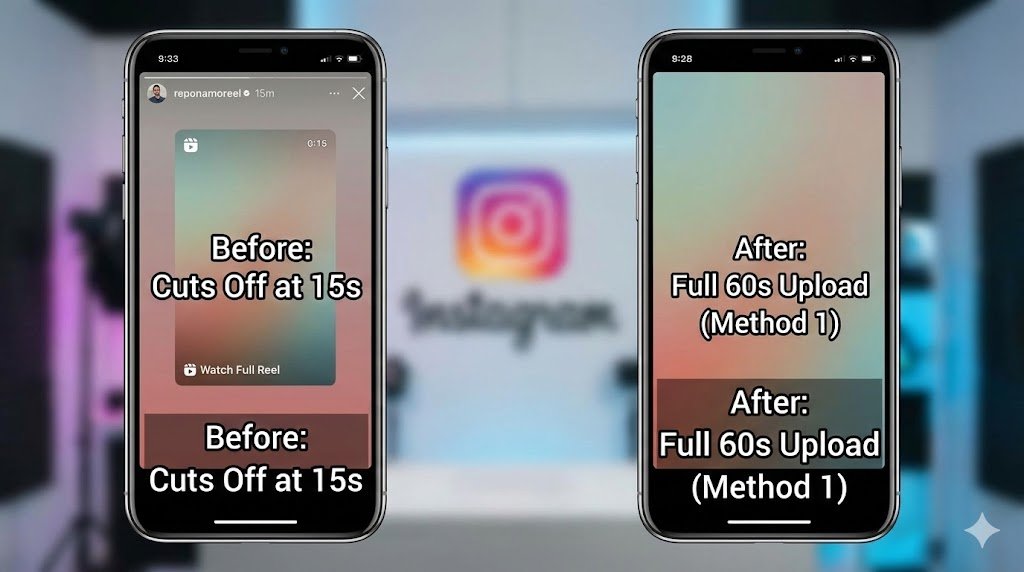
Pro Tip: This method removes the “Watch Full Reel” tag, making your story look cleaner and more engaging.
The difference is clear. The “Download & Re-Upload” method gives you a clean, professional-looking story compared to the default repost.
Pro Tip: Note: Reposting in high quality only helps if the original video was recorded well. If your Reels sound muffled or echoey, you might need to upgrade your gear. Check out our list of the Best Budget Microphones for iPhone & Android to get crisp audio for under $50.
Method 2: The “Seamless Split” Trick (For Reels Longer Than 60s)
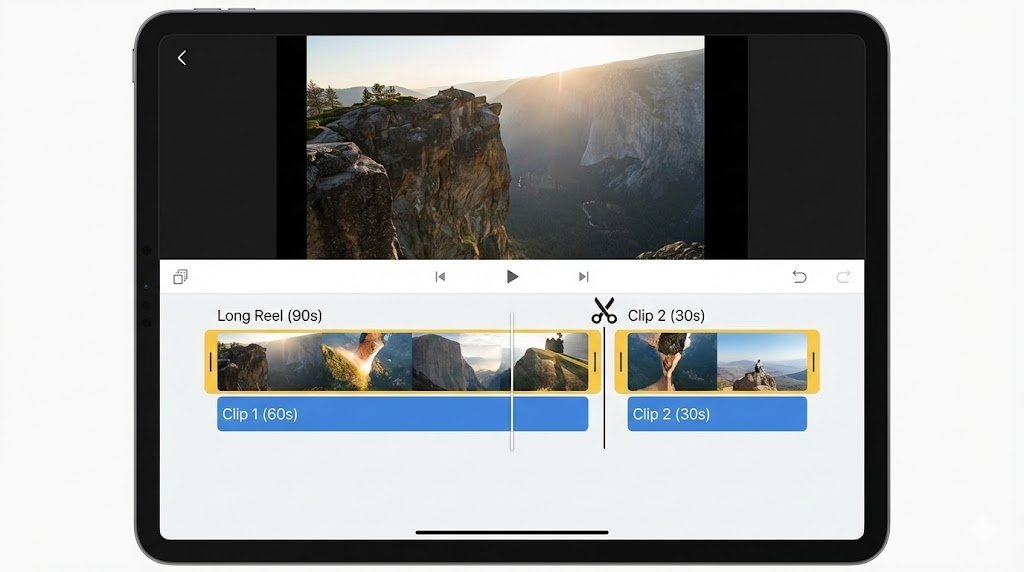
If the Reel is a 90-second documentary style video, Instagram will cut the end off. To post the entire thing, you need to split it manually.
- Download the Reel (using the steps in Method 1).
- Use a free app like CutStory (iOS) or Video Splitter (Android).
- Select the option to split the video into 60-second chunks.
- Upload the chunks to your Instagram Story in order. They will play back-to-back seamlessly for your viewers.
Method 3: The “Aesthetic Hack” (Fixing the Ugly Background)
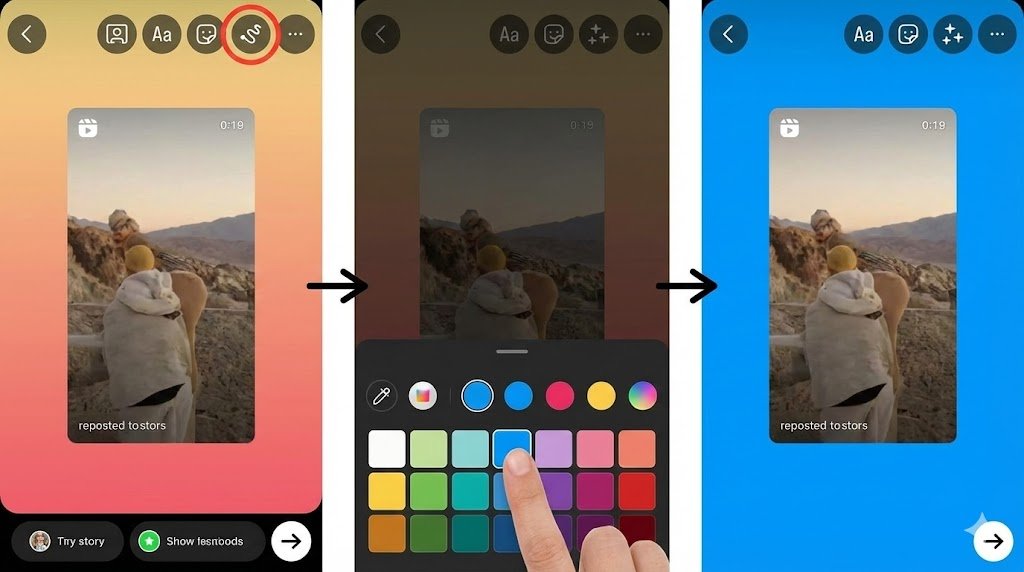
If you prefer using the standard “Add to Story” button but hate the random gradient background it creates, use this “Solid Color” trick to make it look professional.
- Tap “Add Reel to your Story.”
- Tap the three dots (…) in the top right corner and select “Draw.”
- Choose the Pen Tool (first icon).
- Select your desired color from the bottom palette (or use the dropper to pick a color from the video).
- Long press (hold your finger down) anywhere on the background for 2 seconds.
- Voila! The entire background fills with that solid color, making the Reel pop.
Troubleshooting: Why Is My Story Still Not Working?
If you are facing issues, check this quick fix table.
| Problem | Likely Cause | The Fix |
| Reel cuts off at 15s | Instagram API / Glitch | Don’t use the “Repost” button. Use Method 1 (Download & Upload). |
| No Audio after reposting | “Data Saver” or Copyright | Tap the speaker icon on the Story draft screen to ensure it’s unmated. |
| Blurry Video Quality | High-Efficiency Settings | Go to Settings > Media Quality and toggle “Upload at Highest Quality” ON. |
| Download Button Missing | Creator Privacy Settings | You must copy the link and use a web-based downloader. |
Frequently Asked Questions (FAQ)
Q – Does Instagram notify the user if I download their Reel?
No. Instagram does not notify creators if you download their public Reels or repost them to your story. Once you have downloaded the video, you can share it anywhere. If you want to send it to someone quickly without adding them as a contact, read our trick on How to Send WhatsApp Messages Without Saving the Number.
Q – Why can’t I repost a Reel for the full 60 seconds directly?
While Instagram updated Stories to support 60 seconds, the “Reshare” feature often defaults to a shorter preview to encourage users to click “Watch Full Reel” and drive traffic to the original creator.
Q – What is the best format for Instagram Stories in 2026?
Always aim for 9:16 aspect ratio (1080 x 1920 pixels). If you repost a horizontal video, use the “Background Hack” (Method 3) to fill the empty space aesthetically.
“Once you have downloaded the video, you can share it anywhere. If you want to send it to someone quickly without adding them as a contact, read our trick on How to Send WhatsApp Messages Without Saving the Number.”
Read More on Trend Rays
- Want to create your own viral music Reels? Don’t just rely on raw audio. Learn how to pitch-correct your voice and sound like a pro in our Ultimate Guide to Using Voloco.
- Want to edit your videos before posting? Check out our list of the Best Apps for Video Editing in 2026.