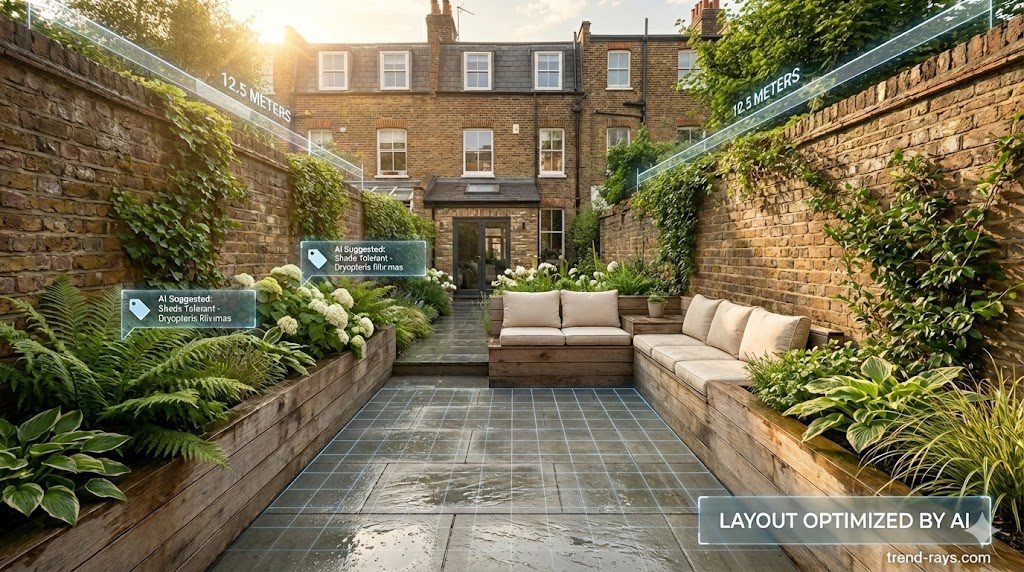
Transforming a compact outdoor space can often feel like an impossible puzzle. If you live in a classic British property, you already know the struggle: narrow boundary walls, awkward shadows, and a layout that feels entirely overlooked by neighbors. Hiring a professional landscape architect for such a small footprint can be prohibitively expensive, leaving many homeowners stuck with a dull, uninspiring patch of grass or concrete.
Fortunately, the latest advancements in artificial intelligence are changing how we plan our outdoor spaces. Finding the right free ai garden design tool uk terraced house layouts require can save you time, money, and costly planting mistakes. In this guide, we will walk you through exactly how to use these platforms to turn your constrained yard into a beautiful, low-maintenance oasis.
Why Generic AI Fails at Small UK Gardens
Before diving in, it is important to understand that not all AI is created equal. If you ask a standard text-to-image generator (like ChatGPT or Midjourney) to design a garden, it will likely hallucinate sprawling American lawns or Mediterranean villas. These generic tools do not understand the spatial limitations or the specific climate challenges of the UK.
Instead, you need dedicated spatial AI platforms. When doing ai landscape design small backyard dimensions must be strictly adhered to, and the AI needs to understand how to maximize vertical space and select plants that will actually survive a damp British winter.
3 Free AI Landscape Apps for Compact Spaces
To get the most out of AI, you need a tool built for the job. Here is a detailed breakdown of the three best free platforms for small UK gardens and exactly how to use them.
1. Neighborbrite: Best for Climate-Smart Visuals and Quick Edits
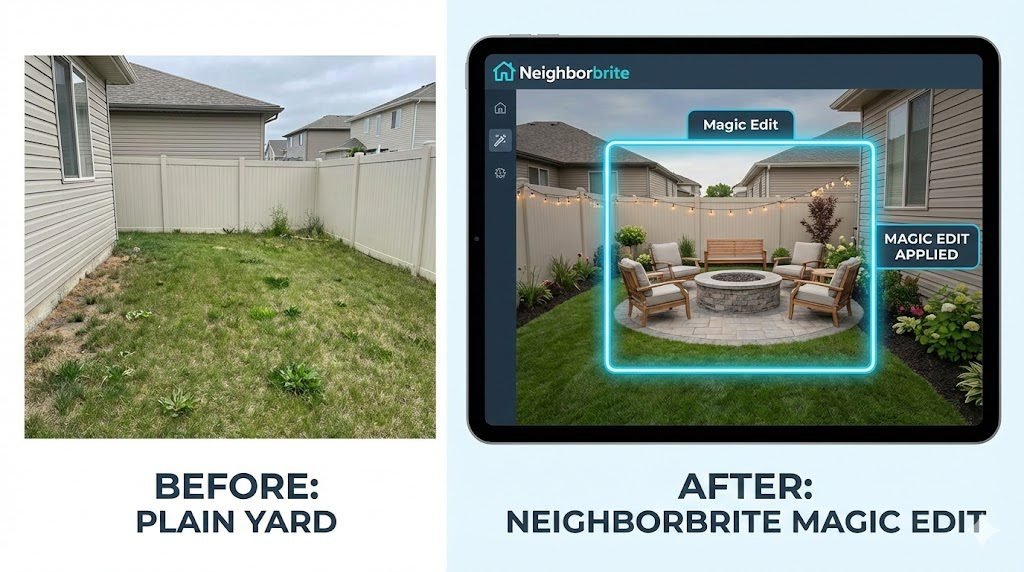
Neighborbrite is a web-based platform that excels at taking a single photo of your yard and giving it an instant makeover while understanding regional plant viability. It is particularly strong at identifying what elements to keep and what to replace.
How to Use It:
- Step 1: Upload. Take a clear photo of your terraced garden from an elevated angle (like a bedroom window) and upload it to the platform.
- Step 2: Select a Base Style. Choose from preset aesthetics like “Modern Minimalist,” “Cottage,” or “Mediterranean.”
- Step 3: Use Magic Edit. This is where Neighborbrite shines for compact spaces. Use the “Reimagine” or “Magic Edit” tool to circle a specific problem area—like a cracked concrete slab or an overgrown bush. Prompt the AI to replace just that circled area with “flagstone paving” or “raised wooden planters.”
- Step 4: Plant Matching. The tool utilizes your location data to generate a climate-appropriate plant list. This ensures the AI suggests hardy shrubs that will survive a UK winter, rather than tropical ferns that will freeze in December.
2. Planner 5D: Best for Precise Spatial Mapping
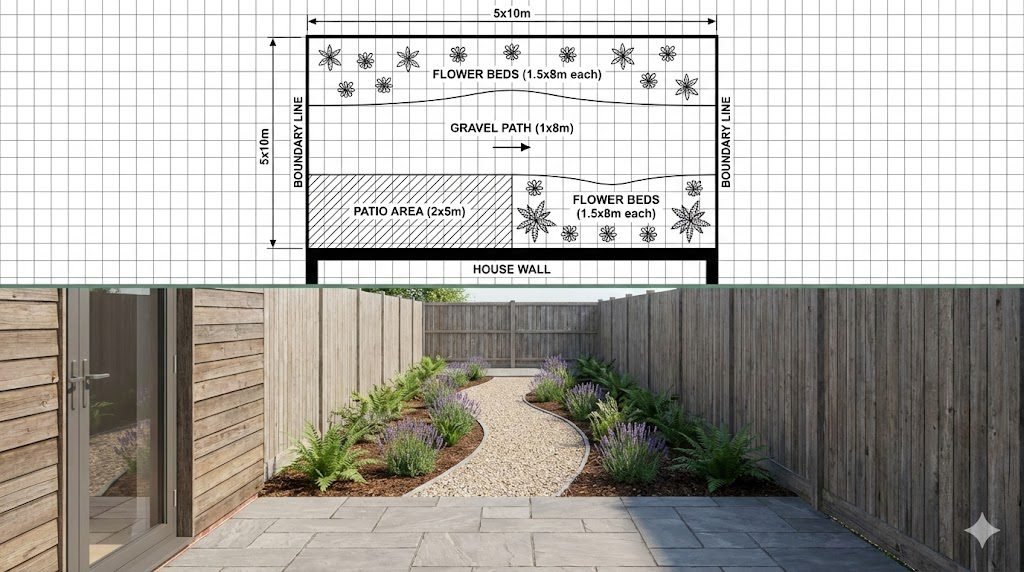
When you are dealing with a 5×10 meter walled terraced yard, every inch counts. Planner 5D is less about instant photo filters and more about accurate architectural planning, ensuring the design actually fits.
How to Use It:
- Step 1: Draft the Blueprint. Start in the 2D floor-plan mode. Input the exact dimensions of your boundary walls and the back of your house.
- Step 2: Drag and Drop. Open the extensive free library and drag in scalable elements like patio furniture, paving stones, and specific tree types. You can manually adjust the exact width and length of every item to ensure it physically fits your narrow space.
- Step 3: Convert to 3D. Click the 3D render button to instantly convert your flat floor plan into a fully navigable model. This is a crucial step for small, walled gardens because it allows you to see exactly how tall fences or new trees might block your natural sunlight at different times of the day.
3. Ideal House AI: Best for Patios and Micro-Spaces
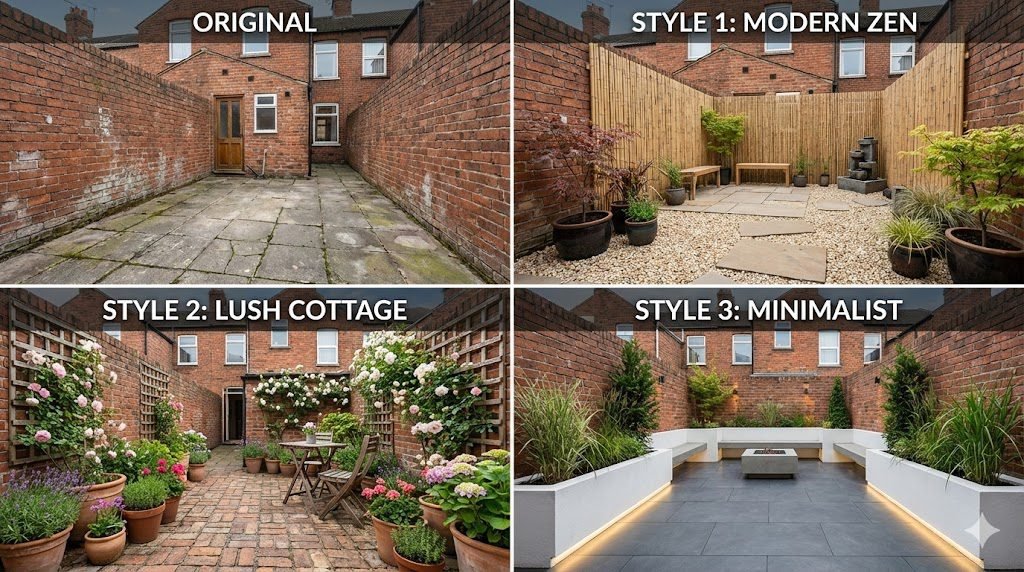
Ideal House is an incredibly fast AI generator that specializes in “small urban garden ideas.” It is the perfect tool if you have a tiny concrete courtyard or a balcony and need immediate stylistic inspiration without drawing up a blueprint.
How to Use It:
- Step 1: Snap and Upload. Upload a straightforward photo of your empty or cluttered patio space.
- Step 2: Write Custom Prompts. Instead of just clicking a preset button, use the text box to describe your exact vision. Be specific for the UK climate: “Modern Zen garden with gravel, bamboo privacy screens, and soft string lighting for a small, shaded courtyard.”
- Step 3: Generate and Compare. The AI will generate several photorealistic variations in seconds. You can easily tweak your text prompt to swap out materials (e.g., “change the gravel to composite wooden decking”) until you find a low-maintenance setup you love.
Step-by-Step: Generating Your Custom Garden Layout
Follow these steps to get the most accurate and realistic renders from your chosen AI tool.
Step 1: Capture the Perfect “Before” Image
The quality of your AI-generated design depends entirely on the photo you provide. A standard eye-level smartphone snap often flattens the space and hides the true dimensions of your yard. For the most accurate AI processing, shoot from a second-story window pointing slightly downward. Alternatively, if you fly a lightweight drone like a DJI Mini 3 Pro, hovering it just above the roofline provides a clean, unobstructed top-down perspective that gives these spatial AI tools exactly what they need to calculate your boundaries perfectly.
Step 2: Upload and Prompt for the UK Climate
Once you upload your image to a tool like Neighborbrite or Planner 5D, you will be asked to select a style or provide a text prompt. To prevent the AI from suggesting unviable tropical plants, be highly specific. Use phrases like:
- “Modern low-maintenance patio for a shaded UK garden.”
- “Cottage garden style with raised beds for heavy clay soil.”
- “Privacy-focused narrow garden with UK native climbing plants.”
Step 3: Render, Compare, and Refine
Once your new plants are in, you’ll need to protect them. Learn how to use AI plant scanners to identify and eradicate UK garden pests before they destroy your new layout. Generate three to four different styles to compare your options. You might find that a minimalist paved look works better for your lifestyle than a lawn.
Trend-Rays Tip: When you find a render you love, remember that AI can sometimes make mistakes, like suggesting a tree that will grow too tall for your space. Always double-check the AI’s plant suggestions against a local UK garden center’s advice before buying seeds or saplings!
Start Designing Your Urban Oasis
You don’t need a massive budget or a degree in horticulture to create a beautiful outdoor space. By leveraging a free ai garden design tool uk terraced house owners can finally visualize the hidden potential of their compact yards. Grab your camera, take that “before” photo, and start experimenting today!
Frequently Asked Questions (FAQ)
Can an AI garden design tool understand the exact dimensions of my terraced yard? Yes, specialized spatial AI tools can estimate dimensions based on the reference points in your uploaded photo. For the most accurate scaling, take your photo from an elevated angle so the AI can clearly see all your boundary walls and fences.
Will the AI suggest plants that survive in the UK climate? It depends on the tool. Apps like Neighborbrite use location-based data to suggest appropriate plants. However, you should always include terms like “UK native plants” or “hardy for UK winters” in your text prompts to ensure the AI doesn’t suggest tropical varieties.
Is it really free to use these AI landscape design apps? Most dedicated AI landscaping tools offer a “freemium” model. This means you can upload your photo and generate a basic set of designs or plant layouts completely for free. High-resolution downloads or unlimited design generations usually require a premium subscription.
Keeping your new terraced garden looking sharp requires maintenance. Check out our guide on generating a custom UK pruning calendar using ChatGPT so you never cut your shrubs at the wrong time.