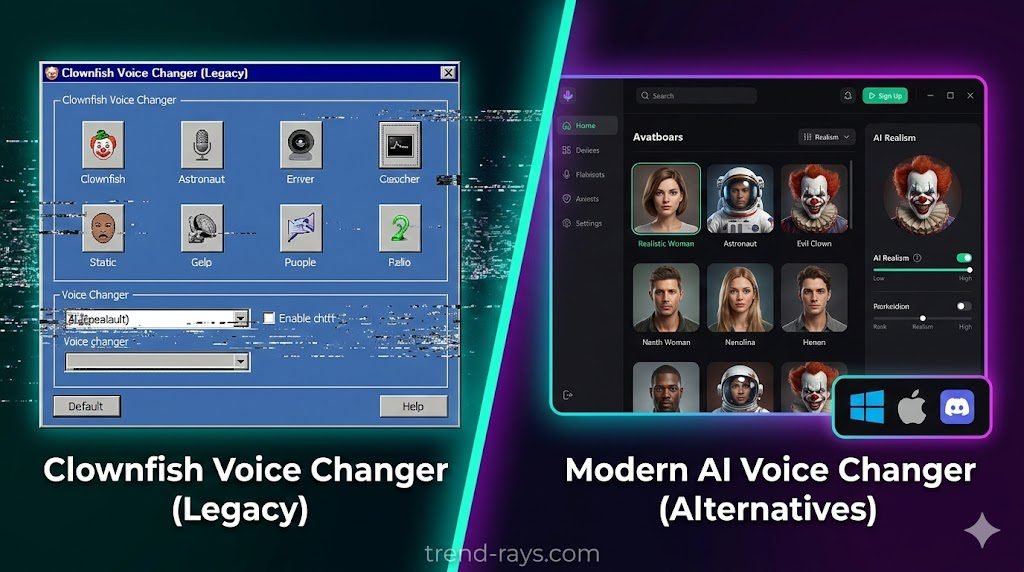
For years, Clownfish Voice Changer was the undisputed king of desktop audio. It was free, lightweight, and let you sound like a robot or an alien in your gaming lobbies.
But let’s be honest: in 2026, the software is showing its age. If you are constantly Googling “Clownfish voice changer not working” after every Windows update, or if you are tired of basic pitch-shifting that sounds completely fake, it is time for an upgrade.
Today, the market is flooded with hyper-realistic, AI-powered tools that won’t crash your PC. Whether you need a free Clownfish voice changer alternative for PC, a browser-based tool, or software that finally works on Mac, we have tested and ranked the top 7 options available right now.
Why Are Users Switching From Clownfish?
Before diving into the list, it helps to understand why millions of gamers, VTubers, and streamers are abandoning Clownfish:
- Compatibility & Crashing: Clownfish installs directly at the system level. When Windows 11 or Discord updates their audio drivers, Clownfish frequently breaks, leading to silent mics or robotic static.
- Mac Support (Or Lack Thereof): If you are an Apple user searching for a Clownfish voice changer alternative for Mac, you already know Clownfish is strictly Windows-only.
- Outdated Effects: Clownfish relies on traditional audio manipulation (changing pitch and speed). Modern users want AI models that can completely reconstruct their voice to sound like a realistic girl, boy, or specific celebrity.
- Security Concerns: While the original software is generally safe, the lack of frequent updates leaves many users asking, “Is Clownfish voice changer safe?” Modern alternatives offer better developer support and regular security patches.
Pre-Requisite: How to Cleanly Uninstall Clownfish Before Upgrading
Before installing a new voice modulator, you must completely remove Clownfish. Leaving old audio drivers on your system is the number one cause of mic static and conflicts with new software.
- Close the App: Ensure Clownfish is completely closed in your system tray.
- Uninstall: Go to Windows Settings > Apps > Installed Apps, find Clownfish, and click Uninstall.
- Remove Leftover Drivers: Open your Windows Sound Control Panel. Go to the Recording tab. If you see any leftover Clownfish Virtual Audio Cables, right-click and disable/uninstall them.
- Restart Your PC: This ensures all audio pass-through settings are reset before installing your new tool.
Why Choose a Clownfish Alternative in 2026?
For a long time, Clownfish was the default choice because it was free and easy to use. However, the audio software landscape has evolved massively, and Clownfish has struggled to keep up. Here is why gamers, content creators, and streamers are making the switch:
- AI Voice Cloning vs. Basic Pitch-Shifting: Clownfish relies on traditional vocal formant and pitch-shifting. It essentially just speeds up or slows down your voice, which is why you sound like a robotic chipmunk or a generic monster. Modern alternatives use real-time AI voice cloning models to reconstruct your speech entirely, allowing you to sound like a realistic human, a specific gender, or even a famous celebrity.
- Constant Driver Crashes and Static: Because Clownfish installs its drivers deep at the system level, it frequently breaks whenever there is a major Windows 11 update or a Discord audio patch. This leads to the dreaded “silent mic” or robotic static that ruins gaming sessions. Modern tools use cleaner Virtual Audio Cables (VAC) that are far more stable.
- Zero Mac Compatibility: Apple users have always been left in the dark, as Clownfish is strictly built for Windows. The new wave of software finally brings flawless macOS Core Audio support to the table.
- Lack of Modern Integrations: Streaming setups have become more advanced. While Clownfish offers a basic UI hidden in your system tray, modern alternatives feature sleek interfaces that integrate seamlessly with hardware like the Elgato Stream Deck, OBS Studio, and popular V-Tuber software.
Quick Comparison: Top Alternatives at a Glance
| Voice Changer | Best Feature | Pricing | Mac Support | System Impact (CPU) |
| Voicemod | Real-time gaming & streaming | Freemium | Yes | Medium |
| MagicMic | Massive sound library | Freemium | Yes | Low to Medium |
| Vidnoz AI | No download required | Free | Web | Zero (Cloud) |
| Voice.ai | Ultra-realistic AI cloning | Freemium | Yes | High |
| MorphVOX Pro | Background noise effects | Paid (Trial) | Yes | Low |
| VoiceMeeter | Ultimate audio routing | Free/Donation | No | Low |
| Murf AI | Studio-grade voiceovers | Freemium | Web | Zero (Cloud) |
| Soundpad | Pure soundboards | $4.99 | No | Very Low |
The 7 Best Clownfish Voice Changer Alternatives
1. Voicemod (Best Overall Alternative)
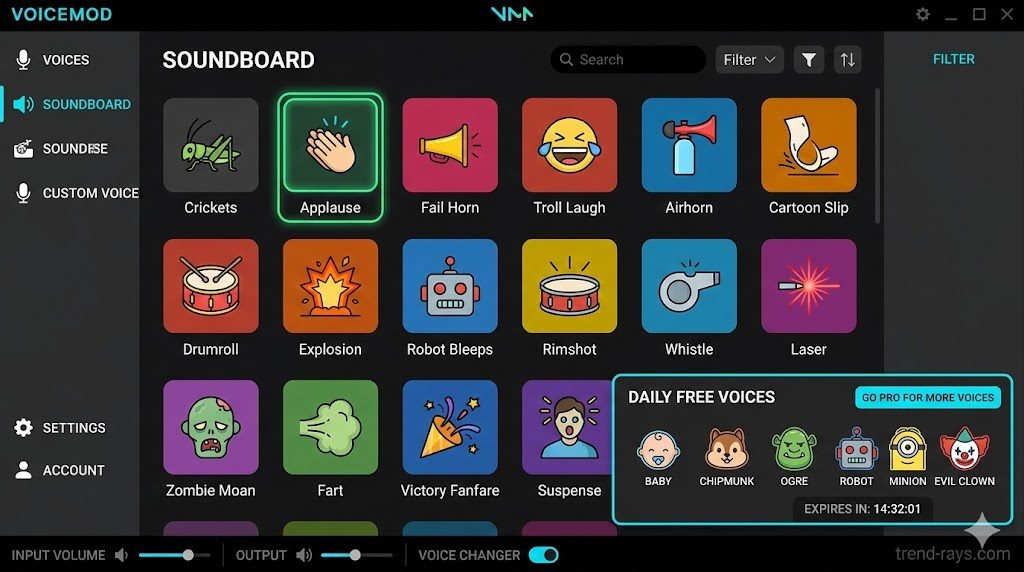
When it comes to the Clownfish vs Voicemod debate, Voicemod wins hands down for modern gamers. It completely replaces Clownfish’s clunky, invisible UI with a sleek, modern interface. It acts as a real-time voice changer for Discord free of heavy latency, and it integrates directly with Elgato Stream Decks for instant soundboard reactions.
- Best For: Twitch streamers, Discord admins, and heavy gamers.
- Price: Free version available; Voicemod Pro unlocks all features.
- Pros: Incredible AI voices, intuitive interface, daily rotating free voices.
- Cons: The pro version can be pricey; uses slightly more CPU than Clownfish.
How to Use Voicemod:
- Open the app and go to Settings to select your physical microphone and headphones.
- At the bottom of the main screen, toggle on “Voice Changer” and “Hear Myself”.
- Browse the Voicebox tab and click any voice avatar to instantly apply the modulation.
2. MagicMic by iMyFone (Best for Mac & Windows)
If you are tired of Windows-exclusive software, MagicMic is the ultimate Clownfish voice changer alternative for Mac. It boasts an absolutely massive library of over 125 real-time voice filters and 400+ sound effects, putting Clownfish’s tiny drop-down menu to shame.
- Best For: Mac users and gamers who want a massive variety of effects.
- Price: Free trial available; Premium subscriptions offered.
- Pros: Flawless macOS compatibility; zero-latency processing.
- Cons: The free version strictly limits which voices you can use.
How to Use MagicMic:
- Launch the app and configure your real microphone as the input and your headphones as the output.
- Navigate to the “VoiceBox” menu on the left sidebar.
- Click any voice filter icon; speak into your mic, and the effect will apply in real-time.
3. Vidnoz AI (Best Online Voice Changer – No Download)
Not everyone wants to download heavy background software just to change their voice. If you are searching for an AI voice changer online free no download, Vidnoz is the top tier. You simply upload your audio file or record directly into your browser, and the AI clones it into dozens of different styles.
- Best For: Content creators, podcasters, and low-spec PCs.
- Price: 100% Free.
- Pros: Runs entirely in your browser; zero system installation required.
- Cons: Not built for real-time live streaming or live Discord calls.
How to Use Vidnoz AI:
- Navigate to the Vidnoz AI Voice Changer webpage.
- Choose to either upload a pre-recorded audio file or click the microphone icon to record directly in your browser.
- Select your desired character or celebrity voice and click “Clone Voice” to generate your downloadable audio.
4. Voice.ai (Best for Ultra-Realistic AI Voices)
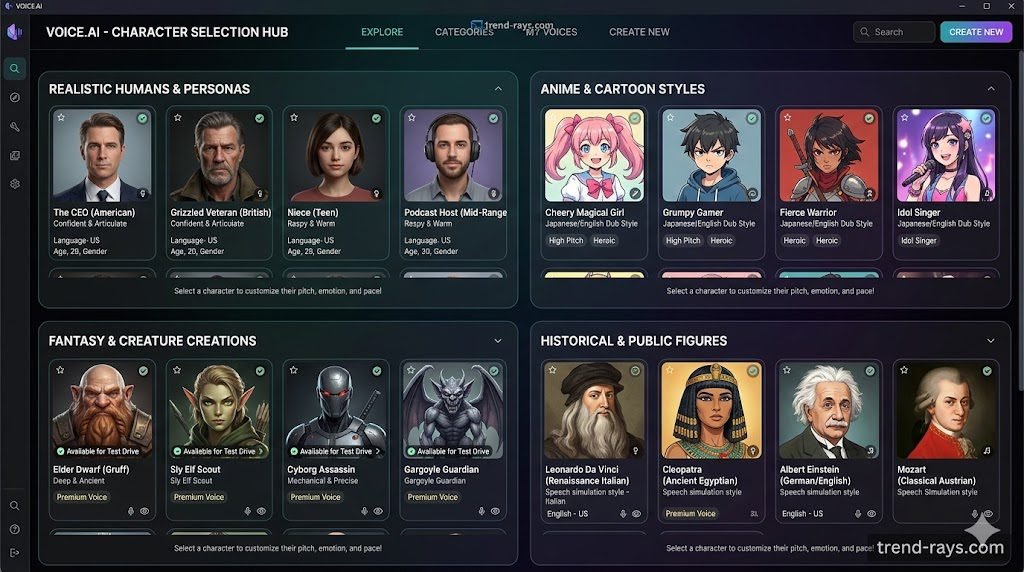
Clownfish can make you sound like a high-pitched chipmunk, but Voice.ai can actually make you sound like a different person. Using community-trained AI models, it reconstructs your speech in real-time. This is the best voice changer to sound like a girl/boy on Discord without it sounding like an obvious, robotic filter.
- Best For: Roleplayers, VTubers, and deep-fake audio enthusiasts.
- Price: Free (Uses a credit system for new voices).
- Pros: Unmatched realism; thousands of community-generated voices.
- Cons: Very resource-heavy; requires a good GPU for lag-free processing.
How to Use Voice.ai:
- Create an account and select either “Record Mode” (for files) or “Live Mode” (for Discord/gaming).
- Click the central orb to open the Voice Universe and select an AI model.
- Speak clearly into your mic; the software will process your speech and output the cloned voice with a slight delay.
5. MorphVOX Pro (Best for Background Noise Integration)
MorphVOX Pro is a traditional software that feels like the premium, stable version of Clownfish. What sets it apart is the ability to add ambient background noises directly into your live mic feed. You can make it sound like you are gaming from a busy café, a warzone, or a bustling shopping mall.
- Best For: Prank callers and immersive roleplaying.
- Price: Paid ($39.99), but offers a free “Junior” version.
- Pros: Extremely low CPU usage; excellent background noise mixer.
- Cons: The UI feels slightly dated compared to Voicemod.
How to Use MorphVOX Pro:
- Upon first launch, run the “Voice Doctor” wizard to calibrate the software to your natural speaking tone.
- Select a pre-configured voice profile from the left-hand panel (e.g., Sci-Fi, Fantasy).
- Check a box in the “Sounds” panel below to layer looping background noise over your voice.
6. Murf AI (Best for Content Creators & YouTube)
Sometimes you don’t need a voice changer for gaming streaming free; you need high-quality voiceovers for your YouTube channel. Murf AI is a studio-quality text-to-speech generator. Instead of speaking into a mic, you type your script, and Murf generates a professional broadcast-quality voice. If you are using Murf to generate high-quality voiceovers for an automated channel, you will need the right video generator to match. Discover how to complete your tech stack with our breakdown of the top AI video SaaS tools for YouTube automation.
- Best For: Faceless YouTube channels and corporate presentations.
- Price: Free limited tier; Premium plans for commercial use.
- Pros: Studio-grade audio; perfect pronunciation and pacing.
- Cons: Strictly post-production; cannot be used live.
How to Use Murf AI:
- Open the Murf Studio in your browser and create a new project.
- Type or paste your video script into the text blocks.
- Click the voice actor icon to select a voice, adjust the pitch and speed, and click “Generate Audio” to hear the result.
Trend Rays Pro Tip: Are you building a faceless YouTube channel? Pair Murf AI’s realistic voiceovers with our guide to the Best Free AI B-Roll Video Generators to automate your entire video production workflow!
7. Soundpad (Best for Pure Soundboards)
Many people only downloaded Clownfish for its built-in sound player to spam memes in game lobbies. If that is you, uninstall Clownfish and get Soundpad. It is a dedicated media player that injects high-quality sound bites directly into your microphone signal seamlessly.
- Best For: Meme spammers and specific sound-effect timing.
- Price: $4.99 on Steam (Free demo available).
- Pros: Extremely lightweight; integrates perfectly with Steam games.
- Cons: It does not actually change your voice, it only plays audio files.
How to Use Soundpad:
- Drag and drop your MP3 or WAV files into the main Soundpad library.
- Go to File > Preferences > Audio and ensure your active microphone is selected.
- Right-click any sound to assign a custom hotkey (e.g., Numpad 1). Pressing that key while in a game will play the sound over your mic.
8. VoiceMeeter + Plugins (Best Open-Source Powerhouse)
For tech-savvy users who want a 100% free, professional alternative without paywalls, VoiceMeeter is an advanced virtual audio mixer. By routing your mic through VoiceMeeter and adding free DAW plugins (like Reaper’s ReaPlugs), you can create studio-quality EQ and pitch manipulation.
- Pros: Completely free; extremely low CPU overhead; ultimate control over audio routing.
- Cons: High learning curve; not a simple “one-click” setup.
How to Use VoiceMeeter for Voice Changing:
- Install VoiceMeeter and assign your physical microphone to “Hardware Input 1”.
- Make sure the “B1” button is highlighted on your mic channel to send it to the virtual output.
- Use the square “IntelliPan” panel at the top of the input strip to drag your voice pitch higher or lower, or use a VST host to patch in advanced effects.
How to Set Up a New Voice Changer on Discord
All modern alternatives use a Virtual Audio Cable (VAC) to route your voice. Here is how to set it up without latency: Once you have uninstalled Clownfish and picked a modern alternative, setting it up as a real-time voice changer for Discord free is incredibly simple. All of the apps listed above use a “Virtual Audio Cable.”
Follow these 3 steps:
1 – Open your new voice changer app and set your physical microphone as the Input Device.
2 – Open Discord and navigate to Settings > Voice & Video.
3 – Under Input Device, change it from your physical mic to the virtual cable of your new software (e.g., “Microphone (Voicemod Virtual Audio Device)”).
4 – Pro-Tip for Latency: Turn off Discord’s built-in “Echo Cancellation” and “Noise Reduction” (Krisp), as these often clash with the voice changer’s AI, causing delay and robotic static.
Your voice will now run through the software, get filtered, and push straight into Discord!
Looking for Music Production Tools Instead?
Are you a mobile artist looking for vocal effects to record songs rather than game on Discord? Desktop voice changers are the wrong tool for the job.
Instead, dive into our comprehensive software showdowns tailored for musicians:
- BandLab vs. Clownfish: Which is Better for Music? * Voloco vs. BandLab: Which is Best for Mobile Artists?
(And if you are upgrading your entire digital persona for a music channel or Twitch stream, don’t stop at your voice! Check out our freshly updated guide to the 10 Best Avatar Maker Apps in 2026 to generate a custom 3D or AI face to match your new sound.)
Frequently Asked Questions (FAQ)
Is it safe to use AI voice changers?
Yes, reputable software like Voicemod and MagicMic are entirely safe and regularly updated. However, always download directly from the official websites to avoid malware. For privacy, check whether the software processes your voice locally on your PC or sends it to cloud servers (like some web-based AI tools do).
How do I fix the delay when using a voice changer on Discord?
Latency is usually caused by heavy AI processing or buffer size limits. To fix this, ensure you are using a wired USB or XLR microphone, close heavy background applications to free up CPU/RAM, and disable Discord’s native audio processing features in the Voice & Video settings.
Do I need a high-end PC to run these alternatives?
It depends on the tool. Traditional pitch-shifters (like MorphVOX and Soundpad) have very low CPU overhead and run on almost anything. Real-time AI voice cloning models (like Voice.ai) require a dedicated graphics card (GPU) and more RAM to process the deep-fake audio smoothly.
Can I use a voice changer on PS5 or Xbox?
Desktop software does not install directly onto consoles. To use these alternatives on a PS5 or Xbox, you need to run your console audio and mic through a PC capture card setup, or use a hardware-based voice changer mixer (like the Roland VT-4).
Conclusion: Which Alternative Should You Download?
Clownfish had a great run, but the era of basic, glitchy voice changers is over.
If you want the absolute best all-around replacement, download Voicemod. It is stable, heavily supported, and packed with features. If you are on a Mac, MagicMic is your saving grace. And if you refuse to install any more background apps on your PC, head over to Vidnoz AI for browser-based processing.
Over to You!
Are you sticking to traditional pitch-shifters, or are you making the jump to AI-cloned voices? Drop a comment below and let us know which app you are switching to!