Every content creator knows the sinking feeling: you spend 15 hours editing a cinematic video, upload it to YouTube, and instantly get hit with a Content ID Copyright Claim. Your video is demonetized, or worse, completely blocked. For Twitch streamers, a stray copyrighted song playing in the background can result in a permanent DMCA channel ban.
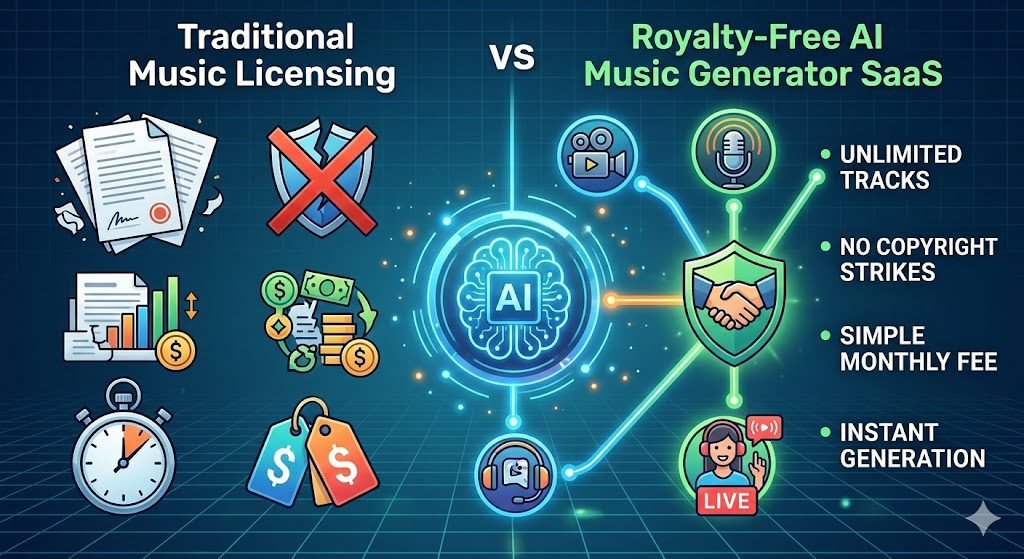
Historically, the only safe option was paying expensive monthly subscriptions for traditional stock music libraries. But in 2026, AI music generator SaaS has completely changed the creator economy.
These platforms do not just offer pre-made tracks; they generate 100% original, royalty-free music tailored to the exact length, tempo, and mood of your specific video.
Here is the definitive guide to the 5 best AI music generators for YouTubers, streamers, and indie developers, along with the exact steps you must take to ensure your AI music is legally safe to monetize.
The Copyright Reality Check: Do You Actually Own AI Music?
Before diving into the tools, we need to clarify a massive misconception that gets beginner creators in legal trouble: “Free AI music” is almost never cleared for commercial monetization. For creators looking to automate more than just their audio, we’ve mapped out the ultimate AI tech stack to help you manage everything from customer DMs to automated workflows.
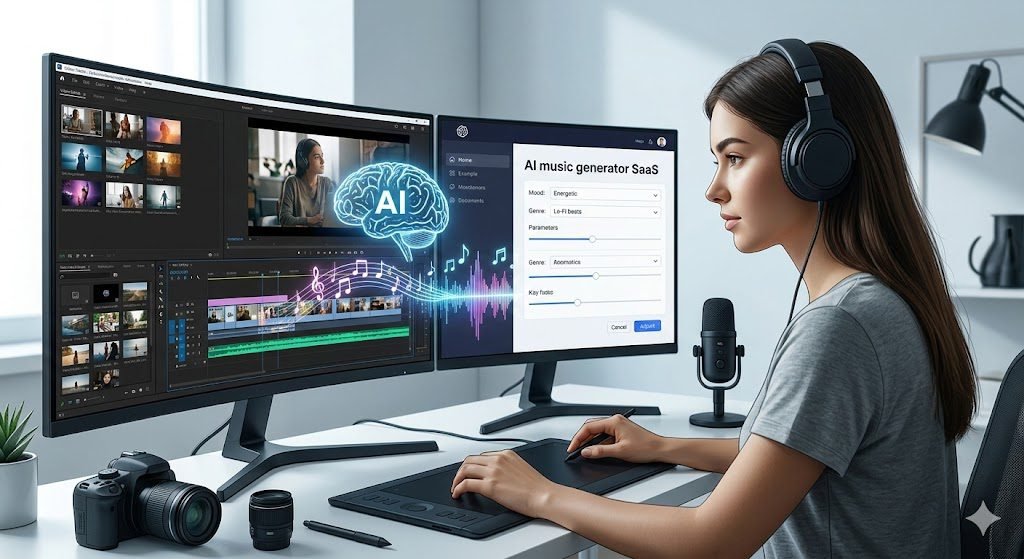
When you use the free tier of an AI music generator, the software company usually retains the copyright. If you upload that song to a monetized YouTube channel or a sponsored Instagram Reel, the AI company’s Content ID bot will claim your ad revenue.
To legally monetize AI music, you must be on a paid commercial tier. Once you upgrade, these SaaS platforms grant you a perpetual, royalty-free commercial license. This means you can use the track in YouTube videos, client commercials, and podcasts without ever paying backend royalties.
1. Soundraw (Best for YouTube Background Beats & Stems)
If your goal is to find high-energy background music that doesn’t distract from your voiceover, Soundraw is the undisputed king. Unlike other tools that generate full pop songs with vocals, Soundraw specializes in highly customizable, instrumental background loops.
- Best For: YouTubers, vloggers, and podcast editors.
- The Standout Feature: Stem editing. You can actually customize the energy of the track mid-song. If your video transitions from a calm talking-head segment into a fast-paced montage, you can tell Soundraw to drop the beat at the exact second the visual changes.
- The Reality Check: It does not generate human vocals or lyrics. It is strictly for instrumental backing tracks.
- Pricing: Starts at $16.99/month (Creator Plan for YouTube monetization).
How to Score a Travel Vlog with Soundraw:
- Choose the Vibe: Select a mood (e.g., “Epic” or “Chill”) and a genre (e.g., “Acoustic” or “Phonk”).
- Set the Exact Length: If your video is exactly 8 minutes and 14 seconds long, type that in. The AI will generate a song that naturally resolves right at the end.
- Customize the Energy: Imagine you are editing sweeping cinematic footage you just shot with a DJI Mini 3 Pro. You can use Soundraw’s “Energy Blocks” to ensure the music builds up and peaks right as your drone flies over the mountain peak.
- Download & Import: Export the WAV file directly into your video editor.
2. Suno AI (Best for Full Songs with Vocals & Lyrics)
Suno operates like ChatGPT for music. It is a text-to-song powerhouse that generates radio-quality tracks, complete with startlingly realistic human vocals, complex instrumentation, and AI-written lyrics based on your text prompt.
- Best For: TikTok viral sounds, channel intro/outro themes, and meme creators.
- The Standout Feature: Lyric generation. You can type, “Write a pop-punk song about drinking too much coffee while editing videos,” and Suno will deliver a fully produced, 3-minute vocal track.
- The Reality Check: While the vocals are incredible, they can clash with your own voiceover if used as background music.
- Pricing: Pro Plan (Commercial Rights) starts at $8/month.
How to Generate a Viral TikTok Hook with Suno AI:
- Switch to Custom Mode: Open the Suno dashboard and toggle “Custom Mode” on so you have full control over the lyrics and style.
- Input Your Lyrics: Type in a funny or relatable 4-line poem about your niche (or let ChatGPT write a quick stanza for you).
- Define the Genre: In the “Style of Music” box, type highly specific tags like “upbeat synth-pop, female vocal, fast tempo, catchy.”
- Generate & Test: Suno will generate two distinct variations of your song. Listen to both, pick the one with the catchiest hook, and download the audio or video file to drop straight into TikTok.
3. Mubert (Best for Twitch Streamers & Infinite Lo-Fi)
Live streamers face a unique problem: they need safe, non-distracting music that plays for 6 to 12 hours straight without awkwardly looping the same 3-minute song. Mubert solves this by generating an infinite, real-time stream of generative audio.
- Best For: Twitch streamers, Kick broadcasters, and background office music.
- The Standout Feature: The Mubert Studio extension. Streamers can pick a genre (like “Lo-Fi Hip Hop” or “Cyberpunk Synthwave”) and the AI will continuously generate new, copyright-safe beats live on stream.
- The Reality Check: You have less granular control over specific drops and build-ups compared to Soundraw. It is designed to be a continuous, ambient experience.
- Pricing: Creator Plan starts at $14/month.
How to Set Up Infinite Background Music for a Twitch Stream:
- Open Mubert Studio: Navigate to the “Generate a Track” dashboard.
- Select the Vibe: Instead of a specific prompt, choose a broad category like “Genres” -> “Lo-Fi” or “Moods” -> “Chill.”
- Set Length to Loop: Choose the “Loop” or “Mix” option depending on your tier, which allows the track to continuously generate without awkward stops or silence.
- Route Through OBS: To protect your Twitch VODs from any accidental flags, add Mubert as an audio source in OBS (Open Broadcaster Software) and route it to your live track, but disable it on your VOD saving track.
While these music generators are incredible for serious video production, AI audio tech is also incredibly popular for entertainment. Content creators making comedy skits often pair these background tracks with a voice changer or use them alongside free prank call websites for hilarious results.
4. Udio (Best for Audiophile Quality & Cinematic Intros)
If Suno is the pop-music generator, Udio is the audiophile’s studio. Built by former Google DeepMind researchers, Udio currently produces the highest fidelity “raw audio quality” in the AI space, making it perfect for serious filmmakers.
- Best For: Indie filmmakers, video game developers, and cinematic YouTubers.
- The Standout Feature: The “Extend” function. Udio generates music in 30-second high-fidelity bursts. If you love a generated intro, you can command the AI to seamlessly extend it into a verse, then a chorus, building a complex arrangement piece by piece.
- Pricing: Standard commercial plan starts at $10/month.
How to Build a Cinematic Short Film Intro with Udio:
- The Initial Prompt: Type a prompt focusing on instrumentation, like “Hans Zimmer style orchestral build-up, heavy cellos, tense atmosphere, cinematic.”
- Generate the Base: Udio will give you a highly detailed 30-second clip.
- The “Extend” Feature: Click “Extend” on your favorite clip. You can now tell the AI to add an intro before the clip, or build a massive crescendo after it.
- Master & Export: Once you have built out a full 2-minute arrangement, download the high-fidelity audio file to mix into your Premiere Pro or DaVinci Resolve timeline.
5. Beatoven.ai (Best for Ethical AI & Automated Video Scoring)
The biggest controversy in AI music is how the models are trained. Beatoven.ai is one of the only major SaaS platforms that is explicitly “Fairly Trained.” They partner with and pay independent human musicians to provide the stems that train their AI.
- Best For: Corporate video editors, agencies, and creators who want an ethical, guilt-free AI tool.
- The Standout Feature: Video Syncing. You can upload your actual MP4 video file directly into the Beatoven dashboard. The AI analyzes the visual cuts and automatically generates an instrumental track that shifts its mood to match the scenes on your screen.
- Pricing: Subscription starts at $6/month for 15 minutes of generated audio.
How to Auto-Score a Video in Beatoven.ai:
- Upload Your MP4: Start a new project and drag and drop your final edited video file directly into the Beatoven timeline.
- Mark the Cuts: Watch your video inside the dashboard and click the “Split” tool every time the visual scene drastically changes (e.g., cutting from a dark indoor shot to a bright outdoor shot).
- Assign Moods: Click on each individual block of your video and assign a mood. Tell the AI the first scene is “Suspenseful” and the second scene is “Joyful.”
- Compose: Hit generate. The AI will compose a single, continuous track that seamlessly transitions instruments and tempos exactly when your video cuts on screen.
How to Avoid YouTube Content ID Strikes with AI Music
Even if you use the best SaaS tools, YouTube’s automated copyright bots can sometimes make mistakes. If you are serious about protecting your channel, follow this exact workflow to guarantee you never lose your ad revenue:
- Never use the Free Tier for YouTube: Always purchase the Creator/Pro tier before uploading the track to a monetized platform.
- Whitelist Your Channel ID: Tools like Soundraw and Mubert have a “Clearance” section in their dashboard. You must paste your specific YouTube Channel URL into this box. This tells the SaaS company’s backend to ignore your videos.
- Save Your Generation Links: When you generate a song, save the specific URL or “Generation ID” provided by the software.
- Dispute with Confidence: If YouTube’s Content ID system falsely flags your AI track, simply hit “Dispute,” state that you have a commercial license from the SaaS provider, and paste your Generation ID. The claim is almost always dropped within 24 hours.
Once you start licensing your AI-generated tracks at volume, managing the influx of emails and licensing requests can become a full-time job. Many professional creators are now setting up no-code custom AI chatbots to instantly answer licensing FAQs and route high-ticket buyers directly to their DMs.
(Tip: Once your music is perfectly synced to your video, you need to distribute it! Read our guide on the best AI social media management SaaS tools to automatically schedule your clips across Instagram, TikTok, and YouTube Shorts).
Best Practices for Using AI Royalty-Free Music Across Every Platform
Securing a commercial license from an AI music generator is only half the battle. Every social media platform has a completely different algorithm and copyright enforcement system. What works perfectly on a YouTube vlog might get your TikTok business account muted.
Indie game developers can save thousands of dollars by generating their own level soundtracks and soundscapes. In fact, many of the legit game apps you play today dominating the app stores right now utilize AI-generated audio loops to keep their production budgets low.
Here are the golden rules for deploying your AI-generated tracks across the top 6 platforms in the US:
1. YouTube & YouTube Shorts
- The Rule: Always whitelist your Channel ID.
- The Strategy: For long-form videos, use Audio Ducking in your editing software. This automatically lowers the volume of your AI background music whenever you speak. For YouTube Shorts, upload your AI track as “Original Audio.” Do not rely on YouTube’s built-in Shorts audio library, as those tracks often share ad revenue with the original artist. By uploading your own AI song, you keep 100% of the monetization.
2. TikTok
- The Rule: Business accounts face severe audio restrictions.
- The Strategy: If you have a TikTok Business account, you are legally restricted to the “Commercial Audio Library.” However, if you upload a video with your custom AI-generated song embedded directly into the video file, TikTok will register it as “Original Sound – [Your Brand Name].” This bypasses the commercial library restrictions and allows other creators to use your AI sound, turning your audio into a viral marketing tool.
3. Instagram Reels & Stories
- The Rule: Sync the beat to the visual scroll.
- The Strategy: Instagram’s algorithm heavily favors Reels where the visual cuts match the beat of the music. Use a tool like Soundraw to generate a track with heavy drops, and cut your video to those exact moments. Always rename your audio file before uploading to something like “BrandName_Official_Audio” so it looks professional if other users click on the sound icon.
4. Facebook (Video & Ads)
- The Rule: Expect aggressive automated sweeps.
- The Strategy: Meta’s copyright bots are notoriously aggressive, especially on Facebook Gaming and Facebook Ads. If you are running a paid ad using an AI track, have your commercial license PDF or Generation ID ready. If an ad gets flagged, dispute it immediately. Waiting even 24 hours can ruin a profitable ad campaign’s momentum.
5. Twitch (Live Streaming & VODs)
- The Rule: Protect your VODs (Video on Demand) at all costs.
- The Strategy: Twitch will instantly mute portions of your VOD if it detects copyrighted music, and repeat offenses lead to channel bans. Use an endless AI generator like Mubert running in the background. For extra safety, use OBS (Open Broadcaster Software) to route your AI music to “Audio Track 6.” This allows your live viewers to hear the music, but the music is completely removed from the saved VOD, guaranteeing zero DMCA risk.
6. X (Formerly Twitter)
- The Rule: The 2-second hook is everything.
- The Strategy: X videos auto-play on mute in the feed, but when a user unmutes, you have literally 2 seconds to keep their attention before they keep scrolling. Do not use AI songs with long, slow acoustic build-ups. Command your AI generator to start the track at “maximum energy” or “drop instantly” to hook the scroller immediately.
Once you have downloaded your generated tracks and finished editing your videos, the final step is getting them seen. To maximize your reach and save time across platforms, consider automating your posting schedule using AI social media management SaaS tools.
Frequently Asked Questions (PAA & AI Overview Targets)
1. Is AI-generated music completely copyright-free?
Yes and no. The raw music generated by AI is not copyrighted by a human, but the SaaS platform that generated it usually holds a proprietary license. If you are on a “Free Tier,” the platform owns the commercial rights. You must upgrade to a paid commercial or creator tier to receive a royalty-free license, which allows you to use the music legally in your content without paying royalties.
2. Can I legally monetize AI music on YouTube and Spotify?
Yes, you can legally monetize AI music on YouTube, provided you have a commercial license from the AI generator (like Soundraw or Suno) and the track does not contain uncleared samples of copyrighted human artists. However, uploading raw, unedited AI music directly to Spotify just to farm streams is actively being cracked down on by streaming platforms. For video background music, however, it is 100% safe to monetize.
3. What happens if YouTube’s Content ID flags my AI music?
Occasionally, YouTube’s automated Content ID system makes a mistake and flags an AI track. Do not panic. Simply click “Dispute Claim” in your YouTube Studio dashboard. Select “I have a license,” and paste the Generation ID or the commercial license agreement provided by your AI SaaS tool. The copyright claim is typically released within 24 to 48 hours, and your ad revenue is held safely in escrow during the dispute.
4. Do I need to credit or attribute the AI music generator in my videos?
However, once you pay for a premium or commercial tier, the attribution requirement is almost always removed, allowing you to keep your video descriptions clean. (If you want your YouTube descriptions and accompanying blog posts to rank on Google, check out our breakdown of the top AI SEO writing SaaS tools] to optimize your text).
Conclusion: Your Ideal Creator Audio Stack
Let’s be real for a second. When I am scrubbing through a Premiere Pro timeline, trying to find the perfect high-energy track for sweeping drone footage or a fast-paced travel vlog, the last thing I want to worry about is a random copyright claim wiping out my ad revenue.
Are these AI music tools going to replace legendary human composers like Hans Zimmer anytime soon? No. If you don’t use the advanced editing features, some AI tracks can still sound a bit repetitive or robotic.
But for the daily content grind, they are absolute lifesavers.
My personal recommendation: If you are heavily editing standard YouTube videos or cinematic sequences, Soundraw is the most practical tool on the market. The ability to manually customize the energy drops to match your visual cuts is something standard stock libraries just cannot do.
However, if you are just looking for a wild, catchy hook for an Instagram Reel, or you need a funny intro song with custom lyrics, type a quick prompt into Suno.
Protect your channel’s standing, stop paying for overpriced, outdated stock libraries, and let the AI handle the backing tracks so you can get back behind the camera.
And if you are piecing together a fast-paced YouTube documentary or automating a faceless channel using AI video tools, rely on the deep customization of Soundraw.”
Pick your platform, whitelist your channel, and never worry about a copyright strike again!