Introduction
You have the Best Auto-Tune Apps, you have the talent, but your recordings still sound… “thin.” They have echo, background noise, and lack that professional crispness.
The culprit is your hardware. Your phone’s built-in microphone is “omnidirectional”—it records everything, including the fan, the traffic, and the sound of your finger tapping the screen. To get studio vocals, you need a directional microphone.
Here are the best options for every budget.
1. The Best Ultra-Budget Option (Under $20)
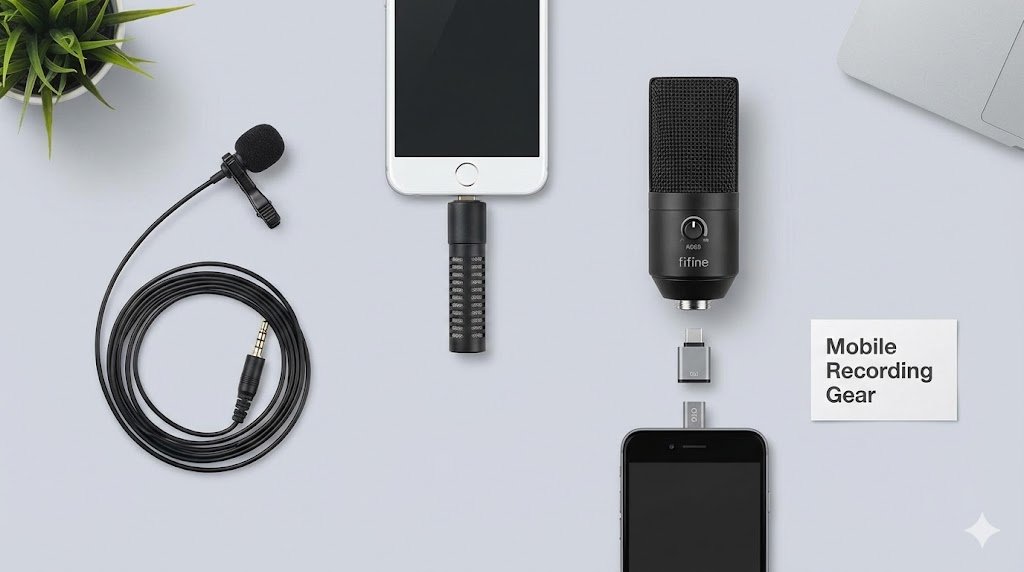
The Boya BY-M1 Lavalier Mic
This is legendary in the mobile creator community. It is a “Lavalier” (clip-on) mic that attaches to your collar.
- Why it works: By clipping it to your shirt, the mic is close to your mouth but far from the room’s echo.
- Compatibility: It has a 3.5mm jack.
- iPhone Users: You will need the Lightning-to-3.5mm or USB-C-to-3.5mm dongle.
- Android Users: Plugs directly into the headphone jack (or dongle).
- Pros: Incredible sound isolation; very cheap.
- Cons: The long cable can get tangled.
2. The Best “Plug & Play” Option ($40 – $70)
Saramonic Blink 500 / Rode VideoMic Me
If you hate cables, these are small shotgun mics that plug directly into your phone’s charging port.
- Why it works: These are “Cardioid” mics. They only record sound coming from directly in front of them and ignore noise from the sides and back.
- Compatibility: Buy the specific version for your phone (Lightning version for older iPhones, USB-C for Android/iPhone 15+).
- Pros: No batteries needed; huge upgrade in clarity.
3. The “Pro Studio” Setup ($50+)
Fifine K669B or Blue Snowball iCE (USB Mics)
Did you know you can connect a desktop USB microphone to your phone?
- The Secret Tool: You need a USB OTG (On-The-Go) Adapter.
- For Android: USB-C to USB-A adapter.
- For iPhone: Lightning to USB Camera Adapter.
- Why do this? USB mics have larger diaphragms, capturing the “bass” and “warmth” in your voice that tiny phone mics simply cannot.
- Result: This setup, combined with an app like BandLab or Voloco, is indistinguishable from a basic home studio.
Quick Tips for Cleaner Audio (For Free)
If you can’t buy a mic yet, try these hacks:
- The Closet Trick: Record inside your clothes closet. The hanging clothes absorb sound waves, killing the “echo” that ruins auto-tune processing.
- The Sock Pop Filter: Put a thin sock over your phone’s mic area. This stops the “P” and “B” sounds (plosives) from distorting the audio.
Conclusion
Audio quality is 50% software and 50% hardware. Now that you have your mic sorted, make sure you know how to use it. Read our Step-by-Step Guide to Using Voloco to start recording your first hit.