If you check your screen time right now, you might be horrified. Between doomscrolling and constant notifications, our phones have evolved from communication tools into dopamine-dispensing slot machines.
The immediate reaction for many in 2026 is to buy a physical “dumb phone” (like an old-school flip phone). But reality sets in quickly: you still need Google Maps to navigate, Spotify for your commute, and banking apps to pay bills.
The ultimate productivity hack? You don’t need dumb hardware; you need dumb software. By installing a minimalist Android Launcher, you can strip away the colorful icons, hide the distracting feeds, and transform your current device into a hyper-focused tool. Here are the top three Android launchers in 2026 that will instantly turn your phone into a distraction-free “dumb phone.”
1. Olauncher (The “Minimal AF” Open Source King)
Best For: Purists who want zero visual clutter and zero ads. Price: 100% Free (Open Source)
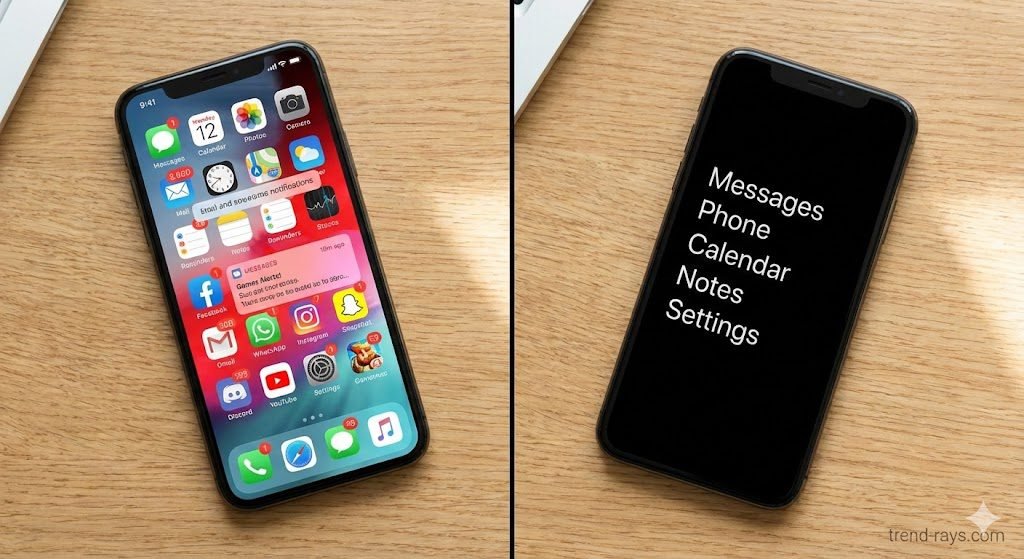
Olauncher (which proudly stands for “Minimal AF Launcher”) is the undisputed champion of the digital minimalism movement. When you unlock your phone, you are not greeted by a grid of colorful, begging icons. Instead, you see a completely blank screen with just the time and a plain-text list of your four to eight most essential apps.
Why it works as a dumb phone:
- Text-Only Interface: By removing app icons, Olauncher removes the visual trigger that makes you want to click on Instagram or TikTok.
- Hidden App Drawer: To find your other apps, you have to swipe up and search for them by typing the name. This introduces “productive friction,” forcing you to be intentional about what you open.
- Privacy First: Because it is fully open-source, it collects zero data and has absolutely no ads or paywalls.
2. Minimalist Phone (The Addiction Breaker)
Best For: Users who need aggressive intervention to stop scrolling. Price: Free trial (Requires subscription or one-time lifetime purchase)
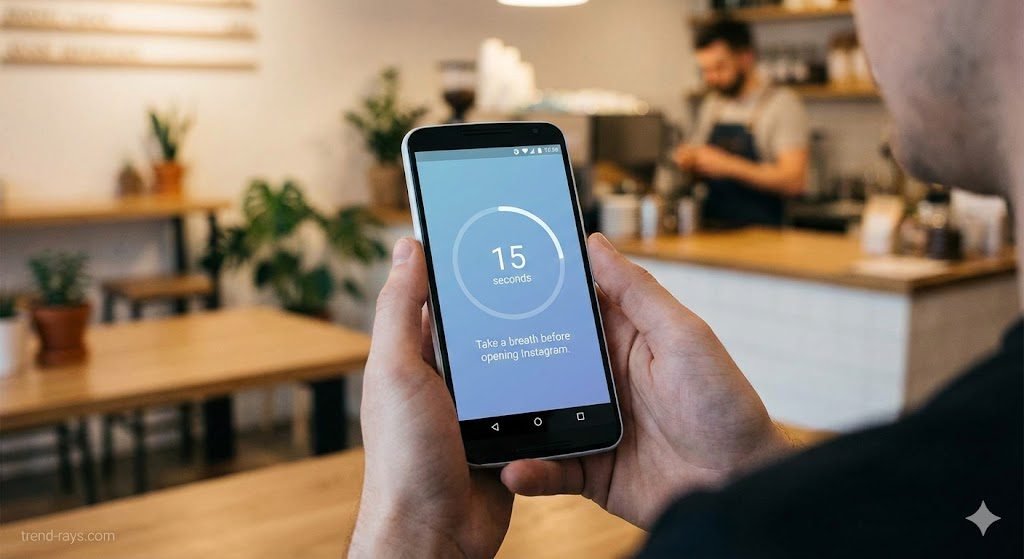
While Olauncher relies on visual simplicity, the Minimalist Phone app acts as an active digital detox coach. It also uses a text-based interface, but it goes several steps further by aggressively modifying your phone habits.
Why it works as a dumb phone:
- The “Mindful Delay”: If you try to open a highly addictive app (like YouTube or Reddit), the launcher forces you to wait through a 5 to 60-second breathing exercise screen. Often, this small delay is enough to make you realize you don’t actually need to open the app.
- In-App Timers: Before you open an app, a prompt asks you how long you intend to use it (e.g., 5 minutes). When the time is up, the launcher interrupts you and asks if you want to close it.
- Notification Filtering: It sweeps all non-essential notifications out of your sight, holding them in a hidden folder so your phone isn’t constantly buzzing.
3. Niagara Launcher (The Ergonomic Middle-Ground)
Best For: Professionals who need high efficiency without the flashy clutter. Price: Free (Pro upgrade available for $9.99/year)
If the idea of a purely text-based screen gives you anxiety, Niagara Launcher is the perfect compromise. It doesn’t look like a 2005 flip phone, but it ruthlessly organizes your Android into a single, highly efficient vertical list.
Why it works as a dumb phone:
- One-Handed Focus: Your favorite apps are presented in a clean, vertical line on the home screen. An alphabet scrollbar on the right lets you instantly glide to any other app with your thumb.
- Embedded Notifications: Instead of swiping down from the top to see a chaotic notification shade, Niagara embeds notifications directly into your home screen list, right next to the app they belong to. You can read and swipe them away without opening the app itself.
- Spam Blocking: It actively filters out persistent system notifications and spam, keeping your home screen incredibly quiet.
💡 The Ultimate “Dumb Phone” Bonus Hack: Grayscale Mode
Changing your launcher is only step one. If you want to completely kill your phone addiction today, you must turn your screen black and white.
Tech companies spend millions of dollars engineering the exact shades of red and blue to keep your eyes glued to the screen. By removing color, your phone instantly becomes a boring, utilitarian tool.
How to enable Grayscale on Android:
- Open your phone’s Settings.
- Navigate to Accessibility > Color and motion (or Visibility enhancements on Samsung).
- Tap Color correction and select Grayscale. (Pro-tip: You can usually set this to a shortcut, allowing you to quickly triple-tap a side button to toggle color back on if you genuinely need to see a photo).