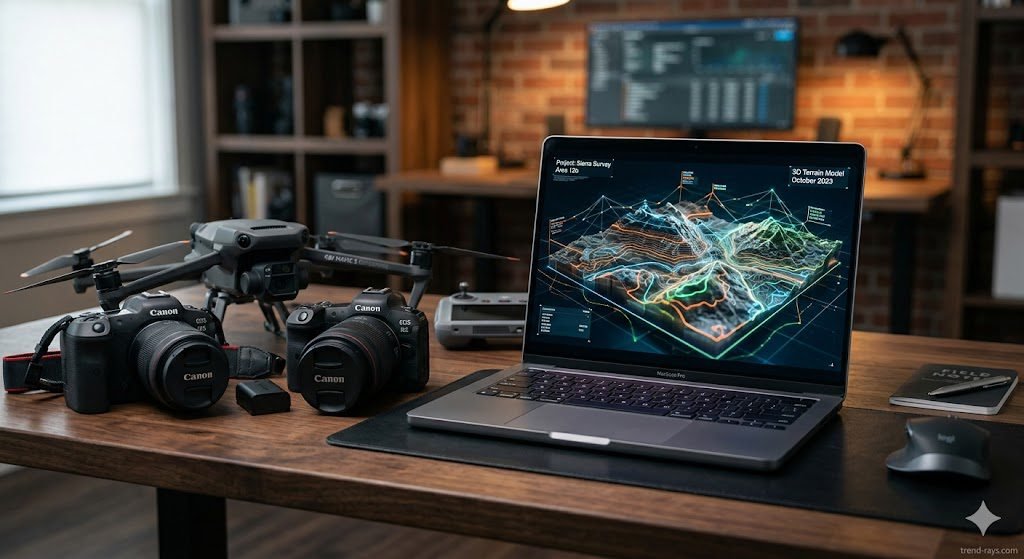
The commercial media and spatial data industries are undergoing a massive transformation. For professional event photographers and enterprise Unmanned Aerial Vehicle (UAV) operators in Australia, the bottleneck is no longer capturing the data—it is processing it.
Whether you are a wedding photographer drowning in thousands of RAW files after a weekend shoot, or a commercial drone pilot generating massive LiDAR point clouds for a mining site, manual processing is killing your profit margins. Today, artificial intelligence is stepping in to bridge the gap.
In this guide, we break down the best AI software for professional photography and drone operations in 2026, helping you scale your workflow, maintain survey-grade accuracy, and maximize your ROI.
The “Why” Behind the AI Shift
Historically, professional photography and drone surveying required hours of manual pixel-pushing. A wedding photographer would spend three days adjusting exposure sliders for a single event, while a drone pilot would spend hours manually tagging ground control points on a desktop computer.
Today, professionals use AI software not to replace their creative eye, but to buy back their time. AI handles the repetitive, technical heavy lifting—like color-matching 1,000 photos across different lighting conditions or identifying safety hazards in a massive aerial dataset. This allows creators to take on more clients per month, and allows enterprise pilots to deliver finished data to stakeholders in hours instead of weeks.
Top AI Photo Editing Software for Professional Photographers
The Changing Era: AI Photo Editing vs. Traditional Editing
The Shift from Pixels to Context
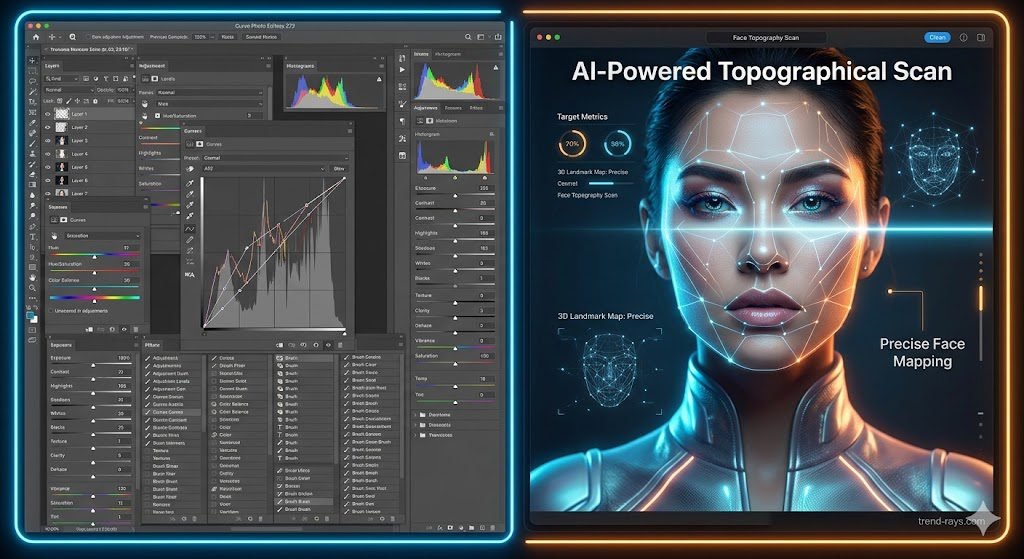
In the early 2000s, the digital revolution moved photographers out of the chemical darkroom and into software like Photoshop and Lightroom. However, the core concept remained the same: you were manually manipulating raw pixels. If you wanted to remove a distraction, you had to manually clone it. If you wanted to adjust lighting on a face, you had to carefully paint a digital mask.
In 2026, we have entered the era of Contextual Automation. AI software no longer just sees a flat grid of colored pixels; it actively understands the content of the image. It recognizes that it is looking at a bride’s face, a cloudy sky, or a complex architectural line, and applies highly specific, localized adjustments instantly based on millions of data points.
Traditional Photo Editing: The Art of Absolute Control
- How it works: Hands-on adjustments using manual sliders, layer masks, and precise brush tools.
- The Pros: Offers unparalleled creative freedom. It allows fine-art photographers and high-end commercial retouchers to impose a highly specific, stylistic mood or preserve intentional “imperfections” that add human character to a shot.
- The Cons: It is incredibly time-consuming. Achieving consistency across a 1,000-image wedding gallery manually can take days of grueling screen time, drastically reducing a photographer’s hourly profitability.
Why Professional Photographers are Switching to AI
The primary reason is ROI (Return on Investment) and scalability. Photographers are not adopting AI because they lack technical skill; they are using it to buy back their time.
- Intelligent Batching: Traditional presets apply the exact same values to every photo. Modern AI tools analyze the unique lighting conditions of hundreds of different shots and instantly apply customized corrections to each individual photo to match your overall style.
- Complex Masking: Selecting a subject’s hair or separating them from a complex background used to take minutes of meticulous brushing per photo. AI accomplishes this flawlessly with a single click.
- Advanced Retouching: AI can map the 3D topography of a human face to neutralize blemishes, smooth skin, and fix stray hairs while completely preserving the natural pore structure—something that requires elite-level frequency separation techniques to do manually.
Which is Best: AI or Traditional?
It is not a matter of choosing one over the other. The most successful and profitable photographers in 2026 utilize a hybrid workflow.
AI is objectively better for the “heavy lifting”—culling out blurry photos, fixing exposure, removing background distractions, and applying base color grades. Traditional editing remains superior for the final 10% of the creative process—dodging and burning specific focal points, fine-tuning artistic color shifts, and ensuring the final image perfectly captures the emotional narrative of the moment. Let AI handle the tedious pixel-pushing so you can focus entirely on your creative vision.
Evoto AI (Best for High-Volume Portrait & Event Retouching)
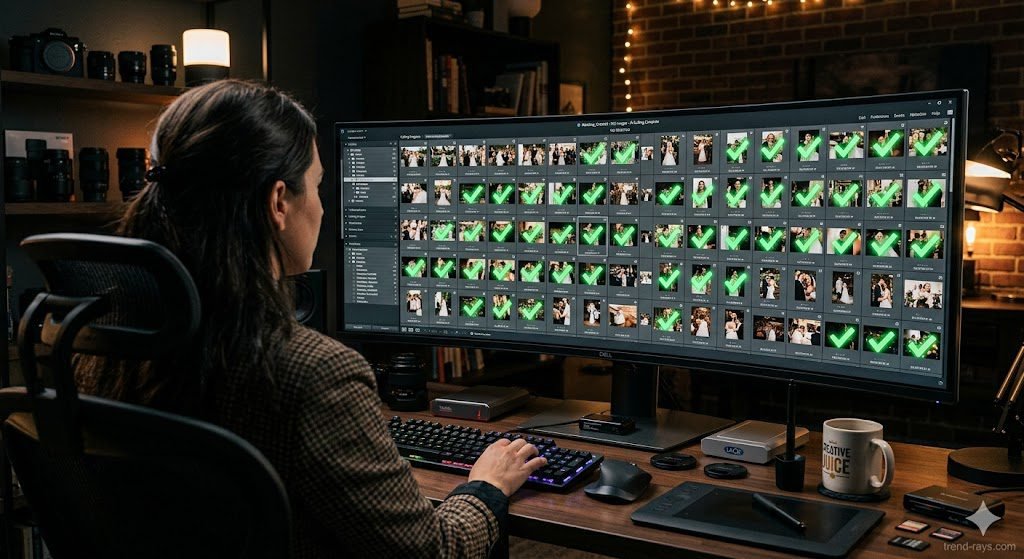
Evoto AI has rapidly become the industry standard for high-volume portrait and wedding retouching. Designed for macOS and Windows, it handles high-volume RAW file processing and precision photo post-production.
- Key Features: Evoto excels at AI color matching, automatic background removal, and advanced skin retouching (including blemish removal and dodge & burn). In its recent updates, it introduced advanced “Pet Masking” for local adjustments, allowing photographers to easily enhance pet eyes and remove stray fur or leashes.
- How to Use Evoto AI for High-Volume Workflows:
- Import & Cull: Load your RAW folder. Let Evoto’s AI scan the batch to instantly flag and hide images with closed eyes or motion blur.
- Apply Smart Presets: Select one image and apply an AI portrait preset (e.g., smooth skin, whiten teeth, remove stray hairs).
- Batch Sync: Tell the AI to apply those exact parameters to the other 800 photos. The AI intelligently adapts the preset to each individual face and lighting scenario.
- Export: Export the final, fully retouched batch directly to your client gallery.
Topaz Photo AI (Best for Drone Image Enhancement)
Even the best enterprise drones face physical sensor limitations in low-light environments. Topaz Photo AI is the ultimate rescue tool for commercial UAV pilots. It uses deep learning algorithms to drastically reduce visual noise, sharpen blurry aerial shots, and upscale low-resolution crops without creating artificial artifacts.
- How to Use Topaz Photo AI for Drone Imagery:
- Drag and Drop: Pull your noisy, low-light drone image into the standalone app.
- Autopilot Analysis: Topaz’s “Autopilot” will automatically scan the image, detect the subject, identify the type of noise, and calculate the exact amount of sharpening needed.
- Refine & Save: Toggle the AI enhancements on and off to check the results, adjust the strength slider if needed, and save the enhanced DNG file.
Adobe Lightroom Classic & Photoshop (Best for Generative AI)
Adobe remains the foundation of professional creative workflows. With the integration of Adobe Firefly, tools like “Generative Remove” and “Generative Fill” allow photographers to instantly clean up distracting backgrounds or expand the canvas of an image seamlessly. It is the ultimate tool for fine-art photographers who require pixel-level manipulation.
Top AI Drone Mapping & Photogrammetry Software
Understanding Photogrammetry and Spatial Data
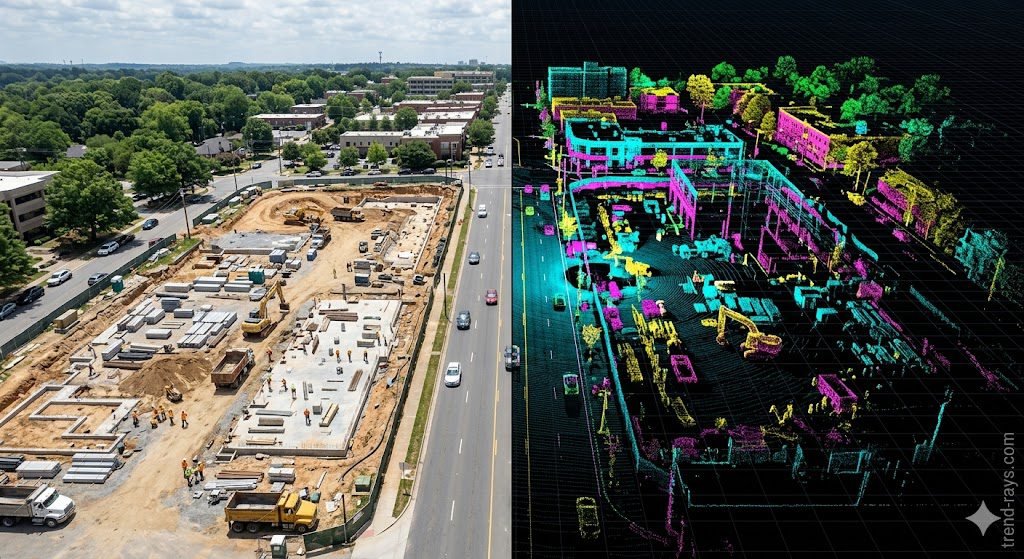
If you are new to the commercial UAV space, you might be wondering: what exactly is photogrammetry? In simple terms, photogrammetry is the science of extracting accurate 3D measurements from 2D photographs. When a drone flies over a site, it takes hundreds of overlapping photos looking straight down. AI photogrammetry software analyzes these overlapping images, finds matching pixels (tie points), and stitches them together to create highly accurate, measurable assets like:
- Orthomosaics: Massive, highly detailed 2D maps without perspective distortion.
- 3D Point Clouds & Mesh Models: Digital twins of a physical site that engineers can manipulate in CAD software.
- Elevation Models (DSM/DTM): Topographical maps used to measure slopes and water runoff.
PIX4Dmatic & PIX4Dmapper (Best for Survey-Grade Accuracy & Large Datasets)
For Australian surveyors and enterprise pilots, Pix4D is a powerhouse. While PIX4Dmapper is excellent for medium-scale photogrammetry, PIX4Dmatic is designed specifically for next-generation, large-scale terrestrial and drone mapping.
- Handling Massive Datasets: PIX4Dmatic easily handles thousands of images without the need to split and merge projects, cutting processing times in half while maintaining survey-grade accuracy.
- LiDAR Integration: It seamlessly combines external LiDAR point clouds (LAS/LAZ files) with standard drone imagery, automatically merging data for detailed precision.
The Difference: Mapper vs. Matic Before diving into the workflow, it is crucial to understand which tool fits your specific operation. PIX4Dmapper is the legacy, industry-standard software for classic drone mapping, perfect for standard projects requiring up to a few thousand images. PIX4Dmatic is the next-generation powerhouse, built specifically to handle massive, large-scale datasets (10,000+ images) and terrestrial LiDAR scans without crashing or forcing you to split the project into smaller chunks.
Who are they for? These platforms are strictly B2B enterprise tools. They are designed for Civil Engineers, Land Surveyors, Mining Operators, and Agricultural Enterprises who need legally defensible, sub-centimeter accuracy for topography, stockpile volume calculations, and construction progression analysis.
How to Use PIX4Dmapper (Standard Drone Mapping Workflow)
If you are mapping a standard commercial construction site or a medium-sized farm, the workflow follows a precise, automated pipeline:
- Import & Geolocation: After your drone completes its autonomous grid flight, import your overlapping images into the software. PIX4Dmapper automatically reads the image EXIF data (which contains the GPS coordinates and camera model) to roughly place your photos in 3D space.
- Initial Processing (Keypoint Extraction): The software’s algorithms scan the images to find matching visual features (called “keypoints”). It uses these matched points to stitch the photos together and calibrate the camera’s exact orientation in the sky.
- Adding Ground Control Points (GCPs): For true survey-grade accuracy, you cannot rely on the drone’s GPS alone. You must import the exact coordinates of physical targets (GCPs) you placed on the ground prior to the flight. You will manually click the center of these targets within the software to anchor your digital map to precise real-world coordinates.
- Densification & Export: The software then generates a “densified point cloud” and a 3D textured mesh. Finally, you export your deliverables: a precise Digital Surface Model (DSM) or a 2D Orthomosaic map for your engineering clients.
How to Use PIX4Dmatic (Large-Scale & LiDAR Workflow)
When you secure a contract to map a massive highway corridor or a sprawling solar farm, PIX4Dmatic accelerates the workflow to handle the heavy data loads:
- Ingest Massive Datasets: Import thousands of high-resolution drone images alongside terrestrial LiDAR point clouds (such as LAS/LAZ files) captured from the ground. PIX4Dmatic is specifically optimized to merge these two different data types seamlessly.
- AI Automarking for Targets: Instead of manually clicking every Ground Control Point across hundreds of photos, PIX4Dmatic features an AI-driven “Automark” tool. You simply identify a ground target in one or two images, and the software automatically scans the rest of the massive dataset to find and align that exact target.
- Re-optimization & High-Speed Processing: Once the GCPs are marked, you trigger the “re-optimization” process. The software tightens the 3D model around your precise ground data. Because of its next-generation processing engine, PIX4Dmatic cuts the generation time of point clouds and GeoTIFFs drastically compared to older software.
DJI Terra (Best for Government, Enterprise & Native DJI Ecosystems)
- Who it is for: DJI Terra is highly secure and runs locally (offline), making it the gold standard for Government agencies (like land management or infrastructure inspection), Law Enforcement (for rapid 3D crash site recreation), and Enterprise sectors (mining and energy) that cannot upload sensitive data to public cloud servers due to strict compliance laws.
- How to use it: The workflow is entirely localized. After flying a mapping mission with a DJI Enterprise drone, you physically remove the SD card and insert it into your high-performance workstation. You open DJI Terra, import the raw image folder, select whether you want a 2D map or 3D model, and let the software process the data locally without requiring an internet connection.
DroneDeploy (Best for Construction, Agriculture & Scalable B2B Teams)
- Who it is for: This is a cloud-first platform built for Construction firms, Agricultural businesses, and Commercial Roofing contractors. It is designed for project managers who need to share site updates across distributed teams, stakeholders, and investors quickly.
- How to use it: DroneDeploy acts as both the flight app and the processing engine. First, you use the DroneDeploy mobile app to draw a boundary over a map of your site. The drone then flies autonomously, capturing the necessary photos. Once it lands, the data is automatically uploaded via WiFi or 5G to the DroneDeploy cloud, where AI servers process the map and generate a shareable URL for your clients.
What is CASA?
Before operating any drone commercially in Australia, it is crucial to understand CASA. The Civil Aviation Safety Authority is the Australian government statutory authority responsible for regulating civil aviation safety. They dictate exactly where, when, and how you can fly a UAV. Unlike hobbyists, enterprise pilots must frequently fly closer to people, over construction sites, or in controlled airspace.
Modern AI drone software assists in CASA compliance by automatically logging flight paths, altitudes, and pilot inputs, providing a perfectly documented digital paper trail should CASA ever request an audit of your commercial operations.
Cloud Collaboration & Client Delivery
The final step of the AI workflow is delivery. Platforms like PIX4Dcloud allow teams to process, track progress, and share site documentation online seamlessly. Similarly, Evoto offers cloud sync capabilities, enabling photographers to sync finalized edits to cloud albums for immediate client review.
Bridging the Gap: Preparing Your Hardware for AI Workloads
AI software is only as good as the data you feed it. To get the best results from photogrammetry and generative AI, your hardware must be perfectly tuned:
- UAV Maintenance: Ensure your drone propellers are perfectly balanced and free of micro-cracks. Even minor vibrations can cause micro-blur in aerial photos, which degrades the quality of 3D mesh generation in software like PIX4Dmatic.
- Lighting Sync: For event photographers, ensuring proper exposure syncing between your camera body and flash photography equipment gives AI editors like Evoto the maximum dynamic range to work with for skin retouching and color matching.
Conclusion & ROI Breakdown
Upgrading to AI-driven SaaS tools is not just about saving time; it is about scaling your business.
- For Creative Professionals, a pay-per-export model (like Evoto) or an Adobe subscription allows you to take on double the amount of wedding clients per season by eliminating post-production bottlenecks.
- For Enterprise UAV Operators, investing in robust platforms like PIX4Dmatic or DroneDeploy provides the survey-grade accuracy and LiDAR compatibility necessary to secure lucrative contracts in Australia’s mining and construction sectors.