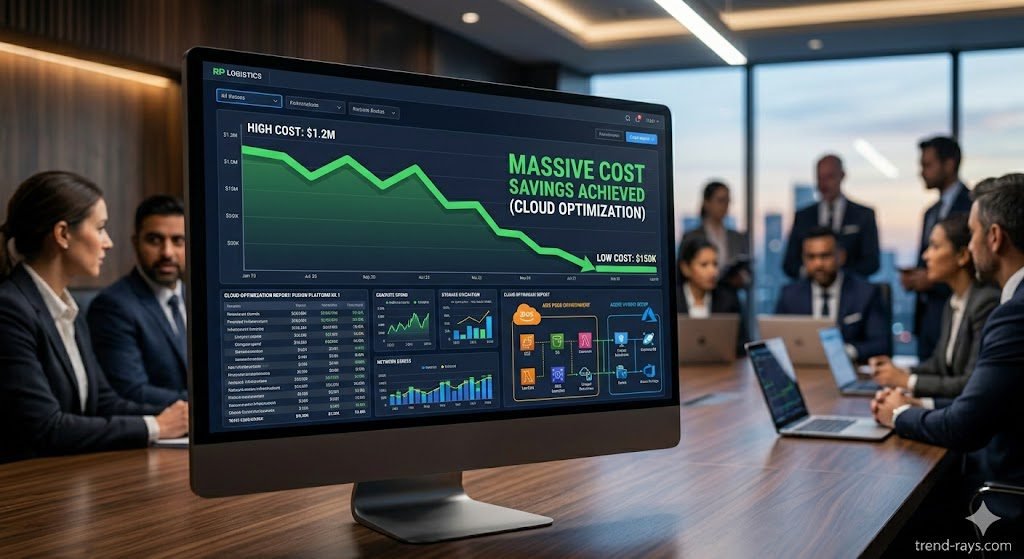
If your company’s cloud bill is scaling faster than your actual revenue, you are likely suffering from the ultimate paradox of modern IT: the cloud was supposed to be cheaper, but human engineers cannot manage its complexity efficiently.
Relying on human DevOps teams to manually right-size EC2 instances, monitor EBS volumes, or execute Reserved Instance (RI) arbitrage is a losing battle. By the time a human spots a billing anomaly, the money is already gone.
To achieve world-class FinOps (Cloud Financial Management), enterprises must understand the difference between Native Recommendation Engines and Autonomous AI Platforms. Here is the definitive, no-nonsense breakdown of the top 10 tools that will drastically slash your AWS, Azure, and GCP bills.
The Revenue Angle: How Autonomous FinOps Drives Enterprise Valuations
When a company transitions from native recommendation tools to autonomous FinOps platforms, it is no longer making an “IT decision”—it is making a strategic financial maneuver. For CTOs and CFOs, the ROI of these platforms is measured in three distinct business pillars.
1. The Gross Margin & Valuation Multiplier
In the modern SaaS and tech-enabled enterprise landscape, cloud spend is no longer categorized as general overhead; it is Cost of Goods Sold (COGS). Every dollar wasted on idle EC2 instances directly reduces your Gross Margin. If your business is valued on a revenue multiplier (e.g., 10x ARR), saving money in the cloud has an exponential impact.
- The Math: If an autonomous tool like ProsperOps or Zesty cuts your AWS bill by $100,000 annually, that $100,000 drops straight to your bottom line (EBITDA). At a 10x multiplier, that single software implementation just added $1,000,000 to your company’s overall valuation. ### 2. Engineering Opportunity Cost (The Hidden Tax) The most expensive resource in your company is not your AWS server; it is your Senior Cloud Architect. When companies rely on native tools (like AWS Compute Optimizer), a highly paid engineer must spend hours every week downloading CSV files, analyzing spreadsheets, and manually writing Terraform code to resize servers.
- The ROI of Autonomy: If a senior engineer making $180,000 a year spends 15% of their time manually managing cloud costs, you are paying a $27,000 “hidden FinOps tax” per year. Autonomous tools completely eliminate this manual labor, allowing your top talent to get back to building revenue-generating product features.
3. Shifting from “Cloud Bills” to “Unit Economics”
Without advanced FinOps tools, product and sales teams operate in the dark. A VP of Sales might sell a massive enterprise contract for $5,000 a month, thinking it’s a huge win. But because native AWS billing is opaque, they don’t realize that the specific client’s heavy database usage is costing the company $5,500 a month in hidden cloud fees.
- The Profitability Pivot: Platforms like CloudZero translate raw server metrics into Unit Economics (e.g., “Cost per Customer” or “Cost per API Call”). This allows the CFO to identify exactly which features or clients are operating at a negative margin, enabling the business to restructure its pricing tiers and protect its profitability.
The FinOps Technical Requirements: Why Humans Fail
Before buying software, CFOs and IT Directors must understand the technical architecture of cloud waste. Human-led cost reviews fail due to the “Hindsight Bias” problem. A human reviews a 30-day old invoice to make decisions for next month.
Modern AI FinOps tools operate differently:
- Real-Time Telemetry Ingestion: They analyze 5-minute telemetry windows, identifying idle resources at a micro-service level.
- API-First Interrogation: Premium tools use strict, read-only IAM (Identity and Access Management) roles. They fetch billing and utilization data without ever touching your sensitive customer databases or S3 buckets.
- Automated Execution: Instead of just telling you what to do, advanced tools physically interact with Cloud Service Provider (CSP) APIs to execute financial arbitrage (buying/selling commitments) in milliseconds.
The Baseline: The Technical Mechanics of Native CSP Tools
Before granting third-party tools the IAM permissions to alter your environment, CTOs must understand the architectural limitations of the free tools provided by AWS, Azure, and Google. These tools are powerful for visibility, but fundamentally lack the ability to perform autonomous, real-time remediation.
1. AWS Compute Optimizer: Historical Time-Series Analysis
- The Mechanism of Action: Compute Optimizer operates strictly as a read-only analytics engine. It ingests native Amazon CloudWatch metrics (CPU, memory, storage IOPS, and network throughput) over a rolling 14-day lookback period (expandable to 32 days with paid enhancements).
- How it Executes: It does not execute changes. It uses machine learning to project how your current workload would perform on different EC2 instance types (for example, simulating the performance impact of moving from an x86 architecture to an ARM-based AWS Graviton instance). It outputs these projections as JSON payloads or dashboard alerts.
- The Enterprise Reality: It is a reactive diagnostic tool. It requires a DevOps engineer to manually review the JSON output, write a Jira ticket, alter the CloudFormation or Terraform template, and trigger a manual redeployment to actually realize the savings.
2. Azure Advisor: Conservative Heuristic Thresholds
- The Mechanism of Action: Azure Advisor acts as an aggregation layer. It pulls telemetry from Azure Resource Manager (ARM) and Azure Monitor. For cost optimization, it relies on static heuristic thresholds—specifically looking for Virtual Machines where CPU utilization drops below 5% and network usage drops below 2% over a 7-day period.
- How it Executes: Like AWS, it lacks execution rights by default. It generates alerts that can be routed to Azure Action Groups. While you can build custom Logic Apps or PowerShell runbooks to automate responses, the core tool only generates the alert.
- The Enterprise Reality: It is highly conservative. Because it only flags egregiously idle or grossly over-provisioned resources (sub-5% CPU), it entirely misses the nuanced, minute-by-minute elasticity opportunities that third-party FinOps tools capitalize on.
3. Google Cloud Recommender: State-Machine Recommendations
- The Mechanism of Action: GCP Recommender ingests metrics from the Google Cloud Operations suite (formerly Stackdriver). It uses machine learning to analyze the last 8 days of usage for VM instances, persistent disks, and idle IP addresses.
- How it Executes: It generates a recommendation payload managed by a strict state machine (
Active,Claimed,Succeeded,Failed). While a human can click “Apply” in the console, advanced teams can use the Recommender API to trigger a Google Cloud Function to execute the change programmatically. - The Enterprise Reality: While it offers slightly better native API hooks for automation than AWS or Azure, it remains a reactive system. It will identify an orphaned disk, but it will not autonomously orchestrate preemptible VMs or dynamically trade financial commitments on the fly.
The Upgrades: The Technical Mechanics of Autonomous FinOps
When your cloud bill crosses the $20,000/month threshold, manual engineering labor costs more than the savings themselves. To achieve true FinOps, you must grant third-party platforms the ability to physically alter your environment. Here is exactly how these tools operate under the hood.
4. ProsperOps: Automated Discount Instrument Arbitrage
- The Mechanism of Action: ProsperOps does not touch your compute instances. It operates entirely at the AWS Billing layer. It requires a cross-account IAM role with strict
Readaccess to AWS Cost Explorer andWriteaccess exclusively to AWS EC2 Reserved Instances and Savings Plans APIs. - How it Executes: AWS allows you to exchange “Convertible Reserved Instances” (CRIs) for different instance families. ProsperOps runs a continuous mathematical solver against your real-time usage data. Every hour, it executes API calls to seamlessly exchange, split, or merge CRIs to match the exact EC2 instances your team is spinning up or tearing down.
- The Enterprise Reality: It completely removes the need for humans to calculate 1-year or 3-year commitment plans. It automatically maintains your Effective Savings Rate (ESR) above 90% while keeping your absolute lock-in commitment incredibly low.
5. Zesty (Zesty Disk): Live File System Expansion and Shrinking
- The Mechanism of Action: Zesty operates at both the AWS API layer and the Linux OS layer. You deploy a lightweight Zesty agent onto your EC2 instances.
- How it Executes: The agent monitors block-level storage metrics (like inodes and read/write thresholds) which AWS CloudWatch cannot natively see. When a disk hits an 80% utilization threshold, the Zesty backend makes an API call to AWS to provision a new, small EBS volume and attaches it to the instance. The Zesty OS agent then uses Linux LVM (Logical Volume Manager) to seamlessly stitch this new disk into the existing file system without unmounting the drive or rebooting the server. When files are deleted, it reverses the process, safely detaching and deleting the empty EBS volumes.
- The Enterprise Reality: Engineers no longer need to over-provision 500GB EBS volumes “just in case.” You pay for exactly the block storage you are consuming minute-to-minute.
6. Spot.io (Elastigroup): Predictive Capacity Load Balancing
- The Mechanism of Action: Spot.io replaces your native AWS Auto Scaling Groups (ASGs). You grant it an IAM role to provision and terminate EC2 instances and manage Elastic Load Balancers (ELBs).
- How it Executes: AWS Spot Instances are cheap but can be terminated with a 2-minute warning. Spot.io ingests massive amounts of historical capacity data across all AWS availability zones to calculate an “interruption probability score.” If the score spikes, Spot.io triggers a replacement before AWS issues the 2-minute warning. It spins up a new instance, waits for it to pass health checks, registers it with the load balancer, gracefully drains the active connections from the doomed Spot instance, and terminates it.
- The Enterprise Reality: It allows you to run stateful, production-grade applications on Spot infrastructure with enterprise SLAs for uptime, yielding up to 90% compute savings.
7. CloudZero: Telemetry-Driven Unit Economics
- The Mechanism of Action: CloudZero bypasses the broken system of manual AWS tagging. It ingests the massive AWS Cost and Usage Report (CUR), but it also ingests application telemetry via API from Datadog, Snowflake, and Kubernetes.
- How it Executes: It uses a proprietary domain-specific language (DSL) called CostFormation. Instead of relying on a developer to tag a resource, CloudZero uses logic rules to allocate cost. For example: “Take the total monthly cost of this shared RDS database, divide it by the number of queries logged in Datadog per tenant, and allocate the exact dollar amount to Tenant A vs. Tenant B.”
- The Enterprise Reality: It gives SaaS CFOs exact profit margins per customer, per feature, and per engineering team, completely independent of how messy the native AWS tags are.
8. Anodot: Unsupervised ML Anomaly Detection
- The Mechanism of Action: Native static alerts (like AWS Budgets) are noisy and prone to alert fatigue. Anodot connects via API to ingest millions of time-series data points from AWS CloudWatch and your billing console.
- How it Executes: It uses unsupervised machine learning algorithms (like ARIMA and Holt-Winters) to map the seasonality of your architecture. It learns that “Network Data Out always spikes 40% on Tuesday mornings.” If a spike occurs that violates the predicted algorithmic baseline—not a static dollar threshold—it correlates the spike with the specific resource ID and fires an urgent webhook to PagerDuty or Slack.
- The Enterprise Reality: It isolates rogue infrastructure scripts, infinite loops, and DDoS-related billing spikes within minutes, preventing five-figure billing surprises at the end of the month.
9. CAST AI: Kubernetes Node Bin-Packing
- The Mechanism of Action: CAST AI connects to your EKS, AKS, or GKE cluster using a read-only service account for analysis, and an IAM role for execution. It completely bypasses the native AWS Cluster Autoscaler.
- How it Executes: It continually analyzes Kubernetes pod requests and limits. If it detects that pods requiring 10 CPUs total are running on nodes providing 20 CPUs, it actively cordons the inefficient nodes. It evicts the pods (strictly respecting your PodDisruptionBudgets), uses AWS APIs to provision exactly right-sized EC2 instances, schedules the pods onto the new instances, and terminates the old nodes.
- The Enterprise Reality: It performs aggressive, continuous defragmentation of your Kubernetes clusters, pushing utilization rates from an industry average of 30% up to 80%+.
10. Densify: Optimization as Code (CI/CD Integration)
- The Mechanism of Action: Densify analyzes the actual CPU instruction sets and memory paging of your workloads. But its real power is how it integrates into the CI/CD pipeline (Terraform, Jenkins, Ansible).
- How it Executes: When a developer writes an Infrastructure as Code (IaC) template requesting an
m5.xlargeinstance, Densify intercepts the pull request. It checks the workload’s historical performance data, determines that the app only utilizes 15% of that CPU, and automatically outputs a webhook that rewrites the Terraform code to deploy at3.largeinstead. - The Enterprise Reality: It stops cloud waste at the source. Instead of fixing over-provisioned servers after they are running, Densify ensures they are perfectly right-sized before they hit production.
Native vs. Autonomous AI Strategy Explorer
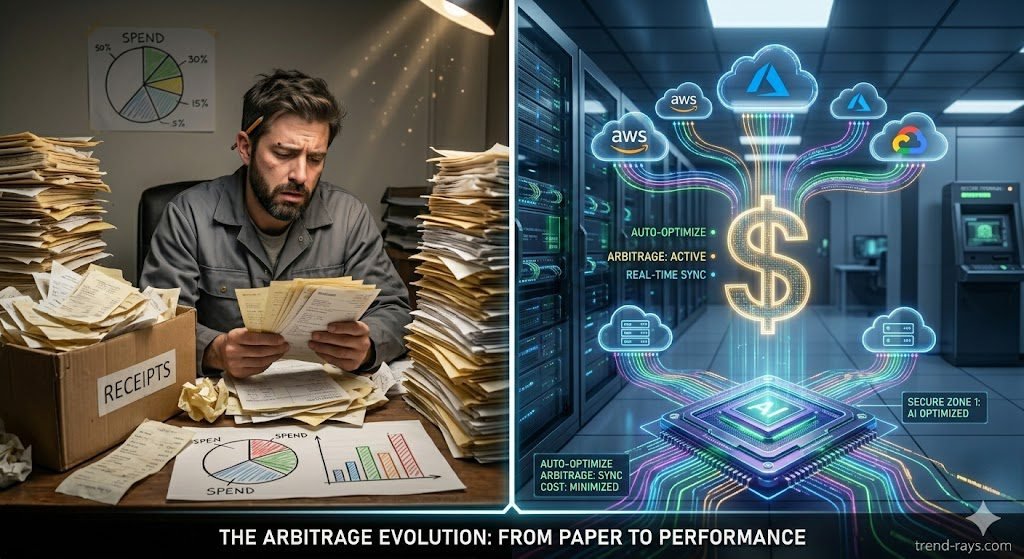
Are you relying too heavily on manual recommendations? Use this interactive explorer to compare your current native CSP tools against the autonomous AI upgrades, and discover the “Automation Gap” costing your business money.
Native vs. Autonomous AI Cloud Strategy Explorer
AWS Compute Optimizer
ProsperOps
Frequently Asked Questions (People Also Ask)
Does AWS have its own AI cost optimization tool?
Yes, AWS offers native tools like AWS Compute Optimizer and AWS Cost Anomaly Detection, which use machine learning. However, these are strictly “recommendation engines.” They will tell you to downgrade an EC2 instance, but a human engineer still has to log in and execute the change manually. Premium third-party FinOps tools differ because they are autonomous—they execute the buying, selling, and scaling on your behalf without human intervention.
How much can AI FinOps tools actually save on AWS?
While results vary by infrastructure, autonomous AI tools generally recover 20% to 35% of unmanaged cloud spend. For specific workloads, such as migrating stateless applications to Spot instances using tools like Spot.io, businesses can see up to a 90% reduction in compute costs compared to On-Demand pricing.
Is it safe to give third-party AI access to my AWS billing?
Yes, top-tier cloud cost optimization platforms operate on a strict principle of least privilege. They do not require access to your actual databases, S3 buckets, or customer data. You grant them access via a secure, cross-account AWS IAM Role that is strictly limited to billing APIs, Cost Explorer data, and the ability to modify specific EC2/savings instruments.
What is the difference between AWS Savings Plans and Reserved Instances?
Both offer discounts in exchange for a 1- or 3-year financial commitment. Reserved Instances (RIs) are tied to a specific instance type, making them less flexible but highly tradable on the AWS secondary marketplace. Savings Plans offer more flexibility (applying across different instance families) but cannot be sold if your compute needs drop. AI tools autonomously blend both to maximize your discount coverage while keeping your lock-in risk low.