Ask any European HR director or sales leader what their biggest bottleneck is when rolling out new initiatives, and the answer is almost always the same: video production.
Creating traditional corporate training videos is a logistical nightmare. You have to hire professional presenters, rent studio space, shoot the footage, and spend weeks in post-production. Worse yet, if a company policy changes or a software interface updates three months later, the entire video becomes obsolete, and you have to start the expensive process all over again. Furthermore, for European enterprises, that single video then needs to be dubbed or re-shot for branches in Germany, France, and Spain.
AI avatar generators have completely eliminated this friction. By utilizing photorealistic digital presenters driven by text-to-speech technology, corporate teams can now generate, edit, and translate professional training modules directly from their web browsers. In this guide, we will break down the top enterprise-grade AI avatar platforms that are transforming internal communications and B2B presentations in 2026.
The Shift from Consumer Avatars to Digital Corporate Presenters
If you have ever downloaded an avatar maker app to generate a fun, stylized profile picture or an animated character for social media, you already understand the basic mechanics of digital rendering. Those apps are fantastic for entertainment, gaming, and personal branding.
However, there is a massive chasm between a consumer-grade avatar app and a B2B digital presenter platform. Attempting to use a free, consumer-level tool for a high-stakes corporate presentation or compliance training module is a recipe for disaster. Here is why enterprises are upgrading to dedicated SaaS solutions.
If you are just looking to create a stylized profile picture for social media, there are plenty of excellent free avatar maker apps available. However, in a corporate environment.
Why Free “Avatar Apps” Fail in the Boardroom
Consumer apps prioritize extreme stylization (like anime or 3D cartoon filters) and fast, low-resolution rendering meant for smartphone screens. In a corporate environment, trust and authority are paramount. B2B avatar platforms like Synthesia or HeyGen focus on photorealism. They provide diverse rosters of digital actors dressed in professional attire, featuring micro-expressions, accurate lip-syncing, and natural body language that holds the attention of an employee taking a mandatory training course. A cartoon avatar delivering a quarterly financial report simply does not command the necessary respect.
The Critical Importance of GDPR & Data Sovereignty in 2026
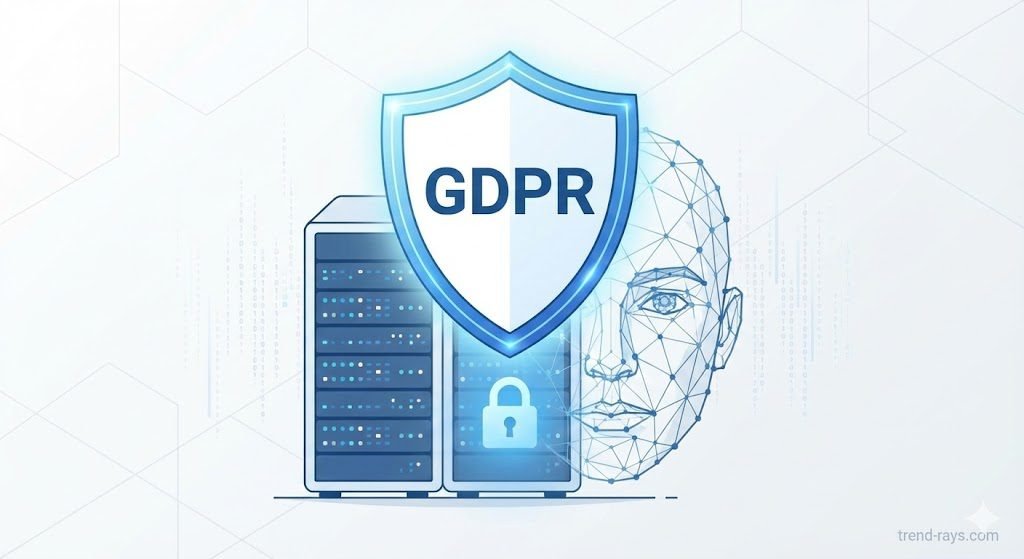
The most crucial difference between a fun app and a corporate SaaS tool is data security. Free AI video generators often train their underlying models on user inputs. If an HR manager pastes a highly confidential internal training script or proprietary sales strategy into a free tool, they risk leaking corporate secrets.
With the enforcement of the 2026 EU AI Act, European businesses face massive fines for mishandling data through unvetted AI vendors. The premium platforms we review below offer strict Data Processing Agreements (DPAs), SOC 2 compliance, and guarantee that your proprietary scripts are never used to train public models. They provide the secure, closed-loop environment that European compliance officers demand.
Enterprise LMS Integrations & IT Requirements
When large organizations evaluate reliable AI avatar platforms, the procurement team isn’t just looking at video quality. They need to know if the software will break their existing tech stack. Here is how the top platforms handle enterprise-grade integrations in 2026:
- Advanced LMS Compatibility (SCORM vs. xAPI): While basic platforms offer MP4 downloads, enterprise leaders like Synthesia and Colossyan offer native SCORM 1.2, SCORM 2004, and the newer xAPI (Tin Can) protocols. This allows enterprise LMS giants like SAP SuccessFactors, Workday Learning, and Cornerstone OnDemand to pull highly granular data—such as exactly which second an employee stopped watching a compliance video.
- Enterprise Authentication (SSO & SAML): For organizations with thousands of employees, manual password management is a security risk. The top-tier platforms mandate SAML-based Single Sign-On (SSO) (integrating with Okta, Microsoft Entra ID, or Google Workspace) to ensure only authorized instructional designers can generate avatar videos on the company’s dime.
- Localized European Hosting (AWS EU): To remain strictly compliant with EU data sovereignty laws, reliable platforms allow large organizations to request that all their proprietary training scripts, custom avatar models, and rendered videos are physically hosted on EU-based servers (e.g., AWS Frankfurt or Paris) rather than being routed through the United States.
Top AI Avatar Platforms for European Enterprises (Compared)
When selecting an AI presenter for corporate training, the software must integrate seamlessly with your company’s existing infrastructure. Here is how the leading platforms stack up for European businesses in 2026.
| AI Avatar Platform | Best Corporate Use Case | GDPR Compliant | SCORM / LMS Integration |
| Synthesia | Enterprise-grade security & compliance | Yes (SOC 2 Type II) | Yes (SCORM 1.2 & 2004) |
| HeyGen | Fast multilingual marketing & sales | Yes | Yes |
| Colossyan | Interactive e-learning & HR training | Yes | Yes (With built-in quizzes) |
| D-ID | Real-time conversational avatars | Yes | API / Custom Integrations |
What Makes an AI Avatar Platform “Reliable” at Scale?
For a large organization generating 500+ localized training modules a month, “reliability” means uptime and render speeds. Consumer apps will crash or put you in a 12-hour rendering queue during peak times. Enterprise platforms guarantee Dedicated GPU Rendering and strict Service Level Agreements (SLAs). If your global sales team needs a product update video translated into 15 languages by tomorrow morning, platforms like HeyGen and Synthesia guarantee the API bandwidth to render those videos concurrently without throttling your account.
1. Synthesia (The Gold Standard for Enterprise Compliance)
Founded in Europe, Synthesia is the undisputed heavyweight for corporate training. If you are a compliance officer or an IT director, this is the safest bet. Synthesia places a massive emphasis on data security, boasting SOC 2 Type II and strict GDPR compliance.
Crucially, Synthesia allows you to export your generated videos as SCORM packages. This means you can upload the video directly into your company’s Learning Management System (like Workday or SAP Litmos), and the LMS will automatically track when an employee starts, watches, and finishes the compliance video.
2. HeyGen (Best for Multilingual Sales & Marketing)
While Synthesia excels in strict compliance, HeyGen is built for speed and global scale. If you are a sales leader who needs to roll out a new product training module to teams in Germany, France, and Italy simultaneously, HeyGen is your tool.
You can shoot one core video in English, and HeyGen’s AI will flawlessly translate the script, clone the presenter’s voice, and adjust the avatar’s lip movements to match the new language perfectly. It eliminates the need for expensive dubbing agencies.
HeyGen’s AI will flawlessly translate the script, or you can pair it with dedicated AI voice cloning tools for commercial video ads to ensure perfectly localized emotion and pacing.
3. Colossyan (Purpose-Built for HR & E-Learning)
Colossyan was designed specifically with Learning & Development (L&D) professionals in mind. Traditional training videos are passive; employees just hit “play” and zone out. Colossyan solves this by allowing you to embed interactive elements directly into the AI video timeline.
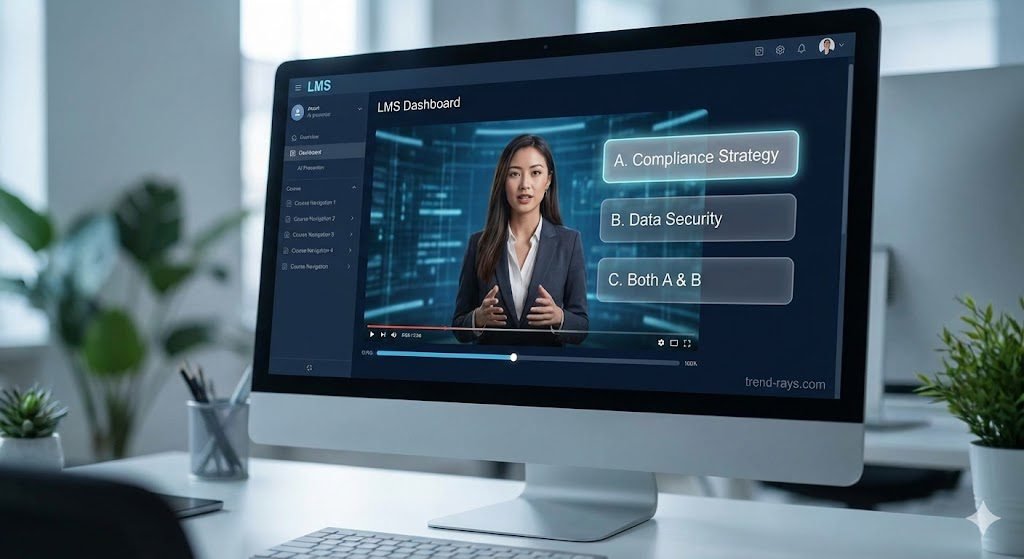
You can create “branching scenarios” where the avatar pauses, asks the employee a multiple-choice question, and then reacts differently based on the employee’s answer. When you export this as a SCORM package, the employee’s quiz scores are sent directly back to your HR department.
4. D-ID (Best for Real-Time Conversational Agents)
D-ID takes a completely different approach. Instead of generating pre-recorded MP4s, D-ID focuses on real-time, conversational “Visual AI Agents.”
Using their enterprise API, you can embed a photorealistic avatar directly into your internal company portal or customer service widget. Connected to a Large Language Model (LLM) and your internal knowledge base, the avatar can literally have a live, face-to-face video conversation with employees to help them troubleshoot IT issues or complete their onboarding paperwork.
Calculating the ROI: Traditional Video vs. AI Presenters
To truly understand why enterprises are adopting this tech, you have to look at the math. Let’s compare the cost of producing a standard 15-minute onboarding module.
The Traditional Corporate Video Shoot:
- Studio Rental & Camera Crew (1 Day): €1,500 – €3,000
- Professional Presenter/Actor: €500 – €1,000
- Post-Production & Editing: €1,000+
- Translating & Dubbing (3 extra languages): €1,500+
- Total Estimated Cost: €4,500 – €6,500+
The AI Avatar SaaS Approach:
- Enterprise SaaS Subscription: €80 – €150/month
- Script Generation & Avatar Rendering: 1 Hour of an HR manager’s time.
- Translating & Dubbing: Included in the software (1-click translation).
- Total Estimated Cost: Less than €200.
More importantly, if your company’s onboarding policy changes next week, updating a traditional video requires a massive reshoot. With an AI platform, you simply log in, change the text script, hit “regenerate,” and update the LMS in five minutes.
For independent contractors and solo agencies, saving thousands of euros on video production means higher profit margins, provided you are using efficient freelance invoicing software to bill your corporate clients properly.
How AI Avatars Actually Scale Sales & Drive Revenue
Before looking at the “how-to,” we need to understand the ROI. AI avatars are not just cost-saving tools for HR departments; they are aggressive revenue-generating assets for sales and marketing teams.
Hyper-Personalized Cold Outreach at Scale
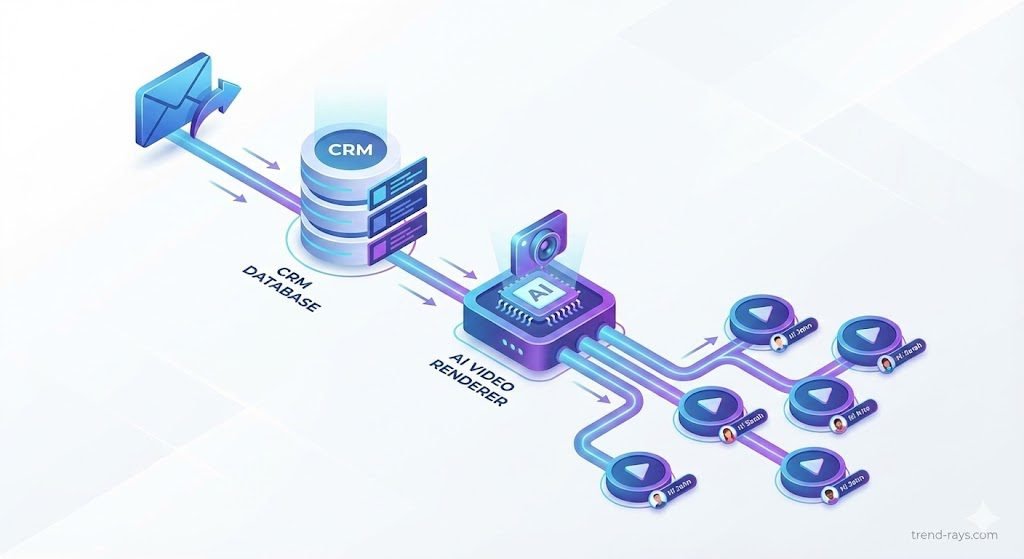
The standard B2B sales process involves a rep recording individual Loom or Vidyard videos for prospects. A good rep might record 20 personalized videos a day. With AI avatar APIs connected to your CRM (like HubSpot or Salesforce), your digital twin can generate 5,000 personalized pitch videos a day. The software automatically swaps out the prospect’s name, company, and specific pain points in the audio and video, sending a completely unique, photorealistic video to every lead in your database while your actual sales team is sleeping.
Converting Website Traffic into Booked Demos
Static text chatbots are ignored by most B2B buyers. Deploying a real-time conversational AI avatar on your pricing page creates a “Virtual Sales Engineer.” When a visitor from Germany lands on your site, the avatar can instantly greet them in flawless German, answer specific technical questions about your software, and directly book a meeting on your calendar, drastically increasing your inbound conversion rates.
Tool-by-Tool Deep Dive: Which Platform Fits Your Business?
Different businesses have entirely different needs. A highly regulated financial firm needs different software than a fast-moving marketing agency. Here is exactly who each tool is built for and how to deploy them.
1. Synthesia: The Enterprise Compliance Engine
Best Business Category: Financial Services, Healthcare, Corporate HR, and Government Agencies. If your business operates in a strict regulatory environment where data privacy (GDPR/SOC 2) is the top priority, Synthesia is the only viable choice. It sacrifices some hyper-creative features in exchange for absolute security and enterprise LMS integrations.
How to Use Synthesia (Step-by-Step Guide):
- Select a Corporate Template: Start by choosing a pre-built layout (e.g., “Quarterly Financial Review” or “Safety Compliance”).
- Cast Your Presenter: Select a professional avatar. For enterprise use, stick to the “Studio” avatars which feature conservative business attire.
- Draft with AI: Paste your PDF compliance manual into the built-in AI assistant. It will summarize the document into a digestible script.
- Add Diction Tags: Use the pronunciation editor to spell out complex industry acronyms (e.g., spelling “SaaS” as “sass” or “CRM” as “C R M”) so the avatar says them flawlessly.
- Export via SCORM: Instead of downloading an MP4, click “Export as SCORM.” Upload this package directly to your company’s Learning Management System (LMS) so HR can legally track which employees completed the training.
2. HeyGen: The Global Sales & Marketing Accelerator
Best Business Category: B2B Sales Teams, Digital Marketing Agencies, and E-commerce Brands. HeyGen is built for aggressive marketing. Its “Instant Avatar” feature—which clones you perfectly from just two minutes of webcam footage—is the best in the industry for personal branding and sales outreach.
How to Use HeyGen for Automated Sales (Step-by-Step Guide):
- Train Your Digital Twin: Record a 2-minute video of yourself looking into your webcam, speaking naturally, and using hand gestures. Upload this to train your custom HeyGen avatar.
- Create the Master Template: Record a generic sales pitch: “Hey [Variable Name], I saw the great work [Variable Company] is doing, and I wanted to reach out…”
- Connect via Zapier: Connect HeyGen to your CRM. Set a trigger: When a new lead downloads our European Market Report -> Send lead data to HeyGen.
- Automate Generation: HeyGen will automatically render a new video of “you” speaking the prospect’s actual name and company.
- Deploy via Email: The personalized video is automatically emailed to the prospect, resulting in drastically higher click-through and reply rates compared to text emails.
3. Colossyan: The Interactive E-Learning Specialist
Best Business Category: SaaS Companies (for user onboarding), Corporate Training Agencies, and Educational Institutions. Standard videos are passive. Colossyan is designed to force the viewer to interact, making it the perfect tool for software companies trying to teach new users how to use their product.
How to Use Colossyan for Interactive Training (Step-by-Step Guide):
- Set Up a Multi-Actor Scene: Colossyan allows multiple avatars on screen at once. Set up an interview-style format where Avatar A asks questions and Avatar B provides the training answers.
- Insert Screen Recordings: Upload a screen recording of your software interface to the background, having the avatar “point” to specific features as they speak.
- Build Branching Scenarios: Insert a pause point in the video timeline. Add a multiple-choice question on the screen (e.g., “What step comes next in the onboarding process?”).
- Create Custom Paths: If the user clicks the wrong answer, route them to a video segment where the avatar corrects them. If they are right, the avatar praises them and moves to the next module.
- Publish: Embed this interactive video player directly into your software’s Help Center.
4. D-ID: The Real-Time Conversational Agent
Best Business Category: Customer Support Centers, Tech Startups, and Live Event Kiosks. D-ID doesn’t focus on pre-recorded videos; it focuses on live interaction. It turns a static image into a moving, talking face that can respond to users in real time.
How to Use D-ID for Website Conversion (Step-by-Step Guide):
- Access the D-ID API: This requires a bit of technical setup. Generate your API keys from the D-ID dashboard.
- Upload a Brand Face: Upload a high-quality static image of your brand’s mascot or a designated spokesperson.
- Connect to an LLM: Route the D-ID API through a Large Language Model (like OpenAI’s GPT-4).
- Feed the Knowledge Base: Upload your company’s FAQs, pricing sheets, and product specs to the LLM so the avatar knows exactly what to talk about.
- Embed the Widget: Place the D-ID video widget on your website. When a user types or speaks a question into their microphone, the avatar processes the text via the LLM and instantly speaks the answer back to them on screen.
How to Create Your First Corporate Training Video (Step-by-Step)
If you are ready to ditch the boring PowerPoint decks, here is exactly how to build your first interactive training module using a platform like Colossyan or Synthesia.
Step 1: Lock in Your Core Script and Messaging
Do not start from scratch. Take your existing training PDFs, SOPs, or slide decks and run them through an AI script generator. Keep the script concise and focused on actionable takeaways. AI presenters do not need to breathe, so be sure to manually insert pauses or punctuation into the text editor so the avatar’s delivery sounds natural.
Step 2: Select an Appropriate Digital Presenter
Choose a digital actor that fits your corporate culture. If it is a serious compliance video on workplace safety, choose a formally dressed avatar. If it is an upbeat sales enablement video, choose a more casual presenter. You can even upload 10 minutes of footage of your actual CEO and create a “Custom Digital Twin” so the CEO can virtually present to every new hire globally.
Step 3: Add Knowledge Checks and Export to Your LMS
Before finalizing the video, drop in screen-recordings of your company software or add relevant B-roll footage. If your platform supports it, insert a multiple-choice knowledge check at the end of the module. Finally, select “Export as SCORM 2004,” download the zip file, and upload it directly into your company’s Learning Management System to start tracking employee completion rates.
Frequently Asked Questions (PAA Optimized)
Can I connect an AI avatar directly to my Enterprise LMS via API?
Yes. While SCORM packages are the standard for static courses, platforms like D-ID and Synthesia offer enterprise REST APIs. This allows your IT team to programmatically generate personalized welcome videos for new hires directly from your LMS or HRIS (like BambooHR) without a human ever logging into the video platform.
How do large organizations manage brand consistency with AI avatars?
Reliable enterprise platforms offer “Brand Kits” and “Workspace Roles.” An LMS administrator can lock the company’s hex codes, fonts, and approved custom avatars (e.g., a digital twin of the actual CEO). This ensures that a junior instructional designer in another country cannot generate a video that violates the corporate brand guidelines.
What is the difference between a professional AI avatar and a deepfake?
The core difference lies in consent and security. A professional B2B AI avatar (created on platforms like Synthesia or HeyGen) is built using licensed digital actors or an employee’s explicit, written consent. The data is secured under strict GDPR compliance. A deepfake is typically created without consent using scraped data, making it highly illegal for commercial or corporate use.
Do AI avatars lower viewer retention in corporate training?
They can, if overused. Current data shows that viewers experience “uncanny valley” fatigue if an AI avatar speaks continuously on screen for more than 3 to 5 minutes. The most effective strategy is to use the digital presenter for short introductions, chapter transitions, and conclusions, while using screen recordings, B-roll, or interactive quizzes for the core instructional content.
Can I create a custom AI avatar of myself for free?
No. While there are free “avatar maker apps” for casual social media use, creating a high-fidelity, lip-syncing digital twin of yourself requires significant computational power. Leading platforms like HeyGen require a paid subscription to unlock the “Instant Avatar” cloning feature, ensuring the final output is high enough quality for commercial sales and marketing.
Are AI avatars SCORM compliant for Learning Management Systems?
The avatars themselves are just video assets, but the platforms that generate them matter. Enterprise-focused tools like Synthesia and Colossyan allow you to export your avatar videos directly as SCORM 1.2 or 2004 packages. This allows your company’s LMS (like SAP Litmos or Workday) to track employee watch times and quiz scores legally.
Conclusion: Future-Proofing Your Corporate Communications in 2026
The era of spending thousands of euros and waiting weeks for a single corporate training video is officially over. For European businesses, the ability to generate secure, GDPR-compliant, and perfectly localized video content on demand is no longer just a neat technological trick—it is a baseline requirement for staying competitive.
Whether you are an HR director needing to roll out mandatory compliance training across four different countries using Synthesia, or a sales leader looking to automate thousands of hyper-personalized outreach videos with HeyGen, the ROI of these platforms is undeniable.
Integrating an AI presenter platform is just one step in building out the ultimate AI tech stack for your small business, allowing you to automate everything from video production to daily admin tasks.
Stop letting language barriers and production bottlenecks slow down your company’s growth. Evaluate your immediate business bottleneck (compliance vs. sales volume), sign up for a free trial of the corresponding platform, and generate your first AI presenter video today.