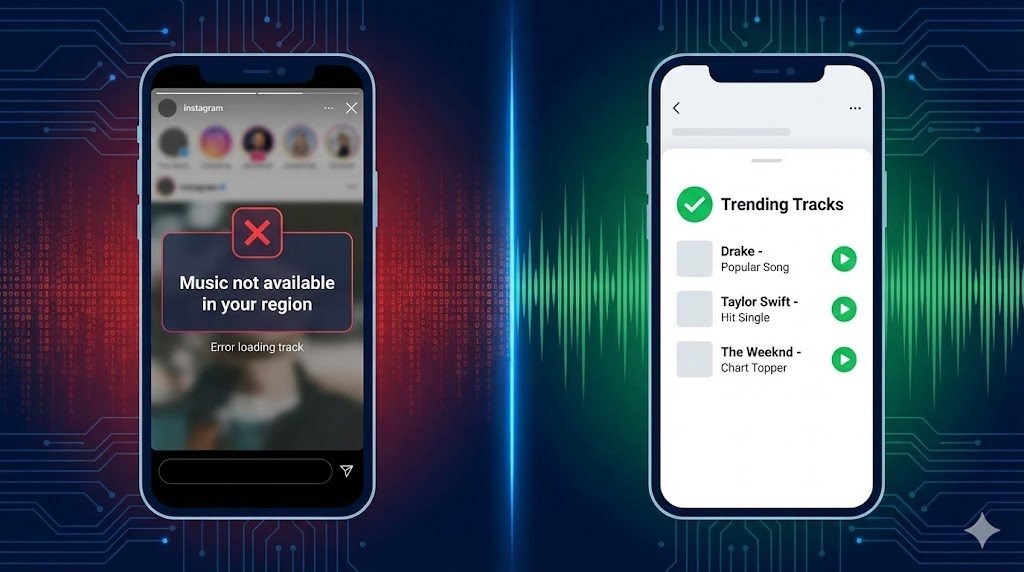
You are trying to add a trending song to your Reel to boost its reach, but you get hit with the error: “This song is currently unavailable” or “Music is not available in your region”. Or perhaps your library is filled with generic, royalty-free elevator music instead of Drake or Arijit Singh.
This is not just a random glitch—it is a calculated restriction by Instagram.
In this deep-dive guide, we explain why this happens (Licensing vs. Account Types) and provide 5 Technical Fixes for Android and iOS to get your music back.
Part 1: The Technical “Why” (Root Causes)
Before you try to fix it, you must know which “ban” you are facing. Instagram restrictions can be annoying, but they are not as severe as WhatsApp bans. If you are facing issues on other meta apps, read our guide on how to unban a WhatsApp number.
- The “Business” License Block:
- Reason: Instagram has separate agreements for “Personal” and “Commercial” use. Record labels (Sony, Universal) do not allow businesses to use their copyrighted hits for free ads. If you have a “Business” account, you are legally blocked from 90% of popular songs.
- The “Region” Lock (Geo-Blocking):
- Reason: Music rights are sold by country. If you are traveling (e.g., to the Middle East or parts of Asia) or using a VPN, Instagram detects your IP and hides songs that aren’t licensed in that specific territory.
- The “Cache Corruption” (Device Fault):
- Reason: Instagram stores temporary data (cache) to load faster. If this data gets corrupted during an update, the “Music Sticker” API fails to connect to the server, showing an empty library.
Part 2: The Account-Level Fixes (Most Common)
Method 1: The “Creator” Switch (100% Success Rate)
This is the only way to keep your insights/analytics while unlocking the full music library. Switching to a Creator account is safer for music. You can still add a professional contact link using our WhatsApp Link Generator for Instagram Bio.
- Go to Instagram Profile > Menu (≡).
- Select Settings and privacy > Business tools and controls.
- Tap Switch account type > Select Switch to Creator account.
- Why this works: “Creators” are considered individuals, not corporations, so Instagram grants them the “Personal” music license.
Method 2: The “Category” Hack (For Local Businesses)
If you must keep a Business account (e.g., for the “Book Now” button), you can trick the bot.
- Go to Edit Profile > Category.
- Change your category to “Entrepreneur” or “Community”.
- Wait 72 hours. This forces Instagram to re-categorize your profile as “low risk” for copyright.
Part 3: The Device-Level Fixes (Android vs. iOS)
If your account is fine but the music is still missing, your app data is corrupted. The fix is different for iPhone and Android.
Option A: For Android Users (Clear Cache)
Android allows you to wipe temporary files without deleting the app.
- Open Phone Settings > Apps > Instagram.
- Tap Storage & Cache.
- Tap Clear Cache (Do NOT tap “Clear Data” unless you want to log out).
- Force Stop the app and restart it.
Option B: For iPhone (iOS) Users (The “Offload” Trick)
iPhones do not have a “Clear Cache” button. You must “Offload” the app to refresh system files.
- Go to Settings > General > iPhone Storage.
- Scroll down to Instagram.
- Tap Offload App (This deletes the app code but keeps your login/drafts safe).
- Tap Reinstall App. This downloads a fresh, bug-free copy of the music library code.
Part 4: The “Original Audio” Backdoor
If a specific song says “Unavailable in your region”, use this loophole to force it.
- Find a Reel from another user that is already playing the song you want.
- Tap the Audio Name (scrolling text at the bottom left).
- Tap Use Audio.
- Since you are “remixing” existing audio rather than searching the library, this often bypasses the search bar filter.
If you can’t find the song you want, try creating your own original audio or voiceover using a tool like Voloco. Check out the best Voloco auto-tune settings to sound professional.
Part 5: 2026 Trending Audio List (Bonus)
Once your music is back, use these top trending audios to gain views this week:
- “Just a Dream” (Sped Up) – Best for travel transitions.
- “Corporate Life” (Voiceover) – Trending for business/humor.
- “Golden Hour” (Instrumental) – High retention for tutorials.
FAQ (Frequently Asked Questions)
Q: Why does my Instagram say “Music is not available in your region”? A: This indicates your IP address is in a country where Instagram does not have music rights (e.g., some parts of UAE/China) or you have a VPN turned on. Turn off your VPN to fix it.
Q: Will switching to a “Creator” account remove my detailed analytics? A: No. Creator accounts have almost the exact same insights (Reach, Engagement, Saves) as Business accounts. You only lose specific “Shop” buttons meant for e-commerce brands.
Q: I fixed the account type, but the music is still missing. Why? A: Account changes can take up to 72 hours to propagate through Instagram’s servers. If it’s not instant, wait 3 days or try “Offloading” the app (Method 3B) to force a refresh.