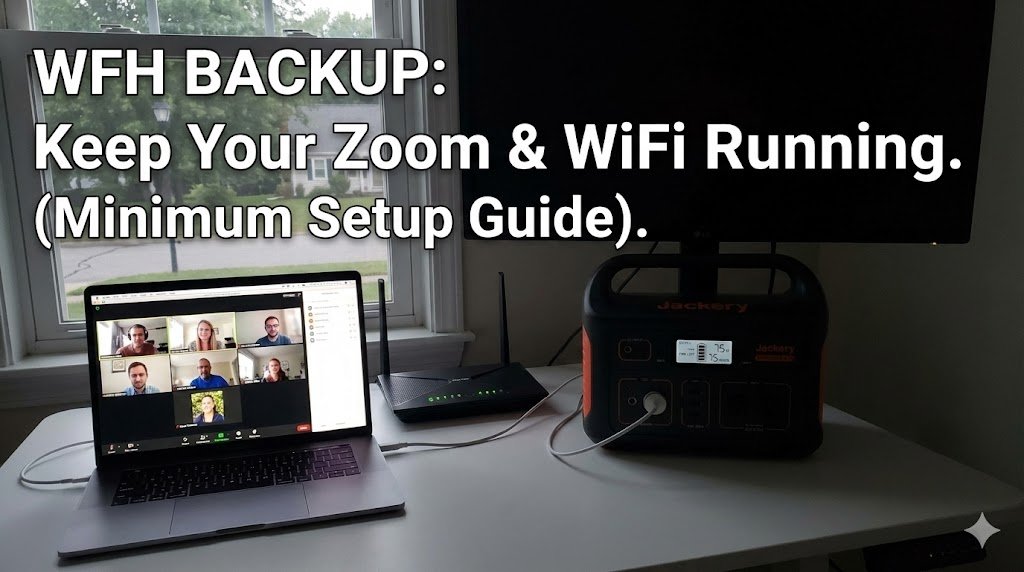
Intro: Your power flickers. The lights go out. And your Zoom call drops. For remote workers, a blackout isn’t just an inconvenience; it’s a career risk. You don’t need a $1,000 generator to solve this. You just need to keep two things alive: The Router and The Laptop. Here is the math on the smallest, cheapest setup that actually works.
1. The Power Budget (The Math)
- WiFi Router: Uses ~10-15 Watts.
- Laptop (MacBook/Dell): Uses ~45-60 Watts (while charging).
- Total Load: ~70 Watts per hour.
2. The “8-Hour Shift” Rule
To work a full day without grid power, you need: 70 Watts x 8 Hours = 560Wh Capacity
- The Perfect Size: Look for a 500Wh – 700Wh unit.
- Our Pick: The Jackery Explorer 500 or EcoFlow River 2 Max. Anything larger is overkill; anything smaller won’t last until 5 PM.
3. The “UPS” Feature (Crucial for WiFi)
You want a unit with <30ms EPS/UPS Switchover.
- How it works: Plug the battery into the wall, and plug your router into the battery. When the power cuts, the battery takes over instantly. You won’t even disconnect from the VPN.
- Note: Anker and EcoFlow are great at this. Check our Troubleshooting Guide if your UPS mode isn’t kicking in.
4. Don’t Forget the Internet Source
If the power outage is neighborhood-wide, your ISP (Comcast/Spectrum) might be down too.
- The Fix: Have a mobile hotspot ready, or ensure you can tether 5G from your phone. Your power station can keep your phone charged for weeks.
Going Camping? The same 500Wh unit that saves your job can also run a CPAP machine for a weekend trip. See our CPAP Camping Guide to double the utility of your purchase.