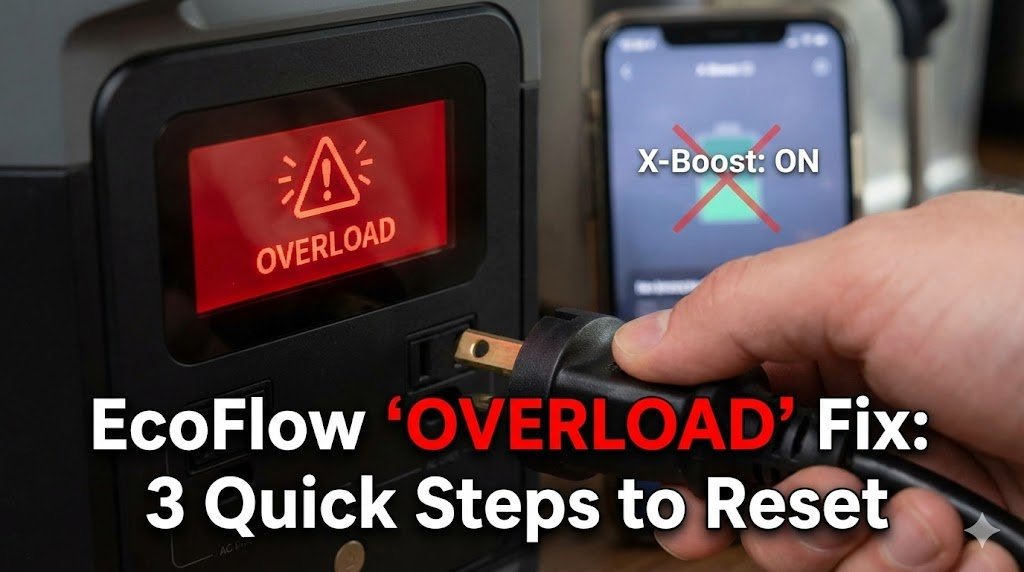
You plugged in your coffee maker, heard a sharp click, and now your EcoFlow screen is flashing a red “OVERLOAD” warning. Your first thought: Did I just fry my expensive power station?
Probably not. EcoFlow units (especially the Delta 2 and River 2 series) are equipped with highly sensitive Battery Management Systems (BMS). They are designed to shut down immediately to protect the internal inverter from “Surge Power” spikes. In most cases, a hidden app setting called X-Boost is actually causing the crash.
Before you contact customer support or assume your unit is broken, follow these three steps to clear the error. If you are in a rush, use the quick diagnostic cheat sheet below to identify your specific problem.
If your unit is faulty, check out our Anker vs EcoFlow Comparison to see if switching brands is right for you.
EcoFlow Overload Diagnostic Cheat Sheet
| Error Trigger | Likely Cause | The Quick Fix | Time to Fix |
| Happened immediately upon plugging in | Inverter tripped by high Starting Watts | Unplug device, turn AC Power OFF for 10s, then ON. | 30 Seconds |
| Happens with heating appliances (Coffee, Microwaves) | Device incompatible with low voltage | Open EcoFlow App -> AC Settings -> Turn OFF X-Boost. | 1 Minute |
| Physical button popped out (Older Delta Models) | Physical breaker tripped | Push the Overload Protection button back in. | 10 Seconds |
| Keeps happening after X-Boost is OFF | Device Surge exceeds battery limit | You need a larger power station (e.g., Delta Pro). | N/A |
Step 1: The Physical Reset (Do This First)
Before messing with the app, clear the immediate error.
- Unplug Everything: Remove all cables from the AC outlets.
- The “Pop-Out” Button: On older models (Delta 1300), check the side for a physical “Overload Protection” switch that popped out. Push it back in.
- The Power Cycle: On newer models (Delta 2 / River 2), turn the AC Power Button OFF, wait 10 seconds, and turn it back ON.
Step 2: The “X-Boost” Trap (The #1 Cause)
EcoFlow’s “X-Boost” feature lowers the voltage to run high-wattage devices.
- The Problem: Some devices (like Nespresso machines or microwaves with digital screens) hate low voltage. They detect “bad power” and trip the EcoFlow’s safety sensor.
- The Fix:
- Open the EcoFlow App.
- Go to Settings > AC Settings.
- Toggle OFF “X-Boost”.
- Try the appliance again.
Step 3: The “Starting Watts” Reality Check
If X-Boost is off and it still fails, you are likely exceeding the Surge Limit.
- Example: A 1500W air compressor might need 3000W for 0.5 seconds to start.
- The Check: Look at the “Surge” rating in your manual.
- Delta 2: 2700W Surge.
- River 2 Pro: 1600W Surge.
- Solution: You need a bigger battery.
Pro Tip: If you frequently hit “Overload,” your battery is too small for your needs. Check our guide on How Long a 1000Wh Battery Runs Appliances to size your next unit correctly.
Why Does the EcoFlow Overload Error Actually Happen?
To prevent frying your power station, your EcoFlow is equipped with a highly sensitive Battery Management System (BMS). When the BMS detects a power draw that threatens the internal inverter or battery cells, it instantly cuts the power and throws the “Overload” error.
Here are the three scientific reasons this safety mechanism triggers:
- The “Starting Watts” Spike (Surge Power): Every appliance has two power ratings: Running Watts and Starting Watts. A refrigerator might only take 600W to run, but the compressor requires a massive 1,800W surge for a fraction of a second to start up. If that microscopic surge exceeds your EcoFlow’s maximum surge limit (e.g., 2700W on the Delta 2), the inverter trips immediately.
- The Pure Sine Wave Conflict (The X-Boost Problem): EcoFlow’s X-Boost feature works by artificially lowering the voltage to keep high-wattage devices running under the wattage limit. However, appliances with digital microprocessors (like modern coffee makers, microwaves, or CPAP machines) require a perfect, uncompromised “Pure Sine Wave” to function. When they receive lowered voltage, they malfunction, causing the EcoFlow to abort the power delivery.
- Thermal Overload (Heat Buildup): If you are running your power station near its maximum continuous output for a long time (e.g., pulling 1700W out of an 1800W max unit), the internal inverter generates massive amounts of heat. If the internal cooling fans cannot expel the heat fast enough, the BMS will trigger an overload shutdown to prevent the internal wires from melting.
How to Prevent EcoFlow Overloads in the Future
Once you have reset your unit, use these best practices to ensure you don’t trip the inverter again when off-grid or during a power outage.
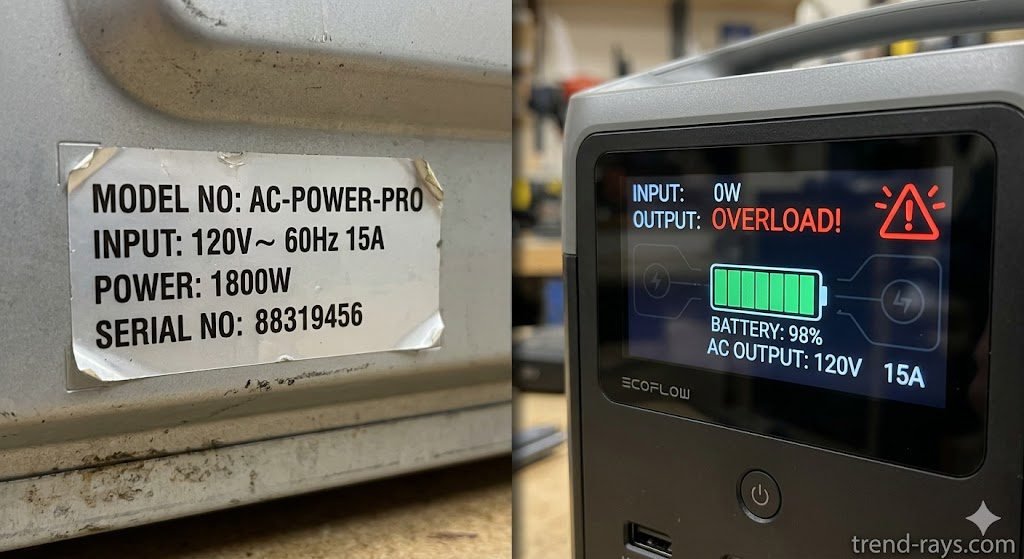
1. Calculate the “Rule of Double” for Motorized Appliances If you are plugging in anything with a motor, compressor, or heating element (like a portable AC, fridge, or space heater), assume the Starting Watts will be double the listed Running Watts. Always check the manufacturer’s sticker on the back of your appliance before plugging it into your River 2 or Delta.
2. Stagger Your Heavy Loads Never plug in two high-draw appliances at the exact same time. If you need to run a portable fridge and a microwave, let the fridge’s compressor kick on and settle into its normal running wattage before you hit start on the microwave.
3. Keep Your Firmware Updated EcoFlow frequently releases over-the-air (OTA) updates to their Battery Management System via the mobile app. Many of these updates specifically adjust the sensitivity of the overload sensors. Always ensure your unit is running the latest firmware to prevent false “Overload” alarms.
4. Give the Unit Room to Breathe Never operate your EcoFlow while it is sitting inside a tightly packed car trunk or a zipped-up carrying bag. Ensure there is at least 6 inches of clearance around the side cooling fans so the unit doesn’t trigger a thermal overload.
The “Hidden Wattage” Cheat Sheet: Common Appliances That Trigger Overloads
Most people look at the running wattage on the box and assume their power station can handle it. However, appliances with compressors, pumps, or massive heating elements require a massive surge of electricity just to turn on.
If your EcoFlow River 2 or Delta 2 is repeatedly crashing, check this table to see the true power your appliance is demanding:
| Appliance Type | Average Running Watts | Hidden “Starting” Watts (Surge) | Can a Delta 2 Handle It? |
| Portable Air Conditioner (8,000 BTU) | 800W | 2,200W | Yes (Barely) |
| Microwave (1000W Output) | 1,500W | 2,000W | Yes |
| Full-Size Refrigerator | 400W | 1,200W | Yes |
| Air Compressor (1 HP) | 1,200W | 3,000W+ | No (Will Overload) |
| Space Heater (On High) | 1,500W | 1,500W (No motor = no surge) | Yes |
| Sump Pump (1/2 HP) | 1,000W | 2,100W | Yes |
| Blender (Heavy Duty) | 800W | 1,500W | Yes |
The “Rule of Double” for Off-Grid Planning
If you are planning a camping trip or preparing for a power outage, you cannot afford to have your power station fail. Before you pack your appliances, use the Rule of Double:
If an appliance has a motor or a compressor (like a fridge, fan, or AC unit), look at the standard wattage and multiply it by two. If that doubled number exceeds your EcoFlow’s maximum surge limit (2700W for the Delta 2, 600W for the River 2), leave that appliance at home or upgrade to a larger unit like the EcoFlow Delta Pro.
Pro-Tip: Buy a Kill A Watt Meter
If you are unsure exactly what your appliances draw, don’t use your expensive EcoFlow as a testing dummy. Purchase a cheap “Kill A Watt” meter from Amazon. Plug it into your wall outlet, plug your appliance into the meter, and turn it on. The meter will read exactly how many starting watts the appliance spikes to, so you know with 100% certainty if your power station is safe to use.