Introduction
You didn’t become a Speech-Language Pathologist to spend your evenings drowning in paperwork. But for many private practice SLPs, the “clinical hour” is followed by the “documentation hour.”
What if you could cut that time in half?
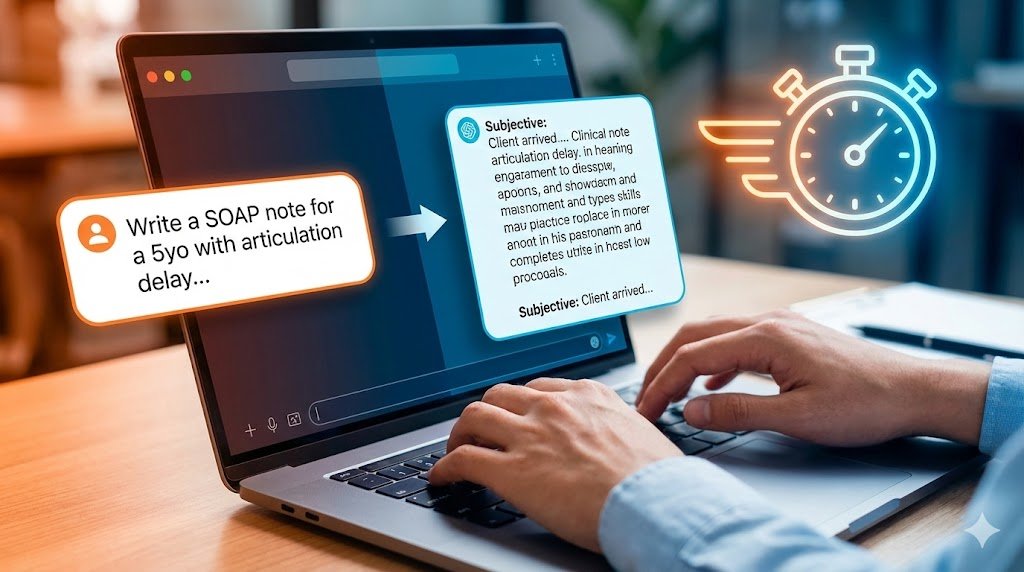
Artificial Intelligence (AI) and tools like ChatGPT can act as your personal administrative assistant. They can take your raw observations and format them into professional, insurance-ready SOAP notes in seconds.
In this guide, we will cover how to use AI safely to reclaim your evenings, including 10 copy-paste prompts you can use today.
The Golden Rule: HIPAA & Anonymity
STOP! Read this before opening ChatGPT.
Most public AI tools (like the free version of ChatGPT) are not inherently HIPAA compliant. Any data you feed them is used to train their models.
The Rule: Never, under any circumstances, input a client’s Personally Identifiable Information (PII).
- BAD: “Write a note for John Smith, DOB 05/12/2018…”
- GOOD: “Write a note for a 7-year-old male client…”
Treat the AI like a stranger in a coffee shop. Give them the context, but never the identity.
The Prompts: From Raw Data to Polished Note
Here are specific prompts to handle each section of your SOAP note.
1. The “Subjective” Section (The Mood & Behavior)
Best for: When you’re too tired to think of professional synonyms for “tired” or “cranky.”
Prompt:
“I need a Subjective section for a SOAP note. The client (age 5, ASD) arrived 5 minutes late. Parent reported poor sleep last night. Client was dysregulated initially but calmed down with sensory support. Use professional clinical language.”
Why this works: It takes “cranky kid” and turns it into “client required sensory regulation strategies to achieve baseline alertness.”
2. The “Objective” Section (Data Formatting)
Best for: Turning messy tallies into clean sentences.
Prompt:
“Turn this raw data into a narrative Objective section: Goal: /r/ in initial position at sentence level. Data: 15/20 correct with minimal verbal cues. Goal: answering WH- questions after short story. Data: 4/5 correct with visual cues.”
Why this works: It writes the sentences for you: “Client achieved 75% accuracy for /r/ phoneme production in the initial position at the sentence level with minimal verbal cues.”
3. The “Assessment” Section (Analysis)
Best for: Synthesizing why the client performed that way.
Prompt:
“Write a brief Assessment statement based on this session: The client showed fatigue today which impacted their articulation accuracy compared to last week (which was 90%). However, their motivation remained high. Suggest that fatigue was a primary factor.”
4. The “Plan” Section (Next Steps)
Best for: Generating ideas for next week.
Prompt:
“Based on the client’s struggle with /r/ blends today, suggest 3 distinct activities for the next session that target /r/ blends in a play-based format for a 7-year-old. Also, write the ‘Plan’ sentence for the note.”
Bonus: 3 “Magic” Prompts for Busy SLPs
1. The “Jargon Translator” (For Parents) Use this to write emails to parents that explain complex terms.
Prompt: “Explain ‘phonological processes’ to a parent of a 4-year-old in one simple, encouraging paragraph. Avoid heavy jargon.”
2. The Goal Generator Stuck on writing a SMART goal?
Prompt: “Write a SMART goal for a client with a lisp (interdental /s/) who needs to work on conversation level. Make it insurance-friendly.”
3. The Session Summary (For Insurance)
Prompt: “Summarize these 4 weeks of progress notes into a brief monthly summary paragraph for an insurance progress report. [Paste anonymized notes here].”
Conclusion: AI is the Assistant, You are the Expert
AI cannot replace your clinical judgment. It doesn’t know your client’s personality or the nuance of their progress. But it can handle the boring formatting work that drains your energy.
Use these prompts to get your draft done 10x faster, then use your expertise to edit and finalize.
Looking for a tool that listens to your session and writes the note automatically? Check out our review of the Best AI Scribe Tools for SLPs.