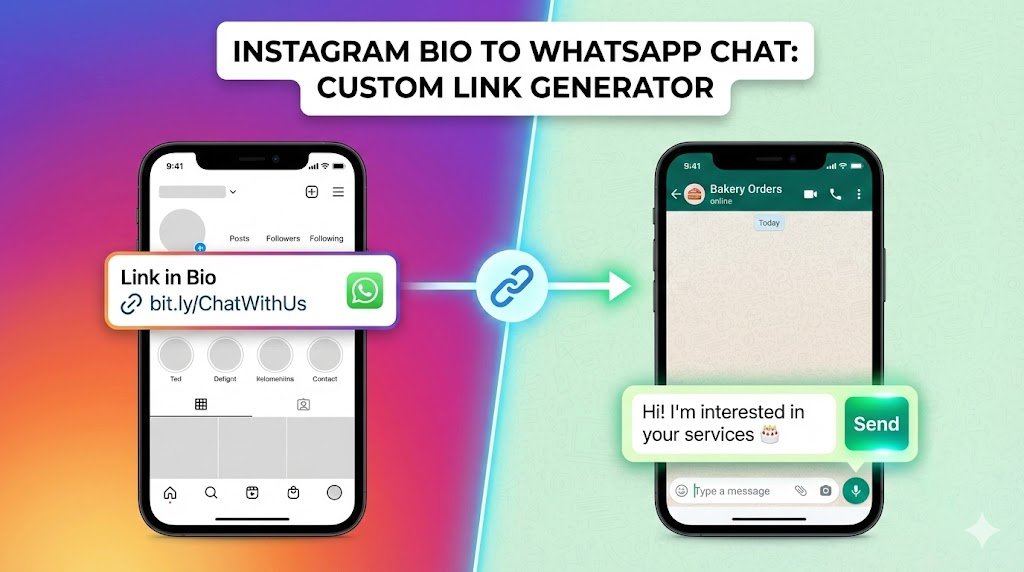
If you run a business or creator account on Instagram, your “Link in Bio” is your most valuable real estate.
You don’t want to just send people to a homepage. You want them to talk to you. A direct WhatsApp link (wa.me) cuts the friction. One tap, and your customer is in your DMs.
But here is the pro trick: Don’t just open the chat. Pre-fill the message for them. Instead of a blank screen, the customer sees: “Hello! I’m interested in your services.” All they have to do is hit Send.
In this guide, we’ll show you how to generate these smart links, how to shorten them for your Bio, and a free tool to do it instantly.
🛠️ Free Tool: WhatsApp Link Generator
Use our instant WhatsApp Link generator below to create your link.
🚀 WhatsApp Bio Link Creator
Method 1: The Manual Way (Understanding the Code)
If you want to understand how the magic works, here is the formula WhatsApp uses.
The Basic Format: https://wa.me/YourNumber
The “Magic” Format (With Text): https://wa.me/YourNumber?text=YourMessage
The Rules of the URL:
- No Special Characters in Number: Use
919876543210. Do not use+91-987.... - Encoding Spaces: You cannot put “spaces” in a browser link. You must replace every space with
%20.- Normal:
Hello World - Encoded:
Hello%20World
- Normal:
Example: To say “Hi Trend Rays”, the link is: https://wa.me/919876543210?text=Hi%20Trend%20Rays
Method 2: Making it “Clickable” on Instagram
A raw wa.me link looks ugly and suspicious in a Bio. Here is how to clean it up.
Step 1: Shorten It
Take the long link generated by our tool above and paste it into a URL shortener like Bit.ly or TinyURL.
- Before:
https://wa.me/919876543210?text=Hi%20I%20want%20to... - After:
bit.ly/ChatWithUs
Step 2: Add to Instagram
- Open Instagram and go to your Profile.
- Tap Edit Profile.
- Tap Links > Add external link.
- Paste your short link in the URL field.
- In the Title field, write something actionable like “Chat on WhatsApp”.
💡 Pro Tip: Where else to use this link?
Once you have this magic link, don’t just leave it on Instagram.
- Facebook Intro: Add it as your primary website.
- YouTube Descriptions: Put it at the top of your video descriptions (“Order here: [Link]”).
- Google Maps: Add it to your Google Business Profile under “Appointment Link”.
Frequently Asked Questions
Q: Can I track who clicks the link? A: Yes! If you use Bit.ly, it will show you exactly how many people clicked your WhatsApp link. This is great for seeing if your Instagram traffic is actually converting.
Q: Does this work for WhatsApp Business? A: Yes, it works for both Personal and Business WhatsApp apps.
Q: What if I want to message someone else without saving their number? A: That’s a different trick! If you want to start a chat instantly without saving a contact, check our guide on How to Message on WhatsApp Without Saving Number.
🚀 Improve Your Instagram Game
Now that your bio is optimized for sales, keep your content sharp.
- Spy on Competitors: Learn [How to View Instagram Stories Anonymously] to see what your rivals are posting.
- Viral Content: Found a great Reel? Learn How to Repost a Reel on Instagram Story correctly to boost engagement.
- Optimizing your bio is just the first step. If you are struggling to add trending songs to your content, check our guide on how to fix Instagram music not available in your region.