
School administrators have never had more responsibilities.
On any given day, a principal, vice principal, registrar, admissions coordinator, or school office administrator may find themselves responding to dozens of emails, preparing reports, coordinating staff meetings, communicating with parents, reviewing policies, managing attendance, updating documentation, planning events, and solving unexpected issues—all while trying to support students and teachers.
Much of this work is repetitive, time-consuming, and administrative.
Yet despite significant advances in educational technology, many schools still rely on manual processes for tasks that consume hours every week.
This is where artificial intelligence (AI) is beginning to make a meaningful difference.
Contrary to popular belief, AI is not about replacing teachers or administrators. Instead, it helps automate repetitive writing tasks, organize information, summarize long documents, generate first drafts, and streamline everyday administrative workflows.
For school leaders, this means spending less time formatting documents and more time focusing on students, staff, and strategic decision-making.
Whether you’re leading a small private school, managing operations in a large public district, coordinating admissions, or supporting a busy school office, AI can become a practical assistant that improves productivity without requiring you to replace the systems your school already uses.
In this comprehensive guide, you’ll learn:
- Which school administration tasks AI can realistically automate
- How principals and administrators are using AI to reduce administrative workload
- The best workflows for emails, reports, meetings, scheduling, and documentation
- Common mistakes to avoid when introducing AI into school operations
- Privacy and security considerations for educational environments
- Practical prompts that save time on everyday administrative tasks
- How to implement AI responsibly while keeping human judgment at the center of every decision
Rather than focusing on software sales or unrealistic promises, this guide provides practical strategies that school administrators can begin applying immediately using the tools they already have.
Why School Administrators Are Turning to AI
School administration has changed dramatically over the past decade.
Today’s administrators are expected to manage increasing amounts of documentation, communicate with more stakeholders, comply with evolving regulations, oversee technology initiatives, support staff wellbeing, analyze student data, and respond quickly to changing circumstances.
The result is a growing administrative burden that often leaves little time for instructional leadership.
Many school leaders report that routine office work—including drafting emails, preparing meeting agendas, summarizing policies, writing reports, and organizing documentation—consumes a significant portion of their working week.
AI offers an opportunity to reduce this burden.
Instead of replacing professional expertise, it can assist with repetitive tasks such as:
- Drafting parent newsletters
- Creating meeting agendas
- Summarizing lengthy policy documents
- Preparing first drafts of announcements
- Organizing administrative notes
- Generating template-based communications
- Brainstorming event ideas
- Producing checklists and planning documents
- Improving the clarity and professionalism of written communication
These are tasks that require time but often follow predictable patterns—making them well suited to AI assistance.
The goal is simple:
Spend less time on repetitive administration and more time leading the school community.
The Biggest Time Wasters in School Administration

Before exploring how AI can improve school operations, it’s important to understand where administrators spend most of their time.
Many school leaders don’t actually have a “technology problem.” They have a workflow problem.
Throughout a typical week, dozens of small administrative tasks accumulate into hours of repetitive work.
Some tasks require professional judgment and should always remain under human control. Others involve repetitive writing, organization, formatting, or summarization—areas where AI can significantly improve efficiency.
Below are some of the most common administrative responsibilities that consume valuable time.
| Administrative Task | Typical Time Required | Can AI Assist? |
|---|---|---|
| Responding to emails | 1–2 hours/day | ✅ Yes |
| Writing parent communications | 2–5 hours/week | ✅ Yes |
| Preparing meeting agendas | 1–2 hours/week | ✅ Yes |
| Summarizing meeting notes | 2–4 hours/week | ✅ Yes |
| Drafting school policies | Several hours | ✅ Yes (drafting only) |
| Staff announcements | 1–3 hours/week | ✅ Yes |
| Student handbook updates | Several hours | ✅ Yes |
| Event planning checklists | 1–2 hours/event | ✅ Yes |
| Routine report writing | Several hours | ✅ Yes |
| Strategic decision-making | Varies | ❌ Human responsibility |
| Student discipline decisions | Varies | ❌ Human responsibility |
| Staff evaluations | Varies | ⚠️ AI can assist with formatting only |
Notice a pattern.
The tasks best suited for AI are generally those involving writing, organizing, summarizing, and formatting—not those requiring educational leadership, ethics, or professional judgment.
Understanding this distinction is essential for implementing AI responsibly in schools.
What AI Can — and Cannot — Do in School Administration
One of the biggest misconceptions about AI is that it can replace administrative decision-making.
It cannot.
Artificial intelligence works best as an administrative assistant, not as a school leader.
Think of AI as the colleague who helps prepare documents, organize information, and draft communications—but never makes the final decision.
Tasks AI Can Assist With
AI performs particularly well when the work follows predictable patterns.
Examples include:
Writing Administrative Emails
Instead of spending fifteen minutes rewriting the same reminder email, administrators can ask AI to create a professional first draft.
Examples include:
- Parent reminders
- Staff announcements
- Event notifications
- Schedule updates
- Holiday communications
- Policy reminders
Summarizing Long Documents
Schools regularly work with lengthy documents such as:
- Government circulars
- District guidelines
- Curriculum updates
- Board meeting minutes
- Inspection reports
- Vendor proposals
AI can summarize these documents into concise action points, making them easier for busy administrators to review.
Creating School Documents
AI can generate structured drafts for:
- Meeting agendas
- Event plans
- Staff checklists
- Volunteer instructions
- Emergency communication templates
- Parent newsletters
- Professional development schedules
Rather than starting from a blank page, administrators begin with a well-organized draft that they can review and customize.
Brainstorming Ideas
AI can also support creative administrative work.
Examples include:
- School event themes
- Assembly topics
- Student engagement campaigns
- Staff appreciation initiatives
- Fundraising ideas
- Community outreach programs
These tasks benefit from brainstorming rather than factual decision-making, making AI a useful creative assistant.
Tasks That Should Always Remain Human-Led
While AI is an excellent productivity tool, certain responsibilities should never be delegated to automated systems.
These include:
Student Discipline
Disciplinary decisions require context, fairness, empathy, and professional judgment.
AI cannot understand the unique circumstances behind student behavior or the broader school environment.
Staff Performance Evaluations
AI can help organize notes or improve writing quality, but it should never determine an employee’s performance or professional development needs.
Those decisions require direct observation and leadership experience.
Safeguarding and Student Welfare
Concerns involving student safety, wellbeing, or child protection demand human oversight and should always follow established school procedures.
AI should never replace trained professionals in these situations.
Legal and Compliance Decisions
Educational regulations vary across countries, states, and school systems.
AI can summarize publicly available guidance, but it should not be relied upon for legal interpretation or compliance decisions.
Budget Approval
AI may assist with organizing financial information or drafting reports, but allocating school funds remains a leadership responsibility.
Financial decisions should always be reviewed through established governance processes.
The AI Mindset Shift: Don’t Replace Your Software—Enhance It
One of the biggest misconceptions surrounding AI adoption in schools is the belief that administrators need to replace their existing systems.
In reality, the opposite is often true.
Most schools already use a combination of platforms for:
- Student information
- Attendance
- Learning management
- Calendars
- Document storage
- Communication
- Payroll
- Finance
AI doesn’t necessarily replace these systems.
Instead, it works alongside them.
For example:
Instead of replacing your email platform…
Use AI to draft clearer parent communications.
Instead of replacing your document editor…
Use AI to improve grammar and readability.
Instead of replacing your meeting process…
Use AI to summarize discussion points and organize action items.
Instead of replacing your planning documents…
Use AI to generate the first draft, then refine it using your school’s policies and procedures.
This approach allows schools to improve productivity without disrupting existing workflows or making expensive technology changes.
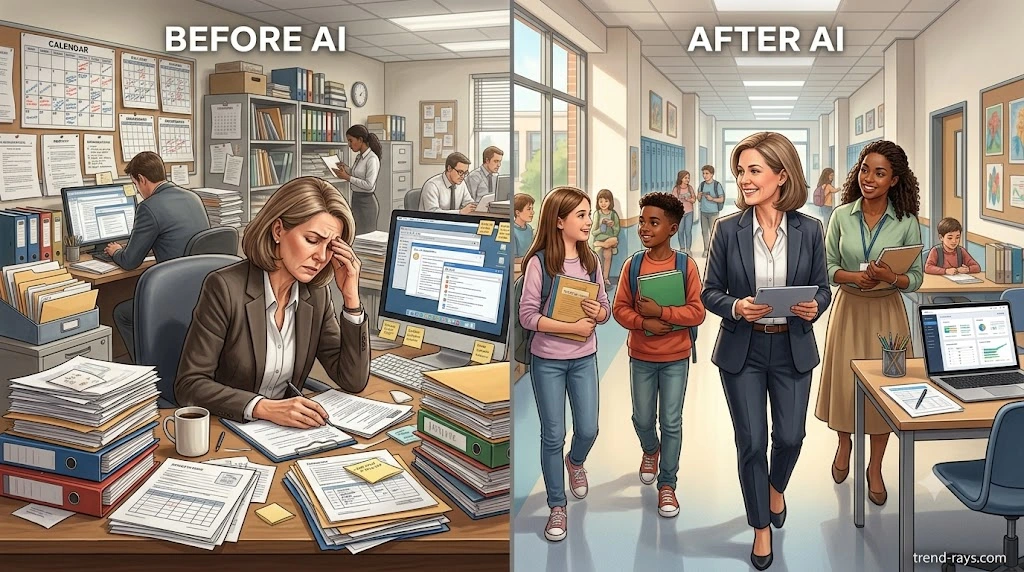
A Typical School Administrator’s Day: Before and After AI
To better understand AI’s practical value, consider a simplified example.
Before AI
An administrator arrives at school and spends the day:
- Answering repetitive emails
- Drafting a parent newsletter
- Preparing tomorrow’s meeting agenda
- Summarizing a district policy update
- Creating an event checklist
- Writing reminders for teachers
- Organizing meeting notes
By the end of the day, several hours have been spent producing documents rather than leading people.
After Introducing AI
The same administrator:
- Uses AI to draft routine emails.
- Generates a meeting agenda in minutes.
- Summarizes a lengthy policy update into key action points.
- Creates an event planning checklist.
- Refines a parent newsletter drafted by AI.
- Produces staff reminders using reusable prompts.
The administrative workload becomes lighter—not because responsibilities disappear, but because repetitive writing tasks require less manual effort.
This shift allows administrators to dedicate more time to classroom visits, teacher support, student engagement, strategic planning, and community relationships—the aspects of leadership that benefit most from human interaction.
Internal Reading Recommendation
If your school is beginning to explore AI, one of the first priorities should be establishing responsible data-handling practices.
Before using AI with any school-related information, it’s worth understanding what AI tools can and cannot do with the information you provide, how to minimize unnecessary data sharing, and why anonymization matters when working with sensitive documents.
This principle is just as important in education as it is in healthcare or client-based work, and following it helps schools adopt AI more responsibly from the beginning.

How School Administrators Can Use AI in Everyday Workflows
Most discussions about AI in education focus on technology itself.
The better question is:
“Which daily administrative tasks consume the most time, and how can AI help complete them more efficiently?”
Instead of thinking about AI as another piece of software, think of it as a productivity assistant that helps with repetitive writing, organization, brainstorming, and summarization.
The following workflows represent some of the highest-impact areas where school administrators can save time without changing their existing systems.
Workflow 1: Writing Professional Parent Communications
Parent communication is one of the most frequent responsibilities in any school.
Whether it’s notifying parents about upcoming events, attendance concerns, schedule changes, or policy updates, administrators often spend hours drafting messages that follow similar structures.
AI can dramatically reduce the time required to prepare these communications while maintaining a professional tone.
Common Parent Communications
Schools regularly send messages regarding:
- Holiday announcements
- School closures
- Examination schedules
- Attendance reminders
- Fee payment reminders
- Parent-teacher meetings
- Event invitations
- Emergency notifications
- Transportation updates
- Student achievements
Rather than writing each email or letter from scratch, administrators can create a structured first draft with AI and then review it for accuracy before sending.
Example
Instead of spending 20 minutes writing this:
Dear Parents,
This is to inform you that due to the upcoming teacher training workshop…
An administrator can provide AI with the essential details and receive a polished draft in seconds, then personalize it according to the school’s communication standards.
Best Practices
Always ensure:
- Dates are accurate.
- Times are verified.
- Contact information is correct.
- School-specific policies are reflected.
- Final approval is completed by a staff member.
AI should assist with writing—not with distributing unverified information.
Workflow 2: Preparing Staff Meeting Agendas
Weekly meetings often require administrators to spend valuable time organizing discussion points.
Instead of manually formatting agendas, AI can quickly organize topics into a professional structure.
Typical Meeting Agenda
A school leadership meeting may include:
- Student attendance review
- Academic performance updates
- Upcoming examinations
- Staff development activities
- Infrastructure maintenance
- Parent engagement
- Safety updates
- Event planning
Provide AI with these topics, and it can organize them into a clear agenda with estimated discussion times and logical sequencing.
This helps meetings begin with a structured plan while allowing administrators to focus on decision-making rather than formatting.
Workflow 3: Summarizing Long Government Circulars
School administrators regularly receive lengthy documents from:
- Education departments
- Examination boards
- School districts
- Accreditation agencies
- Government ministries
- Regulatory authorities
These documents often span dozens of pages.
Reading every line immediately isn’t always practical.
AI can assist by identifying:
- Key deadlines
- Policy changes
- Required actions
- Compliance requirements
- Important dates
- Stakeholder responsibilities
Rather than replacing the official document, AI creates a concise summary that helps administrators identify priorities before reading the full guidance.
Workflow 4: Creating School Event Planning Checklists
Every school event involves dozens of moving parts.
Whether organizing an annual function, sports day, science fair, graduation ceremony, or parent orientation, administrators often recreate similar planning documents.
AI can generate structured planning checklists in minutes.
Example Sections
- Venue preparation
- Budget planning
- Vendor coordination
- Student participation
- Teacher assignments
- Parent communication
- Safety arrangements
- Photography and media
- Transportation
- Cleanup responsibilities
Instead of overlooking important tasks, administrators begin with a comprehensive checklist that can be customized for each event.
Workflow 5: Writing School Policies and Procedures
Schools frequently update documents such as:
- Visitor policies
- Attendance procedures
- Mobile phone guidelines
- Staff conduct expectations
- Classroom technology policies
- Emergency procedures
- AI usage policies
- Digital citizenship guidelines
AI can generate an initial framework that administrators review, edit, and align with local regulations and school values.
It should never replace legal review or policy approval but can significantly reduce drafting time.
Workflow 6: Preparing Weekly Administrative Reports
Reporting is another repetitive responsibility.
Administrators may prepare reports covering:
- Attendance trends
- Enrollment updates
- Facility maintenance
- Event outcomes
- Staff meetings
- Budget summaries
- Academic performance
- School improvement initiatives
Instead of formatting reports from scratch each week, AI can transform raw notes into organized sections with clear headings and consistent formatting.
This makes reports easier to read while reducing repetitive editing.
Workflow 7: Organizing Daily Email Management
Email remains one of the biggest productivity challenges for school leaders.
Many administrators receive dozens—or even hundreds—of messages each week.
Common categories include:
- Parent questions
- Staff requests
- Vendor communication
- District announcements
- Student inquiries
- Facility requests
- Transportation updates
- Event coordination
AI can help:
- Draft responses.
- Rewrite difficult emails professionally.
- Summarize long conversations.
- Create follow-up reminders.
- Organize action items from email threads.
This allows administrators to respond more efficiently while maintaining an appropriate professional tone.
Workflow 8: Creating Professional Presentations
School leaders frequently present information to:
- Teachers
- School boards
- Parent associations
- District officials
- Accreditation teams
- Community stakeholders
AI can assist by generating:
- Presentation outlines
- Speaker notes
- Discussion questions
- Executive summaries
- Data explanations
Administrators remain responsible for verifying all information before presenting it publicly.
Workflow 9: Brainstorming School Improvement Initiatives
Strategic planning often begins with brainstorming.
AI can support discussions around:
- Student engagement
- Attendance improvement
- Teacher recognition
- Community partnerships
- School culture
- Environmental sustainability
- Technology adoption
- Wellness programs
Rather than replacing leadership discussions, AI expands the range of ideas available for consideration.
Workflow 10: Creating First Drafts Faster
Perhaps the greatest advantage of AI is reducing the anxiety of starting from a blank page.
Instead of asking:
“Can AI finish this task for me?”
A better question is:
“Can AI help me create a strong first draft?”
Whether drafting:
- Parent newsletters
- School improvement plans
- Event announcements
- Grant applications
- Staff handbooks
- Committee reports
- Professional development schedules
AI provides momentum.
Administrators then refine, personalize, and approve the final version using their own expertise.
A Realistic Example: Saving Time During a Busy School Week
Imagine a principal preparing for the upcoming week.
Without AI, the schedule might include:
- Writing three parent emails.
- Creating two meeting agendas.
- Drafting a staff newsletter.
- Summarizing a district circular.
- Preparing an assembly speech.
- Organizing a sports day checklist.
- Creating reminders for teachers.
Each task may take 20–40 minutes individually.
Using AI as a drafting assistant, much of the repetitive writing can be completed in a fraction of the time, leaving more room for classroom observations, teacher mentoring, student support, and strategic planning.
The result isn’t fewer responsibilities.
It’s more time for the responsibilities that require human leadership.
Why These Workflows Matter
Notice that none of these workflows involve replacing teachers, administrators, or school leadership.
Instead, they focus on eliminating repetitive administrative work that consumes valuable hours every week.
The goal isn’t automation for its own sake.
The goal is giving educators more time to lead, mentor, support students, and strengthen their school communities.
The Ultimate AI Prompt Library for School Administrators
One of the biggest reasons school administrators fail to get useful results from AI is surprisingly simple:
They ask poor questions.
Artificial intelligence is only as effective as the instructions it receives.
For example, consider these two prompts.
❌ Weak Prompt
Write a parent email.
The AI has almost no context.
As a result, the response will likely be generic.
Now compare it with this.
✅ Better Prompt
You are an experienced K–12 school administrator. Write a professional, friendly email to parents informing them that the school will remain closed on Friday due to severe weather conditions. Explain that online learning will continue according to the regular timetable. Keep the email under 250 words, maintain a reassuring tone, and include a reminder for parents to monitor official school communication channels for updates.
Notice the difference.
The second prompt clearly explains:
- Who AI should act as.
- What the task is.
- The intended audience.
- The desired tone.
- Important constraints.
- Expected output.
The result is dramatically better.
The 5-Part Prompt Formula Every School Administrator Should Use
Rather than memorizing dozens of prompts, administrators can learn one simple framework that works for almost every administrative task.
Role
Tell AI who it should become.
Examples:
- Experienced school principal
- School administrator
- Admissions coordinator
- Registrar
- Education consultant
- Parent communication specialist
Task
Clearly explain what you need.
Examples:
- Write
- Rewrite
- Summarize
- Organize
- Brainstorm
- Create
- Improve
- Compare
Context
Provide enough information for AI to understand the situation.
Include details such as:
- Grade level
- School type
- Audience
- Purpose
- Event
- Timeline
- Relevant policies
The better the context, the better the output.
Format
Tell AI how you want the response.
Examples:
- Letter
- Checklist
- Table
- Meeting agenda
- Policy document
- Newsletter
- Presentation outline
Rules
Finally, explain any constraints.
Examples:
- Professional tone
- Under 300 words
- Avoid educational jargon
- Include bullet points
- Do not invent information
- Maintain a positive tone
This five-step framework consistently produces better results than short, generic prompts.
25 Ready-to-Use AI Prompts for School Administrators
The following prompts are designed to save time on common administrative tasks.
Remember to review and customize every AI-generated response before using it.
Parent Communication
Prompt 1
Write a professional email informing parents about an upcoming parent-teacher meeting. Include the meeting date, objectives, scheduling instructions, and encourage active participation.
Prompt 2
Draft a school closure announcement due to severe weather. Explain alternative learning arrangements and provide reassurance.
Prompt 3
Write a friendly reminder encouraging parents to submit outstanding permission forms before the field trip deadline.
Staff Communication
Prompt 4
Create a weekly staff bulletin summarizing important announcements, upcoming events, deadlines, and professional development opportunities.
Prompt 5
Write a staff appreciation message recognizing teachers for their contributions during examination week.
Prompt 6
Draft an announcement introducing a new school policy in a clear and supportive tone.
Meetings
Prompt 7
Create a 60-minute leadership team meeting agenda covering attendance, student wellbeing, curriculum updates, staffing, and upcoming events.
Prompt 8
Summarize the following meeting notes into key decisions, action items, responsible team members, and deadlines.
Prompt 9
Generate discussion questions for a school improvement planning meeting.
School Events
Prompt 10
Create a comprehensive planning checklist for an annual school sports day, including logistics, safety, staffing, communication, and post-event evaluation.
Prompt 11
Develop a preparation timeline for a graduation ceremony beginning eight weeks before the event.
Prompt 12
Brainstorm twenty engaging themes for an annual school cultural festival.
Policy Writing
Prompt 13
Draft a school visitor policy using clear, parent-friendly language while leaving placeholders for local regulations.
Prompt 14
Create a first draft of an acceptable use policy for student devices.
Prompt 15
Generate an outline for a responsible AI usage policy for school staff.
Administrative Reports
Prompt 16
Convert the following notes into a professional monthly administrative report using clear headings and executive summaries.
Prompt 17
Summarize attendance trends from the provided data into a concise report for school leadership.
Prompt 18
Prepare an executive summary highlighting the major achievements and challenges of the current academic term.
Admissions
Prompt 19
Draft a welcome email for newly admitted families outlining important next steps before the academic year begins.
Prompt 20
Create a checklist for processing new student admissions.
Strategic Planning
Prompt 21
Suggest ten innovative initiatives that could improve parent engagement throughout the school year.
Prompt 22
Brainstorm practical ideas for improving teacher wellbeing using existing school resources.
Prompt 23
Develop a 90-day implementation roadmap for introducing AI responsibly into school administrative workflows.
Professional Development
Prompt 24
Create a one-day training agenda introducing school staff to responsible AI usage in education.
Prompt 25
Generate a list of frequently asked questions about AI adoption in schools along with concise answers suitable for internal staff training.
Prompt Writing Mistakes to Avoid
Many administrators assume AI will automatically understand their requirements.
Unfortunately, that’s rarely the case.
Here are some of the most common mistakes.
Being Too Vague
Instead of writing:
Write a newsletter.
Specify:
- Audience
- Objective
- Tone
- Length
- Important details
Forgetting the Audience
A message intended for parents should sound different from one written for teachers or district administrators.
Always tell AI who will read the document.
Omitting Important Context
The more background information AI receives, the better it can organize the response.
Provide relevant—but not sensitive—details.
Expecting Perfect Output
AI-generated content should always be viewed as a starting point.
Every document should be reviewed for:
- Accuracy
- School policies
- Local regulations
- Dates
- Names
- Professional tone
Build Your Own Prompt Library
One of the best productivity habits administrators can develop is creating a reusable prompt library.
Instead of writing new prompts every week, maintain a collection for recurring tasks such as:
- Weekly newsletters
- Parent reminders
- Staff bulletins
- Meeting agendas
- Event planning
- Policy updates
- Reports
- Emergency communications
Over time, these prompts become valuable organizational assets that help ensure consistent communication and reduce repetitive work.
Why Prompt Libraries Save More Time Than AI Alone
Many organizations focus on choosing the “best AI tool.”
In reality, the greatest productivity gains often come from better prompts, not different software.
A well-designed prompt can be reused hundreds of times across multiple school years, delivering consistent results regardless of the AI platform used.
This means that investing time in creating a high-quality prompt library today can continue saving hours of administrative work well into the future.

Using AI Responsibly in Schools: Privacy, Security, and Ethical Considerations
Artificial intelligence can save administrators hours every week, but schools have responsibilities that extend far beyond productivity.
Every school handles information that deserves careful protection.
Student records, staff information, assessment data, parent communications, disciplinary reports, financial records, and internal policies all require thoughtful handling.
Before introducing AI into any administrative workflow, schools should establish clear guidelines for what information can—and cannot—be shared with AI systems.
Responsible AI adoption begins with governance, not technology.
Understand the Difference Between Public and Confidential Information
One of the easiest ways to reduce privacy risks is to classify information before using AI.
A simple three-level framework works well in most schools.
| Information Type | Examples | Suitable for General AI Assistance? |
|---|---|---|
| Public Information | School newsletters, published calendars, event announcements, publicly available policies | ✅ Generally suitable |
| Internal Information | Draft communications, meeting agendas, planning documents, training materials | ⚠️ Use caution and remove unnecessary identifiers |
| Confidential Information | Student records, disciplinary reports, assessment data, medical information, payroll records | ❌ Avoid using in consumer AI tools unless approved workflows and safeguards are in place |
When in doubt, assume that less information is better.
A well-written prompt rarely requires names, identification numbers, or other sensitive details.
Data Minimization: The Most Important AI Habit
Privacy professionals often talk about data minimization.
The principle is simple:
Only provide the minimum amount of information necessary to complete the task.
Consider these two examples.
Instead of This
Rewrite this parent complaint including the student’s full details and disciplinary history.
Better
Rewrite this parent communication regarding a classroom behavior concern using a professional and empathetic tone. Remove identifying information and focus only on improving the wording.
The second prompt achieves the same objective while exposing far less sensitive information.
Establish an AI Usage Policy Before Staff Begin Using AI
One of the biggest mistakes schools make is allowing staff to experiment with AI without any agreed expectations.
Every school should develop an internal AI usage policy that answers questions such as:
- Which AI tools are approved?
- What types of tasks are appropriate?
- What information must never be entered?
- Who reviews AI-generated content before publication?
- How should staff disclose AI assistance, if at all?
- What approval process applies to official communications?
- How will AI use be reviewed and updated over time?
Clear guidance helps staff use AI confidently and consistently.
AI Should Support Decisions—Not Make Them
Schools make decisions that affect students, families, and staff.
These decisions require professional judgment, empathy, fairness, and accountability.
AI can assist with preparing documents, summarizing information, and organizing ideas.
It should not independently determine:
- Student disciplinary actions
- Staff performance outcomes
- Admissions decisions
- Safeguarding actions
- Academic interventions
- Legal responses
- Financial approvals
Human oversight remains essential.
Review Every AI-Generated Document
Even well-written AI output should never be published without review.
Before sending any communication, ask:
- Are all names correct?
- Are dates and deadlines accurate?
- Does the document reflect current school policies?
- Is the tone appropriate for the audience?
- Has unnecessary information been removed?
- Does the communication align with school values?
Think of AI as producing a first draft, not the final version.
Common Mistakes Schools Make When Introducing AI
Many schools encounter similar challenges during early adoption.
Mistake 1: No Staff Training
Providing access to AI without explaining responsible use often leads to inconsistent results and unnecessary risks.
Short training sessions and written guidance can dramatically improve outcomes.
Mistake 2: Expecting AI to Replace Staff
AI should eliminate repetitive administrative work—not replace educators or administrators.
The greatest value comes from improving productivity while allowing people to focus on leadership, teaching, and student support.
Mistake 3: Using AI Without Reviewing the Output
AI occasionally produces inaccurate, incomplete, or misleading information.
Every document should be checked before being shared.
Mistake 4: Sharing Too Much Information
Administrators sometimes copy entire reports or emails into AI systems when only a brief summary is needed.
Removing names, identifiers, and unnecessary details reduces risk while still allowing AI to help.
Mistake 5: Focusing Only on Technology
Successful AI adoption is about improving workflows—not collecting more software.
Schools that begin with a clear understanding of their biggest administrative bottlenecks often see the greatest productivity gains.
AI Governance Checklist for School Leaders
Before introducing AI into daily administrative work, consider the following checklist.
Leadership
☐ Identify why the school wants to use AI.
☐ Define measurable productivity goals.
☐ Assign responsibility for AI oversight.
Staff
☐ Provide AI awareness training.
☐ Publish internal usage guidelines.
☐ Encourage responsible prompt writing.
Privacy
☐ Classify information before using AI.
☐ Remove unnecessary identifiers.
☐ Review data-sharing practices.
Documentation
☐ Review all AI-generated documents.
☐ Maintain version control.
☐ Ensure final approval comes from a staff member.
Continuous Improvement
☐ Gather staff feedback.
☐ Monitor workflow improvements.
☐ Update AI policies annually or whenever significant changes occur.
Responsible AI Creates Better Schools
Artificial intelligence is neither inherently good nor bad.
Its value depends on how thoughtfully it is implemented.
Schools that combine responsible governance with practical AI workflows can reduce administrative burden while maintaining trust with students, parents, teachers, and the wider community.
The goal isn’t to automate education.
The goal is to give educators more time to educate.
Choosing the Right AI Tools for Your School: A Practical Buyer’s Guide
One of the biggest misconceptions about AI adoption in schools is that administrators need to purchase an expensive new platform before they can benefit from artificial intelligence.
In reality, many schools can significantly improve productivity by using AI alongside the software they already have.
The right AI solution depends less on which tool is the most powerful and more on which tool fits your school’s existing workflows, policies, and budget.
Before evaluating any AI platform, administrators should first identify the problems they are trying to solve.
For example:
- Reducing repetitive email writing
- Preparing meeting agendas
- Summarizing lengthy policy documents
- Creating parent newsletters
- Drafting school reports
- Brainstorming school improvement initiatives
- Organizing administrative workflows
Once those needs are clear, choosing appropriate AI tools becomes much easier.
Different Types of AI Tools Schools Can Use
Not every AI platform serves the same purpose.
Understanding the categories helps administrators make better purchasing decisions.
General AI Assistants
These platforms are designed for a wide variety of writing, brainstorming, summarization, and productivity tasks.
Typical uses include:
- Writing emails
- Drafting newsletters
- Improving reports
- Brainstorming ideas
- Creating meeting agendas
- Organizing administrative documents
These are often the best starting point for schools because they are flexible and require minimal setup.
AI Built Into Productivity Suites
Many schools already use platforms such as:
- Google Workspace
- Microsoft 365
Increasingly, these ecosystems include AI features that assist with:
- Email drafting
- Document summarization
- Spreadsheet analysis
- Presentation creation
- Meeting assistance
- Calendar management
For schools already invested in these platforms, built-in AI may provide significant value without introducing entirely new software.
Meeting and Note-Taking AI
Administrative meetings generate a large amount of information.
AI-powered meeting assistants can help:
- Summarize discussions
- Capture action items
- Organize decisions
- Produce meeting minutes
- Track follow-up tasks
These tools can reduce the administrative effort required after leadership meetings while still requiring human review.
Writing and Content Assistants
Some AI platforms specialize in improving written communication.
Schools may use them for:
- Parent newsletters
- Staff communications
- Website updates
- Event announcements
- Internal documentation
- School policies
These tools focus primarily on language quality and productivity.
Workflow Automation Platforms
Schools often use multiple systems that do not communicate effectively.
Automation platforms can connect workflows between:
- Calendars
- Forms
- Document storage
- Task management
- Notifications
When combined with AI, these automations can reduce repetitive administrative work without replacing existing software.
Which AI Tool Is Best for Your Role?
Different responsibilities require different capabilities.
| Your Role | Primary AI Needs |
|---|---|
| Principal | Leadership communication, reports, meeting preparation, strategic planning |
| Vice Principal | Student communication, scheduling, documentation, staff coordination |
| School Administrator | Email drafting, forms, policies, reporting, workflow organization |
| Admissions Officer | Applicant communication, onboarding documents, FAQs, scheduling |
| Registrar | Documentation, record organization, communication templates |
| School Office Staff | Parent communication, notices, reminders, document preparation |
| HR Coordinator | Job descriptions, interview questions, onboarding documentation |
| Academic Coordinator | Curriculum planning, meeting summaries, teacher communication |
Notice that each role benefits from AI differently.
The goal is not to use every available AI feature.
The goal is to identify repetitive tasks where AI provides the greatest return on time invested.
Questions Every School Should Ask Before Choosing an AI Tool
Instead of asking:
“Which AI is the smartest?”
Ask these questions instead.
Does It Fit Our Existing Workflow?
Schools already rely on established systems.
AI should improve those systems—not disrupt them.
Can Staff Learn It Quickly?
An AI platform that requires extensive training may never be widely adopted.
Ease of use often determines long-term success.
Does It Support Collaboration?
School administration is a team effort.
Consider whether the AI solution fits collaborative workflows involving principals, office staff, teachers, and administrators.
Can We Review Every Output?
Schools should retain full control over official communications and documentation.
AI should assist—not publish independently.
Does It Help Us Save Time Every Week?
The best AI investment isn’t necessarily the one with the most features.
It’s the one that consistently eliminates repetitive administrative work.
Mistakes Schools Make When Selecting AI Tools
Many schools focus on impressive demonstrations instead of everyday usefulness.
Common mistakes include:
Buying Features Nobody Uses
Complex software often includes capabilities that remain untouched after implementation.
Start with real workflow problems.
Ignoring Staff Adoption
Even excellent technology fails if staff members are uncomfortable using it.
Choose tools that fit naturally into existing routines.
Chasing the Latest AI Trend
AI changes rapidly.
Instead of selecting software based on popularity, evaluate whether it genuinely improves school operations.
Measuring Features Instead of Productivity
The true measure of success is not the number of AI features available.
It’s the number of administrative hours saved every month.
AI Should Become Part of Your Existing Technology Stack
Many schools assume adopting AI means replacing existing software.
In practice, successful schools often keep their current systems while adding AI where it creates the greatest efficiency.
For example:
Current workflow:
↓
Documents
↓
Calendar
↓
Meetings
↓
Reports
AI enhances each step without requiring schools to abandon the platforms they already know.
This gradual approach reduces disruption and allows staff to build confidence over time.
The Best AI Tool Is the One Your Team Actually Uses
There is no universal “best AI platform” for schools.
Every institution has different:
- Budgets
- Policies
- Technology ecosystems
- Administrative structures
- Staff experience
- Operational priorities
The most effective solution is one that fits naturally into daily work, supports existing processes, and helps staff spend less time on repetitive administration.
Technology should serve educators—not the other way around.

A 90-Day AI Implementation Roadmap for Schools
One of the biggest misconceptions about adopting artificial intelligence is that schools need a large budget, a dedicated IT department, or a complete technology overhaul.
In reality, successful AI adoption usually begins with small, carefully managed improvements.
Rather than trying to automate every administrative process at once, schools that achieve the best results typically start with a few repetitive tasks, measure the outcomes, and expand gradually.
The following 90-day roadmap provides a practical framework that schools of different sizes can adapt to their own circumstances.
Phase 1 (Days 1–30): Learn and Experiment
The first month should focus on understanding AI and identifying where it can provide immediate value.
This is not the time to replace existing systems or introduce major organizational changes.
Instead, administrators should become familiar with AI by using it for low-risk administrative tasks.
Goals for the First Month
- Learn the capabilities and limitations of AI.
- Identify repetitive administrative tasks.
- Develop basic prompt-writing skills.
- Create simple AI-assisted workflows.
- Build confidence among school leaders.
Recommended Activities
- Draft staff emails using AI.
- Create meeting agendas.
- Summarize publicly available documents.
- Brainstorm school event ideas.
- Generate planning checklists.
- Rewrite newsletters for improved readability.
The objective is to understand where AI consistently saves time without introducing unnecessary complexity.
Phase 2 (Days 31–60): Build Standardized Workflows
Once administrators become comfortable using AI, the next step is creating consistent processes.
Rather than having every staff member use AI differently, schools should begin documenting best practices.
During This Phase
Create reusable resources such as:
- Prompt libraries
- Email templates
- Meeting agenda templates
- Parent communication templates
- Event planning checklists
- Administrative report formats
This ensures consistency across the organization while reducing duplicated effort.
Introduce Staff Training
Schools should also begin providing practical AI training.
Training should focus on:
- Responsible AI usage
- Prompt writing
- Privacy awareness
- Reviewing AI-generated content
- Recognizing AI limitations
Even a short workshop can significantly improve the quality and consistency of AI-assisted work.
Phase 3 (Days 61–90): Scale Responsibly
After two months of experimentation and standardization, schools can begin expanding AI into additional administrative workflows.
Examples include:
- School office operations
- Admissions communication
- HR documentation
- Strategic planning
- Event management
- Internal reporting
- Professional development planning
At this stage, AI becomes part of everyday administrative practice rather than an occasional experiment.
Measuring Success
Technology projects often fail because organizations measure the wrong outcomes.
Instead of asking:
“How often are people using AI?”
Ask:
“How much administrative time are we saving?”
Schools can monitor practical indicators such as:
- Time spent drafting emails.
- Time required to prepare reports.
- Meeting preparation time.
- Parent communication turnaround.
- Administrative workload.
- Staff satisfaction.
The goal isn’t maximizing AI usage.
The goal is improving productivity while maintaining quality.
A Practical Example
Imagine a medium-sized school with:
- One principal
- Two vice principals
- Four office administrators
- Admissions staff
- HR coordinator
Before AI:
- Parent newsletters require two hours.
- Meeting agendas take thirty minutes.
- Weekly reports require three hours.
- Staff announcements are written individually.
After implementing standardized AI workflows:
- Newsletters begin with AI-generated drafts.
- Agendas follow reusable templates.
- Reports are generated from structured notes.
- Routine communications become significantly faster to prepare.
The school hasn’t hired additional staff or replaced its software.
It has simply improved the way routine administrative work is completed.
Signs Your School Is Ready for AI
Not every institution begins at the same point.
Schools that are ready for AI often share several characteristics.
They Already Use Digital Tools
Schools comfortable with email, cloud documents, shared calendars, and online collaboration generally adapt more quickly.
They Want to Reduce Administrative Work
The strongest motivation for AI adoption is usually the desire to eliminate repetitive tasks—not simply to follow technology trends.
Leadership Supports Innovation
When principals and senior administrators actively encourage experimentation, staff members are more likely to embrace new workflows.
Staff Are Open to Learning
AI evolves rapidly.
Successful implementation depends on continuous learning rather than one-time training.
Signs Your School Should Slow Down
AI should never be introduced simply because it’s popular.
Schools may wish to postpone broader implementation if:
- Digital systems are still largely paper-based.
- Staff have received little or no technology training.
- There are no clear governance guidelines.
- Leadership has not agreed on AI objectives.
- Existing administrative workflows remain undocumented.
Addressing these foundational issues first often leads to more successful long-term adoption.
Common Implementation Mistakes
Many schools experience similar challenges during early AI adoption.
Trying to Automate Everything
AI works best when introduced gradually.
Start with one workflow.
Improve it.
Then expand.
Ignoring Staff Feedback
Administrators should regularly ask:
- Which tasks save the most time?
- Which prompts work well?
- Where are staff experiencing difficulties?
Continuous improvement is more valuable than rapid expansion.
No Standard Prompt Library
When every employee writes completely different prompts, results become inconsistent.
Developing shared prompt templates improves quality across the organization.
No Review Process
AI-generated documents should always be reviewed before being distributed.
A simple approval workflow maintains consistency while reducing errors.
The Long-Term Vision
Artificial intelligence should eventually become as natural as email or word processing.
Schools won’t “use AI.”
Instead, AI will quietly support everyday work behind the scenes by helping staff write, organize, summarize, and communicate more efficiently.
The greatest benefit won’t come from technology itself.
It will come from giving educators, administrators, and school leaders more time to focus on students, teachers, and meaningful educational outcomes.
AI Adoption Checklist for School Leaders
Before expanding AI across your school, review this implementation checklist.
Planning
☐ Identify repetitive administrative tasks.
☐ Set measurable productivity goals.
☐ Define acceptable AI use cases.
Governance
☐ Create an AI usage policy.
☐ Define review responsibilities.
☐ Establish document approval procedures.
Staff Development
☐ Train staff on prompt writing.
☐ Provide AI awareness sessions.
☐ Encourage responsible experimentation.
Privacy
☐ Review information classification.
☐ Minimize sensitive data in prompts.
☐ Establish privacy safeguards.
Continuous Improvement
☐ Measure time savings.
☐ Collect staff feedback.
☐ Update workflows regularly.
☐ Review AI policies annually.
How Much Time Can AI Actually Save School Administrators?
One of the most common questions school leaders ask before adopting AI is:
“Is it actually worth the effort?”
The answer depends on how AI is used.
Schools that expect AI to replace administrative staff are often disappointed.
Schools that use AI to eliminate repetitive writing and organizational tasks typically see much greater benefits.
Think of AI as a productivity multiplier rather than a replacement for human expertise.
Instead of completing an entire job independently, AI helps administrators complete individual tasks faster, allowing them to focus on leadership, student support, and strategic planning.
Where School Administrators Spend Their Time
Administrative work often consists of dozens of small tasks spread throughout the day.
Individually, these tasks may only take 10 or 20 minutes.
Collectively, they can consume an entire workweek.
A typical administrator may spend time on:
- Responding to emails
- Preparing newsletters
- Creating meeting agendas
- Reviewing documents
- Drafting reports
- Writing announcements
- Organizing events
- Preparing presentations
- Updating policies
- Creating planning documents
Many of these tasks involve repetitive writing rather than complex decision-making.
These are exactly the kinds of activities where AI can provide meaningful assistance.
Estimated Time Savings by Administrative Task
The following estimates illustrate how AI-assisted drafting can reduce time spent on routine administrative work.
These figures are approximate and will vary depending on the complexity of each task, the administrator’s experience, and the school’s review process.
| Administrative Task | Typical Manual Time | AI-Assisted Time* | Estimated Time Saved |
|---|---|---|---|
| Parent email | 20 minutes | 5–8 minutes | 12–15 minutes |
| Staff announcement | 30 minutes | 8–10 minutes | 20+ minutes |
| Meeting agenda | 30 minutes | 7–10 minutes | 20 minutes |
| Meeting summary | 45 minutes | 10–15 minutes | 30 minutes |
| Monthly newsletter | 2 hours | 40–50 minutes | 70+ minutes |
| School event checklist | 1 hour | 15–20 minutes | 40+ minutes |
| Policy first draft | 3 hours | 60–90 minutes | Up to 2 hours |
| Administrative report | 2 hours | 45–60 minutes | About 1 hour |
*AI-assisted time includes reviewing, editing, and approving the draft.
These examples assume that every AI-generated document is reviewed by a member of staff before being shared.
Weekly Productivity Scenario
Consider a school administrator who completes the following tasks each week:
- Five parent communications
- Two staff announcements
- Two meeting agendas
- One meeting summary
- One newsletter
- One event planning checklist
Without AI, these tasks may require approximately 8 to 10 hours of administrative work.
Using AI as a drafting and organizational assistant could reduce this workload by three to five hours per week, depending on the complexity of the tasks and the amount of editing required.
Over an academic year, those incremental savings become substantial.
What Could Schools Do With Those Extra Hours?
The greatest value of AI isn’t simply working faster.
It’s creating more time for work that has a greater impact on students and staff.
Time saved through AI-assisted administration can be redirected toward:
- Classroom observations
- Teacher mentoring
- Student wellbeing initiatives
- Parent engagement
- Strategic planning
- Professional development
- Community partnerships
- School improvement projects
These responsibilities require human leadership, empathy, and professional judgment—qualities AI cannot replace.
Measuring AI Success Beyond Time Savings
While saving time is important, schools should evaluate AI using broader measures of success.
For example:
Communication Quality
Are newsletters, emails, and reports clearer and more consistent?
Staff Satisfaction
Do administrators and office staff feel less overwhelmed by repetitive documentation?
Response Times
Are parents and staff receiving information more quickly?
Consistency
Has communication become more standardized across departments?
Leadership Capacity
Do school leaders have more time available for strategic initiatives and direct engagement with students and teachers?
These indicators often provide a more complete picture than simply measuring hours saved.
Calculating Your School’s Potential ROI
Every school is different.
Instead of relying on generic estimates, administrators can perform a simple calculation.
Step 1
List the administrative tasks that repeat every week.
Examples:
- Emails
- Reports
- Meeting agendas
- Newsletters
- Policy drafts
- Event planning
Step 2
Estimate how much time each task currently requires.
Step 3
Identify which tasks involve repetitive writing or document formatting.
Step 4
Pilot AI assistance for one month.
Step 5
Compare:
- Time invested
- Document quality
- Staff feedback
- Administrative workload
This approach provides a realistic picture of AI’s value within your own school rather than relying on industry averages.
AI Doesn’t Eliminate Work—It Eliminates Friction
One of the most important mindset shifts for school leaders is understanding that AI rarely removes responsibilities.
Instead, it removes friction.
Instead of spending twenty minutes formatting a meeting agenda…
You spend five minutes reviewing one.
Instead of writing a newsletter from a blank page…
You edit a structured first draft.
Instead of organizing handwritten meeting notes…
You review an AI-generated summary.
These small improvements accumulate throughout the week, helping administrators focus more on leadership and less on repetitive paperwork.
Productivity Is Only One Benefit
Schools often begin exploring AI because they want to save time.
Many discover additional benefits such as:
- More consistent communication
- Better organized documentation
- Reduced writing fatigue
- Improved collaboration
- Faster onboarding for new staff
- Greater confidence when drafting formal documents
- More time for instructional leadership
These outcomes can have a meaningful impact on the overall efficiency and effectiveness of school operations.
Common Myths About AI in School Administration
Artificial intelligence has generated enormous interest across the education sector.
Unfortunately, it has also created plenty of misunderstandings.
Some schools avoid AI because they overestimate its capabilities, while others expect it to solve every administrative challenge overnight.
The reality lies somewhere in the middle.
AI is a powerful productivity tool, but its effectiveness depends on thoughtful implementation, responsible governance, and consistent human oversight.
Let’s examine some of the most common myths.
Myth #1: AI Will Replace School Administrators
Reality
This is probably the biggest misconception surrounding AI.
School administrators do far more than produce documents.
They:
- Lead staff.
- Resolve conflicts.
- Support students.
- Communicate with parents.
- Make strategic decisions.
- Build school culture.
- Manage crises.
These responsibilities require emotional intelligence, leadership, ethical judgment, and experience.
AI can draft an email.
It cannot lead a school community.
The schools benefiting most from AI are using it to eliminate repetitive paperwork—not leadership.
Myth #2: AI Always Produces Accurate Information
Reality
AI can occasionally generate inaccurate, incomplete, or misleading content.
This is sometimes referred to as an AI hallucination.
For example, AI might:
- Invent policies.
- Misinterpret regulations.
- Create fictional statistics.
- Reference outdated guidance.
- Misunderstand context.
Every AI-generated document should therefore be reviewed before being shared.
Professional judgment remains essential.
Myth #3: Schools Must Replace Their Existing Software
Reality
Many administrators assume AI adoption requires purchasing an entirely new technology ecosystem.
In practice, most schools continue using their existing:
- Email platform
- Student Information System
- Learning Management System
- Calendar
- Cloud storage
- Document editor
AI simply improves how staff use those systems.
Successful schools usually enhance existing workflows before replacing technology.
Myth #4: AI Is Only Useful for Large School Districts
Reality
Schools of every size can benefit.
A small private school may use AI to:
- Write newsletters.
- Prepare admissions documents.
- Draft parent communication.
A large district may use AI for:
- Policy summaries.
- Administrative reporting.
- Staff communication.
- Strategic planning.
The scale changes.
The underlying workflows remain remarkably similar.
Myth #5: AI Can Make Important Decisions
Reality
Artificial intelligence should support decision-making—not replace it.
Examples where AI should never make the final decision include:
- Student discipline
- Staff evaluation
- Budget approval
- Safeguarding
- Admissions
- Legal compliance
These responsibilities require professional expertise and accountability.
Myth #6: Better AI Means Better Results
Reality
Many administrators spend time searching for the “best AI.”
In reality, productivity often depends more on how the tool is used than on which platform is chosen.
A well-designed prompt with clear instructions frequently produces better results than switching between multiple AI systems.
This is why developing strong prompt-writing skills often delivers greater long-term value than constantly adopting new tools.
Myth #7: AI Saves Time Without Any Effort
Reality
AI still requires:
- Review
- Editing
- Verification
- Context
- Human approval
The goal isn’t to eliminate work.
The goal is to reduce repetitive work.
Schools that understand this distinction tend to achieve better outcomes and avoid unrealistic expectations.
Myth vs Reality Summary
| Myth | Reality |
|---|---|
| AI will replace school administrators | AI assists with repetitive administrative work while leadership remains human-led. |
| AI is always correct | Every AI-generated document requires review and verification. |
| Schools need completely new software | AI often works alongside existing systems. |
| Only large schools benefit | Schools of all sizes can improve administrative workflows with AI. |
| AI should make decisions | Human judgment remains essential for educational leadership. |
| The best AI tool guarantees success | Well-designed workflows and effective prompts matter more than the platform alone. |
| AI removes work entirely | AI reduces repetitive tasks but still requires oversight and approval. |
What Successful Schools Have in Common
After studying organizations that have introduced AI responsibly, a clear pattern emerges.
Successful schools rarely focus on technology first.
Instead, they focus on improving workflows.
They typically:
✅ Start with small administrative tasks.
✅ Train staff before expanding AI usage.
✅ Review every AI-generated document.
✅ Protect confidential information.
✅ Build reusable prompt libraries.
✅ Measure productivity improvements.
✅ Continuously refine workflows.
In other words:
They treat AI as an ongoing improvement process rather than a one-time technology project.
The Future of AI in School Administration
Artificial intelligence will continue evolving.
Over the next several years, school administrators can expect AI to become more deeply integrated into the tools they already use.
Routine administrative tasks such as:
- Drafting emails
- Summarizing meetings
- Preparing reports
- Organizing documents
- Creating presentations
- Scheduling activities
will likely become increasingly streamlined.
However, the qualities that define outstanding school leadership—empathy, communication, strategic thinking, ethical decision-making, and relationship building—will remain uniquely human.
Rather than replacing administrators, AI is likely to become another everyday productivity tool, much like email, cloud storage, or video conferencing has become today.
Schools that begin learning and experimenting responsibly now will be better prepared to adapt as these technologies continue to evolve.
Key Takeaways
Before implementing AI in your school, remember these principles:
- Focus on solving workflow problems, not chasing technology trends.
- Use AI to assist with repetitive administrative work—not leadership decisions.
- Review every AI-generated document before sharing it.
- Protect student, staff, and organizational information.
- Start small, measure results, and expand gradually.
- Invest in staff training and prompt-writing skills.
- Build clear governance before scaling AI across the organization.
Schools that follow these practices are more likely to improve productivity while maintaining trust, accuracy, and educational quality.
Frequently Asked Questions About AI for School Administrators
Can school administrators use AI legally?
In many jurisdictions, school administrators can use AI to assist with administrative tasks, provided they comply with applicable education laws, privacy regulations, school policies, and data protection requirements.
The most important consideration isn’t whether AI is used—it’s how it’s used.
Schools should establish clear governance policies, avoid entering unnecessary confidential information into consumer AI tools, and ensure that all AI-generated content is reviewed before being distributed.
Administrators should also follow any guidance issued by their school district, governing body, or regulatory authority regarding AI use.
Is ChatGPT safe for schools?
ChatGPT can be useful for drafting documents, brainstorming ideas, summarizing publicly available information, and improving writing quality.
However, administrators should avoid entering personally identifiable student information, confidential staff records, financial data, or other sensitive information unless their organization has approved workflows and appropriate safeguards in place.
When used responsibly, AI works best as a writing assistant rather than a repository for confidential school records.
Can AI replace school administrators?
No.
AI cannot replace the leadership responsibilities of school administrators.
While AI can assist with repetitive administrative work such as drafting emails, organizing documents, summarizing reports, and generating planning materials, it cannot make professional judgments, resolve conflicts, support students emotionally, lead staff, or make strategic educational decisions.
AI supports administrators—it does not replace them.
What administrative tasks can AI automate?
AI is particularly effective at assisting with:
- Parent communication
- Staff announcements
- Meeting agendas
- Meeting summaries
- Administrative reports
- Event planning
- School newsletters
- Presentation outlines
- Policy first drafts
- Brainstorming ideas
- Professional email writing
- Document formatting
Tasks requiring ethical judgment, legal interpretation, or educational leadership should always remain under human control.
Yes.
AI can produce well-structured first drafts for:
- Weekly newsletters
- Monthly newsletters
- Principal messages
- Community updates
- Event announcements
- Examination reminders
Administrators should always review the content to ensure dates, names, school policies, and factual information are accurate before publication.
Can AI help write parent emails?
Absolutely.
Parent communication is one of the strongest use cases for AI.
Administrators can use AI to create:
- Attendance reminders
- Event invitations
- Weather closure announcements
- School policy updates
- Fee reminders
- Parent-teacher meeting invitations
- Student achievement messages
Providing clear context and reviewing the final draft helps ensure messages remain accurate and appropriate.
Can AI summarize long education policies?
Yes.
AI performs well at summarizing lengthy documents such as:
- Education department circulars
- Curriculum guidance
- Board meeting minutes
- Accreditation reports
- School policies
These summaries can help administrators quickly identify key actions and deadlines before reading the complete document.
How much time can AI save school administrators?
The exact amount varies depending on the workflow and review process.
Many routine writing tasks can be completed significantly faster with AI-assisted drafting, allowing administrators to redirect time toward instructional leadership, staff development, student wellbeing, and strategic planning.
Rather than eliminating work, AI reduces the time spent on repetitive documentation.
Does every school need dedicated AI software?
Not necessarily.
Many schools can begin using AI within the productivity platforms they already use or by adopting a general-purpose AI assistant for drafting and planning tasks.
The best approach depends on existing workflows, budgets, and organizational policies rather than simply purchasing the most feature-rich software.
How should schools start using AI?
Start small.
Identify one repetitive administrative task—such as drafting parent emails or preparing meeting agendas—and test AI in that workflow.
Measure the results, gather staff feedback, establish clear guidelines, and gradually expand AI use where it consistently improves efficiency.
Can AI help with school improvement planning?
Yes.
AI can assist by:
- Brainstorming strategic initiatives
- Organizing planning documents
- Drafting executive summaries
- Creating meeting agendas
- Suggesting implementation timelines
Final planning decisions should always remain with school leadership.
Can AI help principals prepare presentations?
Yes.
AI can generate presentation outlines, organize talking points, create speaker notes, and suggest logical structures for staff meetings, parent presentations, board reports, and professional development sessions.
Administrators should verify all facts before presenting the material publicly.
Is AI useful for admissions teams?
Yes.
Admissions staff can use AI to:
- Draft applicant communications
- Create onboarding checklists
- Prepare FAQs
- Write welcome emails
- Organize admissions timelines
- Improve communication templates
These tasks often involve repetitive writing that AI handles effectively.
Can AI improve internal communication?
Yes.
Schools can use AI to produce:
- Staff announcements
- Internal newsletters
- Department updates
- Meeting summaries
- Professional reminders
- Committee communications
Using standardized prompts can also improve consistency across departments.
Can AI help organize meetings?
AI can streamline meeting preparation by generating agendas, summarizing discussions, extracting action items, and organizing follow-up tasks.
Leadership teams remain responsible for reviewing and approving all meeting documentation.
Should teachers and administrators use the same AI prompts?
Not always.
Different roles have different responsibilities.
A principal preparing a strategic plan requires different prompts than an admissions officer responding to prospective families or a registrar organizing enrollment records.
Developing role-specific prompt libraries usually produces better results.
How often should schools review their AI policy?
Schools should review AI governance whenever there are significant changes to:
- School technology
- Regulatory requirements
- Organizational policies
- AI capabilities
- Data protection practices
Many schools choose to conduct an annual review as part of their broader technology governance process.
Can AI help reduce administrator burnout?
AI cannot eliminate workplace stress, but reducing repetitive administrative tasks may help administrators spend more time on leadership, collaboration, and student support.
For many schools, improved workflow efficiency contributes to a more manageable workload.
Can AI create school policies?
AI can produce structured first drafts that help administrators organize ideas more quickly.
However, policies should always be reviewed for legal compliance, organizational requirements, and alignment with the school’s mission and governance processes before implementation.
Will AI replace school office staff?
No.
School office staff perform many responsibilities that require interpersonal communication, judgment, organization, and problem-solving.
AI is best viewed as a productivity assistant that supports administrative work rather than replacing employees.
Can AI improve report writing?
Yes.
AI can help transform rough notes into structured reports with consistent formatting, professional language, and clear organization.
Final reports should always be reviewed for accuracy and completeness.
What skills should school administrators learn to use AI effectively?
The most valuable skills include:
- Prompt writing
- Critical thinking
- Information verification
- Privacy awareness
- Workflow optimization
- AI governance
- Change management
Strong prompt-writing skills often have a greater impact on productivity than switching between different AI platforms.
Is AI expensive for schools?
The cost varies depending on the tools selected and the scale of implementation.
Many schools begin with affordable or existing AI capabilities before considering more specialized enterprise solutions.
Starting with small pilot projects can help organizations evaluate value before making larger investments.
What mistakes should schools avoid when adopting AI?
Common mistakes include:
- Sharing confidential information unnecessarily
- Expecting AI to replace human judgment
- Skipping document reviews
- Providing little or no staff training
- Implementing AI without governance
- Trying to automate too many workflows at once
Gradual implementation usually produces better long-term outcomes.
Can AI support strategic planning?
Yes.
AI can help generate ideas, summarize research, organize planning documents, compare options, and prepare discussion materials.
Strategic decisions, however, should always be made by school leadership teams.
Is AI only useful for large schools?
No.
Schools of all sizes can benefit from AI.
Smaller schools often appreciate the ability to reduce administrative workload without hiring additional staff, while larger institutions may use AI to improve consistency across multiple departments.
How can schools measure AI success?
Useful indicators include:
- Administrative time saved
- Communication quality
- Staff satisfaction
- Faster response times
- Document consistency
- Improved workflow efficiency
- Greater leadership capacity for high-value work
Measuring practical outcomes is generally more valuable than simply tracking how often AI is used.
What is the future of AI in school administration?
AI is expected to become increasingly integrated into the productivity tools schools already use.
Rather than replacing administrators, it will likely continue assisting with writing, organization, planning, and communication while allowing school leaders to devote more attention to teaching, learning, and student success.
Where should schools begin?
Begin with one workflow.
Choose a repetitive administrative task.
Develop a simple prompt.
Review the results.
Improve the process.
Then expand gradually.
Successful AI adoption is usually the result of steady improvement—not rapid transformation.
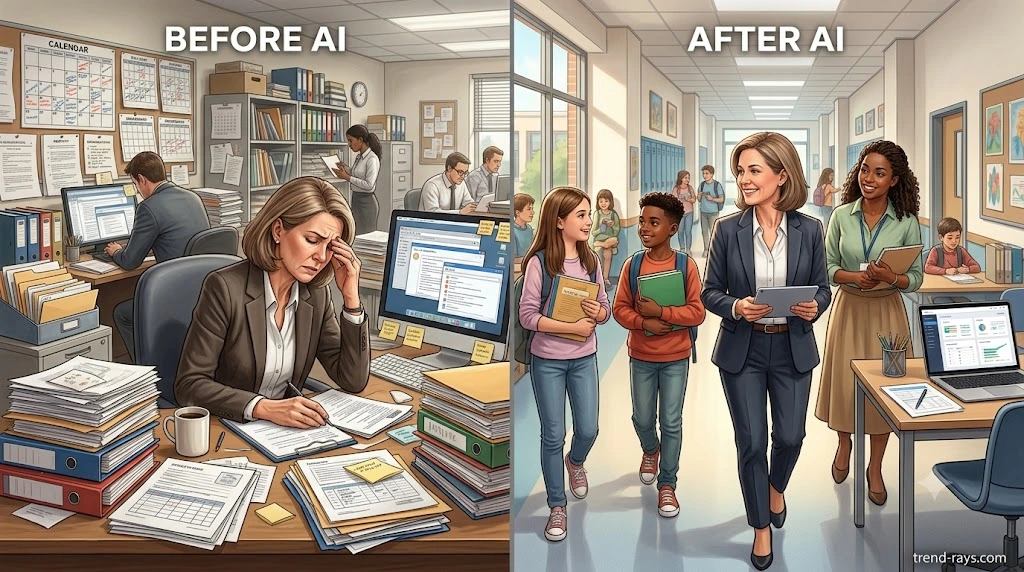
Final Thoughts: AI Won’t Make Great Schools—Great Leaders Will
Artificial intelligence has quickly become one of the most talked-about technologies in education.
Some people believe it will revolutionize schools overnight.
Others worry it will replace teachers and administrators altogether.
The truth is far less dramatic—and far more practical.
For most schools, AI isn’t about replacing people or transforming education with a single piece of software.
It’s about reducing the countless administrative tasks that quietly consume hours every week.
Writing emails.
Preparing meeting agendas.
Summarizing reports.
Drafting policies.
Organizing documentation.
Creating newsletters.
Planning events.
These tasks are important, but they rarely represent the reason most people chose a career in education.
The real purpose of school leadership has always been about people.
Supporting students.
Developing teachers.
Building strong relationships with families.
Creating safe learning environments.
Shaping a positive school culture.
Artificial intelligence cannot replace empathy.
It cannot earn the trust of a worried parent.
It cannot mentor a struggling teacher.
It cannot inspire students during a difficult moment.
And it cannot make the complex decisions that effective educational leadership requires.
Those responsibilities will always belong to people.
What AI can do is reduce some of the repetitive administrative work that often prevents school leaders from focusing on those responsibilities.
Used thoughtfully, AI becomes less like a replacement for human expertise and more like an efficient administrative assistant—one that helps prepare first drafts, organize information, and streamline routine workflows while leaving every important decision in human hands.
Schools don’t need to adopt every new AI tool that appears on the market.
They don’t need to automate every process.
And they certainly shouldn’t implement AI simply because everyone else is doing it.
Instead, they should begin with a simple question:
Which repetitive administrative task takes too much time—and how can AI help us do it better without compromising quality, privacy, or professional judgment?
If AI saves even a few hours each week, those hours can be reinvested where they matter most:
- Visiting classrooms instead of formatting reports.
- Coaching teachers instead of rewriting emails.
- Speaking with parents instead of reorganizing meeting notes.
- Supporting students instead of starting every document from a blank page.
That’s where the real value of AI lies.
Not in replacing educators.
But in giving educators more time to educate.
As AI continues to evolve, the schools that benefit the most won’t necessarily be the ones with the largest budgets or the most advanced technology.
They’ll be the schools that combine innovation with thoughtful leadership, clear governance, responsible data practices, and a willingness to continuously learn.
Technology will continue to change.
The qualities that define exceptional school leaders—integrity, compassion, sound judgment, and a genuine commitment to student success—will not.
Those are qualities no algorithm can replicate.
If you’re just beginning your AI journey, don’t try to transform your entire school in a single week.
Start with one workflow.
Learn from the experience.
Refine your approach.
Build clear policies.
Train your team.
Measure what actually improves.
Then expand gradually.
In education, sustainable progress has always been achieved one thoughtful step at a time.
The same principle applies to artificial intelligence.